


Lock Screen Display
🔒
Keep your to-do notes where you can see them every time you unlock the screen.

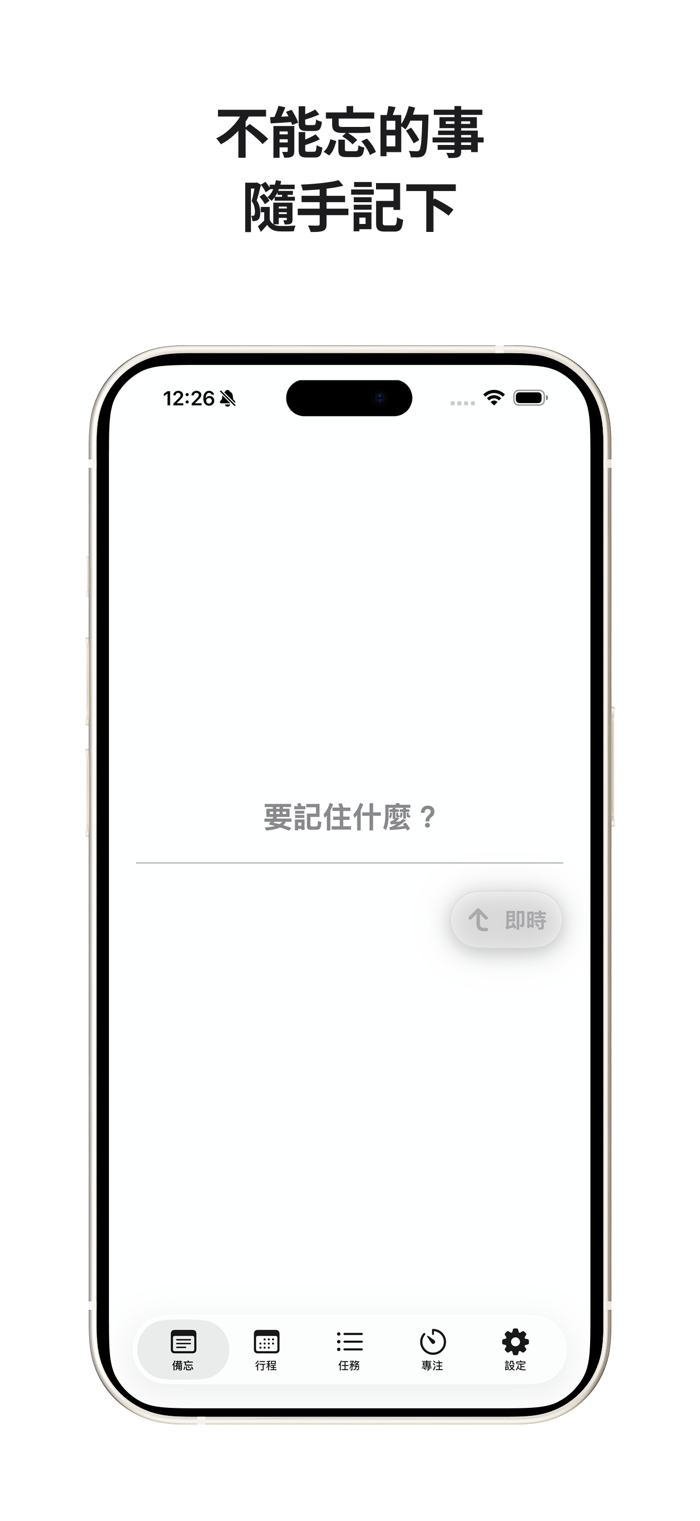


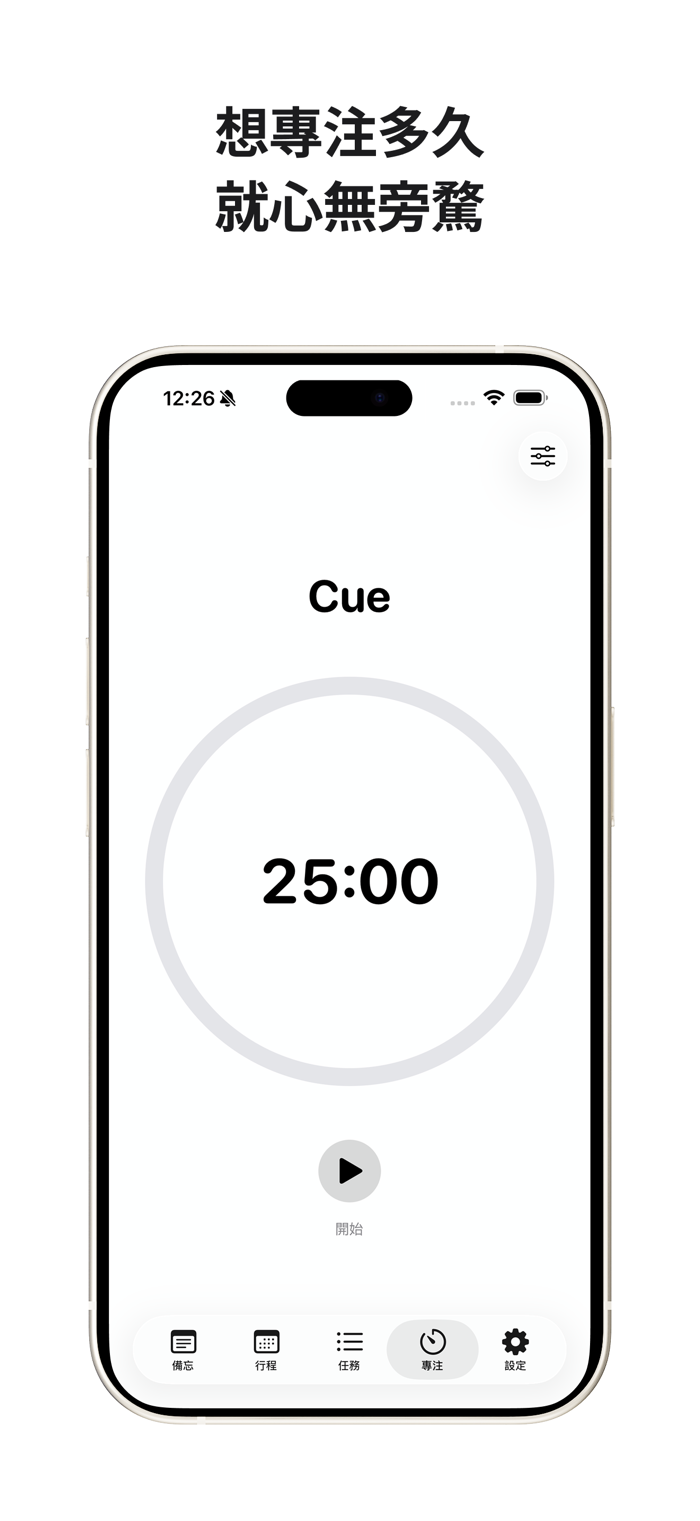
🏷️ Lock screen as an app / Real-time to-do and calendar / Focus timer and notes✅ iPhone🇰🇷 Developer from South Korea📱Developer of "Cue":"If you need to open an app just to remember...
Keep your to-do notes where you can see them every time you unlock the screen.
View today's schedule directly on the lock screen
View the Cue posted today in order and set a reminder
Cue is an app that displays important items such as to-dos, notes, and schedules on your lock screen. You can add them with a single tap, so they are always visible without needing...
Keep your to-do notes where you can see them every time you unlock the screen.
View today's schedule directly on the lock screen
View the Cue posted today in order and set a reminder
🏷️ Lock screen as an app / Real-time to-do and calendar / Focus timer and notes
✅ iPhone
🇰🇷 Developer from South Korea
📱Developer of "Cue":"If you need to open an app just to remember a task, it's already too late. Cue's mission is to place the thing you must not forget right on your lock screen, which you check dozens of times a day. It's not a notification that swipes away; it stays quietly there until you swipe it off yourself."
🎯The most crafted feature of "Cue" is the 'four-in-one' information display on the lock screen:
📋 Other highlights:
📜 More product background:
The developer is an independent creator from South Korea who alone conceived, designed, and developed Cue. The product was born from his own pain points: writing down to-dos but never opening the app to check them, and missing notifications due to busyness. He realized that the most-viewed screen is not inside any app, but the lock screen. Thus, he implemented his needs one by one, finally integrating these four core modules. The first version was created in 2026, 5, and went live on the App Store two months later. To this day, he continues to iterate based on every piece of user feedback; a single comment could very well become the update content for the next version. In the future, he hopes to go deeper into the dimension of 'focus,' planning to introduce the Eisenhower Matrix (to help you decide what to do first), Screen Time integration (to lock distracting apps during focus periods), and develop more practical widgets based on user demand.
15 enthusiasts have claimed
10.0 Rating 界面非常漂亮精致,非常喜欢这种风格

10.0 Rating 画面内容简单明了,功能丰富,内容修改后,系统自带日历也会跟着更改,屏幕还有个实时活动看起来很方便,但还不清楚耗电的影响,总体感觉不错

 2 screenshots
10.0 Rating 功能特别齐全,很棒哦


 3 screenshots
10.0 Rating 这个软件对我来说很新颖,非常符合我的需求

 2 screenshots
9.0 Rating 界面简单,超实用。

 2 screenshots
Exclusive Giveaways in progress today 101 items. Keep browsing to see if the next one is what you're looking for.
 Tools

Camera photos with GPS correction, relive your travel footprints, supports GPX
 Tools

Habits, To-Do Lists, Memos, and Countdowns
 效率

100% offline, no full access required
 Tools

Cats accompany you to stay focused, using calendars and plans to manage time
 Tools

Relaxing Woodfish and Piano | Watch Faces | Stress Alerts | Breathing Relaxation | Heart Rate & Blood Oxygen | Stress Relief
 效率

Strictly reviewing every time you open a mobile application
 Tools

Study, work, and read in your favorite settings
 Tools

Photo, Live Photo, and Video Collage


🏷️ Lock screen as an app / Real-time to-do and calendar / Focus timer and notes
✅ iPhone
🇰🇷 Developer from South Korea
📱Developer of "Cue":"If you need to open an app just to remember a task, it's already too late. Cue's mission is to place the thing you must not forget right on your lock screen, which you check dozens of times a day. It's not a notification that swipes away; it stays quietly there until you swipe it off yourself."
🎯The most crafted feature of "Cue" is the 'four-in-one' information display on the lock screen:
📋 Other highlights:
📜 More product background:
The developer is an independent creator from South Korea who alone conceived, designed, and developed Cue. The product was born from his own pain points: writing down to-dos but never opening the app to check them, and missing notifications due to busyness. He realized that the most-viewed screen is not inside any app, but the lock screen. Thus, he implemented his needs one by one, finally integrating these four core modules. The first version was created in 2026, 5, and went live on the App Store two months later. To this day, he continues to iterate based on every piece of user feedback; a single comment could very well become the update content for the next version. In the future, he hopes to go deeper into the dimension of 'focus,' planning to introduce the Eisenhower Matrix (to help you decide what to do first), Screen Time integration (to lock distracting apps during focus periods), and develop more practical widgets based on user demand.

10.0 Rating 界面非常漂亮精致,非常喜欢这种风格

10.0 Rating 画面内容简单明了,功能丰富,内容修改后,系统自带日历也会跟着更改,屏幕还有个实时活动看起来很方便,但还不清楚耗电的影响,总体感觉不错
2 screenshots

10.0 Rating 功能特别齐全,很棒哦
3 screenshots
Exclusive Giveaways in progress today 101 items. Keep browsing to see if the next one is what you're looking for.
Copy the code below and send it in the Mergeek WeChat Official Account chat box
to check the activity status,Claim Redemption Code。

Your activity participation record has been saved. You can return to the Official Account to continue checking the redemption status.
Cue
0 Gems
--
--
The redemption code will be sent via the Mergeek WeChat official account.
We recommend pinning the 「Mergeek」 WeChat official account and ensuring message notifications are not muted, so you can receive redemption code alerts promptly.
You can also check the current status in the 'Personal Center'.
--
Please scan the QR code within 24 hours to visit the Mergeek WeChat official account and send the code to check the activity status.
Some app store links cannot be opened directly within the mini program. Please long-press and scan the QR code below, go to the Mergeek WeChat official account, and automatically obtain the download link for this product.
More convenient on mobile


