
AirCull:翻看照片整理相册

AirCull:翻看照片整理相册

Restrain from organizing the photo album, with multiple functions and support for restoring deleted photos by mistake

创作者
靖文 陈

AirCull is a restrained photo album organizing tool that organizes photos in a group every day like flipping through cards. It checks for similar photos, screenshots, etc. on the local device, provides reference information such as quality, and does not automatically delete photos. You need to confirm. It has functions such as reviewing a group every day, card-style organizing, classification checking, local analysis, confirmation before deletion, and recoverable content. It is suitable for scenarios such as dealing with consecutive similar photos, batch processing screenshots, cleaning up space without accidentally deleting, and daily maintenance of photo albums. It is not a one-click deletion tool and is more suitable for slow organizing.

COMMUNITY PERKSMergeek 社区专属福利
独家限免 NEW每天发现一份惊喜
PRODUCT SCREENS / 5

点击查看界面细节

AirCull:翻看照片整理相册 产品截图 1AirCull:翻看照片整理相册 产品截图 2AirCull:翻看照片整理相册 产品截图 3AirCull:翻看照片整理相册 产品截图 4AirCull:翻看照片整理相册 产品截图 5

Organize your photo album. You don't have to finish it all at once.
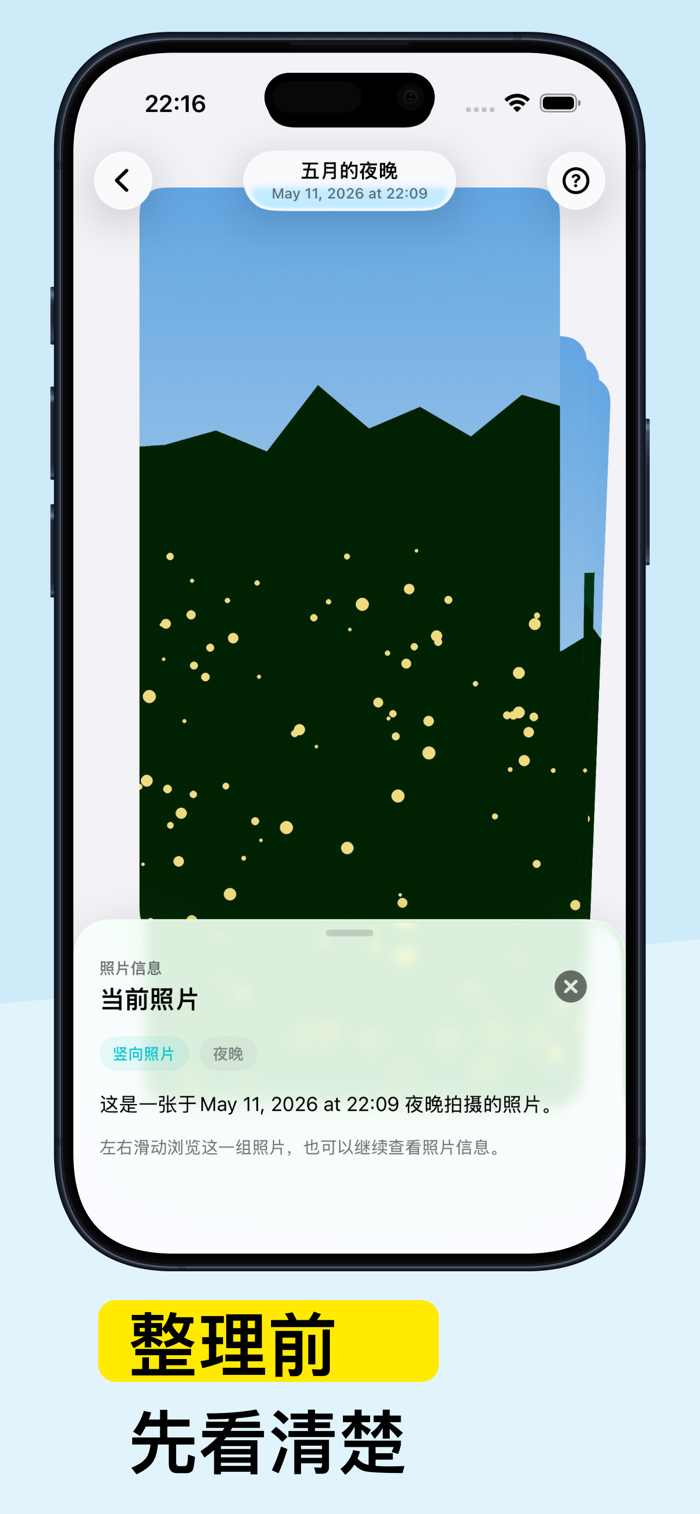
AirCull is a more restrained photo album organizing tool. It breaks down photo organizing into groups of smaller, more manageable tasks, allowing you to view, keep, or remove photos like flipping through cards.
You can start with a daily set of memories or focus on handling screenshots, duplicate and similar photos, and photos awaiting confirmation. AirCull provides reference information such as photo quality, aesthetic scores, and content types, but it doesn't automatically delete photos for you. Every removal requires your confirmation.
Main features
A daily set for review
Start organizing from a small group of photos instead of facing the entire album at once.
Card-style organizing
Swipe left or right to view photos, swipe up to add to the removal queue, or enter the details page for confirmation.
Categorized inspection
Handle screenshots, duplicate and similar photos, and photos awaiting confirmation separately to reduce the need to search back and forth.
Local analysis
Photo inspection is done locally on the device. AirCull doesn't upload your photos.
Confirmation before deletion
AirCull only gives organizing suggestions. You can view the original photo and the basis for judgment before deciding to keep or remove it.
Recoverable content
Removed photos first go into the recoverable content area, making it convenient for you to review, recover, or completely delete them.
Suitable for these scenarios
There are many burst shots and similar photos in the photo album.
Screenshots are piling up and you want to handle them集中处理.
You want to free up space but don't want to delete in one large batch.
You hope to spend a few minutes each day maintaining your photo album.
AirCull is not a tool to empty the photo album in one click. It's more suitable for slow and steady organizing, with less pressure of accidental deletion and more of a sense of control.

版本

1.12.0

• 新增「今日回顾」和「整理进度」桌面小组件。
• 适配 iOS 27,优化小组件的显示体验。

查看完整更新记录 ↗

你的真实体验,为其他用户提供宝贵参考,获得宝石奖励

REWARD MARKET100 宝石可兑换什么?
用户体验图片
Blank Space
第一印象 简洁的页面,挺好的,用起来很简单,蛮好的
用户体验图片
单单⚡️
高光时刻 删除前再次确认非常好
用户体验图片
DODO_CDZRYYVU
一句话总结 相机照片清理太省心了!自动筛重复、虚焦、废片,10分钟清完几百张,误删的还能扫出来,效率拉满,必入!
加载更多评论 ↗
广告
