


 +100宝石



产品功能
Lucent: Bring the clipboard to the surface and efficiency is within reach.
We perform countless copy-and-paste operations every day, but the traditional clipboard can only remember the "last time". Lucent not only helps you remember all the history, but also makes managing the clipboard as natural as breathing through its unique "smart floating window" design.
No need to switch windows frequently. With just one shortcut key, your clipboard history is at your fingertips.
# Core Features
Invisible Recording, Automatic Recall
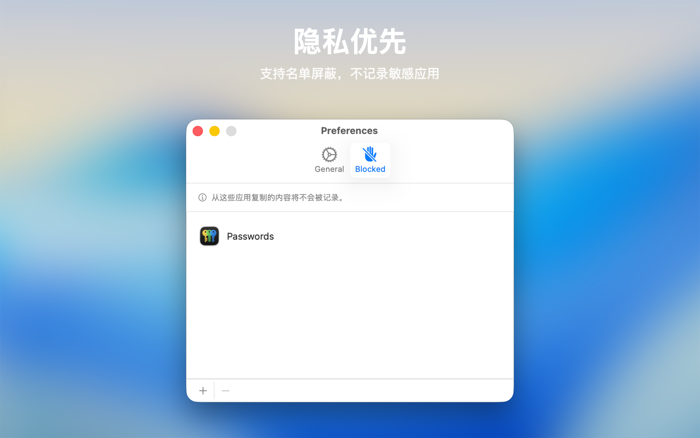
Silently record your clipboard history (text, pictures, links, etc.) in the background automatically. No longer worry about losing important information due to overwriting. If you want to retrieve the content you just copied, it's always there.
Smart Floating Window, Instant Activation
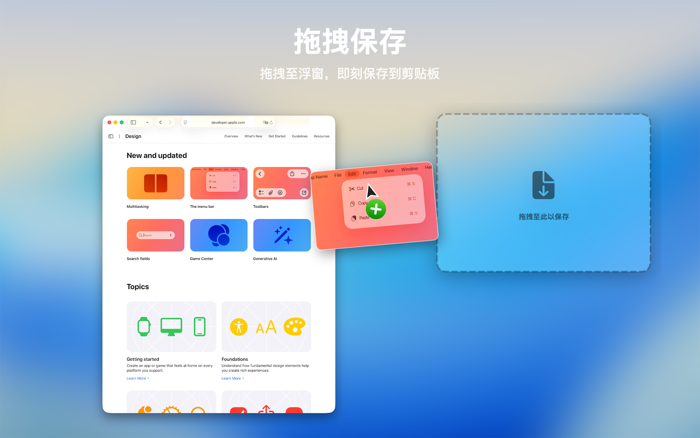
Designed for efficiency. Use a custom shortcut key to instantly activate the floating panel. It gently hovers above the current workspace, and disappears after use without disturbing.
Search and Filter, One-step Access
Supports keyword search and can be filtered by source application (Source App) and content type. No matter how much history there is, you can quickly locate the target content.
Tag Organization and Shortcut Key Direct Access
Supports creating multiple tags to group and manage content. You can also bind shortcut keys to specified tags to directly access the corresponding content collection, reducing repetitive operations.
Preview of Multiple Content Types
Supports preview of various content such as colors, links, pictures, locations, etc. No need to repeatedly paste and test. Just view and judge, and make more efficient selections.
Picture Format Conversion
Supports direct conversion of multiple formats such as WEBP, AVIF, PNG, GIF, JPEG, HEIC, etc. The process is simple and the processing is fast.
Video Format Conversion and Compression
Supports direct conversion of common formats such as MP4, WEBM, MKV, etc., and provides video compression capabilities for easy sharing and archiving.
Create GIF from Video
Supports selecting segments from a video, setting GIF parameters, and directly exporting as a GIF to quickly generate shareable animated images.
Integration with Third-party Services
Supports one-click call to TinyPNG for compression, or uploading pictures to ImgBB (you need to enter the API Key of the corresponding service).
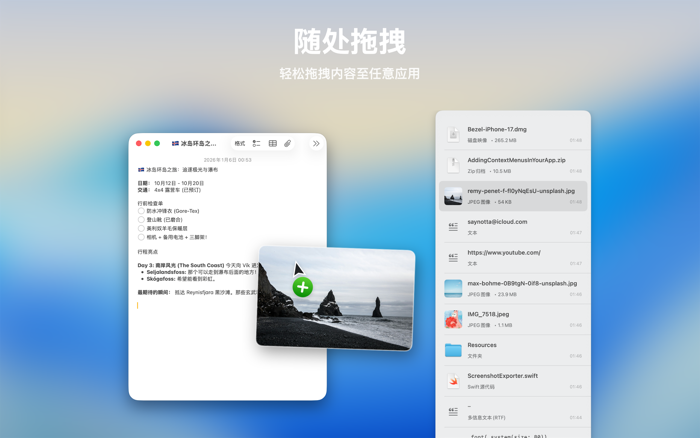
Intuitive Dragging, Smooth Interaction
分享「」体验,参与「」抽奖!
分享 1~3 张你对这个产品最满意的截图或效果图
分享「」体验,参与「」抽奖!
用你的故事点亮社区✨!你的真实体验,将会永久展示在 官方主页 📌,为其他朋友提供宝贵参考 💡。立即分享吧!🚀
请为产品评分
请选择问题回答,为大家提供宝贵参考
选择要回答的问题
温馨提示
你尚未上传产品截图。
上传截图可立即获得宝石积分奖励!
如果你赶时间,也可稍后修改评论,补上截图领取宝石。
温馨提醒
你尚未添加产品截图
⚠️ 不添加截图将降低抽奖权重

感谢参加,你已成功参加!
为了确保你能及时收到审核结果和领奖码通知

扫描二维码关注 Mergeek 公众号
在后台回复 「获奖通知」
完成上述操作,即可保障奖励发放成功











用户评价
立即分享产品体验
你的真实体验,为其他用户提供宝贵参考
💎 分享获得宝石
【分享体验 · 获得宝石 · 增加抽奖机会】
将你的产品体验分享给更多人,获得更多宝石奖励!
💎 宝石奖励
每当有用户点击你分享的体验链接并点赞"对我有用",你将获得:
🔗 如何分享
复制下方专属链接,分享到社交媒体、群聊或好友:
💡 小贴士
分享时可以添加你的个人推荐语,让更多人了解这款产品的优点!
示例分享文案:
"推荐一款我最近体验过的应用,界面设计很精美,功能也很实用。有兴趣的朋友可以看看我的详细体验评价~"
关注 Mergeek 公众号
领奖遇到问题?联系小门助手