



Ioths
- Creator
- Robert Andersson
Built for myself first, because nothing else did quite fit... Ioths is an offline-first notes and task app for iPhone and iPad. Every note is a readable, portable Markdown file with YAML frontmatter. TASKS, KANBAN, AND
Built for myself first, because nothing else did quite fit... Ioths is an offline-first notes and task app for iPhone and iPad. Every note is a readable, portable Markdown file with YAML frontmatter. TASKS, KANBAN, AND
点击查看界面细节




Built for myself first, because nothing else did quite fit...
Ioths is an offline-first notes and task app for iPhone and iPad. Every note is a readable, portable Markdown file with YAML frontmatter.
TASKS, KANBAN, AND FOCUS
• Any checklist in a note makes it a task note — no separate task manager to maintain
• See task progress on each card and switch between Tile, List, and Kanban layouts
• Mark a note in progress and watch its Kanban lane update as you complete tasks
• Set a configurable work-in-progress limit
• See every open checklist item in one Tasks screen
• Add due dates to tasks and get reminders at your chosen time
CAPTURE AND FIND NOTES
• Write, dictate, take or choose a photo, record audio, or share content into a note
• Convert PDFs to Markdown and review the result on-device before saving
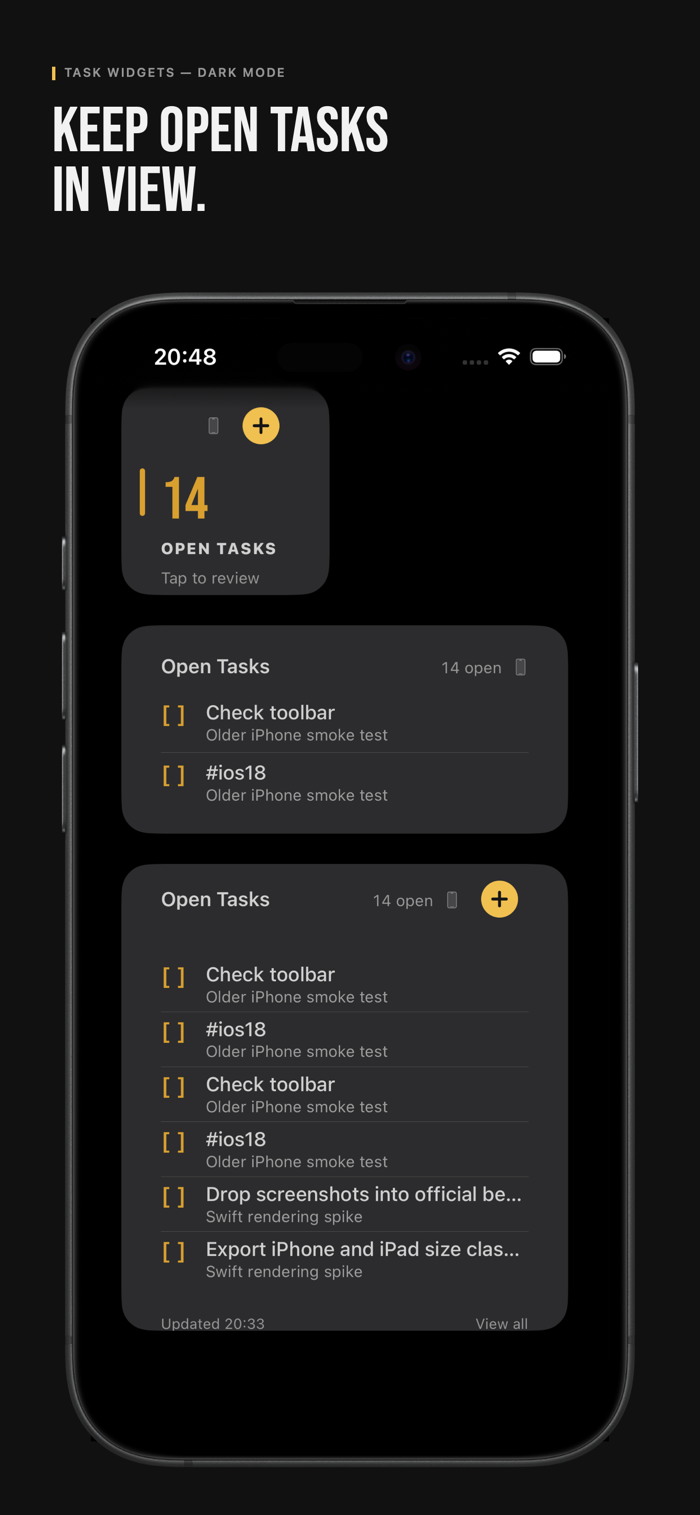
• Use tags, pinned notes, quick search, and Home Screen widgets for quick capture and open tasks
BUILT ON PLAIN FILES
Notes are stored as Markdown files with YAML frontmatter, using a structure compatible with Obsidian vaults. Your notes aren’t locked into a proprietary format.
PRIVATE BY DEFAULT
Your notes stay on your device until you choose an external storage destination. There’s no ioths account or developer-operated sign-in. Optional analytics are off unless you enable them, and never include note content, titles, or tags. Your data isn’t sold or used to train AI models.
UNLOCK MORE STORAGE
Writing and using notes on your device is free. A one-time Full Unlock purchase — no subscription — adds:
• Storage in a folder supported by your chosen Files provider
• GitHub storage and sync to a dedicated repository path
• GitLab storage and sync to a dedicated project path
• OneDrive storage and sync in a dedicated app folder in your personal Microsoft account
• Export your Library as a ZIP archive
• Experiment/Beta: Import an unpacked Google Takeout Keep folder on-device. The import is one-way; Keep reminders, colours, and rich formatting don’t transfer.
还没有公开评论,欢迎分享你的体验。
Ioths
Help the people using your product get to know its creator. Our editors will review your application before awarding a verified developer badge.
Our editors will review your information and contact you at the email provided if they need more details. Your badge will be awarded after your identity is confirmed.
