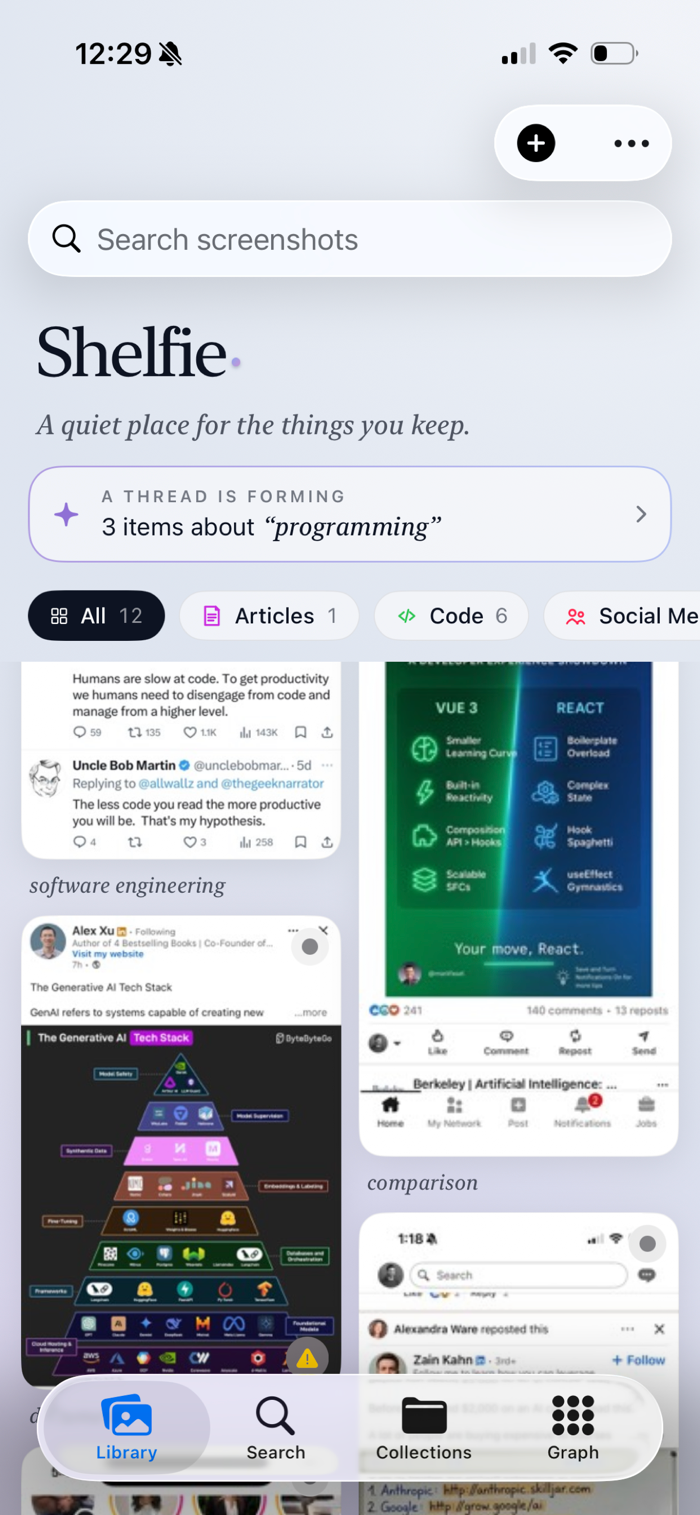
Shelfie turns your screenshot and photo chaos into an organized, searchable library — powered entirely by on-device Apple Intelligence. Nothing ever leaves your iPhone.
Every image you import is automatically analyzed, tagged, and categorized using Apple's Vision, Natural Language, and Foundation Models frameworks. Screenshots, photos, receipts, whiteboards, documents, signs, handwritten notes — Shelfie knows what it's looking at and makes it instantly findable.
INTELLIGENT ORGANIZATION
• Works on both screenshots and regular photos — the picker defaults to screenshots but you can toggle to your full photo library
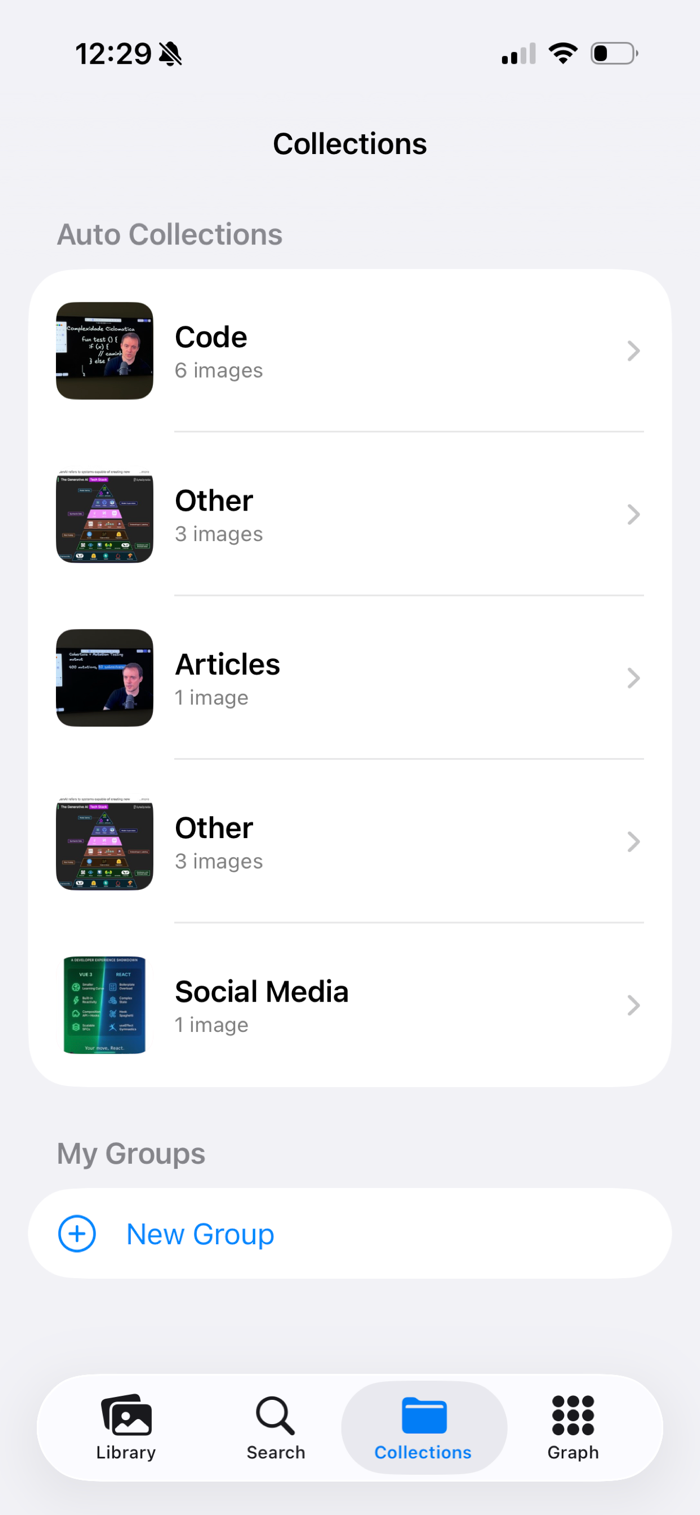
• Auto-categorization into 14 smart categories: Receipts, Conversations, Articles, Code, Maps, Social Media, Email, Calendar, Settings, Shopping, Travel, Health, Finance, and Other
• AI-generated tags, one-sentence summaries, and key highlights (prices, dates, action items)
• Entity extraction — people, places, and organizations pulled automatically
• Tappable detected data — URLs open Safari, phone numbers dial, addresses jump to Apple Maps
POWERFUL SEARCH
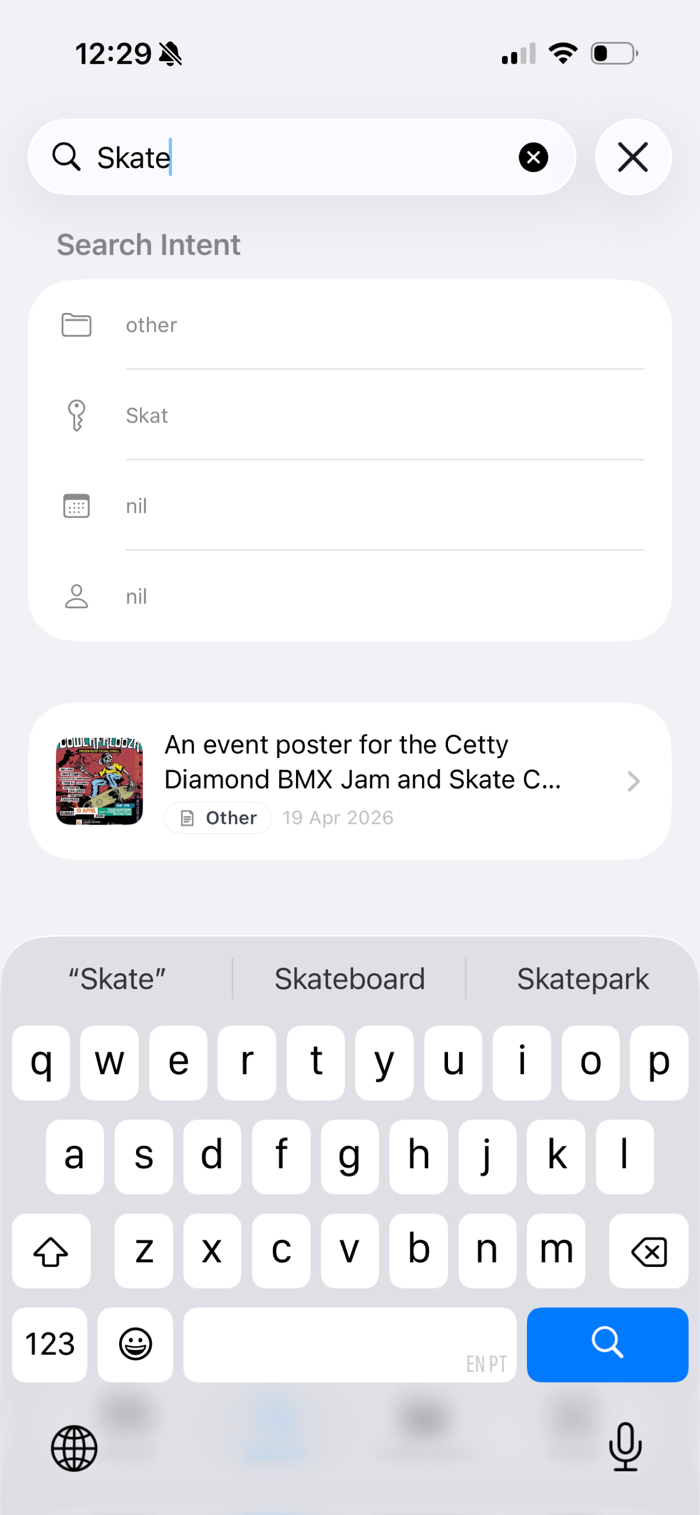
• Full-text search across every pixel of OCR-extracted text — screenshots, signs, receipts, handwriting
• Smart AI search understands natural language: "receipts from last week", "photos of whiteboards", "messages from John"
• Spotlight integration — find any image straight from your Home Screen
• Siri Shortcuts: "Search images in Shelfie", "Find image in Shelfie"
VISUAL DISCOVERY
• Similar images surface automatically using visual fingerprinting
• Content Graph — explore your library as a constellation of related ideas
• Auto-generated Collections plus custom Groups for manual organization
PRODUCTIVITY TOOLS
• Your Context — tell Shelfie about yourself (work, hobbies, life) and Apple Intelligence writes tags, descriptions, and group names that actually fit you. Stays on your device, syncs only via your private iCloud
• Combine multi-page screenshots into a single item — drag to reorder, Apple Intelligence suggests the right top-to-bottom order, and overlapping OCR text is deduplicated. Originals are kept and back-linked
• Multi-select mode to summarize several images into a single AI briefing with themes and action items
• Quote Card Generator creates shareable image cards in five styles and three sizes
• Share Sheet support — send screenshots and photos to Shelfie from any app
• Editable personal notes on every image
• Import up to 50 images at once from the photo library, take a new one with the camera, paste from the clipboard, or share up to 10 at a time. After importing from Photos, Shelfie can offer to delete the originals so you free up space
PRIVACY FIRST
All processing happens on-device. No cloud AI. No third-party SDKs. No ads. No tracking. Your images — and everything Shelfie learns about them — stay yours. Your library syncs across your Apple devices through your own private iCloud container, which only your devices can read.
REQUIREMENTS
• iOS 26 or later
• Apple Intelligence-capable device (iPhone 15 Pro or newer) for summaries, smart search, and quote generation
• OCR, categorization, and similarity features work on all supported devices
• No account required
Stop scrolling through Photos looking for that one image. Let Shelfie find it for you.

 +100宝石


 分享
分享




















用户评价
立即分享产品体验
你的真实体验,为其他用户提供宝贵参考
💎 分享获得宝石
【分享体验 · 获得宝石 · 增加抽奖机会】
将你的产品体验分享给更多人,获得更多宝石奖励!
💎 宝石奖励
每当有用户点击你分享的体验链接并点赞"对我有用",你将获得:
🔗 如何分享
复制下方专属链接,分享到社交媒体、群聊或好友:
💡 小贴士
分享时可以添加你的个人推荐语,让更多人了解这款产品的优点!
示例分享文案:
"推荐一款我最近体验过的应用,界面设计很精美,功能也很实用。有兴趣的朋友可以看看我的详细体验评价~"
关注 Mergeek 公众号
领奖遇到问题?联系小门助手