产品功能

应用市场介绍

VoidLink is a project maintained and led by players in the Sunshine - Moonlight streaming community. After long - term development and iteration, it has been polished into a game streaming tool with powerful performance and rich functions.

Main Features

1. Customize Your Streaming Method and Experience

* Add frequently - used menu functions to "Favorites" and support dragging to adjust the order.

* Drag to adjust the width of the side - setting menu.

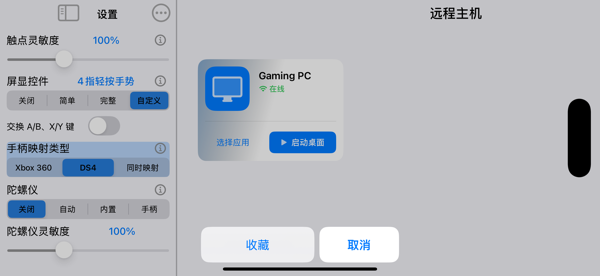
* "Streaming Toolbox" menu: Quickly call the local soft keyboard, send keyboard combinations, and switch the layout of screen display controls.

* Customization is supported for the settings menu, toolbox, soft - keyboard gesture triggers, etc., to create a personalized operation experience.

2. Powerful Video Performance

* The video bitrate can reach up to 500 Mbps, meeting the high - quality streaming requirements.

* Support for HDR and YUV 4:4:4 streaming (requires device hardware decoding support).

* Support for the PiP (Picture - in - Picture) mode, allowing continuous streaming in the background without interruption.

3. Powerful Touch Support

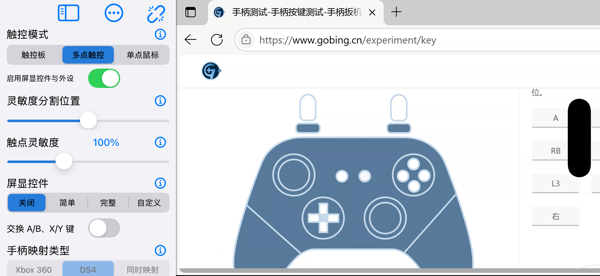
* Smooth and reliable multi - touch passthrough.

* The "Multi - touch Game Fine - tuning" function,首创 by this application, further optimizes the touch response in games.

* Provide mouse click, right - click, drag and other simulation modes, and the pointer movement sensitivity can be adjusted.

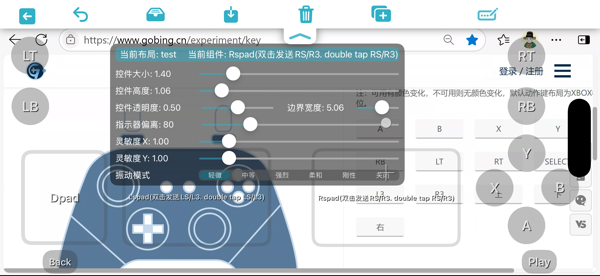
* A rich variety of screen - display control types: gamepad, keyboard keys, mouse controls, supporting mixed - type controls.

* Screen - display controls support visual and tactile feedback (requires a device - built - in vibration motor).

* The control parameter panel supports customizing and adjusting attributes such as control size, shape, border, transparency, sensitivity, label, etc.

* Support for importing and exporting control layouts to share your game operation configurations across devices.

4. Full Support for Portrait Mode

* The streaming content and controls can adapt to the portrait screen, with adaptive resolution and screen - display control layout.

5. External Gamepad Support

* The gamepad mapping type can be specified as Xbox360 or DS4, and it also applies to the screen - display gamepad.

* A gamepad can be connected at any time during the streaming process.

* Support for gyroscope mapping, allowing hot - switching between the built - in gyroscope and the gamepad gyroscope.

* The sensitivity adjustment function makes gyroscope operations more in line with personal habits.

6. External Display Support

* Support for the Stage Manager mode (can be full - screen), AirPlay mode (mirror the current device screen).

收起

用户评价

立即分享产品体验

你的真实体验,为其他用户提供宝贵参考

宝石
评论可得 100 宝石
宝石随心兑换应用高级会员,每周更新 前往查看 >>
活动动态 0 人参加
查看更多评论