产品功能

应用市场介绍

Counter Plan is an elegant all-in-one— private counters, tasbih, deadlines , tracking and date records in one app.


MAIN TABS :

1. COUNT DOWN
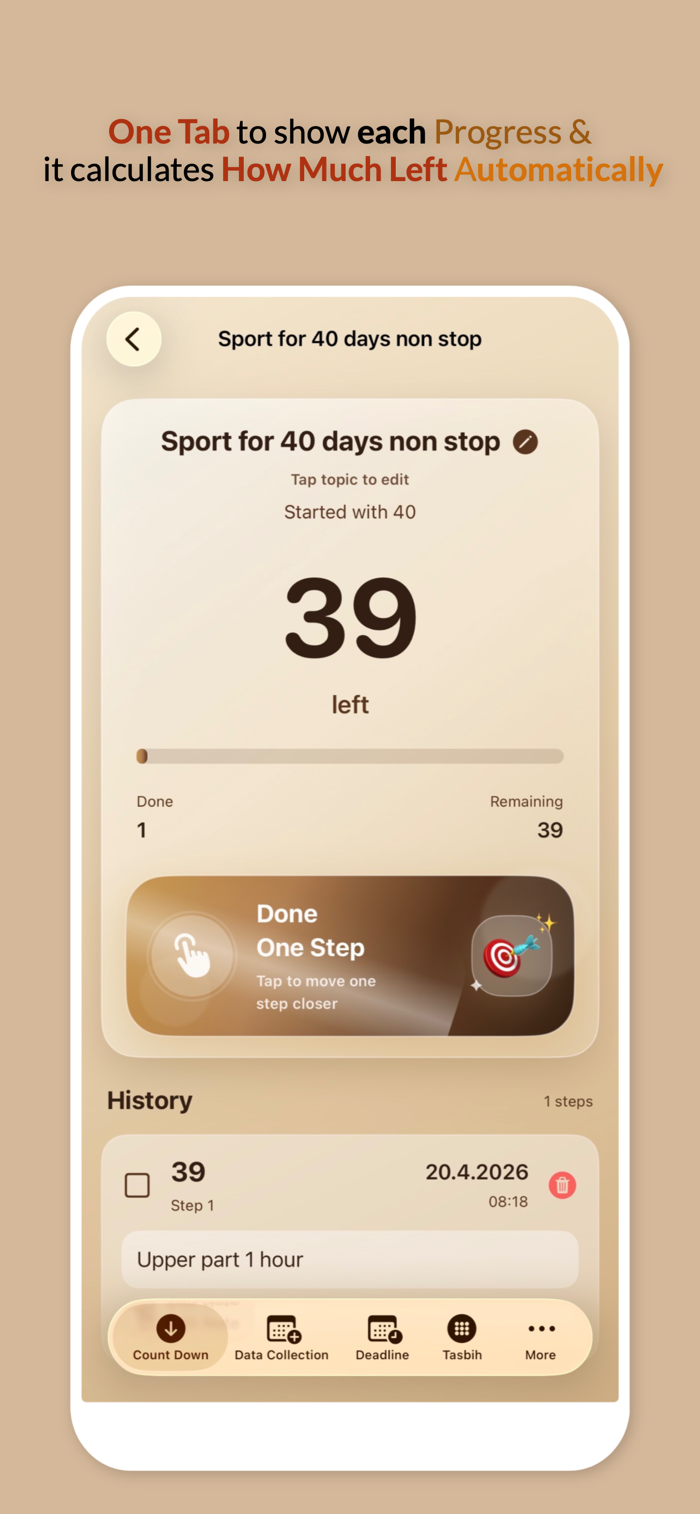
Use Count Down when you want to start from a number and reduce it step by step.
Example:
You create a topic called “Study Pages” and enter 40.
Every time you finish one page or one step, tap the button and the app counts down:
40 → 39 → 38 → 37
Each tap is saved with the date and time, so you can see exactly when you completed every step.
You can use Count Down for:
• study pages
• therapy sessions
• workouts left
• lessons left
• tasks left
• goals
• daily plans
If you tap by mistake, you can delete that entry and the number corrects itself.


2. DATA COLLECTION

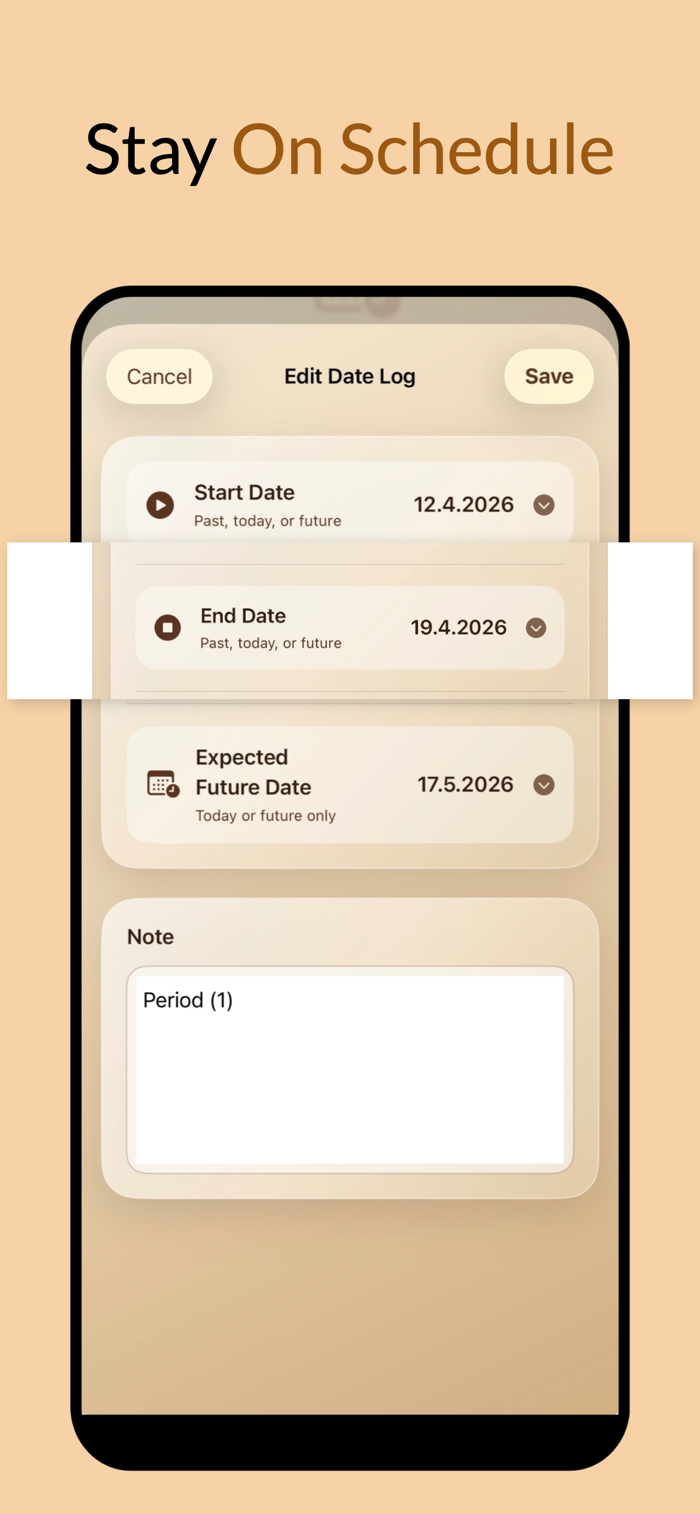
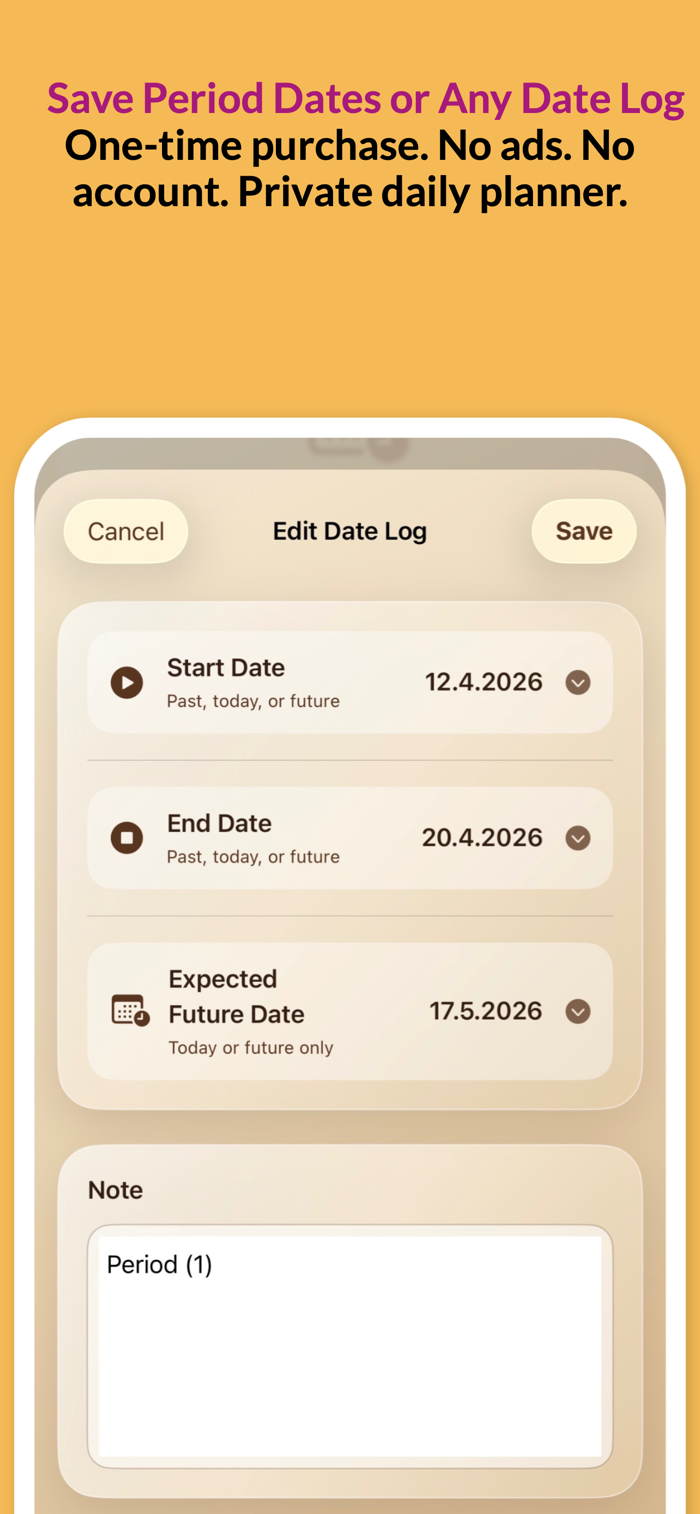
Use Data Collection to save important personal date records with notes.
You can add:
• start date
• end date
• expected future date
• note
Example for period tracking:
A woman can create a record for her period and save:

Start date: when the period started
End date: when it ended
Expected date: when the next period is expected
Note: symptoms, pain, mood, or anything important

Example:
Topic: Period
Start: 1 May
End: 5 May
Expected: 29 May
Note: pain on first day, normal after day three

Data Collection can also be used by anyone for:
• personal planning
• health notes
• medication notes
• travel dates
• project dates
• appointments
• important events
• routine tracking
• reminders
• private notes

The expected date is chosen by the user. Counter Plan does not give medical advice or medical predictions. It simply helps you collect and organize dates and notes clearly.


3. DEADLINE

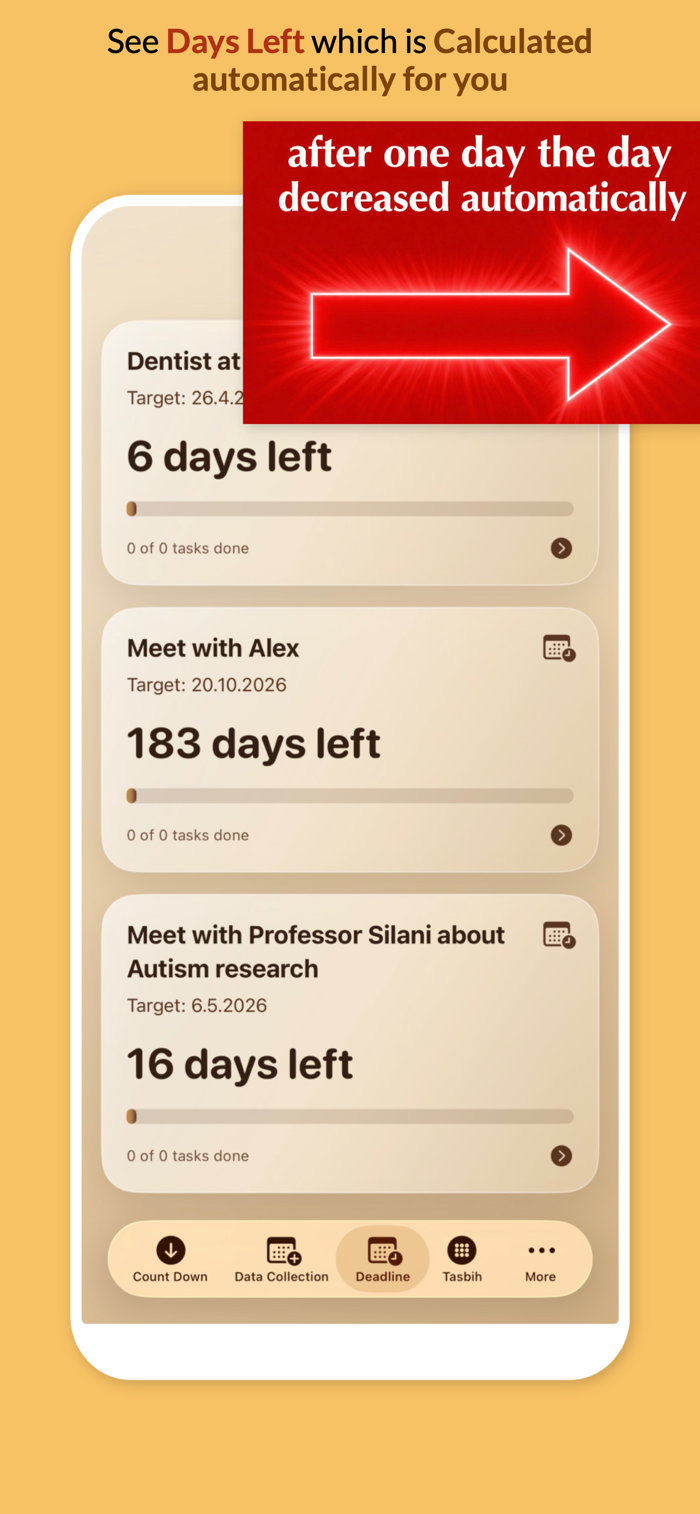
Use Deadline when you have an important future date and want to know how many days are left.
Example:
You choose an exam date, travel date, project launch date, appointment date or event date.
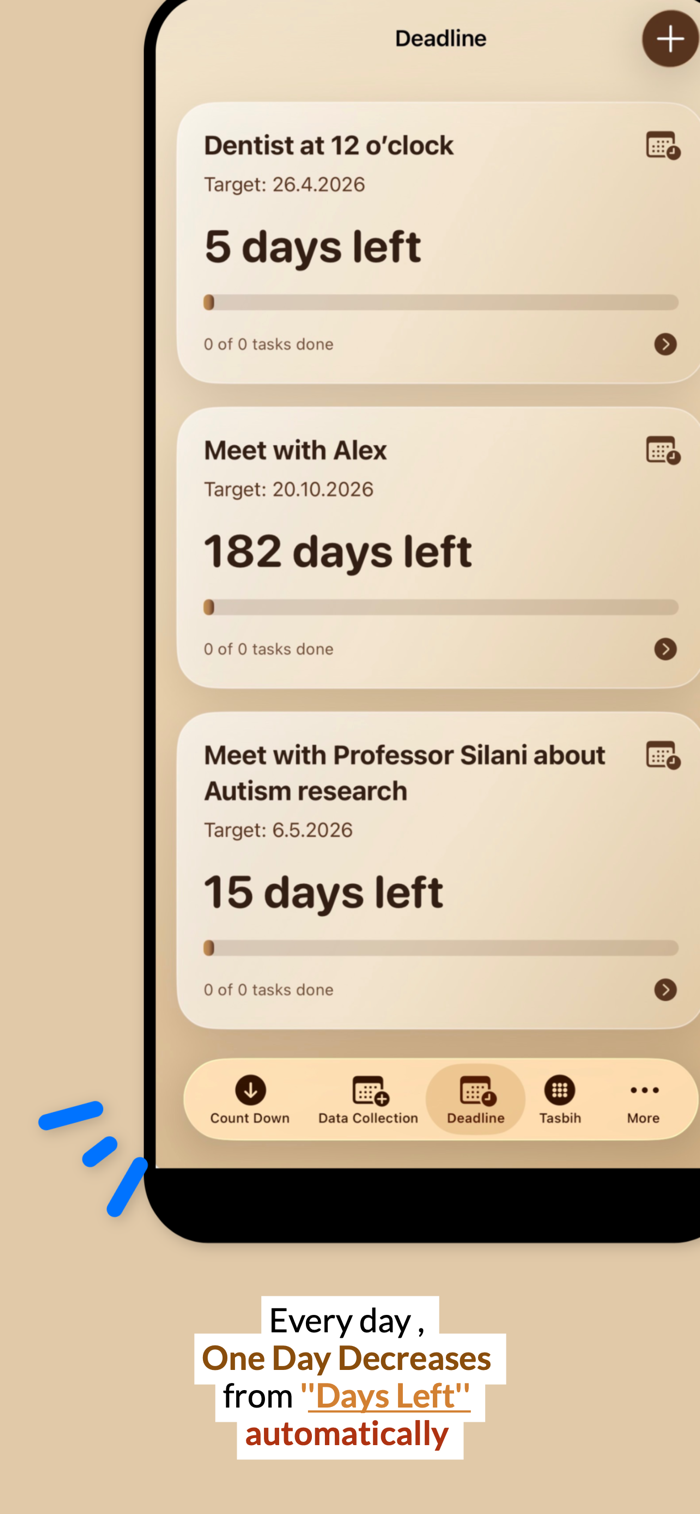
The app shows:

“20 days left”

If you open the app 10 days later, it automatically recalculates and shows:

“10 days left”

You do not need to update it manually. Counter Plan saves the target date and calculates the days left based on today’s date.

You can also add tasks you want to complete before the deadline and tick them when they are done.

Use Deadline for:

• exams
• trips
• launches
• events
• appointments
• goals
• projects
• task planning
• important dates

4. TASBIH

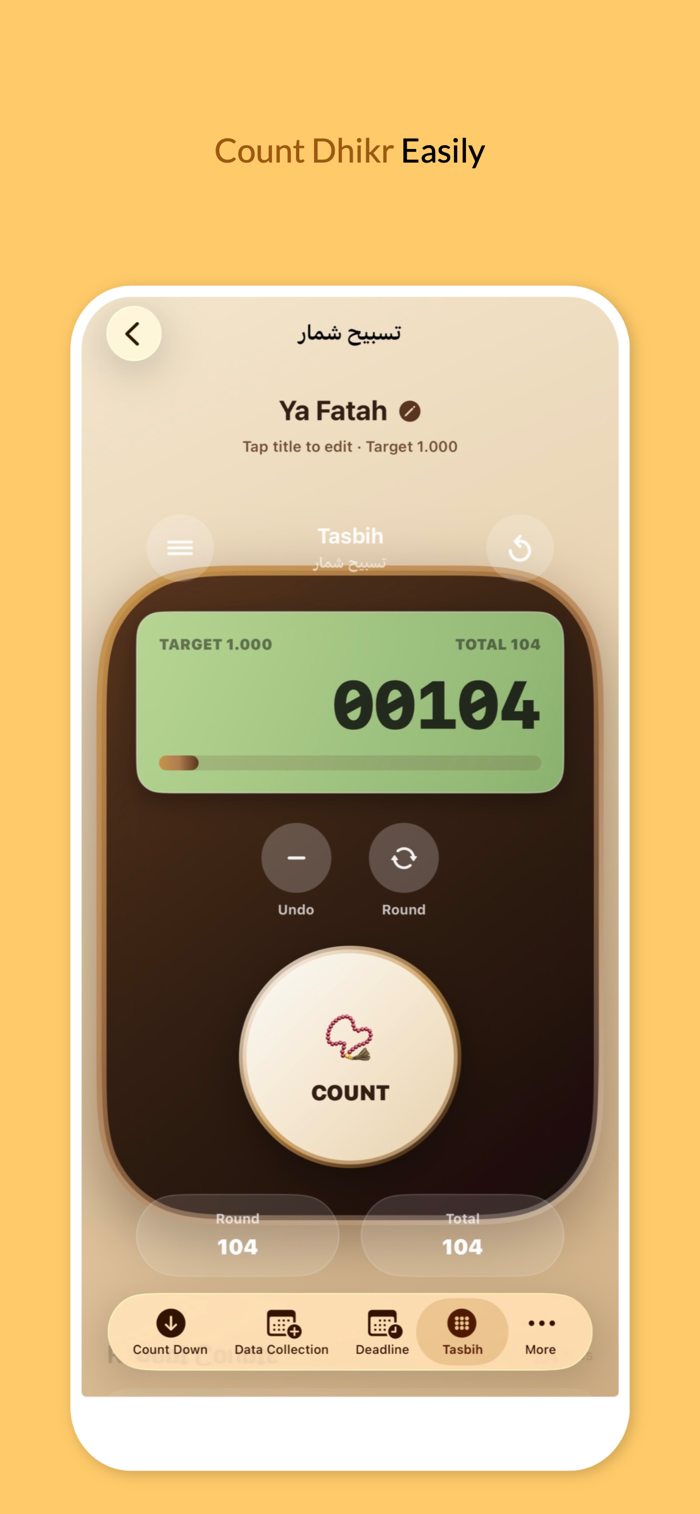
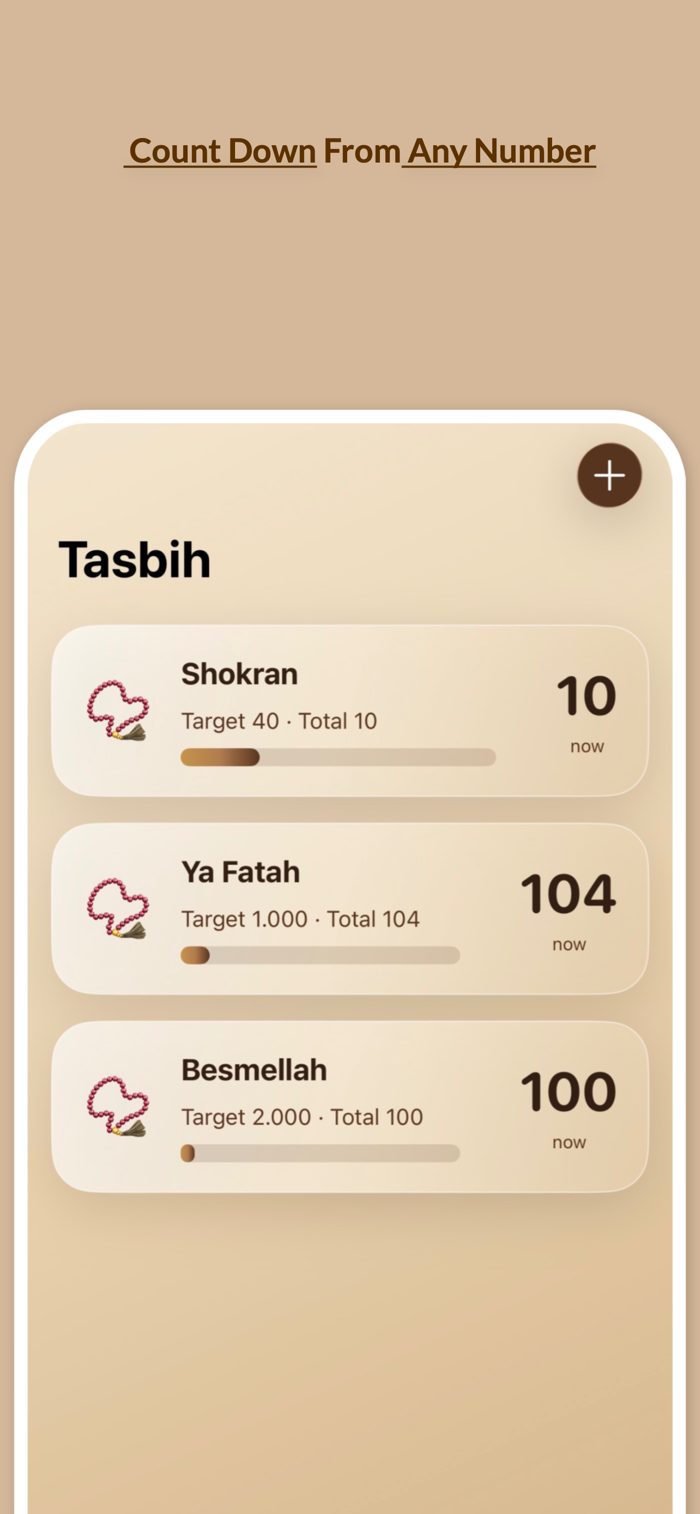
Use Tasbih as a digital tasbih shomar / dhikr counter.

Create a tasbih topic, choose a target such as 33 or 100, then tap the counter button.

The app can show:

• current count
• target count
• total count
• recent count history

Use Tasbih for:

• tasbih
• dhikr
• zikr
• tasbeeh
• spiritual counting
• repeated counting
• daily personal counting

It works like a clean digital counter with a simple luxury design.

5. COUNT UP

Use Count Up when you want to count how many times you did something.
Example:
You create a topic called “Workout”.

Every time you exercise, tap Add One.

The app counts:

0 → 1 → 2 → 3

Each count is saved with date and time. You can also add a note to each count.

Use Count Up for:

• workouts
• habits
• study sessions
• practice days
• reading sessions
• water glasses
• completed calls
• daily progress
• personal tracking

6. MORE

The More tab lets you visit the INGOAMPT website for more apps, tools and articles.
You can also support the app by giving stars through Apple’s official App Store review prompt.


WHY COUNTER PLAN?

Counter Plan is made for people who want a simple app to organize daily life, track progress and remember important dates.

With Counter Plan, you can:

• count down from any number
• count up progress
• track deadlines
• calculate days left
• save start and end dates
• save expected future dates
• add notes
• use a tasbih counter
• tick deadline tasks
• edit records
• delete mistakes
• keep your daily plan organized

Instead of using many separate apps for counters, date logs, tasbih, deadlines, notes and tasks, Counter Plan brings everything together in one clear app.

收起

用户评价

立即分享产品体验

你的真实体验,为其他用户提供宝贵参考

宝石
评论可得 100 宝石
宝石随心兑换应用高级会员,每周更新 前往查看 >>
活动动态 0 人参加
查看更多评论