


 +100宝石



产品功能
It's just a note. Type what you ate, one food per line, and the calories appear beside each line. Worked out from lab-measured data, with protein, carbs and fat a tap away. We never guess.
No forms, no dropdowns, no wading through a database. If you've used Notes, you already know how to use Macro Notes.
THE NOTE
• Type "sausage roll" and a calorie count appears beside it
• Add an amount if you like — "greek yoghurt 150g" — or leave it out and a sensible portion is used, written back into the line so you can always see exactly what was counted
• Keyboard suggestions complete food names as you type
• If a line can't be matched, it shows a dash — never an invented number. Every figure on screen comes from a measured food, reached by name.
REAL DATA
• Over 230,000 foods: CoFID (the UK's laboratory-measured food composition data), USDA FoodData Central, and Open Food Facts for branded products
• Generic, lab-measured foods always rank above crowdsourced branded entries, so "chicken thigh" means chicken — not one brand's packet
• A full nutrition card for every food — fibre, sugars, salt and more — showing only what was actually measured, never a made-up zero
SCAN THE PACKET
• Scan a barcode to look a product up instantly
• Or point the camera at the nutrition label and capture the figures straight off the packet
MEALS
• Save the things you actually eat — your porridge, your Tuesday curry — and log them in one line
• A meal's total is the sum of its real ingredients, not a guess about a phrase
MAKE IT STICK
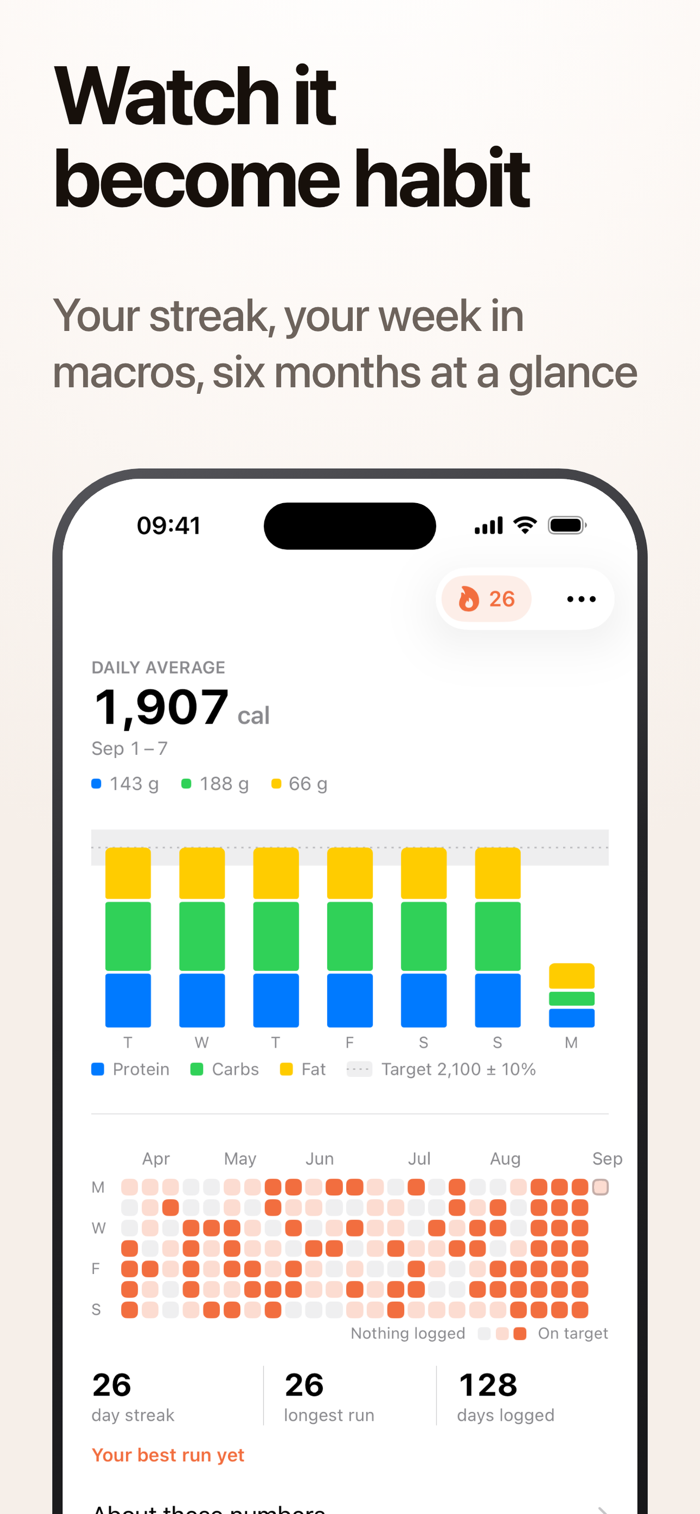
• A streak for the days you logged, a dashboard of your week, and a home-screen widget with today's numbers
• Sign in with Apple and your diary syncs privately through iCloud
THE ASSISTANT (subscription)
Everything above is free. The optional AI assistant plans the rest of your day around what you've already eaten: tell it what you fancy and it suggests real foods from the catalogue, in real amounts, that actually fit the macros you have left — and writes them into your note when you say yes.
The assistant is a monthly or annual auto-renewing subscription. Payment is charged to your Apple ID account at confirmation of purchase, and the subscription renews automatically unless cancelled at least 24 hours before the end of the current period. Manage or cancel any time in Settings.
PRIVATE BY DESIGN
• Sign in with Apple — we don't ask for your name or your email address
• No ads, no tracking, and you can delete your account and every trace of your data from Settings
Privacy policy: https://macronotes.app/privacy/
Terms of use: https://macronotes.app/terms/
Support: https://macronotes.app/support/
分享「」体验,参与「」抽奖!
分享 1~3 张你对这个产品最满意的截图或效果图
分享「」体验,参与「」抽奖!
用你的故事点亮社区✨!你的真实体验,将会永久展示在 官方主页 📌,为其他朋友提供宝贵参考 💡。立即分享吧!🚀
请为产品评分
请选择问题回答,为大家提供宝贵参考
选择要回答的问题
温馨提示
你尚未上传产品截图。
上传截图可立即获得宝石积分奖励!
如果你赶时间,也可稍后修改评论,补上截图领取宝石。
温馨提醒
你尚未添加产品截图
⚠️ 不添加截图将降低抽奖权重

感谢参加,你已成功参加!
为了确保你能及时收到审核结果和领奖码通知

扫描二维码关注 Mergeek 公众号
在后台回复 「获奖通知」
完成上述操作,即可保障奖励发放成功






用户评价
立即分享产品体验
你的真实体验,为其他用户提供宝贵参考
💎 分享获得宝石
【分享体验 · 获得宝石 · 增加抽奖机会】
将你的产品体验分享给更多人,获得更多宝石奖励!
💎 宝石奖励
每当有用户点击你分享的体验链接并点赞"对我有用",你将获得:
🔗 如何分享
复制下方专属链接,分享到社交媒体、群聊或好友:
💡 小贴士
分享时可以添加你的个人推荐语,让更多人了解这款产品的优点!
示例分享文案:
"推荐一款我最近体验过的应用,界面设计很精美,功能也很实用。有兴趣的朋友可以看看我的详细体验评价~"
关注 Mergeek 公众号
领奖遇到问题?联系小门助手