



 +100宝石


产品功能
TD3 Studio turns a MIDI file into a pattern for the Behringer TD-3 or TD-3-MO: drop a file in and the sixteen steps are cut for you, ready to edit, play and send to the device. Build a pattern from nothing too, step by step, from the on-screen keys or a MIDI keyboard plugged into your iPad or iPhone, with accents, slides, ties and rests one touch away.
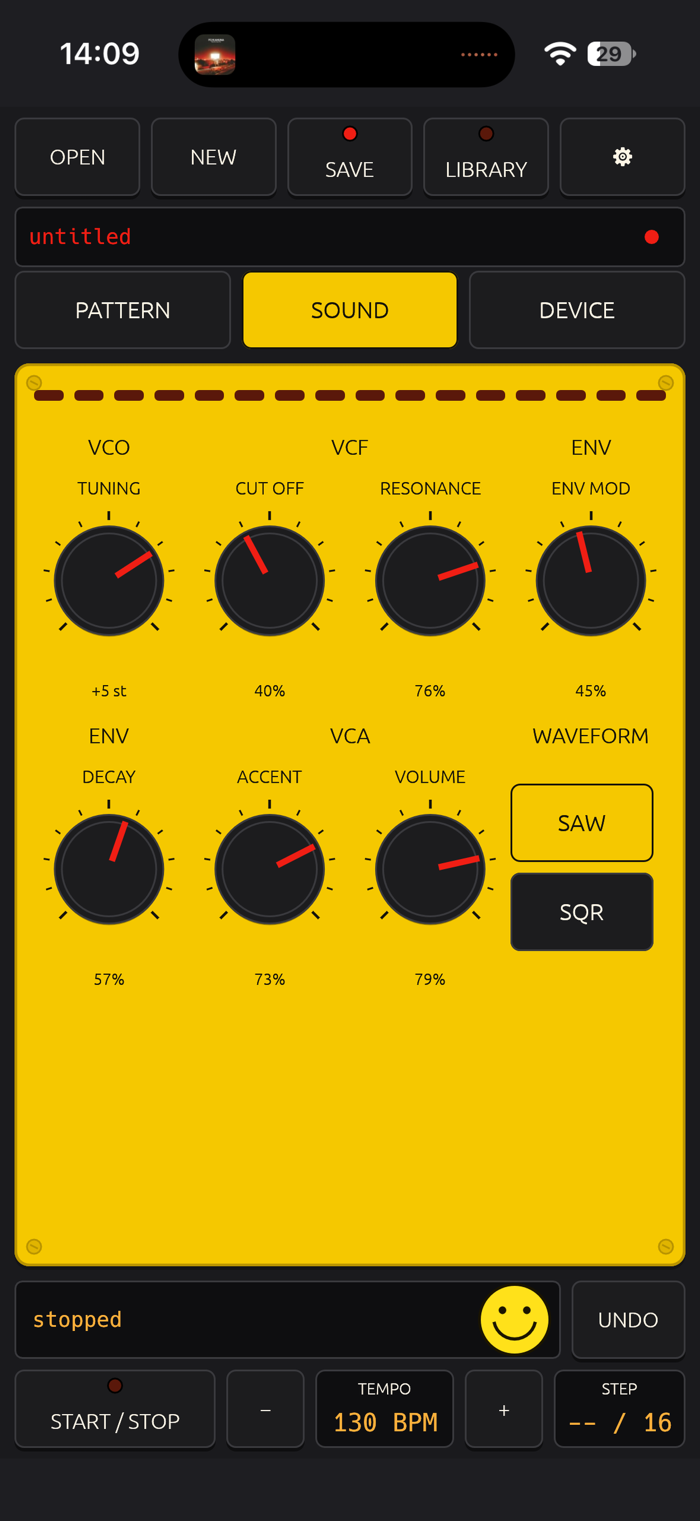
No TD-3 within reach? The app plays through a built-in simulator on the device's own speakers, a 303 voice of its own, so every pattern can be built and heard before the hardware ever comes out. Patterns and edits sound the same either way.
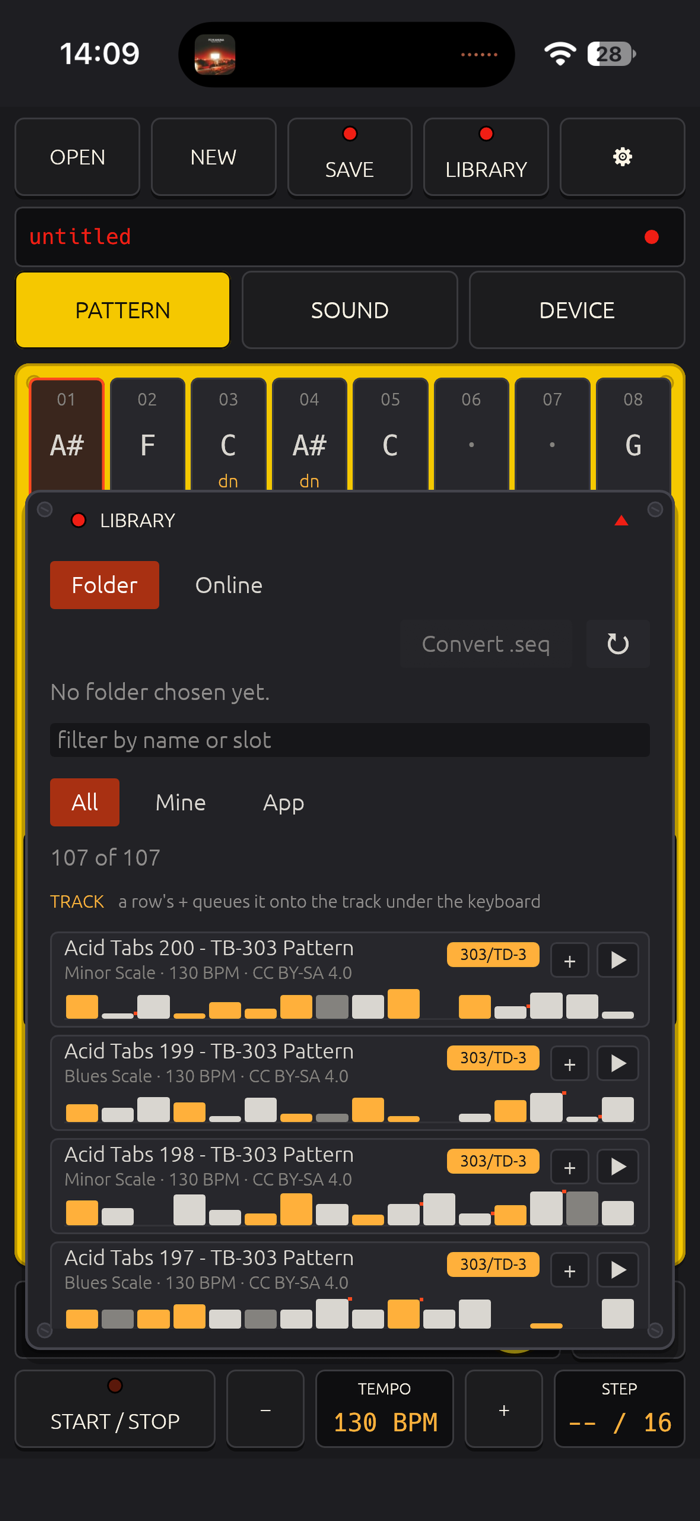
The library lives in the Files app, under "TD3 Studio": your own patterns, the 107 TB-303 patterns from the bundled Acid-Tabs collection, and search across free online MIDI archives, all from the one panel. Open a MIDI file from Files, and it goes straight through the converter, with a timeline for picking which sixteen steps become the pattern.
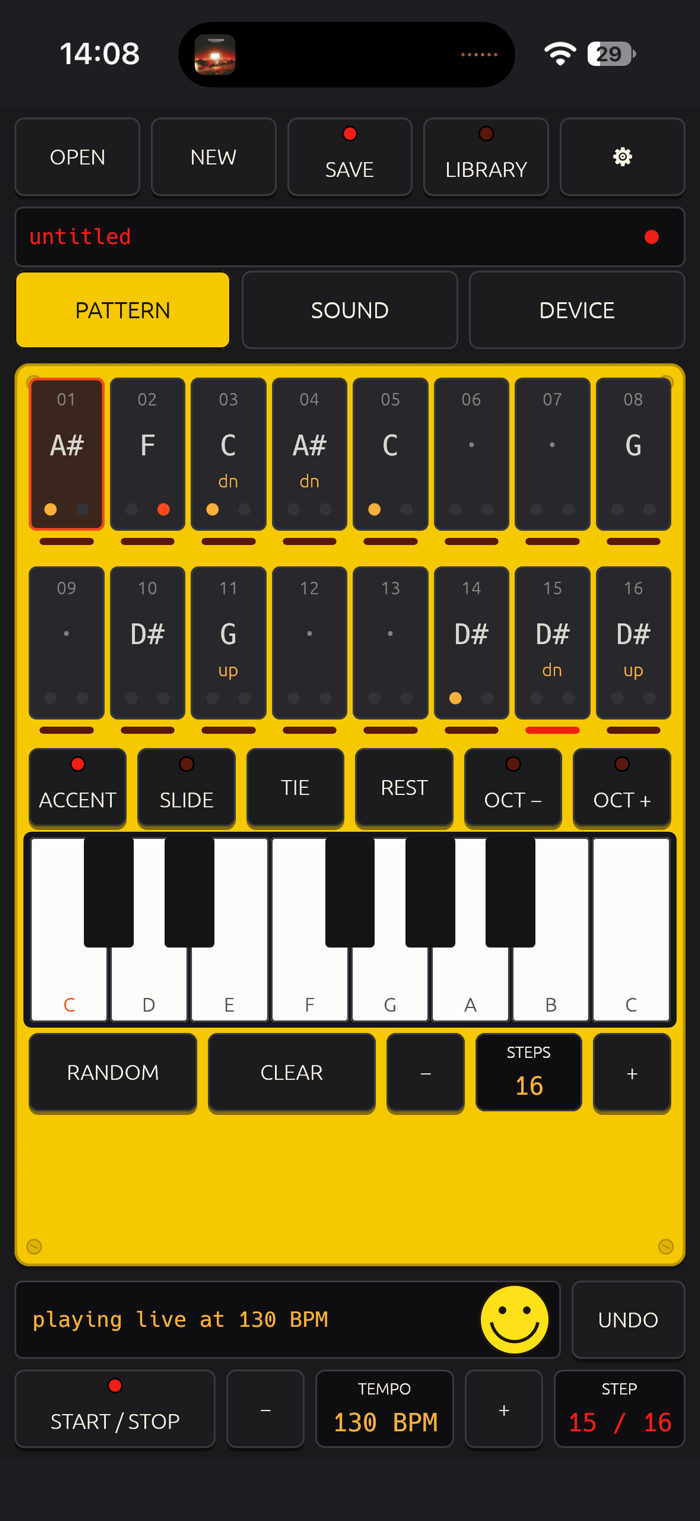
On iPad the whole instrument is one landscape plate: the step grid, the tone knobs, the transport and the library side by side. Below the grid sits an on-screen keyboard of one to three octaves, with accent and slide toggles and Tie and Rest buttons. Play it to edit the selected step, or press Record for 303-style step entry, one key filling one step, straight into the sequencer.
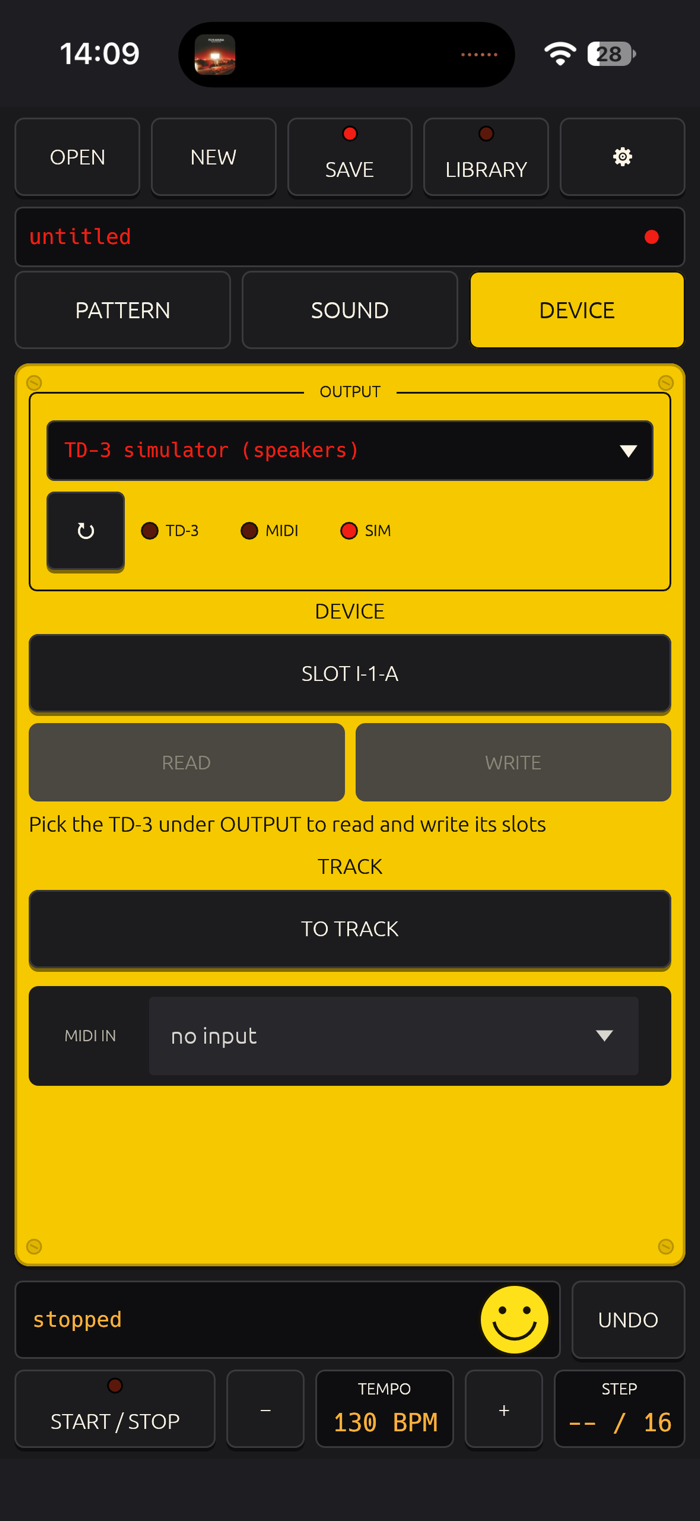
On iPhone the same tools are arranged across three screens: PATTERN for the step grid and keyboard, SOUND for the simulator's tone, and DEVICE for USB or Bluetooth output and the TD-3's read and write slots. A fixed header carries file and library access and the three tabs, and a fixed transport strip below carries start, stop, tempo and the step count, so both stay in view while the middle changes. A key, Tie or Rest enters the selected step and moves to the next one, so a full pattern is sixteen taps.
TD3 Studio needs a TD-3 or TD-3-MO to write or hear patterns on real hardware. On a USB-C iPad or iPhone, use Apple's USB-C to USB Adapter with the TD-3's own USB cable, or a USB-C to USB-B data cable that follows the USB-C standard (a branded USB-C printer cable; cheap ones lack the resistor that makes the phone the host and then work on a PC but not on a phone). A Lightning iPad needs an MFi Lightning to USB-B MIDI cable or Apple's Lightning to USB Camera Adapter. A Bluetooth MIDI adapter on the TD-3's MIDI IN works too. The TD-3 runs on its own power. Without the hardware, the simulator carries the whole app.
TD-3 and TD-3-MO are trademarks of Music Tribe. TD3 Studio is an independent app, not affiliated with or endorsed by Music Tribe or Behringer.
分享「」体验,参与「」抽奖!
分享 1~3 张你对这个产品最满意的截图或效果图
分享「」体验,参与「」抽奖!
用你的故事点亮社区✨!你的真实体验,将会永久展示在 官方主页 📌,为其他朋友提供宝贵参考 💡。立即分享吧!🚀
请为产品评分
请选择问题回答,为大家提供宝贵参考
选择要回答的问题
温馨提示
你尚未上传产品截图。
上传截图可立即获得宝石积分奖励!
如果你赶时间,也可稍后修改评论,补上截图领取宝石。
温馨提醒
你尚未添加产品截图
⚠️ 不添加截图将降低抽奖权重

感谢参加,你已成功参加!
为了确保你能及时收到审核结果和领奖码通知

扫描二维码关注 Mergeek 公众号
在后台回复 「获奖通知」
完成上述操作,即可保障奖励发放成功









用户评价
立即分享产品体验
你的真实体验,为其他用户提供宝贵参考
💎 分享获得宝石
【分享体验 · 获得宝石 · 增加抽奖机会】
将你的产品体验分享给更多人,获得更多宝石奖励!
💎 宝石奖励
每当有用户点击你分享的体验链接并点赞"对我有用",你将获得:
🔗 如何分享
复制下方专属链接,分享到社交媒体、群聊或好友:
💡 小贴士
分享时可以添加你的个人推荐语,让更多人了解这款产品的优点!
示例分享文案:
"推荐一款我最近体验过的应用,界面设计很精美,功能也很实用。有兴趣的朋友可以看看我的详细体验评价~"
关注 Mergeek 公众号
领奖遇到问题?联系小门助手