



 +100宝石

产品功能
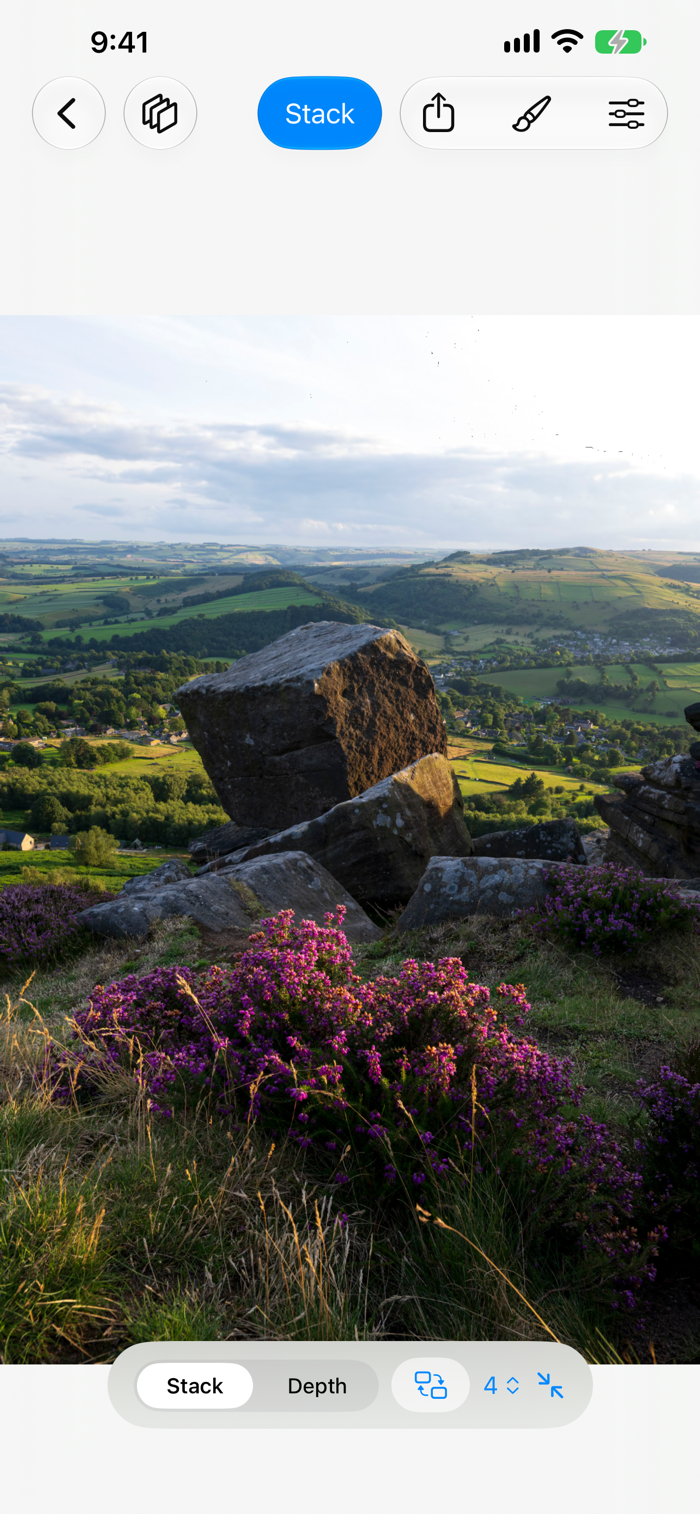
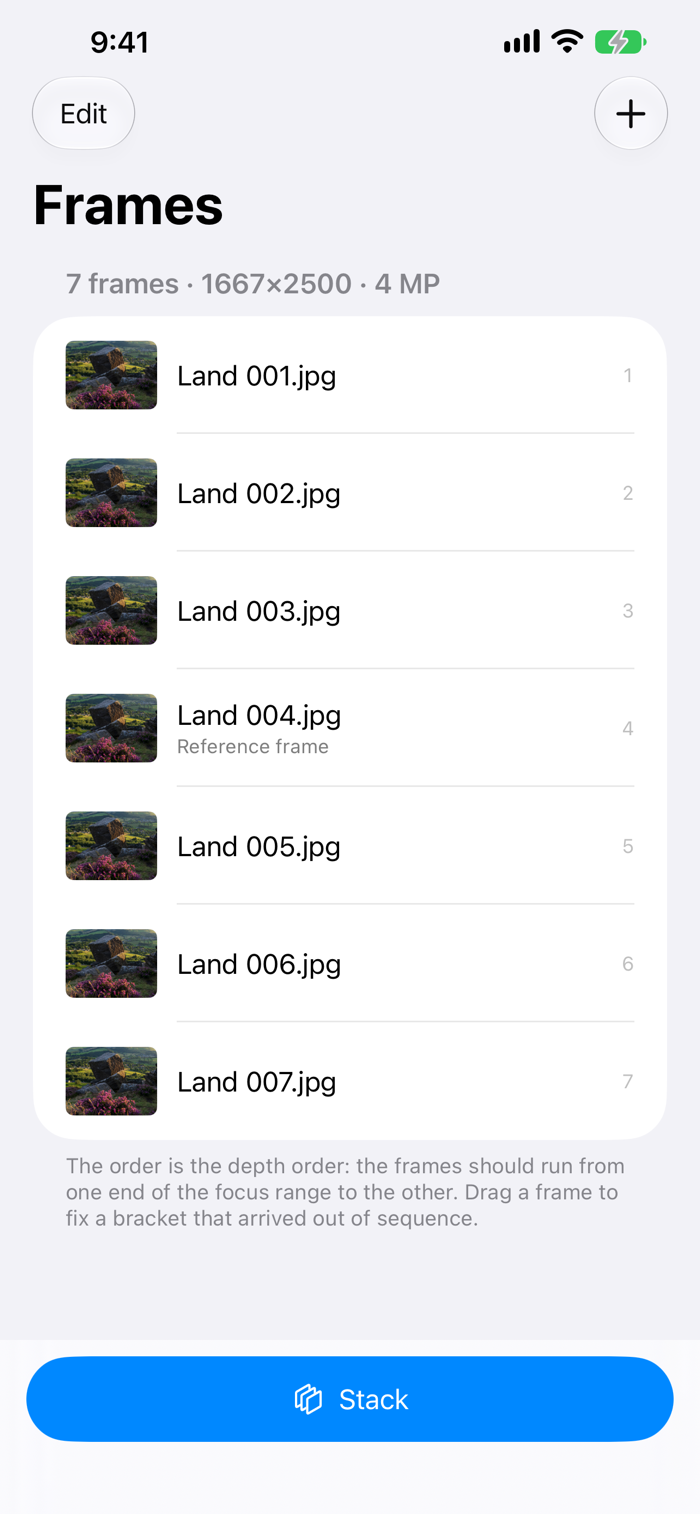
Shoot the same thing more than once, and Sharp puts the shots together.
Six tools, one engine. Nothing here edits a single photograph — everything here takes many frames of the same scene and gives back one picture.
FOCUS — sharp from front to back
A lens holds one plane in focus, and close up that plane is thinner than the subject. Move the focus between frames and Sharp takes every part of the result from the frame that has it sharpest. Not sure how wide its detail size should be? Choose by Eye stacks a piece of your bracket at four widths, side by side, so you can see which one has no halo.
CLEAN — less noise, and long-exposure water
Noise is different in every frame and the subject is not, so averaging frames takes it down by the square root of how many you shot: four halve it, sixteen quarter it. Water and cloud move between frames and average into smoothness, while everything that held still stays sharp.
VANISH — the people walk out of the picture
Take a dozen frames a few seconds apart while the square empties and fills. At each pixel Sharp keeps the frames that agree and throws out the ones that do not, then averages what is left — whoever was walking through is gone, and the noise goes with them.
TRAILS — every place the light went
A hundred short exposures of a night sky, a torch drawing, headlights on a bend. Sharp keeps the brightest frame at each pixel, so every mark the light made is in the picture and the sky stays as dark as one frame had it. Or keep the darkest instead, and take the passing lights out.
BLEND — the shadows and the highlights both
An exposure bracket, darker and brighter, into one picture: the sky from the dark frame, the shadows from the bright one, blended without a seam and with no curve to set.
PICK — the sharpest frame of the burst
Twenty handheld frames, one of them caught between heartbeats. Sharp hands back the one that won, exactly as it came off the camera.
BUILT FOR LARGE SETS
• Camera RAW, HEIC, JPEG, TIFF and PNG, read straight from Files or Photos
• Frames are read a strip at a time, so memory does not grow with the number of frames
• Alignment that covers focus breathing, drift and a rolled wrist, and checks its own work
• Compare the result with any single frame at exactly the same zoom, beside a map of how each pixel was decided
PAINT IT BACK
Every one of these tools is a guess made a pixel at a time. Choose the frame that has that part right and paint it back over the result — one finger paints, two move the picture, an Apple Pencil presses harder for more. The repair is re-applied to the 16-bit file at full depth.
FREE, AND THEN ONE PAYMENT
All six tools run on up to 12 frames free, at full quality: the same alignment, the same merges, the same speed, the same RAW support, and a full-resolution JPEG with no watermark. Nothing about how good the picture is has been held back.
The $9.99 unlock adds:
• Unlimited frames, for every tool
• The retouch brush, with retouches you can reopen and change
• 16-bit TIFF, the maps, and every frame aligned for Helicon, Zerene or Photoshop
• Every bracket kept as a project, with its settings and its result
• Batches of projects run one after another, and long brackets stacked in slabs
One payment, shared with your family. No subscription, no account, and not a timed trial.
NOTHING LEAVES YOUR DEVICE
No analytics, no tracking, no server, and no network of its own. Your photographs are read where they are, and the only thing that goes anywhere is what you share yourself.
分享「」体验,参与「」抽奖!
分享 1~3 张你对这个产品最满意的截图或效果图
分享「」体验,参与「」抽奖!
用你的故事点亮社区✨!你的真实体验,将会永久展示在 官方主页 📌,为其他朋友提供宝贵参考 💡。立即分享吧!🚀
请为产品评分
请选择问题回答,为大家提供宝贵参考
选择要回答的问题
温馨提示
你尚未上传产品截图。
上传截图可立即获得宝石积分奖励!
如果你赶时间,也可稍后修改评论,补上截图领取宝石。
温馨提醒
你尚未添加产品截图
⚠️ 不添加截图将降低抽奖权重

感谢参加,你已成功参加!
为了确保你能及时收到审核结果和领奖码通知

扫描二维码关注 Mergeek 公众号
在后台回复 「获奖通知」
完成上述操作,即可保障奖励发放成功





用户评价
立即分享产品体验
你的真实体验,为其他用户提供宝贵参考
💎 分享获得宝石
【分享体验 · 获得宝石 · 增加抽奖机会】
将你的产品体验分享给更多人,获得更多宝石奖励!
💎 宝石奖励
每当有用户点击你分享的体验链接并点赞"对我有用",你将获得:
🔗 如何分享
复制下方专属链接,分享到社交媒体、群聊或好友:
💡 小贴士
分享时可以添加你的个人推荐语,让更多人了解这款产品的优点!
示例分享文案:
"推荐一款我最近体验过的应用,界面设计很精美,功能也很实用。有兴趣的朋友可以看看我的详细体验评价~"
关注 Mergeek 公众号
领奖遇到问题?联系小门助手