IMPORTANT: The brand new generation of Grid Diary 2 has been released, and this version has been renamed Grid Diary Classic Edition.
Why is there Grid Diary 2?
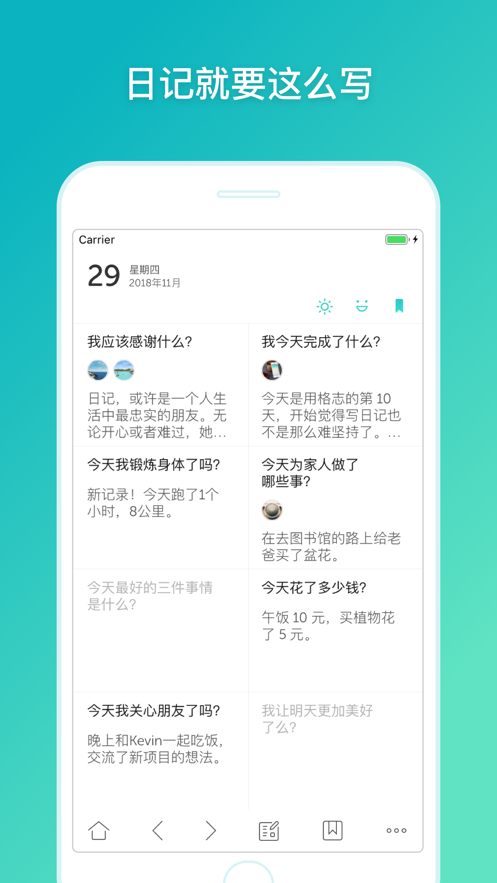
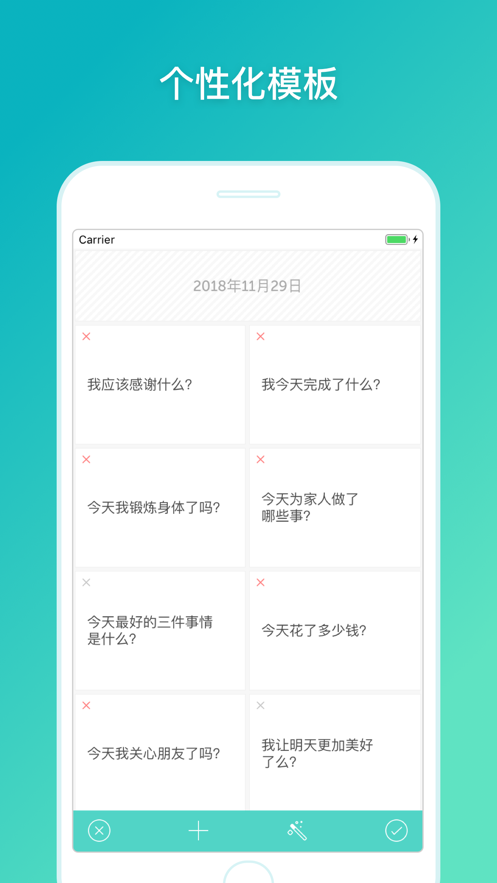
Six years ago, we launched the first version of Grid Diary. Starting from the concept of morning diaries, we wanted to make more people fall in love with writing diaries. Over the years, we have accompanied our users to grow and mature, and have seen that they have developed more needs based on their diaries. Therefore, we wanted to take a step further in the original product positioning, allowing users to build their own diary systems through the new Grid Diary, and thereby helping them achieve their life goals. For this purpose, we have invested more energy in the past two years in redesigning, rewriting the code, and building cloud services. All of this is to deliver the core value of the new Grid Diary: to serve users who are in the habit of writing lifetime diaries.
How to transfer data to Grid Diary 2?
Grid Diary Classic Edition does not have an account system, and you need to migrate the data by yourself. Enter Settings -> Data -> Advanced -> Export JSON, select Grid Diary 2 in the pop-up menu, and after jumping to Grid Diary 2, tap the import button. Different from before, Grid Diary 2 has its own account system, and you need to register and purchase a membership to activate the synchronization function.
I am a professional version user. Is there any discount for purchasing th...


 +100宝石


 分享
分享









用户评价
立即分享产品体验
你的真实体验,为其他用户提供宝贵参考
💎 分享获得宝石
【分享体验 · 获得宝石 · 增加抽奖机会】
将你的产品体验分享给更多人,获得更多宝石奖励!
💎 宝石奖励
每当有用户点击你分享的体验链接并点赞"对我有用",你将获得:
🔗 如何分享
复制下方专属链接,分享到社交媒体、群聊或好友:
💡 小贴士
分享时可以添加你的个人推荐语,让更多人了解这款产品的优点!
示例分享文案:
"推荐一款我最近体验过的应用,界面设计很精美,功能也很实用。有兴趣的朋友可以看看我的详细体验评价~"
关注 Mergeek 公众号
领奖遇到问题?联系小门助手