


 +100宝石


产品功能
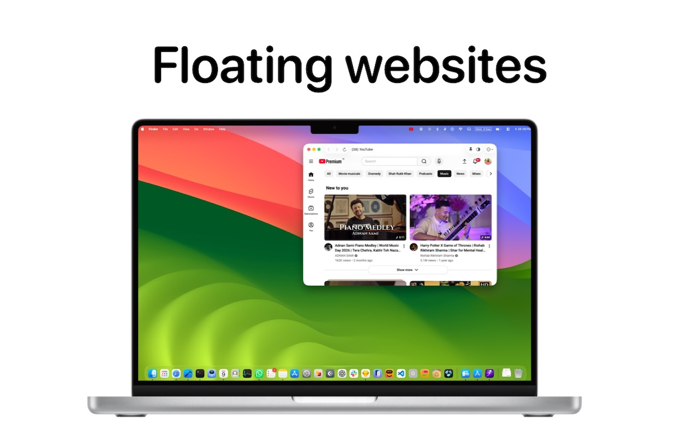
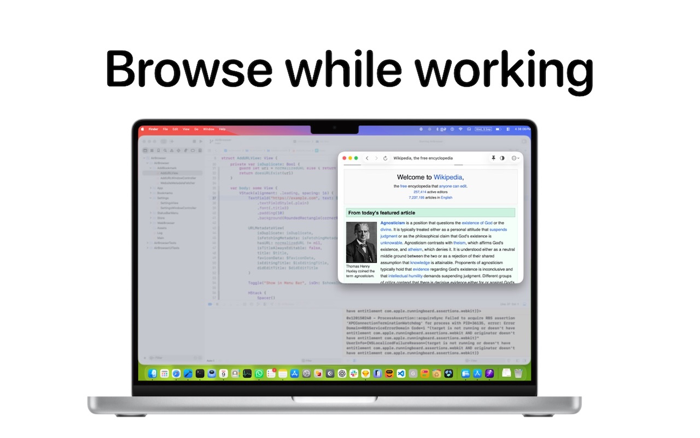
Air Browser puts your favorite websites in the macOS menu bar — each one a click away, in its own window, without adding one more tab to Safari.
Give a site its own icon in the menu bar and it's always one click from anywhere: your chat app, your music, the live score, the dashboard you check twenty times a day.
PUT SITES IN THE MENU BAR
- Pick any site and its favicon appears as its own menu-bar button — no menu to open first
- Everything else stays tucked in the Air Browser menu, with icons and titles
- Choose exactly which sites get a button, from Settings or from the window itself
WINDOWS THAT BEHAVE
- Pin a window on top so it floats above your work — perfect for scores, tickers and chat
- Make a window see-through with one click, at the opacity level you choose
- Every window remembers its own size and position, launch after launch
- Open a site that's already open and its window simply comes forward — never a duplicate
- New windows can open pinned by default
ADD A SITE IN SECONDS
- Paste a URL — the title and icon are fetched for you
- Rename anything; the title is editable before you save and any time after
- Duplicate URLs are caught as you type
FULL BROWSING, WHERE YOU NEED IT
- Back, forward and reload in a native toolbar
- Real WebKit rendering — sites work the way they do in a normal browser
- Edit, reorder or delete a site from Settings, or straight from its window's menu
- Launch at login
GREAT FOR
- Social networking and messaging
- Online music and radio
- Live scores
- Project boards and internal dashboards
- News - Stock market and crypto tickers
Add your sites once, and stop hunting for them in a row of identical tabs.
Questions or ideas? Sed them at k.suryawanshi@gmail.com
分享「」体验,参与「」抽奖!
分享 1~3 张你对这个产品最满意的截图或效果图
分享「」体验,参与「」抽奖!
用你的故事点亮社区✨!你的真实体验,将会永久展示在 官方主页 📌,为其他朋友提供宝贵参考 💡。立即分享吧!🚀
请为产品评分
请选择问题回答,为大家提供宝贵参考
选择要回答的问题
温馨提示
你尚未上传产品截图。
上传截图可立即获得宝石积分奖励!
如果你赶时间,也可稍后修改评论,补上截图领取宝石。
温馨提醒
你尚未添加产品截图
⚠️ 不添加截图将降低抽奖权重

感谢参加,你已成功参加!
为了确保你能及时收到审核结果和领奖码通知

扫描二维码关注 Mergeek 公众号
在后台回复 「获奖通知」
完成上述操作,即可保障奖励发放成功





用户评价
立即分享产品体验
你的真实体验,为其他用户提供宝贵参考
💎 分享获得宝石
【分享体验 · 获得宝石 · 增加抽奖机会】
将你的产品体验分享给更多人,获得更多宝石奖励!
💎 宝石奖励
每当有用户点击你分享的体验链接并点赞"对我有用",你将获得:
🔗 如何分享
复制下方专属链接,分享到社交媒体、群聊或好友:
💡 小贴士
分享时可以添加你的个人推荐语,让更多人了解这款产品的优点!
示例分享文案:
"推荐一款我最近体验过的应用,界面设计很精美,功能也很实用。有兴趣的朋友可以看看我的详细体验评价~"
关注 Mergeek 公众号
领奖遇到问题?联系小门助手