


 +100宝石



产品功能
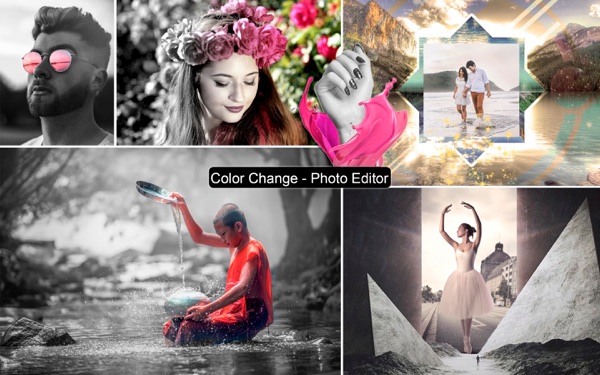
Color Change - Photo Editor gives you the opportunity to apply photographic effects to your pictures without any difficulty.
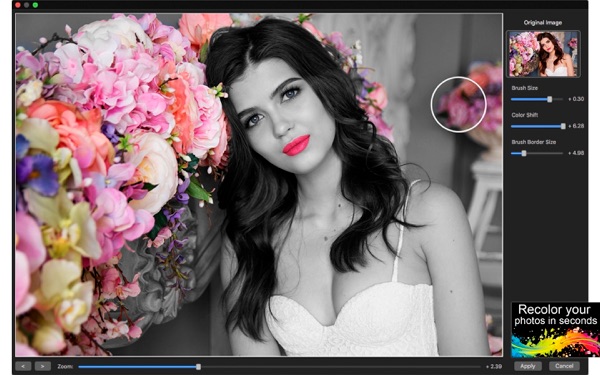
Have you ever thought of applying color to your photos, or even partially changing it's color without the necessity of taking several courses to put this in practice? With Color Change - Photo Editor you can recreate the famous "Color Splash" effect in your pictures and make them amazingly charming and beautiful.
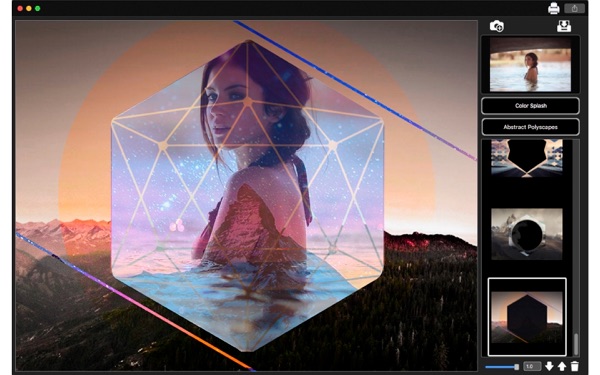
Beyond that you can count with a super Polyscape collection (Geometric Photo Collages) which offers frames with a combination of polygons and urban photography, helping you turn your pictures into magazine covers. All you have to do is pick the frame that fits best your needs, adjust the size and transparency. In a matter of seconds, you will achieve great results.
••••••••••••••••••••••••• Enjoy our amazing features •••••••••••••••••••••••••
• Color Splash Effect makes you a celebrity.
• 25 Abstract Polyscape Collection (Geometric Photo Collages).
• Zooming feature, which will let you work on certain image areas easier.
• Load your images into a Resizable/Rotatable sticker with transparency control.
• Full saving feature with resizing, rescaling, compressing and various encoding formats(PNG, JPG, JPG2000, BMP and TIFF).
• Sharing on social media.
• Printing.
•••••••••••••••••••••••••••••••• How to Use ••••••••••••••••••••••••••••••••
• Click the add photo button(represented by the camera icon on the top right of the screen)
• Pick a polyscape from the collection(just click the one you like the best)
• To apply the color splash effect, click the Color Splash button on the right hand side.
• On the recently open window, set the color splash filter parameters: Brush Size and Color Shift. The brush border is a auxiliary control that helps you apply the color splash effect in small portions of the image.
• When you're done, click apply and drag your newly colored image around the polyscape.
• On the bottom of the UI, set the sticker transparency and click the arrow buttons to move it beneath or above the polyscape.
• Finally, click save, print or share on the top right hand side.
分享「」体验,参与「」抽奖!
分享 1~3 张你对这个产品最满意的截图或效果图
分享「」体验,参与「」抽奖!
用你的故事点亮社区✨!你的真实体验,将会永久展示在 官方主页 📌,为其他朋友提供宝贵参考 💡。立即分享吧!🚀
请为产品评分
请选择问题回答,为大家提供宝贵参考
选择要回答的问题
温馨提示
你尚未上传产品截图。
上传截图可立即获得宝石积分奖励!
如果你赶时间,也可稍后修改评论,补上截图领取宝石。
温馨提醒
你尚未添加产品截图
⚠️ 不添加截图将降低抽奖权重

感谢参加,你已成功参加!
为了确保你能及时收到审核结果和领奖码通知

扫描二维码关注 Mergeek 公众号
在后台回复 「获奖通知」
完成上述操作,即可保障奖励发放成功











用户评价
立即分享产品体验
你的真实体验,为其他用户提供宝贵参考
💎 分享获得宝石
【分享体验 · 获得宝石 · 增加抽奖机会】
将你的产品体验分享给更多人,获得更多宝石奖励!
💎 宝石奖励
每当有用户点击你分享的体验链接并点赞"对我有用",你将获得:
🔗 如何分享
复制下方专属链接,分享到社交媒体、群聊或好友:
💡 小贴士
分享时可以添加你的个人推荐语,让更多人了解这款产品的优点!
示例分享文案:
"推荐一款我最近体验过的应用,界面设计很精美,功能也很实用。有兴趣的朋友可以看看我的详细体验评价~"
关注 Mergeek 公众号
领奖遇到问题?联系小门助手