Fancy a new set of iOS 16 widgets on the Lock Screen ?
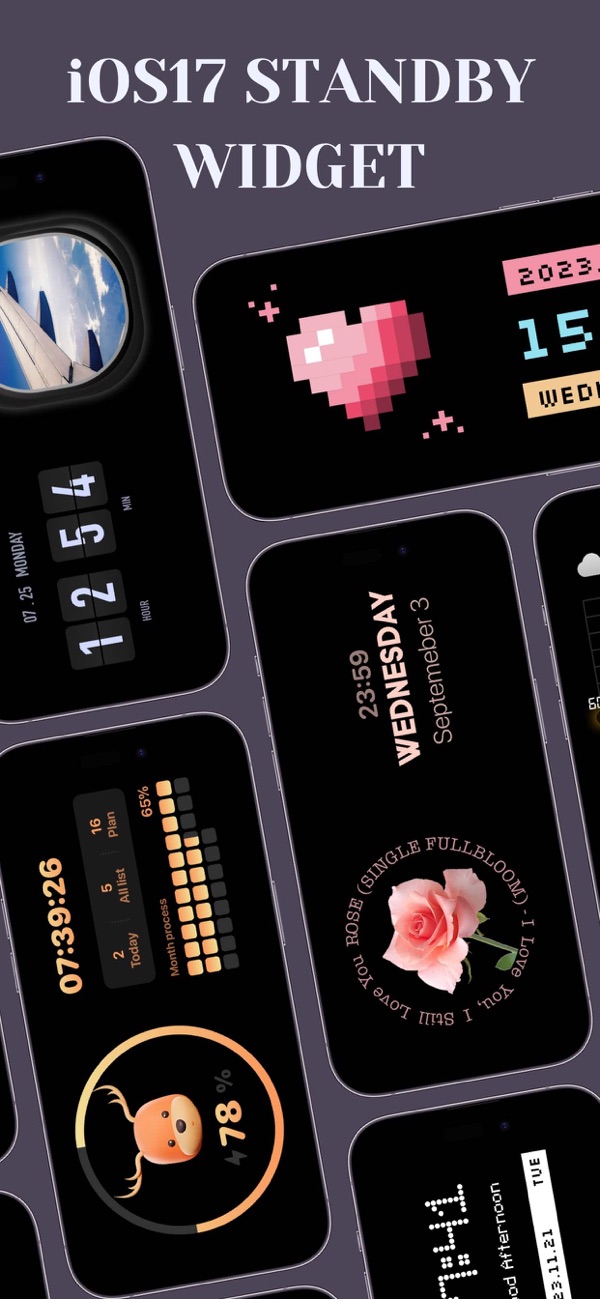
LockWidget provides a vast collection of lock screen widgets: weather, lock launcher, contact launcher, quotes, health, photos, clock, time, calendar, moon phase, countdown, year process and more. You can custom redirect URL, edit fonts, change theme styles and even background opacity to fine-tune them in line with your preference.
# Pixel Pet Widgets:
Get a pixel pet on your lock screen. You can feed & play with your pet.
# Widgets for Friends:
Set a widget on both of your and friend’s on the lock screen. Confirm the days to o go to the next anniversary, and count up the days you’ve been together.
# All Widgets You Need Are Here :
- Battery percentage on lock screen.
- Couple Widget on lock screen. Send secret notes your partner's lock screen, share status, and say " I miss you" with each other.
- Weather on lock screen.
- Live Widgets : set GIFs with dynamic effect on lock screen.
- Photos Widget on lock screen : including bit-icons, emoji icons, pixel art, emoticons, stylish symbols and more...
- App Launcher : quick launch your favorite Games and Apps on lock screen without redirecting.
- Quotes on lock screen : personalize your text on lock screen with tons of fancy fonts.
- Countdown on lock screen : countdown Christmas, birthday and your customized big days.
- Calendar on lock screen : Moon Phase and Lunar Calendar
- To-do-list

 +100宝石


 分享
分享



















用户评价
立即分享产品体验
你的真实体验,为其他用户提供宝贵参考
💎 分享获得宝石
【分享体验 · 获得宝石 · 增加抽奖机会】
将你的产品体验分享给更多人,获得更多宝石奖励!
💎 宝石奖励
每当有用户点击你分享的体验链接并点赞"对我有用",你将获得:
🔗 如何分享
复制下方专属链接,分享到社交媒体、群聊或好友:
💡 小贴士
分享时可以添加你的个人推荐语,让更多人了解这款产品的优点!
示例分享文案:
"推荐一款我最近体验过的应用,界面设计很精美,功能也很实用。有兴趣的朋友可以看看我的详细体验评价~"
关注 Mergeek 公众号
领奖遇到问题?联系小门助手