产品功能

应用市场介绍

Let replies never be so quick! Insert common phrases with one key to help you reply to messages instantly and communicate efficiently.

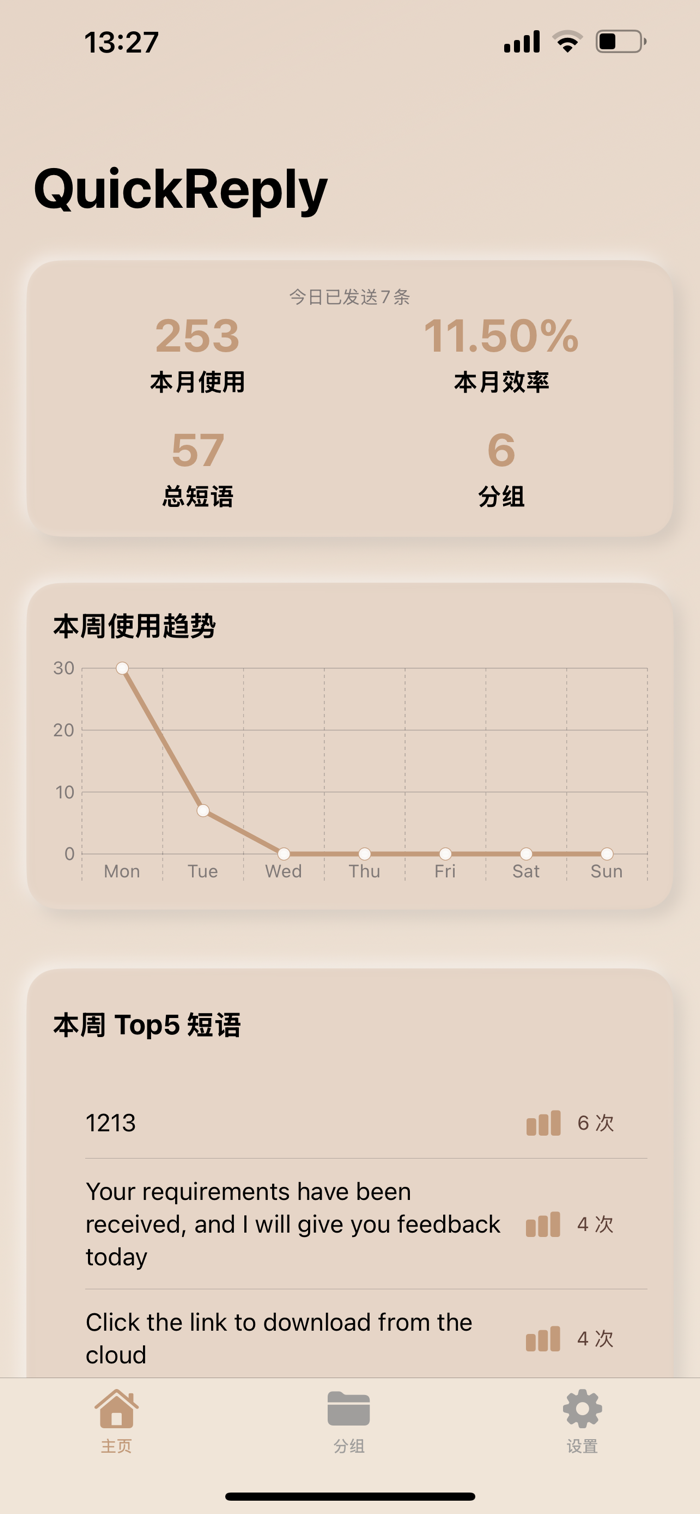
QuickReply is a [Quick Reply Input Method] designed specifically for efficient communication. Whether you are a customer service representative, community manager, salesperson, or a workplace user who frequently needs to send repetitive messages, QuickReply can help you quickly reply to messages and achieve an "instant reply" experience through [Common Phrase Templates] and [Quick Phrase Libraries]!

Product Highlights:
Quick Reply / Fast Reply: Send preset content with one key, eliminating repeated input and improving the efficiency of message processing.
Customizable Phrase Library: Freely add and edit your common phrases, customer service phrases, and business jargon.
Management of Common Phrase Templates: Supports grouping and categorization, making message templates for different scenarios clear at a glance.
Quick Phrase Input Method: Quickly insert phrases in any text input box, supporting mainstream IM tools.
Integration of Quick Keyboard: Exclusive quick keyboard, with built-in phrases that can be sent by clicking without jumping out of the input box.
Essential for Efficiency Tools: Improves typing efficiency and is suitable for heavy communication groups such as customer service, e-commerce, sales, and community operations.
Instant Reply Magic: Common greetings, after-sales templates, and business jargon can be called with one key, without making customers wait long.
Import and Export Phrase Library: Supports batch import in Excel format for quick migration of sentences.
Privacy First: No need to connect to the Internet, all data is only stored locally to ensure information security. QuickReply makes every reply more efficient!
Insert custom phrases with one key, a quick keyboard tool that improves office efficiency and message response speed!

The developer attaches great importance to the security of everyone's data privacy. Because of this, the developer has not developed a server, and all data is stored locally. Therefore, the developer can never access everyone's data.

*Subscription:
Subscriptions will automatically renew unless auto-renew is turned off at least 24 hours before the end of the current period; the account will be charged for renewal within 24 hours before the end of the current period, and the renewal fee will be determined.
Subscriptions can be managed by the user and auto-renew can be turned off by going to the user's App Store account settings after purchase.

【Suggestions and Feedback】
If you have any problems using the product, you can send an email to: longlong13578@icloud.com
User Agreement: https://www.apple.com/legal/internet-services/itunes/dev/stdeula/
Privacy Policy: https://outgoing-cheese-e3b.notion.site/QuickReply-237b209c98f980f8ad0de86458bc1373

收起

用户评价

立即分享产品体验

你的真实体验,为其他用户提供宝贵参考

宝石
评论可得 100 宝石
宝石随心兑换应用高级会员,每周更新 前往查看 >>
活动动态 0 人参加
查看更多评论