Turn lengthy chats into a convenient image for saving and sharing.
Combines long screenshot collection, screen recording to long image conversion, screenshot stitching, image assembly, and editing. Whether you want to preserve important conversations, organize work communications, or share study materials, you can start from screen recordings or images to complete stitching, editing, and export.
【Record while scrolling to generate chat long images】
After starting the screen recording, switch to the page you need to save, and scroll through the content slowly. After recording is complete, select the start and end times and content area to extract the frames and generate a long image, reducing the need to take screenshots one by one repeatedly. It also supports importing existing screen recordings from your album.
【Connect multiple screenshots into one long image】
Select screenshots in order, recognize overlapping content, and stitch them together. Supports adjusting image order, selecting content areas, and checking seams, making scattered screenshots easier to read continuously.
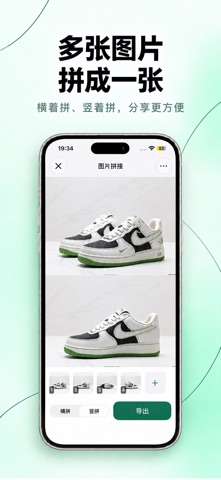
【Horizontal and vertical assembly to organize different materials】
Combine photos, screenshots, and other images horizontally or vertically, preserving the content of each image. Supports adjusting order, spacing, and background, suitable for creating comparison images, step-by-step instructions, and material compilations.
【Edit before sharing】
Crop excess areas, rotate images, and mark key points with doodles; use solid masks or mosaic processing to hide information you don't want to display, and add text watermarks, adjusting color, size, and angle.
【Export as long images or PDFs as needed】
Save complete long images, or export paginated PDFs, image slices, for easy reading, sending, and archiving. Exported content retains applied cropping, masking, doodles, and watermarks.
【Save to drafts, continue anytime】
Save works to the draft box, rename as needed, continue editing, or re-expo…