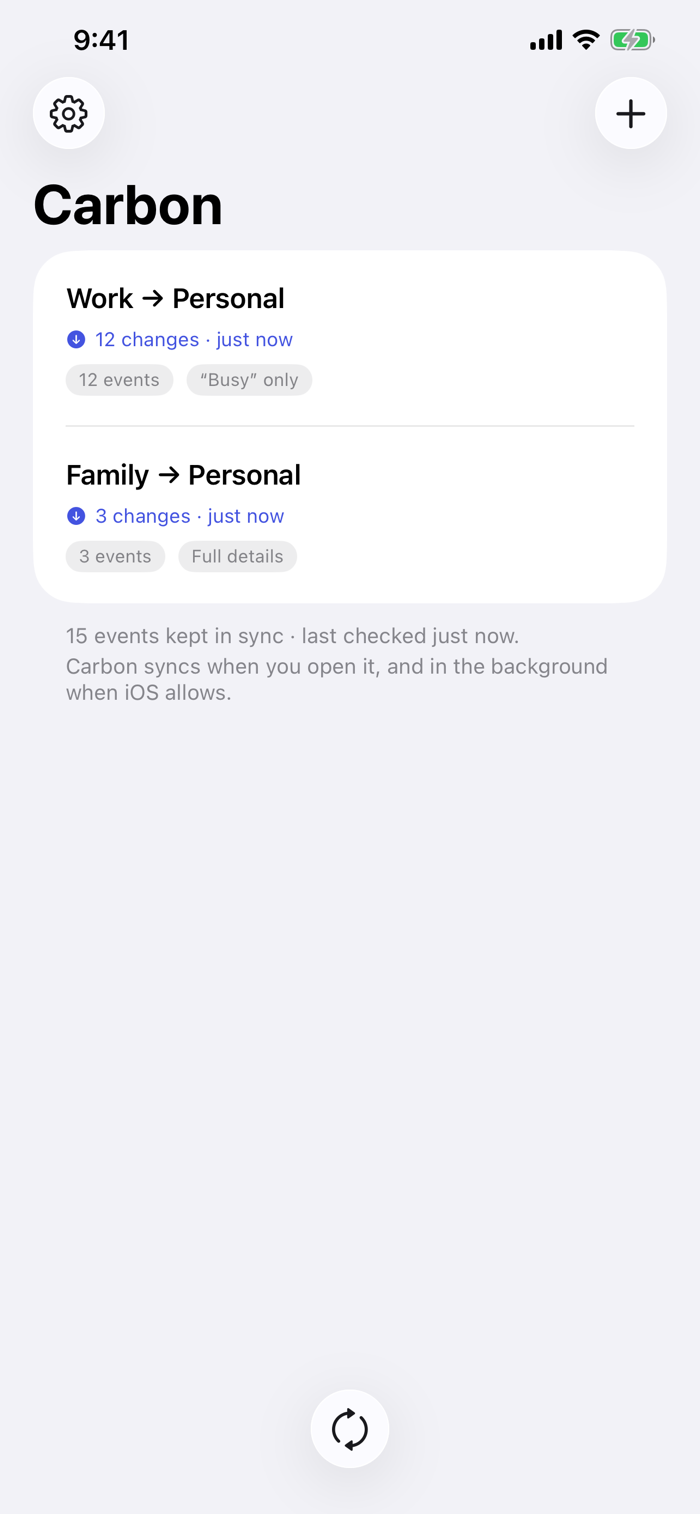
Carbon copies events from one calendar to another, so time blocked in one shows
up in the other.
Point it at a source calendar and a destination, choose what to copy, and Carbon
keeps the destination in step.
One way, always
Carbon copies from a source calendar to a destination. It never writes back to
the source. Your work calendar stays exactly as your employer's system left it.
Choose what crosses over
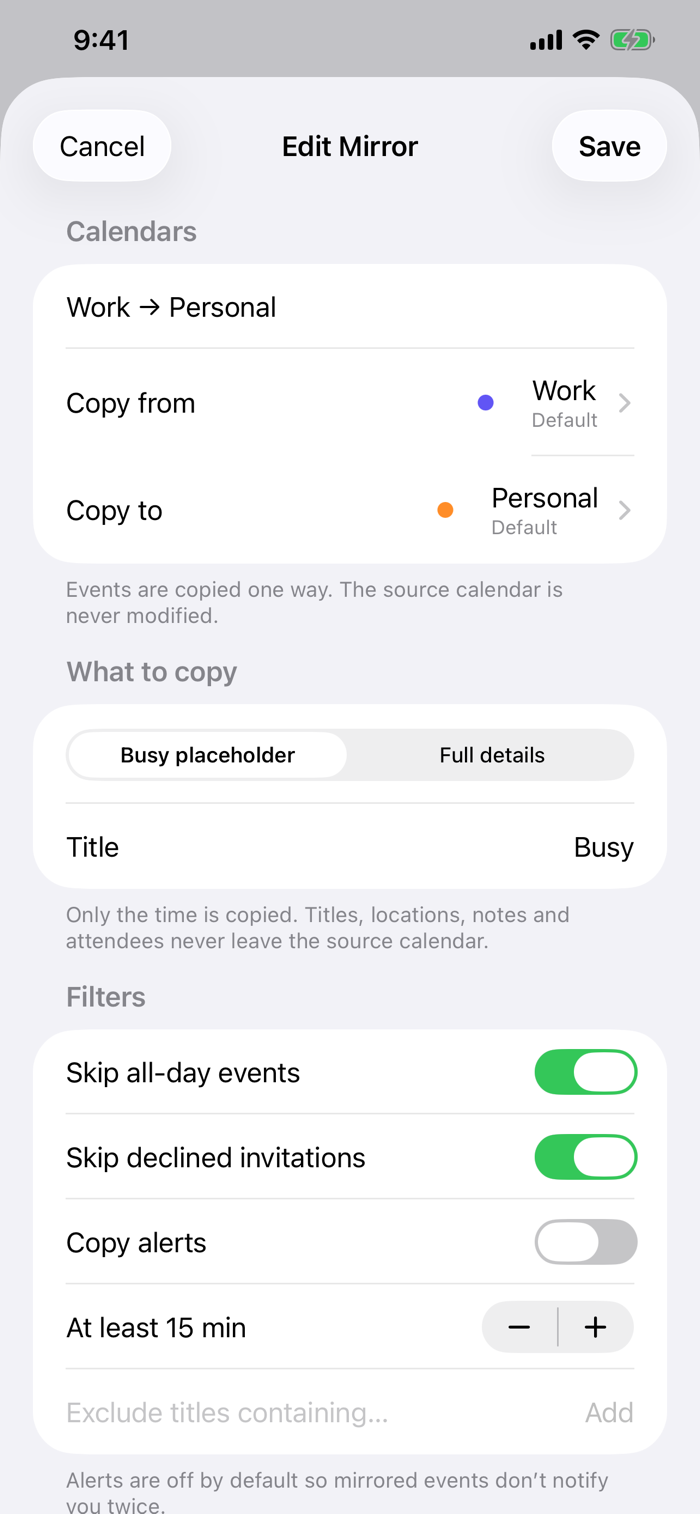
Copy full event details, or copy only a "Busy" placeholder that reserves the
time without revealing the title, location, or notes. Set this per mirror, so a
sensitive work calendar and a shared family calendar can be handled differently.
See it before it happens
Every new mirror shows you a preview of exactly what will be created before
anything is written to your calendar.
It won't touch what you've touched
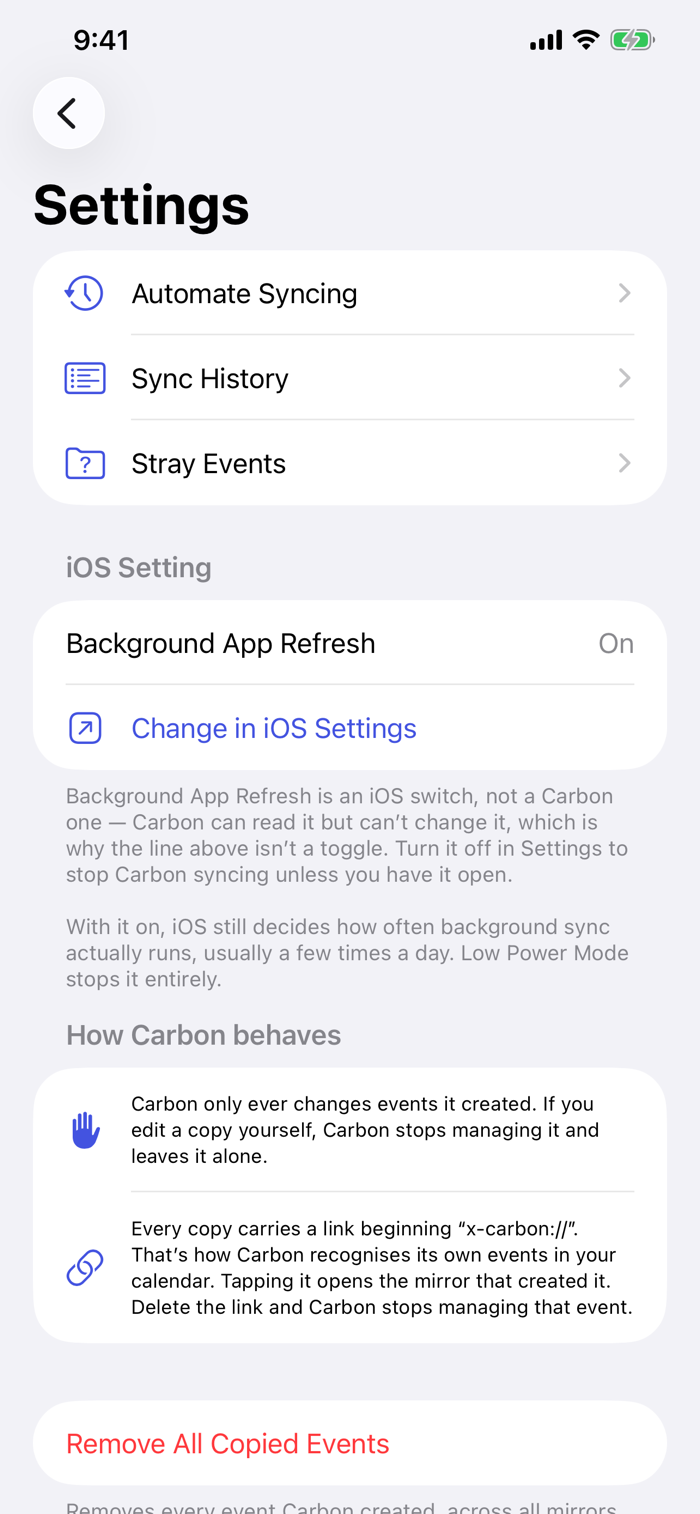
Carbon only ever changes events it created. Edit one of its copies yourself and
Carbon steps back and leaves it alone - permanently.
Undo any sync
Sync history shows every run. Reverse any one of them and the events it created
are removed.
Filters that keep the noise out
Skip all-day events, skip invitations you declined, skip anything shorter than a
set length, or exclude events whose titles contain particular words.
Two years ahead if you want it
Choose how far each mirror reaches - up to two years ahead and a year back. Keep
the w...


 +100宝石


 分享
分享











用户评价
立即分享产品体验
你的真实体验,为其他用户提供宝贵参考
💎 分享获得宝石
【分享体验 · 获得宝石 · 增加抽奖机会】
将你的产品体验分享给更多人,获得更多宝石奖励!
💎 宝石奖励
每当有用户点击你分享的体验链接并点赞"对我有用",你将获得:
🔗 如何分享
复制下方专属链接,分享到社交媒体、群聊或好友:
💡 小贴士
分享时可以添加你的个人推荐语,让更多人了解这款产品的优点!
示例分享文案:
"推荐一款我最近体验过的应用,界面设计很精美,功能也很实用。有兴趣的朋友可以看看我的详细体验评价~"
关注 Mergeek 公众号
领奖遇到问题?联系小门助手