Record meetings and know who said every word. Murmur transcribes and labels each speaker on the device side and can export with names to your AI. Now you can also edit: Open the waveform, select and cut, keep only the part you want, append another recording, or remove all silences at once; the transcription will automatically align to the new timeline without having to transcribe again. No account needed, no server - your recordings always belong to you.
Murmur is a recorder that can tell "who is speaking". Record a meeting, a class, an interview, or a random voice note, and Murmur will turn it into searchable text and distinguish each speaker - all done locally on your device. Your recordings will never be sent to our server.
Why Choose Murmur
Most transcription apps upload your recordings to the server. Murmur doesn't. All processing is done on the speech recognition model running locally on your iPhone. No account, no registration. We will never receive your recordings or transcribed texts.
See Who Said Every Word
Murmur will label each speaker in every transcribed sentence and distinguish them by color, making it easy to follow a multi-person conversation at a glance. It also builds a library of "people" across recordings: Name someone once, and next time that person speaks, Murmur can recognize their voice. You can merge duplicates, re-learn someone's voice - the more you correct, the more accurately Murmur will recognize them in future recordings.
Turn Speech into Text
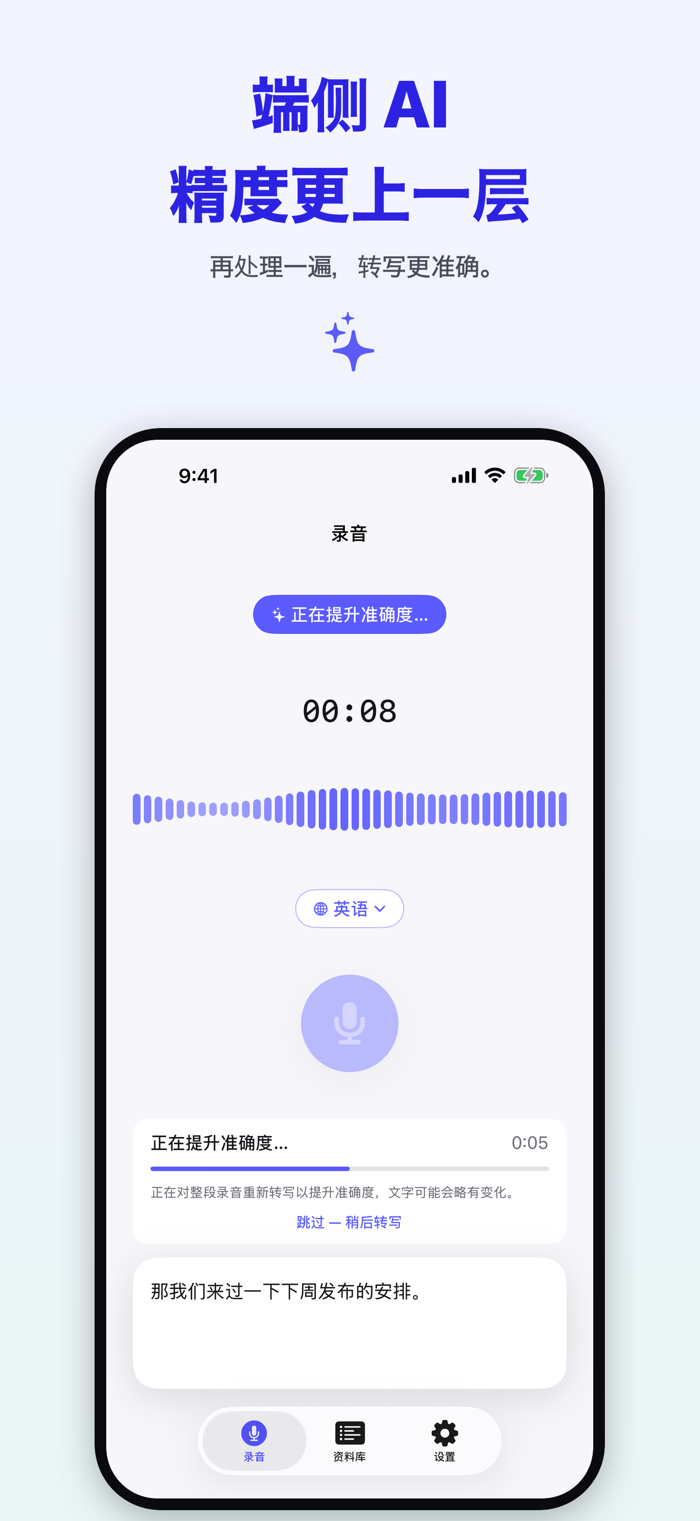
Press record, and Murmur will transcribe what is said and save the full transcription along with the audio. Transcription is done on your iPhone and the language spoken is automatically recognized.
Export - to Your Own AI
Export any transcription as plain text, Markdown, PDF, or Word, with each sentence including the speaker - if you've translated, it will also include the translation. You can also share the original audio. Send the text to Notes, Mail, or hand it over to your favorite AI assistant to summarize, extract to-dos, or do deeper analysis - in your own way, with your own tools.
Import Existing Audio You Have
Import a voice memo, a meeting recording, a lecture, or any audio/video file, and Murmur will transcribe it and label the speakers locally on the device just like the content you record in the app.
Translate Your Transcription
Open the recording and translate the transcription line by line right in place into another language. You can either just view the translation or compare it side by side with the original - all done locally on the device.
Available Offline
Since recognition happens locally on the device, Murmur can work normally whether you're on a plane, in a windowless underground meeting room with no signal, or anywhere without network. The model only needs to be downloaded once and can be used anytime.
Great for Learning
Import a speech, a lecture, or any audio you already have and learn in the way that suits you best: Tap a sentence to replay, or play the whole segment and let the transcribed text scroll in sync as you follow. Many people are using Murmur to learn a new language sentence by sentence.
Read While Playing Back
Open any recording and read the transcription with the timestamp, drag to play the audio, and replay any segment. Tap any sentence and only that sentence will play.
Cut Out Unwanted Parts
Is there a ten-minute off-topic segment in the recording, or a silent start? Open the waveform editor, select and cut it out, or just keep the part you want, append another recording, or remove all silences at once. You can preview and undo anytime before saving. The transcription will adjust accordingly - the cut sentences disappear with the audio, and the remaining ones automatically align to the new timeline without having to transcribe again.
Search What You've Said
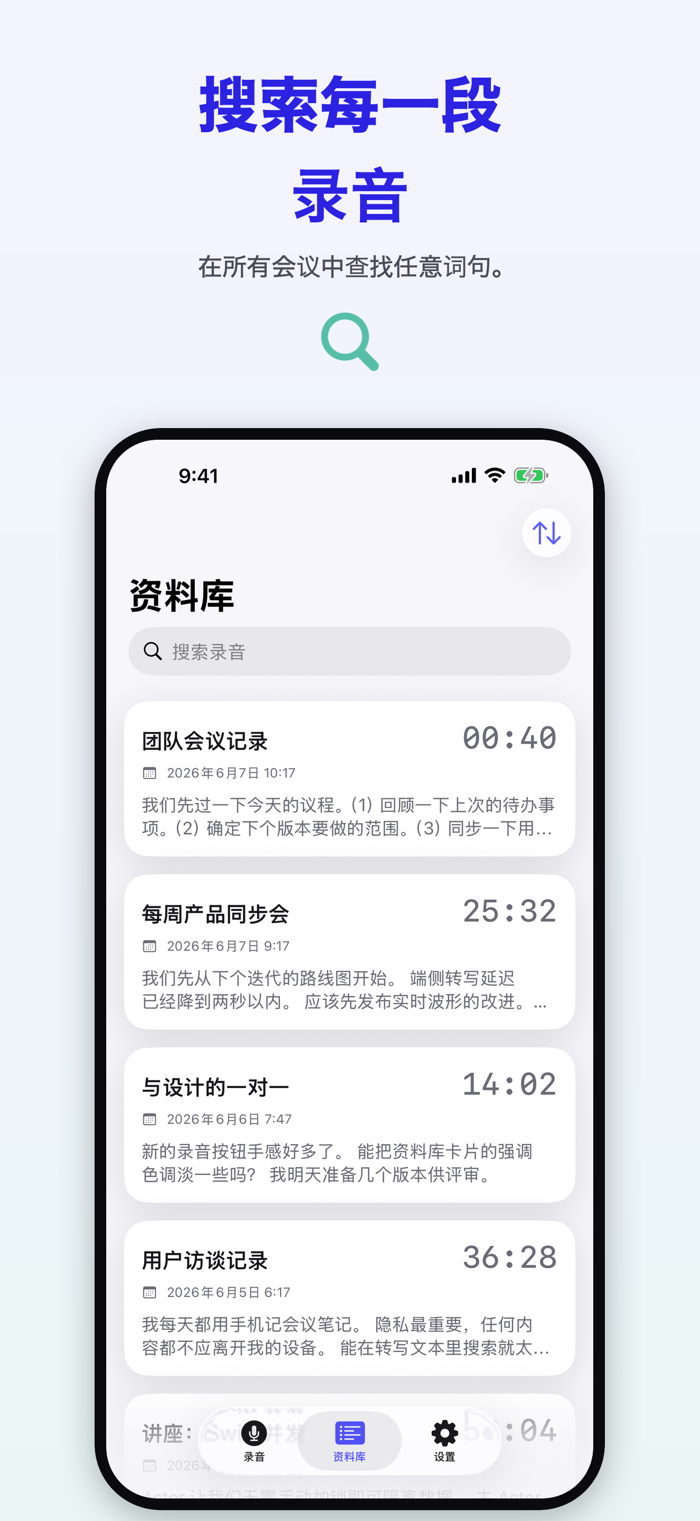
Instantly find the target phrase in the transcription, and the matching parts will be highlighted in place.
Supports Multiple Languages
Murmur can transcribe around 100 spoken languages, and the app interface is available in Simplified Chinese, English, Japanese, Korean, and French.
iPad and iPhone
Murmur is a universal app with a more spacious optimized layout on iPad and larger screens.
Automatically Save Space
After transcription is done, Murmur will automatically compress its audio in the background, freeing up storage space on your device and iCloud without affecting transcription and playback.
Multi-Device Sync
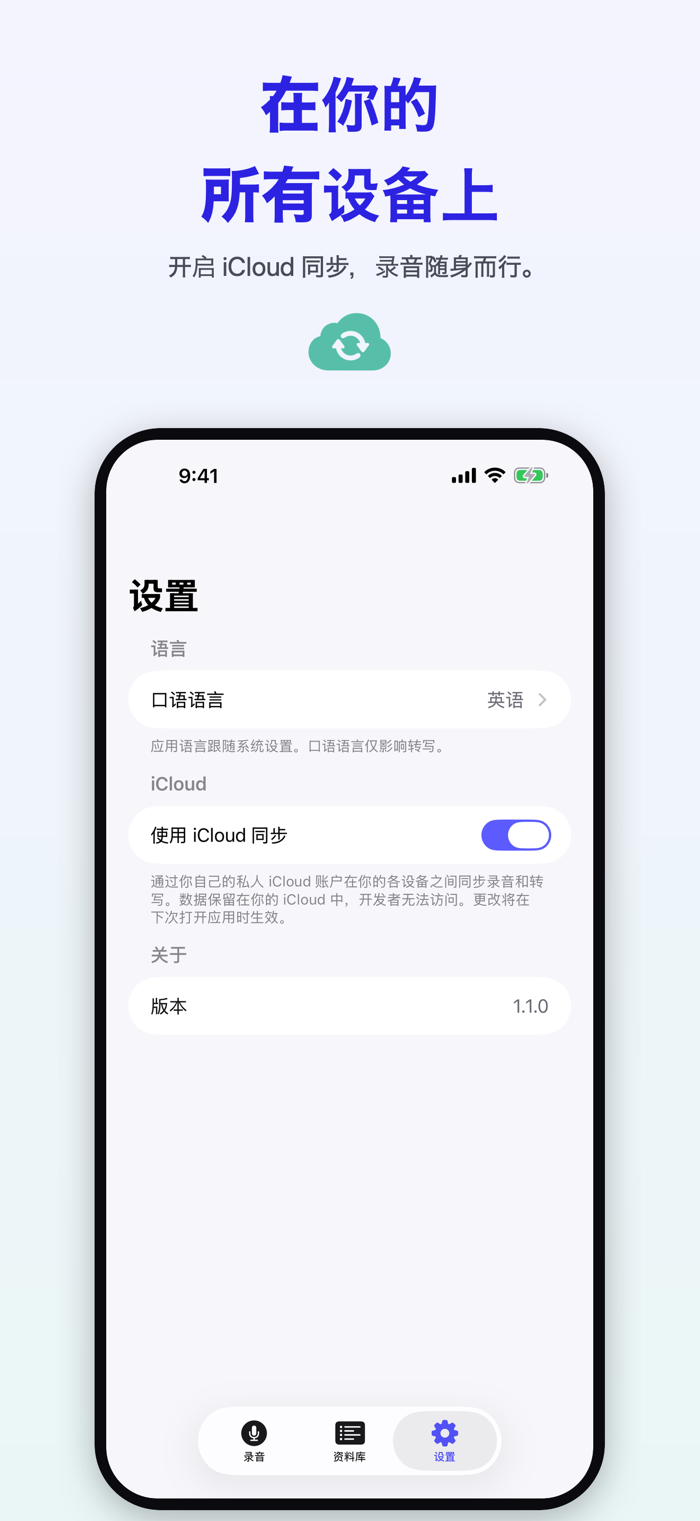
Enable iCloud sync and your recordings and transcriptions will be synced across all your devices via your own private iCloud account. The data is only stored in your iCloud - only you can access it.
Born Privacy-Focused
- 100% device-side transcription and speaker recognition
- No account, no registration
- Recordings will never be sent


 +100宝石

 分享
分享











用户评价
立即分享产品体验
你的真实体验,为其他用户提供宝贵参考
💎 分享获得宝石
【分享体验 · 获得宝石 · 增加抽奖机会】
将你的产品体验分享给更多人,获得更多宝石奖励!
💎 宝石奖励
每当有用户点击你分享的体验链接并点赞"对我有用",你将获得:
🔗 如何分享
复制下方专属链接,分享到社交媒体、群聊或好友:
💡 小贴士
分享时可以添加你的个人推荐语,让更多人了解这款产品的优点!
示例分享文案:
"推荐一款我最近体验过的应用,界面设计很精美,功能也很实用。有兴趣的朋友可以看看我的详细体验评价~"
关注 Mergeek 公众号
领奖遇到问题?联系小门助手