Rehearse an RF changeover before changing the saved rig. Stage several channel retunes, analyze the whole assignment set before and after, and apply the reviewed changes together.
HOW IT WORKS
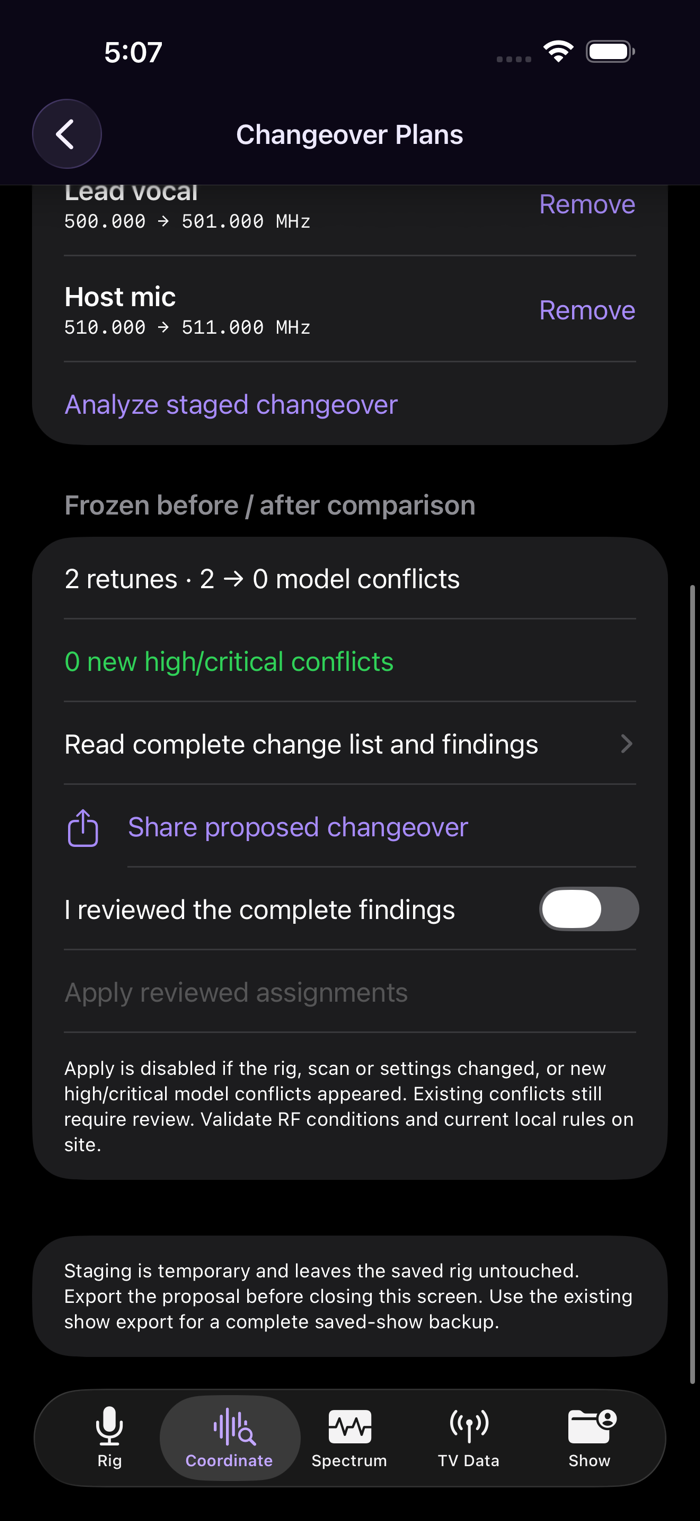
1. Open Coordinate → Changeover Plans with an active show.
2. Select an unlocked channel, enter a supported frequency in MHz and stage it. Repeat for up to 32 changes in a rig of up to 96 channels.
3. Analyze the staged changeover. Read the complete change list and findings, including conflicts that already existed.
4. New high or critical model conflicts block apply. Review the findings and acknowledge them, then confirm Apply local assignments.
5. Use the existing show export for a complete show backup; share the changeover report to review a proposal separately.
Build and inspect local wireless inventories, coordinate frequency assignments and review supported spectrum-scan data within the existing show workspace.
WHAT TO KNOW
The proposal freezes the rig, scan, exclusions and calculation settings. If any change, analyze again. Locked channels and unrelated settings are preserved. This app does not tune hardware or measure current RF conditions. Model results and bundled reference information do not establish legal availability or guarantee interference-free operation.
Built for iPhone and iPad. No account required for this workflow.


 +100宝石

 分享
分享














用户评价
立即分享产品体验
你的真实体验,为其他用户提供宝贵参考
💎 分享获得宝石
【分享体验 · 获得宝石 · 增加抽奖机会】
将你的产品体验分享给更多人,获得更多宝石奖励!
💎 宝石奖励
每当有用户点击你分享的体验链接并点赞"对我有用",你将获得:
🔗 如何分享
复制下方专属链接,分享到社交媒体、群聊或好友:
💡 小贴士
分享时可以添加你的个人推荐语,让更多人了解这款产品的优点!
示例分享文案:
"推荐一款我最近体验过的应用,界面设计很精美,功能也很实用。有兴趣的朋友可以看看我的详细体验评价~"
关注 Mergeek 公众号
领奖遇到问题?联系小门助手