A full-year calendar, daily agenda, and clock in your Mac's menu bar or independent windows.
popCalendar shows all 12 months at a glance. Choose one or two months, one or two years, or a year view with a resizable month sidebar. Click a year date to see that day's events beside the overview. The month sidebar and year view keep independent navigation and range selections.
Dedicate a whole display to a fullscreen month view beside two years, with a live background clock and an image you love. The layout scales to your screen with large, readable information. A clear, beautiful view of what's coming next in your life.
Windows remember their own views, dates, selections, sizes, and positions across restarts. New windows start with the menu bar calendar's configuration. Popup sizes are remembered per display. Panels showing the current month or year can advance automatically. Hide the menu bar icon if you prefer using windows and the Dock.
Drag across dates to count days, working days, weekends, weeks, months, and years. Adjust endpoints, move ranges, and undo changes. See event counts, total duration, occupied time with overlaps counted once, and distinct start times. Save named ranges, choose outline colors, pin countdowns, and repeat ranges annually. Configure working weekdays and select your own holiday or time-off calendars.
Browse events for the selected day, today, tomorrow, or the next 7 days. Search, preview, edit, duplicate, or delete events when permitted. Join supported meeting links. Quick entry in English, Ukrainian, German, Spanish, or Portuguese fills a draft for review. The built-in editor offers Apple Maps place suggestions. You can also open supported calendar apps and websites.
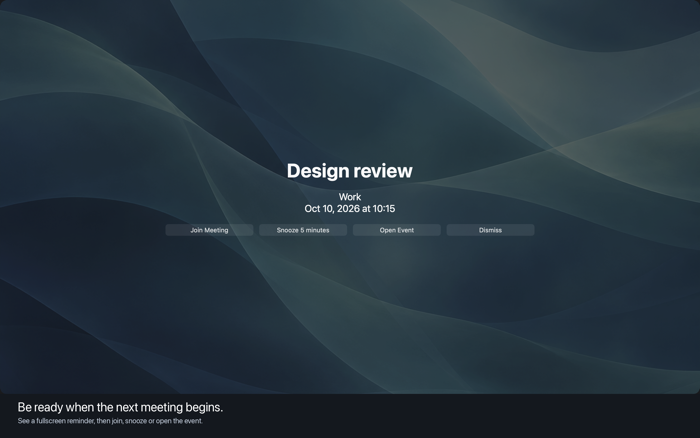
Enable optional event and saved-range notifications with configurable timing and sound. Add reminders a number of calendar months before an event, including a month-end option. Fullscreen meeting reminders offer snooze and meeting actions, with adjustable size, display,…