产品功能

应用市场介绍

Teni Note is a note-taking app that can be used to record all kinds of amazing notes on mobile phones and tablets.
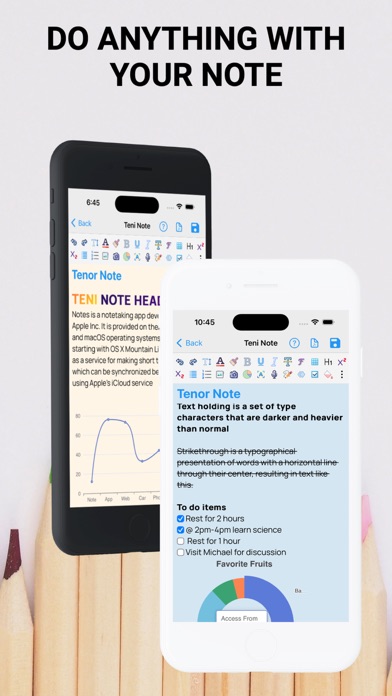
You can add a real-time representation of the note by adding text animations, charts, etc. This makes it a unique note editor suitable for everyone.

Main Features
- Undo, Redo, Bold, Italic, Strike-through, Font Size, Font Style,
- Underline, Insert pictures from the gallery, Insert pictures from the camera,
- Text Color, Text Highlight, Subscript, Superscript, Announcement
- Number Announcement
- Interactive and Responsive Tables
- Voice/Voice-to-Text
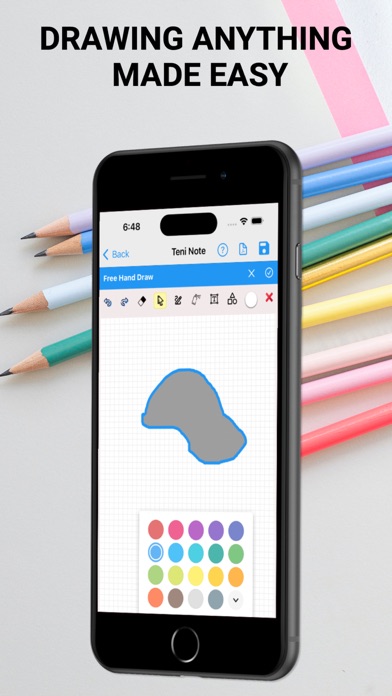
- Hand-draw with drawing tools
- To-do Lists
- Charts: Pie Chart, Doughnut Chart, Area Chart, Line Chart, Bar Chart, Gauge, Scatter Chart for data analysis
- Text Animation
- Optical Character Recognition
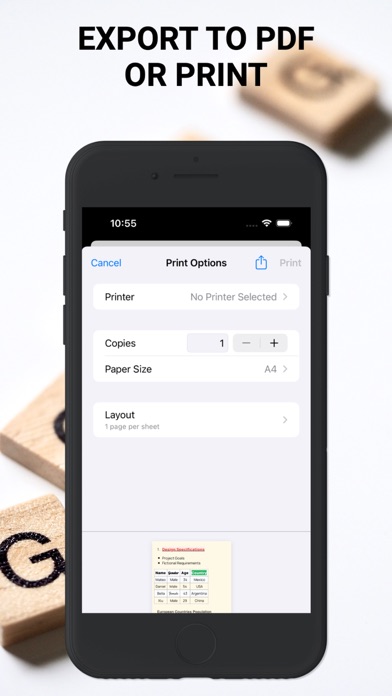
- Export as pdf / Print


TENI Note provides basic tools such as:
Undo and Redo can restore changes backward and forward, Bold makes the text heavier,
Italic makes the text slanted, Strike-through cancels the text, Font Size increases the text size, Font Style changes
the font design, Underline adds an underline to the text, Add pictures to be annotated through the camera or gallery, Text Color to change the color
of the text, Text Highlight to highlight the text, Subscript and Superscript make the text smaller than normal in the lower or upper part
respectively of the rest of the text. Announcement and Number Announcement express key points in a clear and block form.

And advanced tools:
- Tables: Teni Note tables are used to represent data sets in tabular form. Teni Note can
organize detailed or complex data for easy viewing of results. It can also be used to distinguish different items.
You can access the help page to see how to add tables, rows, columns, and delete rows and columns.

- OCR: OCR stands for Optical Character Recognition and can be used to capture text on images and add it to your notes.

- Charts: The first note-taking mobile app to introduce charts in notes. You can add Pie Chart, Doughnut Chart, Area Chart,
Line Chart, Bar Chart, Gauge, Scatter Chart for data analysis. Also, visit the help page in the app
for details

- Text Animation: You can also add animations to your notes to make them real-time documents.

- Sync: Note sync ensures the security of notes and prevents accidental loss.
It also syncs to multiple devices at the same time

- Notes can be exported as pdf or printed from a printer

In-App Subscriptions
When using the free plan, you can only create 1 note. To continue creating an unlimited number of notes, access advanced features, and protect your notes by syncing cloud storage and multiple devices, an auto-renewal is required.
Syncing to cloud storage and multiple devices requires auto-renewal
In-App Subscriptions are available in
∙ Monthly Premium Subscription and
∙ Annual Premium Subscription

- When the purchase is confirmed, the payment will be deducted from the iTunes account.
- The subscription will automatically renew unless the auto-renewal feature is turned off at least 24 hours before the end of the current period.
- The renewal fee will be deducted from the account within 24 hours before the end of the current period, and the renewal fee will be noted.
- Users can manage their subscriptions and also turn off auto-renewal in the user's "Account Settings" after purchase.
- Canceling the current subscription is not allowed during the active subscription period

For more information, please visit our privacy policy https://tenisoft.com/privacies/note.html and terms of service https://www.apple.com/legal/internet-services/itunes/dev/stdeula/

收起

用户评价

立即分享产品体验

你的真实体验,为其他用户提供宝贵参考

宝石
评论可得 100 宝石
宝石随心兑换应用高级会员,每周更新 前往查看 >>
活动动态 0 人参加
查看更多评论