




Monny活宝兔记帐本
A Gamified Finance Journey
- Creator
- Greamer
- 平台
- AndroidiOS
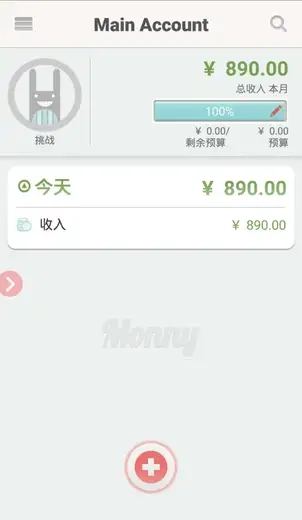
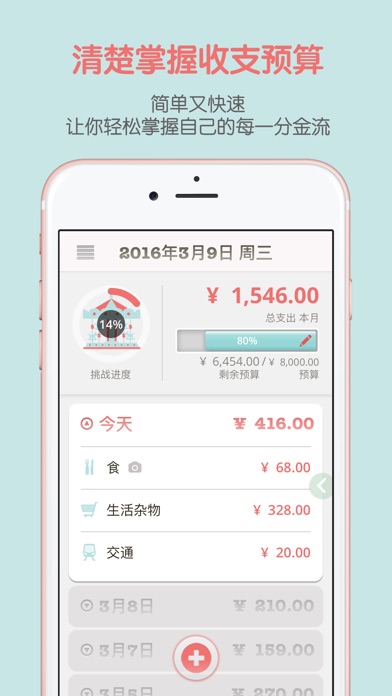
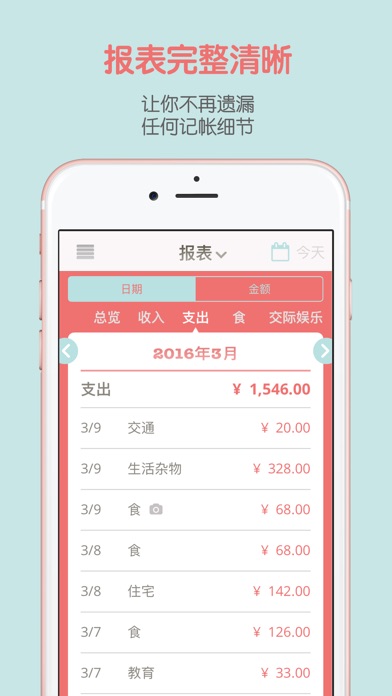
活宝兔Monny是您的个人理财好帮手,简单快速记账,清晰展示各类报表,支持多账册管理,便捷输入与输出。密码锁功能保护隐私安全。特色功能包括:挑战小游戏提升理财力,实用分析图表,云端备份,数据输出Excel,每日提醒,贴心功能确保不错过任何一笔收支。免费使用,升级Premium方案解锁专属报表,提供无限使用机会。立即下载,开启您的理财探险之旅。
A Gamified Finance Journey
活宝兔Monny是您的个人理财好帮手,简单快速记账,清晰展示各类报表,支持多账册管理,便捷输入与输出。密码锁功能保护隐私安全。特色功能包括:挑战小游戏提升理财力,实用分析图表,云端备份,数据输出Excel,每日提醒,贴心功能确保不错过任何一笔收支。免费使用,升级Premium方案解锁专属报表,提供无限使用机会。立即下载,开启您的理财探险之旅。
点击查看界面细节

***
Let's start a financial adventure with the cute bunny now and make your dreams come true.
***
Let the cute bunny help you master the most important personal finance tips.
You are the key to financial freedom:
> Pay attention to the flow of money
> Discover unnecessary expenses
> Learn financial tips
***
Features:
> Simple and fast, easy to keep accounts
> Challenge mini-games to exercise your financial management ability
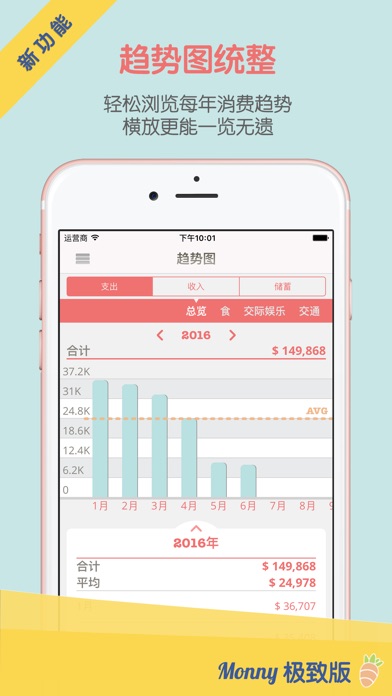
> Friendly and practical analysis: reports, pie charts, trend charts, leaderboards
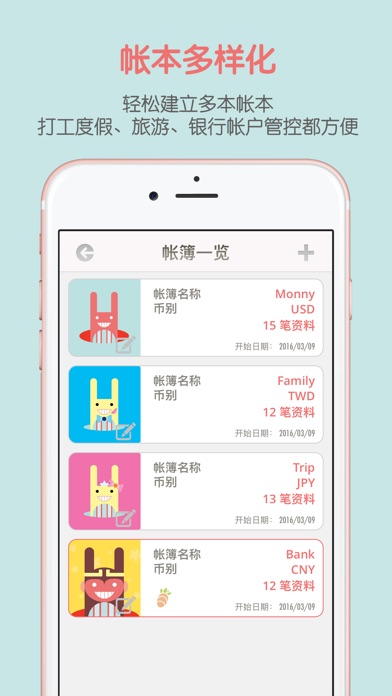
> Multiple account books, convenient for cash, credit cards, working holidays, studying abroad, further studies, and traveling
> Cloud data backup: Google Drive, Dropbox, email
> Account records can be exported to Excel
> Thoughtful daily reminders, no more forgetting to keep accounts
> Password lock function, no more worrying about your data being peeked at
***
The accounting cute bunny Monny can be downloaded and used for free, and you can purchase and upgrade to the Premium plan within the APP at any time to use the exclusive reports infinitely.
【About upgrading to the ultimate version】
After purchasing the ultimate version, you can get unlimited use of the following:
。Analysis of the top ten monthly spending leaderboards
。Monthly spending category leaderboards
。Annual trend charts
。Password lock function
【Free features】
。Unlimited income and expense records
。Cute bunny challenge park
。Multiple account books
。Basic reports
Contact us:
Email: monnyapp@gmail.com
Thank you all for your support and encouragement for Monny!
~~ Monny 把窝清干净 —— 找出空间都去哪了,然后拿回来 ~~
- 查看存储空间:全新的“设置 → 存储空间”。看清 Monny 占用了什么,一键清掉旧备份和残留文件。记录和照片完全不动。
- 导出照片:全新的“数据中心 → 导出照片”。把一整年的收据存成一个 zip 文件,再让 Monny 从 App 中移除。记录原封不动。
- “复制”回来了:它从来没消失,只是躲进了“…”菜单。现在又是记录界面上的按钮。
还没有公开评论,欢迎分享你的体验。
Monny活宝兔记帐本
Help the people using your product get to know its creator. Our editors will review your application before awarding a verified developer badge.
Our editors will review your information and contact you at the email provided if they need more details. Your badge will be awarded after your identity is confirmed.
