Amadine

Amadine

Create high-quality vector graphics

Creator
Belight Software, ltd
平台
iOS
图形和设计效率APP

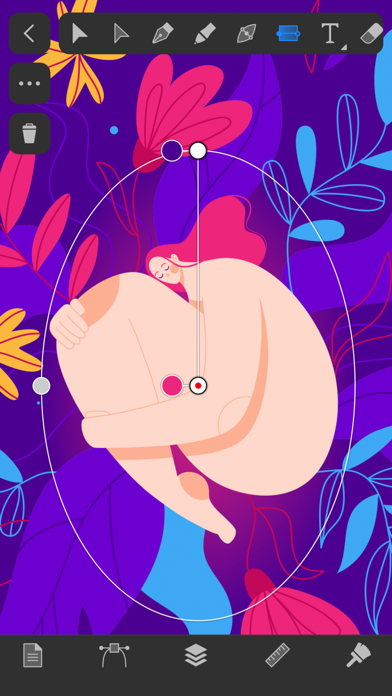
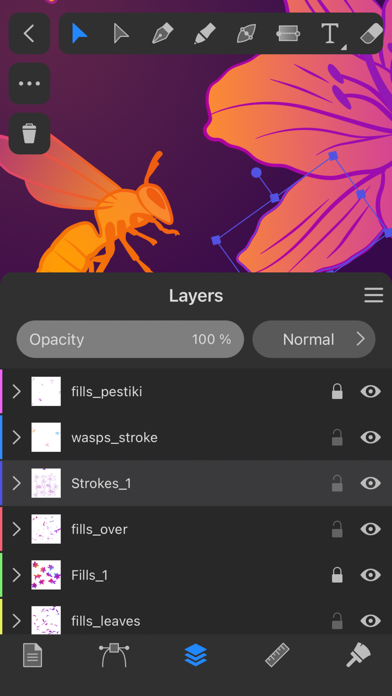
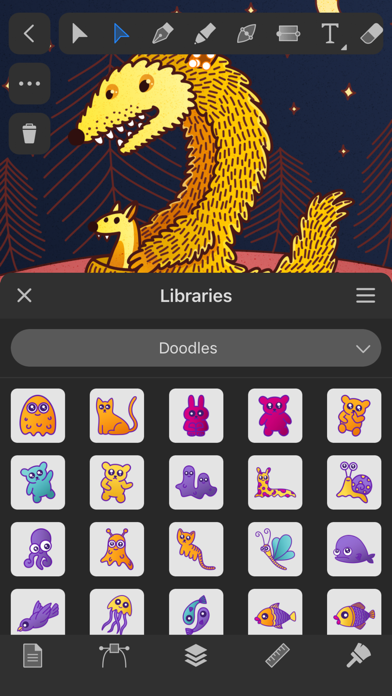
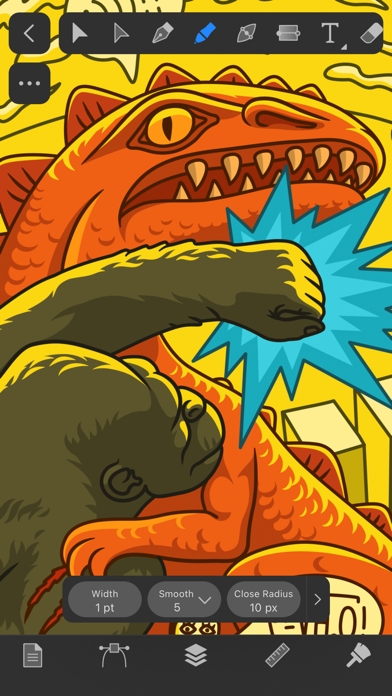
Amadine is an intuitive and easy-to-use vector drawing and illustration application with a simple and clear user interface, making it accessible to both beginners and professionals. It supports a rich set of gesture operations and, when paired with the Apple Pencil, enables the creation of stunning vector graphics. It is available for iPad, iPhone, and Mac, allows multiple works to be stored in the same document, creates multiple layers and sub-layers, provides various layer blending modes and preview options. Additionally, it has over 30 vector design tools to meet various creative needs. The paid features offer options for lifetime use or subscription.

COMMUNITY PERKSMergeek 社区专属福利
独家限免 NEW每天发现一份惊喜
PRODUCT SCREENS / 8

点击查看界面细节

Amadine 产品截图 1Amadine 产品截图 2Amadine 产品截图 3Amadine 产品截图 4Amadine 产品截图 5Amadine 产品截图 6Amadine 产品截图 7Amadine 产品截图 8

Amadine 是一款直观的矢量绘图和插图应用。这款应用的用户界面明晰简洁,除了适合新手,亦足以供专业人士使用。不妨借助这款应用创造插图、徽标、图标、用户界面、艺术作品等等。Amadine 支持 Apple Pencil,与 iPad 和 iPhone 兼容,且有提供 Mac 版。
注意:应用内购买适用于安装在 iPhone 和 iPad 上的应用程序。
付费功能可一次付款终身使用,也可按期订阅。
-------------------
Amadine is an intuitive vector drawing and illustration app. With a clean and simple UI, it's perfect for beginners, but capable enough for professionals. Use it to create illustrations, logos, icons, UI designs, art and more.  Amadine supports Apple Pencil and works on iPad and iPhone. A Mac version is also available.
Note: In-app purchases apply to the app installed on your iPhone and iPad.
Paid features are available on a lifetime and subscription bases.
Workflow
• Store multiple artworks in one document.
• Create multiple layers and sublayers.
• Different layer blending modes.
• View options: pixel preview, outline, guides and grid.
Advanced Drawing
• Use more than 30 vector design tools for selecting, drawing, editing, slicing and typing.
• Add multiple strokes and fills, create unique stroke profiles using the Width tool.
• Perform union, subtract, intersect and exclude operations on selected objects.
• Write text along a path or inside a shape.
• Create vector art using pressure sensitive tablets.
• Draw illustrations with responsive and natural brushes.
Path Editing
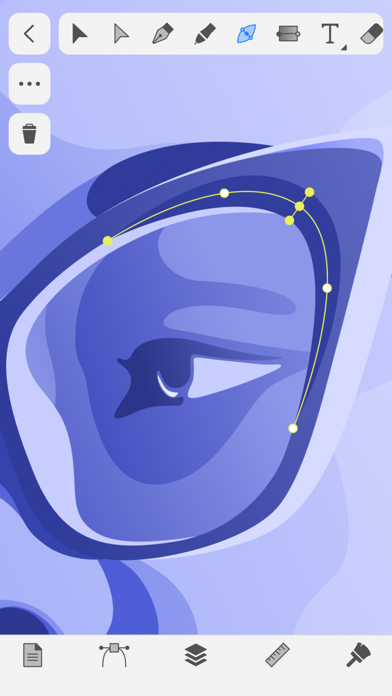
• Create paths using the Path and Draw tools.
• Add, remove and arrange the anchor points.
• Convert points to corner points and smooth points.
• Edit paths and shapes that they form using the Knife, Scissors and Eraser tools.
General
• Export the entire document, a sheet or a selection JPEG, PNG, PDF and SVG.
• Support for Apple Pencil and Apple Pencil 2
Terms of Use (EULA):
https://amadine.com/privacy-policy/terms-conditions

Belight Software, ltd

「Amadine」人人都可以制作高质量矢量图

Mergeek 推荐:「Amadine」是一款直观的矢量绘图和插图应用。这款应用的用户界面明晰简洁,除了适合新手,其高级特性也可以很好满足专业人士使用。应用提供了丰富的手势操作,配合 Apple Pencil,让任何人都可以轻松创作出令人惊叹的矢量图。我们持续为产品玩家会员精心挑选了多款科技产品,并且为你提供最具性价比

「Amadine」人人都可以制作高质量矢量图
版本

1.8.4

修复与改进:
• 修复了“填充”和“描边”设置的问题。
• 复制的工作表将保留原件的背景颜色和透明度。
• 其他错误修复。

查看完整更新记录 ↗

你的真实体验,为其他用户提供宝贵参考,获得宝石奖励

REWARD MARKET100 宝石可兑换什么?

还没有公开评论,欢迎分享你的体验。

广告
广告

提交反馈

每一个想法,都让 Mergeek 更好一点。