Inkflow Visual Notebook

Inkflow Visual Notebook

效率

Creator
Qrayon, LLC
平台
iOS
效率摄影与录像APP

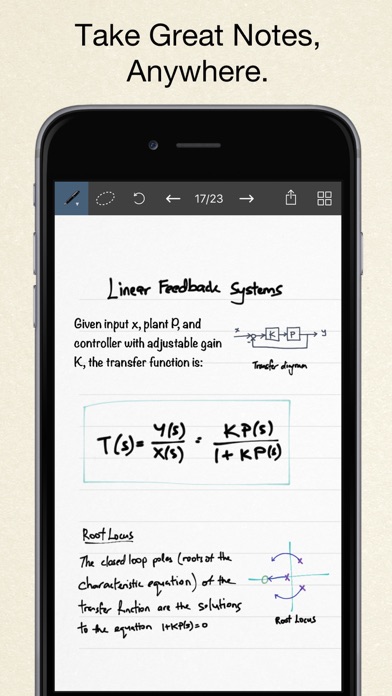
Inkflow, an innovative note-taking and brainstorming tool, makes it easy to digitize the information on paper. With its camera function, you can instantly capture your inspiration and adjust the size of your notes, organize lists and draft ideas with just a finger swipe. Its ink flows as smoothly as a fine pen, suitable for expressing rich writing and hand-drawing. The full-resolution zoom function ensures clear details, and no matter how much you use the magnification function, the ink always remains sharp. Whether you use a stylus or not, you can achieve precise writing and drawing. It is perfectly adapted to various needs such as brainstorming, planning, layout design, sketching and hand-drawing.
COMMUNITY PERKSMergeek 社区专属福利
独家限免 NEW每天发现一份惊喜
PRODUCT SCREENS / 5

点击查看界面细节

Inkflow Visual Notebook 产品截图 1Inkflow Visual Notebook 产品截图 2Inkflow Visual Notebook 产品截图 3Inkflow Visual Notebook 产品截图 4Inkflow Visual Notebook 产品截图 5

Inkflow is a note-taking and brainstorming experience unlike any other! Capture your ideas as easily as with pen and paper, then resize and reorganize them with your fingers.
DIGITAL WRITING DONE RIGHT
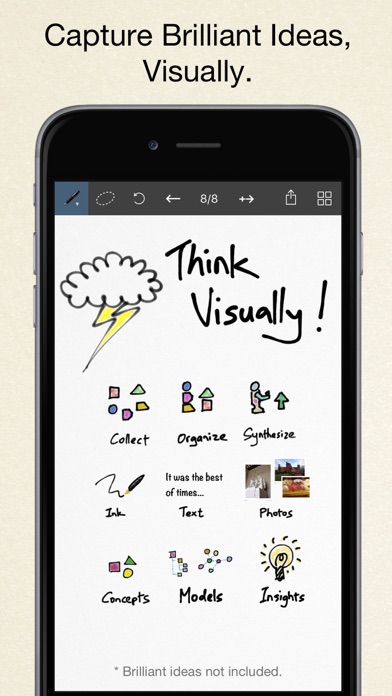
Inkflow's ink feels like a really smooth fountain pen. Great for expressive writing or sketching. Effortlessly scale or move anything you select. This will change the way you think about ink: Jot down a list of concepts then rearrange them to fit into the bigger picture. literally move your thoughts around the page, and assemble big ideas with your fingers. This works great for brainstorming and planning. It's also perfect for prototyping layouts, sketching, and drawing.
FULL RESOLUTION ZOOM
Zoom and pan with two fingers. Inkflow's ink stays sharp no matter how much you zoom in, so you can add fine details at full quality. It's also lightning fast and lag free. This allows writing and drawing with incredible precision, with or without a stylus.
TEXT, PHOTOS, and PAPER BACKGROUNDS TOO
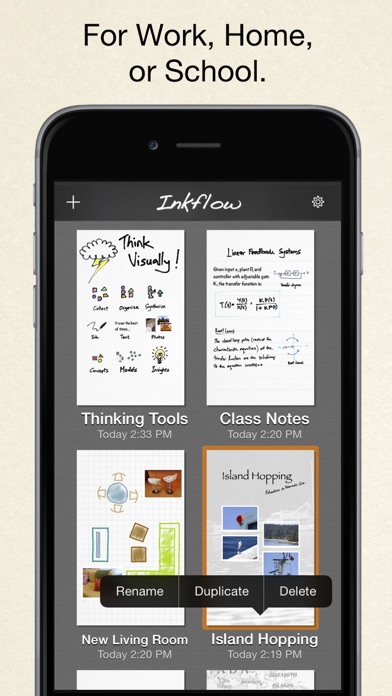
Insert text boxes and photos anywhere on the page and resize them seamlessly with the ink. You can also choose from a selection of different paper backgrounds.
EASILY CREATE and SHARE
Inkflow let's you export your books to PDF, high-resolution JPEG, and share them via Twitter, Email, or with other Apps.
TRY INKFLOW FOR FREE
Rather than just read about Inkflow, go ahead and try it out: We've decided to make the Basic Edition of Inkflow completely FREE. The Basic Edition is a full featured note-taking and sketching app. It comes with the Fountain Pen with black ink, photos, and a standard set of 5 popular fonts for text. Books max out at 20 pages each, but you can create as many as you like.
*** NOTE: To delete ink, tap on the selection then tap delete. Tap on the book name to delete a book.
If you're looking for more, there is...
INKFLOW PLUS
Upgrade instantly at any time to the Plus Edition to get:
- Inkport
- A customizable, full color palette,
- Pencil, Eraser, and Paint Brush tools,
- The Write-Behind …

Qrayon, LLC

你的真实体验,为其他用户提供宝贵参考,获得宝石奖励

REWARD MARKET100 宝石可兑换什么?

还没有公开评论,欢迎分享你的体验。

广告
广告

提交反馈

每一个想法,都让 Mergeek 更好一点。