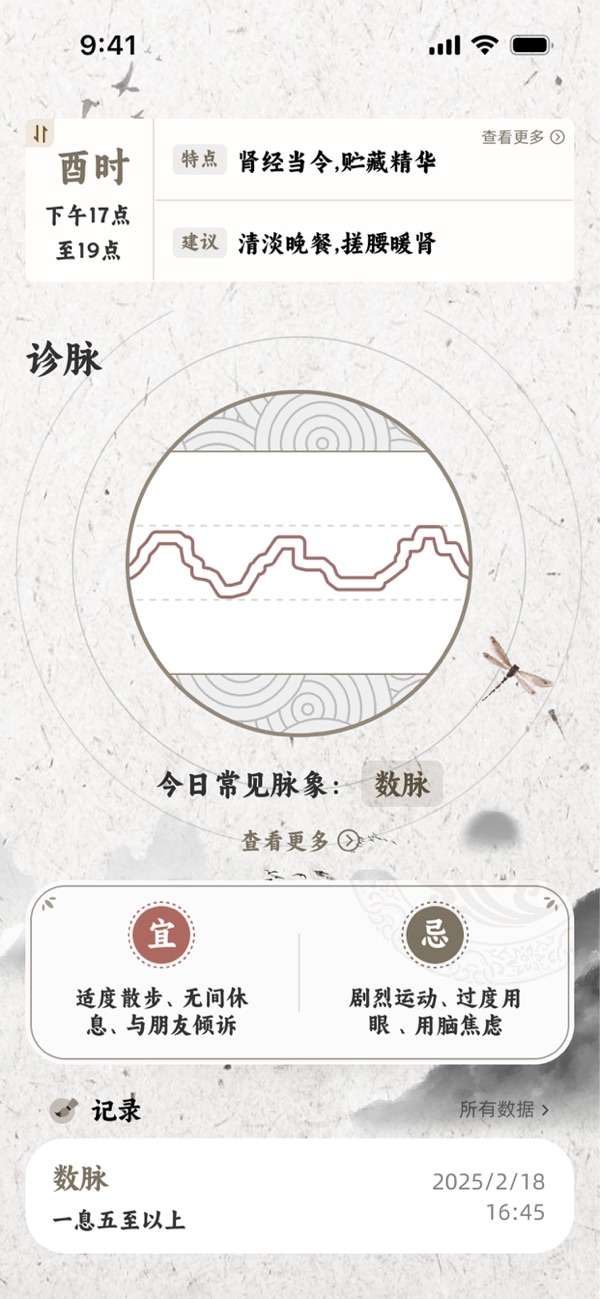
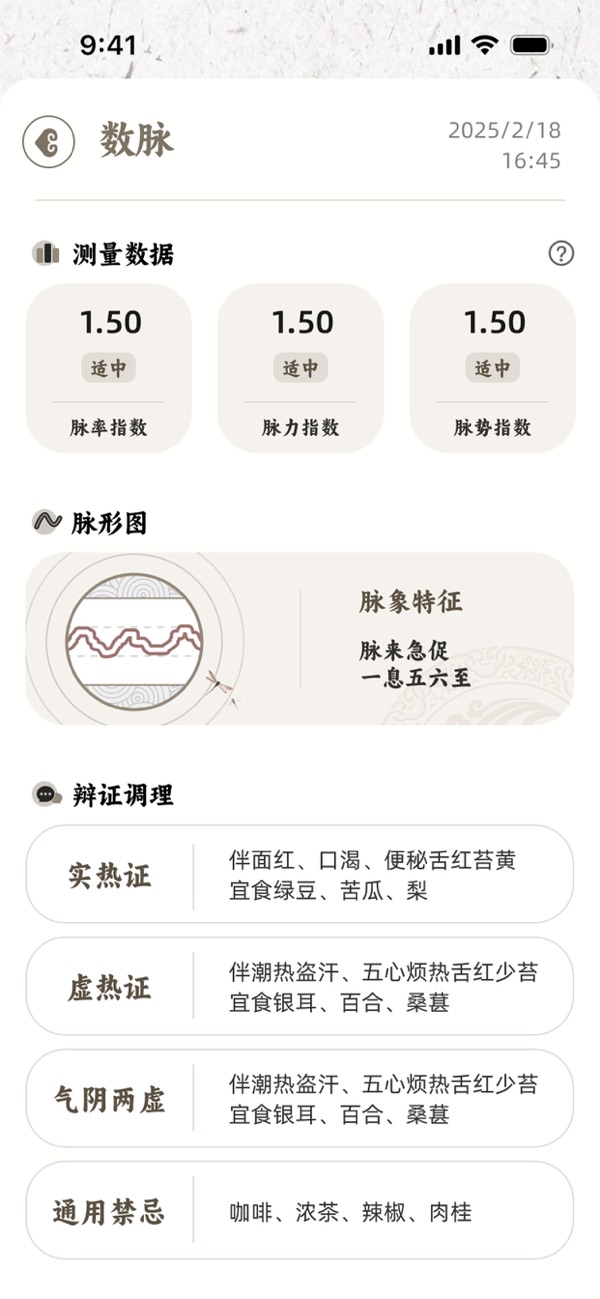
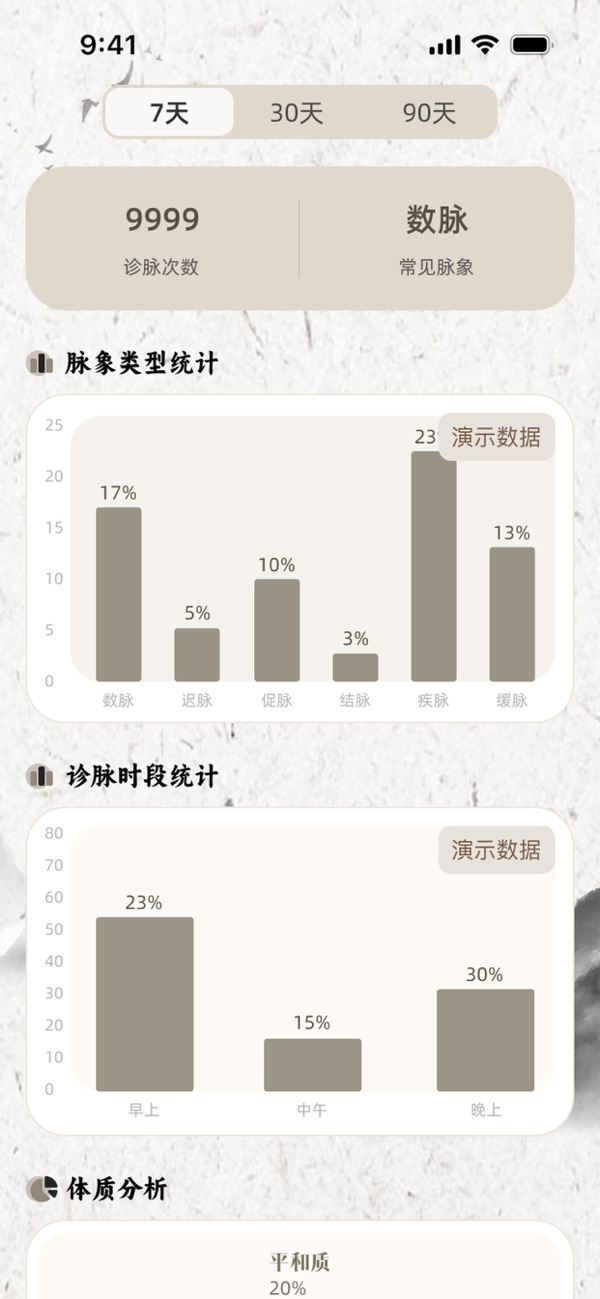
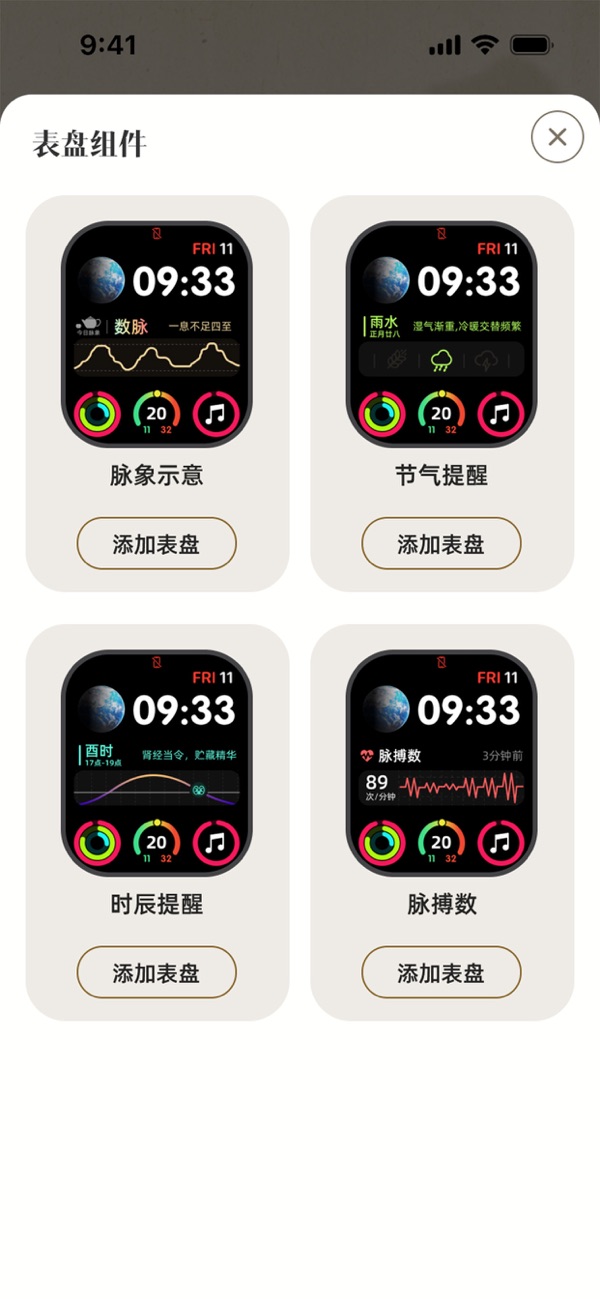
产品功能

应用市场介绍

MaiWatch is a perfect combination of ancient traditional Chinese medicine theory and modern technology. This app uses the advanced sensors of the Apple Watch to monitor body data online, provides health data analysis, and helps you better understand your physical condition. Whether it is for body conditioning, emotional balance, or making life and exercise plans, it can provide you with personalized suggestions and take care of your health in all aspects.

Feature Highlights

Real-time Data Monitoring: Utilize the high-precision sensors of the Apple Watch to monitor body data in real time and generate accurate health data.

Traditional Chinese Medicine Constitution Analysis: Combine traditional Chinese medicine theory to analyze your constitution type through body data and give targeted health suggestions.

Customized Health Suggestions: Automatically generate personalized suggestions regarding body conditioning, emotional balance, lifestyle, and exercise plans based on the monitoring results.

Historical Data Recording: The system can track and record your historical pulse conditions and health data, making it convenient for you to view trend changes at any time.

User-friendly Interface: The simple and clear interface design, combined with easy-to-read data charts, makes traditional Chinese medicine pulse-taking intuitive and simple.

The pulse analysis results of this app are generated based on intelligent algorithms, aiming to provide you with a reference for health trends and help you better pay attention to your own status. Please note that this result cannot replace professional traditional Chinese medicine diagnosis or Western medicine examination and cannot be used as a basis for medical diagnosis. The platform shall not be liable for any actions taken (such as taking medicine, delaying medical treatment, adjusting diet, etc.) based on reference to this result. Special reminder: The diet suggestions mentioned in the result are for reference only. If you have a history of food allergies or special physical conditions, please be sure to consult a professional doctor before trying. If you have any health concerns or discomfort symptoms, please promptly consult a practicing doctor in a regular medical institution and strictly follow the doctor's advice. Your health is our top concern.

Disclaimer

The pulse analysis results of this app are generated based on intelligent algorithms, aiming to provide you with a reference for health trends and help you better pay attention to your own status. Please note that this result cannot replace professional traditional Chinese medicine diagnosis or Western medicine examination and cannot be used as a basis for medical diagnosis. The platform shall not be liable for any actions taken (such as taking medicine, delaying medical treatment, adjusting diet, etc.) based on reference to this result. Special reminder: The diet suggestions mentioned in the result are for reference only. If you have a history of food allergies or special physical conditions, please be sure to consult a professional doctor before trying. If you have any health concerns or discomfort symptoms, please promptly consult a practicing doctor in a regular medical institution and strictly follow the doctor's advice. Your health is our top concern.

Subscription Instructions

Your trial subscription will automatically renew into a paid subscription. After confirmation of purchase, the fee will be deducted from your iTunes account. The subscription will automatically renew at the same price and duration as the original package, unless you turn off auto-renew at least 24 hours before the end of the current subscription period. Within 24 hours before the end of the current subscription period, the account will be automatically charged for the renewal fee of the selected subscription. After purchase, users can manage their subscriptions or go to the iTunes account settings to turn off auto-renew. If a user has purchased a subscription, any unused portion of the free trial period will be forfeited.

Compatibility Statement

In some system versions, when adding a watch face component to the watch via the phone, a prompt of "Complications unavailable" may appear. This is a function limitation caused by compatibility differences between iOS and watchOS versions, not a device malfunction.

It is recommended to operate directly on the watch

Long press on the watch face to enter the edit mode.

Swipe left or right to select the watch face to be adjusted and click "Edit".

On the component settings screen, re-add or adjust the function modules to use them normally.

收起

用户评价

立即分享产品体验

你的真实体验,为其他用户提供宝贵参考

宝石
评论可得 100 宝石
宝石随心兑换应用高级会员,每周更新 前往查看 >>
活动动态 0 人参加
查看更多评论