产品功能

应用市场介绍

Batch Image Resize is a flexible and easy-to-use batch image resizer. It allows you to resize your images to specific dimensions and crop them into any aspect ratio you like.
Batch Image Resize saves your data plan or bandwidth as photos are resized directly on your device, allowing you to upload them to your favorite social media platforms like Facebook or Twitter quickly and easily.
Main Features:
- Resize images by percentage, width, or height.
- Set aspect ratio options: original, 1:1, HD format (16:9), common 4:3 format, or custom aspect ratios.
- Watermark feature, which can be turned on or off.
- Choose your desired watermark image from your camera roll.
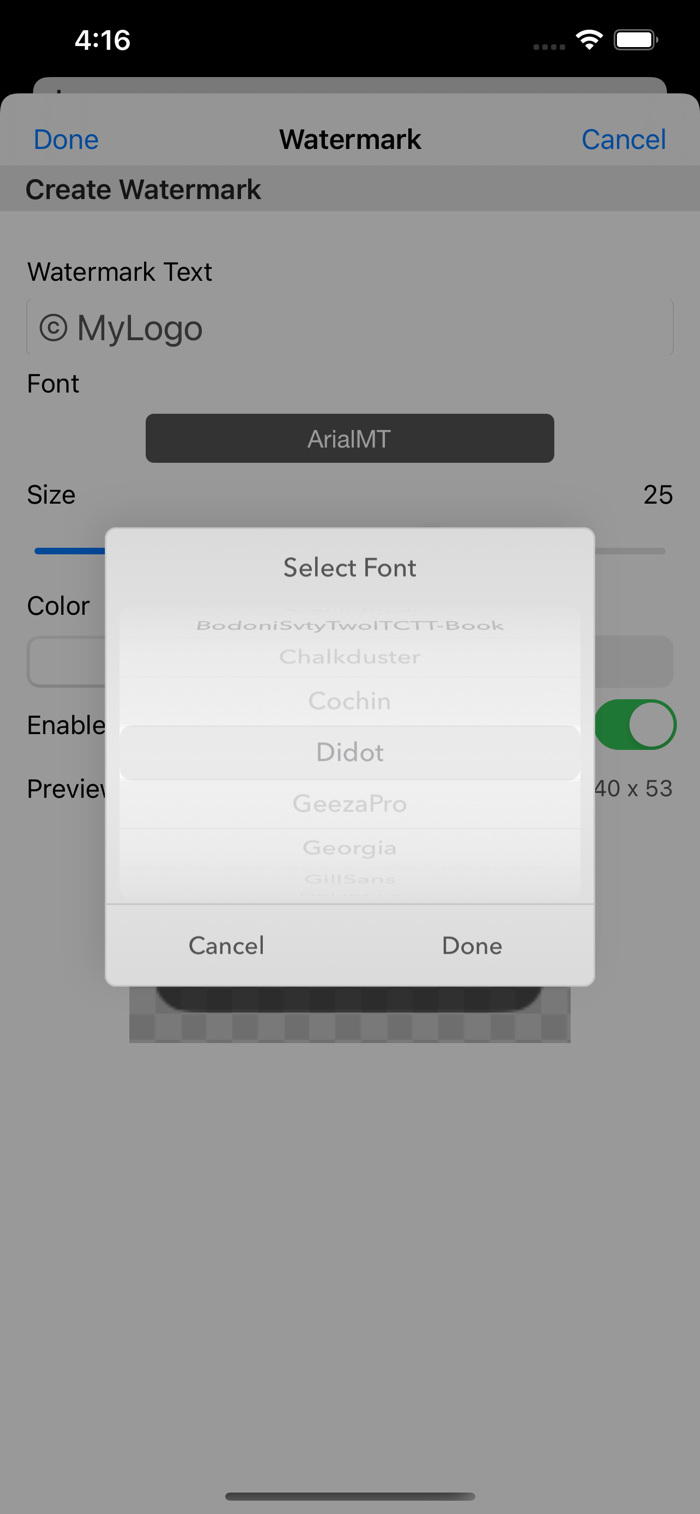
- Create text watermarks.
- Set watermark location.
- Works seamlessly on both iPhone and iPad.
- Lightweight, compact app optimized for everyday use.
- Ad-free and built with privacy in mind.
All resized photos are automatically stored in the "BImage" Album under Camera Roll.
Quick Guide:
1. Tap the [+] icon and select the images you want to resize.
2. Tap the Settings icon and adjust the settings as desired.
3. Tap the Run icon and wait for the process to finish.
4. The Gallery icon will appear at the bottom—tap it to view resized images in the album.
5. Tap the Bin icon to clear all images after the resize process is complete.
Main Section:
- Basic image info such as name, dimensions, date, and size is shown.
- You can review and remove images before proceeding with resizing.
- Displays total size and count of images.
Settings Section:
Image Section:
- Set the resize method by percentage, width, or height:
- Resize by percentage (e.g., 50%): An image with dimensions 800x600 will resize to 400x300.
- Resize by width (e.g., 500): An image with dimensions 1000x800 will resize to 500x400.
- Resize by height (e.g., 200): An image with dimensions 1000x800 will resize to 250x200.
- Set aspect ratio options: original, square (1:1), HD format (16:9), common 4:3 format, or custom aspect ratios.
Watermark Section:
- Enable or disable watermarks.
- Set watermark location:
- Choose a watermark location by tapping [TL] Top Left, [TC] Top Center, [TR] Top Right, [C] Center, [BL] Bottom Left, [BC] Bottom Center, or [BR] Bottom Right.
- Create your own text watermark quickly and easily.
- Choose a watermark image from your camera roll:
- Check the watermark size before proceeding.
- Preview the watermark along with its size.
Create Text Watermark:
- Set a custom text watermark for your photos/images.
- Choose the font type.
- Adjust the watermark size.
- Set watermark color (black or white).
- Enable or disable a watermark text background.
- Preview the text watermark with its size.
Additional Tips:
- After selecting images from the gallery, you can reselect any missed images by tapping the [+] icon again.
- Duplicate images (with the same name) will be skipped when selected from the gallery.
Bulk Resize Photos makes it easy to resize batches of images. It’s fast because your images are resized directly on your iDevice without the need to upload or transmit them to any servers.
Thank you for your support! Visit nitrio.com for more apps for your iOS devices.

收起

用户评价

立即分享产品体验

你的真实体验,为其他用户提供宝贵参考

宝石
评论可得 100 宝石
宝石随心兑换应用高级会员,每周更新 前往查看 >>
活动动态 0 人参加
查看更多评论