Survival Kit is your all‑in‑one outdoor and off‑grid companion. Plan and record trails, view offline maps, monitor live sensors, store an emergency card, and communicate with simple Morse signals when voice or data isn’t available. With language‑aware UI and powerful device tools—including LiDAR Motion Alarm and LiDAR Night Vision—you stay aware, prepared, and focused. Track your GPS position even in flight or during a cruise, and leverage many other useful sensors and tools for real‑world readiness.
Key Features
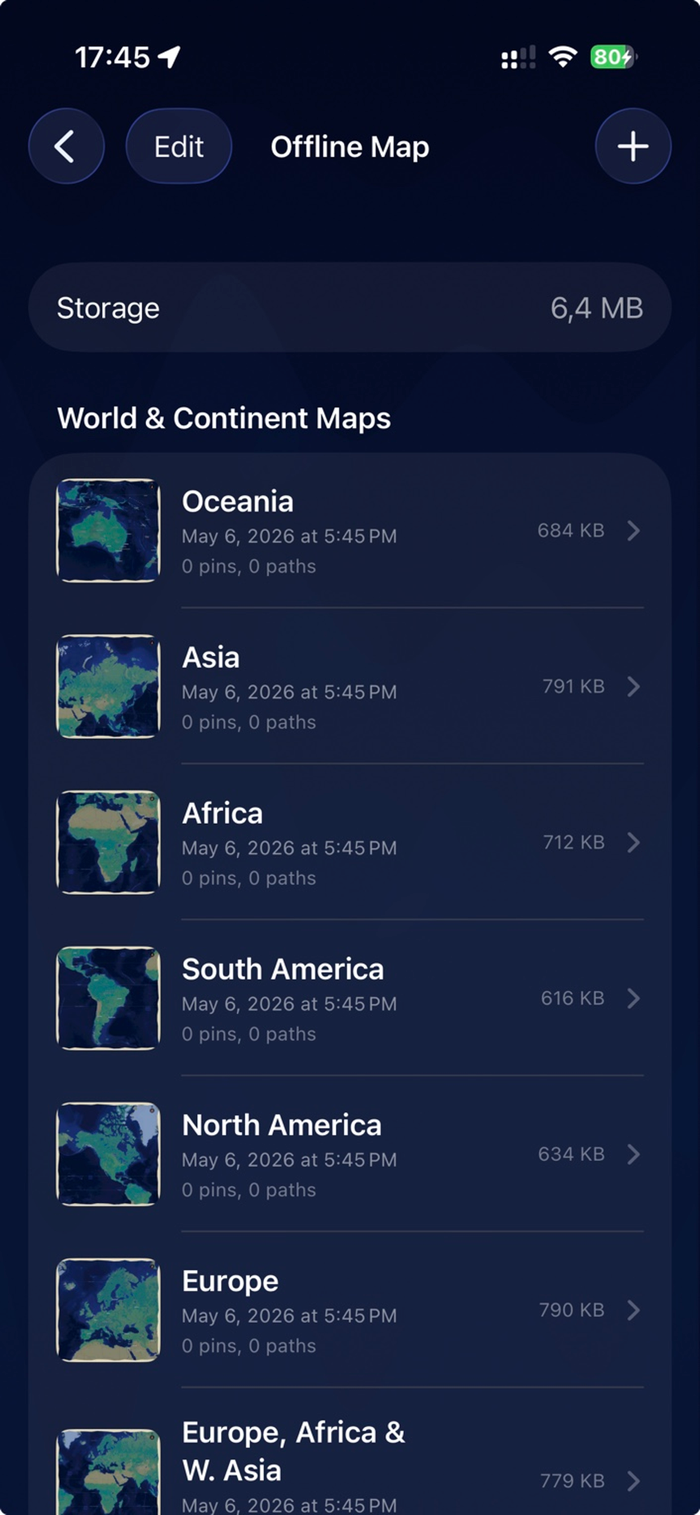
• Offline Maps: Download regions for reliable navigation without a network. Pan, zoom, and plan routes anywhere.
• Trail Tracking: Start, pause, resume, and stop trails with distance, elevation, and pace at a glance.
• Emergency Card: Store medical info and emergency contacts for quick access in critical moments.
• Offline Notes: Capture notes and waypoints without connectivity and review them anytime.
• Live Sensors: Monitor altitude, motion, battery, torch, audio levels, and more for situational awareness.
• Morse Signaling: Broadcast Morse code via light or sound, and decode received Morse to text for simple off‑grid communication.
• GPS in Flight/Cruise: View your GPS position even in flight or during a cruise to stay oriented when data services are limited.
• Language Support: Interface and content adapt to your selected language with dynamic translation updates.
• Capability Awareness: See which features are supported in your current environment.
LiDAR Tools
• LiDAR Motion Alarm: Use the device’s depth sensor to detect movement in a defined zone. Receive audible/visual alerts—useful for camp perimeters, gear monitoring, or basic intrusion awareness in low‑light conditions.
• LiDAR Night Vision: Enhance visibility in darkness using depth‑assisted rendering. Visualize shapes and distances with a high‑contrast depth view to navigate or scan surroundings when ambient light is limited.
How It Works
1. Set Language: Choose your preferred language; the UI updates automatically.
2. Prepare Offline Maps: Download map regions before you head out for full offline access.
3. Create Emergency Card: Add medical conditions, allergies, medications, and contacts.
4. Track Trails: Record distance and elevation; pause/stop anytime and review history later.
5. Monitor Sensors: Check altitude, motion, torch, audio levels, battery, and more.
6. Morse Broadcast & Decode: Send light/sound Morse messages and decode received Morse into text.
7. Use LiDAR Features: Activate Motion Alarm to monitor a zone; switch to Night Vision to visualize depth in low light.
Safety Tips
• Download maps in advance.
• Keep your emergency card updated.
• Monitor battery and carry a power source for longer trips.
• Use Morse and LiDAR features responsibly and within local regulations.
• Respect airline and maritime rules when using GPS or other device features in flight or at sea.
Warning & Liability
This app is provided for informational and recreational use only. It does not replace professional guidance, certified navigation tools, or emergency services. Outdoor activities and travel involve risks, including injury, loss, or death. Always assess conditions, prepare appropriately, and follow local laws, airline, and maritime safety guidelines. The developers and distributors do not accept responsibility or liability for accidents, damages, losses, or consequences arising from use or misuse of the app, reliance on its data, Morse or LiDAR features, GPS in flight/cruise, or interruptions in service. By using the app, you accept all risks and are solely responsible for your decisions and actions. In emergencies, contact local authorities immediately.
Note on Device Capabilities
Feature availability depends on your device’s hardware and sensors. LiDAR Motion Alarm and LiDAR Night Vision require a compatible depth camera. GPS availability and accuracy may vary by location, regulations, and travel mode. Not all functions will be available on every device.


 +100宝石

 分享
分享















用户评价
立即分享产品体验
你的真实体验,为其他用户提供宝贵参考
💎 分享获得宝石
【分享体验 · 获得宝石 · 增加抽奖机会】
将你的产品体验分享给更多人,获得更多宝石奖励!
💎 宝石奖励
每当有用户点击你分享的体验链接并点赞"对我有用",你将获得:
🔗 如何分享
复制下方专属链接,分享到社交媒体、群聊或好友:
💡 小贴士
分享时可以添加你的个人推荐语,让更多人了解这款产品的优点!
示例分享文案:
"推荐一款我最近体验过的应用,界面设计很精美,功能也很实用。有兴趣的朋友可以看看我的详细体验评价~"
关注 Mergeek 公众号
领奖遇到问题?联系小门助手