产品功能

应用市场介绍

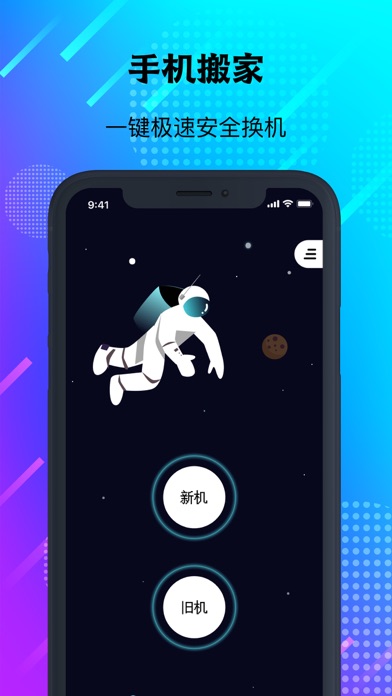
Data Transfer Tool, transfer contacts, photos, videos to a new phone with one click, a super practical one-click phone migration tool!

No WiFi? Too troublesome to change phones between the old and new ones? Not enough mobile data? Transferring large files too slow?
It doesn't matter, come and try! The coolest and fastest multi-functional file transfer app! Let you enjoy extremely fast mutual transfer between phones.

Transferring data doesn't require an internet connection, a computer, a data cable, a SIM card, or WIFI. You can transfer the data from the old phone to the new phone with one click.

【Provide you with a safe, fast, simple, and convenient phone-changing experience】
1. Zero consumption: The direct phone-to-phone fast transfer technology, without WIFI, no SIM card, no Bluetooth, and transferring resources doesn't consume any mobile data.
2. Extremely fast transfer: Quickly transfer content, up to 10M/s at most, support fast transfer of large files, and outperform Bluetooth and WIFI.
3. Intelligent: One-click phone migration, phone backup, no longer worry about changing phones.
4. Compatible with all models: Can be directly installed and used on both old and new phones, not affected by brands and system versions, and solve the problem of data migration.
5. Easy to operate: No need to connect to the internet, no need to connect to a computer, get rid of the data cable, and complete data migration with one click.

【Instructions for automatic subscription of app membership】
1. New users can have a 3-day free trial, and will automatically renew to a paid subscription after expiration.
2. In-app purchase items:
1) VIP membership continuous weekly package.
2) VIP membership continuous monthly package.
3) VIP membership continuous annual package.
3. Payment: After the user confirms the purchase and pays, it will be charged to the iTunes account. When purchasing an automatic subscription membership account, it will be deducted from your iTunes account 24 hours before each subscription expires. After successful deduction, it will be extended for one subscription period.
4. If you need to cancel the subscription, please manually open the "Settings" on your Apple phone --> enter "iTunes Store and Apple Store" --> "click on Apple ID", select "View Apple ID", enter the "Account Settings page", click "Subscriptions", and select the VIP membership service to cancel the subscription. If you don't close the subscription at least 24 hours before the end of the subscription period, it will be regarded as your agreement to continue the authorization, and this subscription will be automatically renewed.

收起

用户评价

立即分享产品体验

你的真实体验,为其他用户提供宝贵参考

宝石
评论可得 100 宝石
宝石随心兑换应用高级会员,每周更新 前往查看 >>
活动动态 0 人参加
查看更多评论