


 +100宝石







产品功能
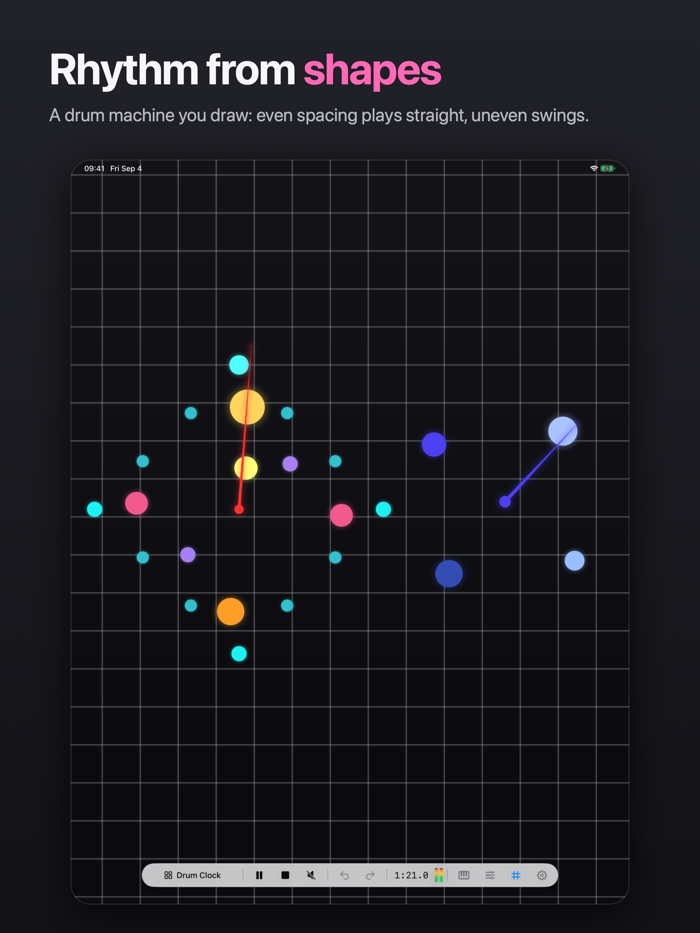
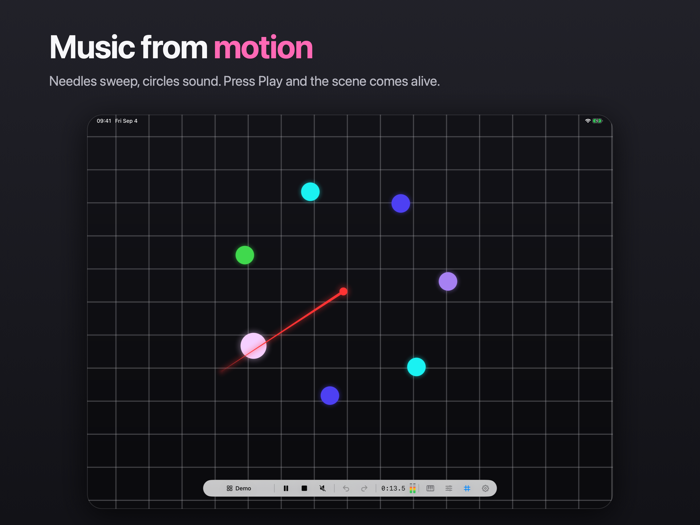
Needles turn like clock hands. Circles are sounds. Each time a needle crosses a circle, the circle plays: loud near the tip, quieter towards the pivot. That's mseq in a nutshell, and it is enough to build a lot.
Rhythm comes from where you put things, not from a grid. Circles spaced evenly around a needle play straight; move one and the beat swings. Two needles at different speeds make a polyrhythm. A needle across a spiral of circles plays an arpeggio that never quite repeats. You are not programming steps. You are arranging a scene and listening to what it does.
AN OPEN-ENDED PLAYGROUND
• Needles sweep around a pivot at the speed you set, and play whatever they cross.
• Circles hold a sound: a sample or a MIDI note. Choose radius and color to taste.
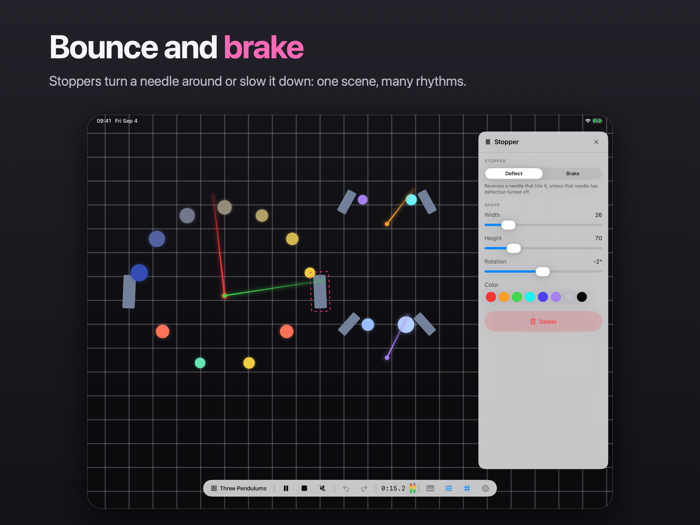
• Stoppers deflect or brake a needle that hits them.
• The generator lays out rings, polygons, spirals and spokes of circles in one gesture.
SAMPLES
Any audio file on your iPad can be the sound of a circle: drop in a kick, a field recording, a single synthesizer note. Samples stay inside the scene file. There is a bundled kit to get you started.
MIDI
MIDI circles send notes to other applications on the iPad, to hardware over USB or Bluetooth, and to other devices over a network session. Each scene has a key, and a needle can re-tune the notes it plays into another key as it fires.
PLUGIN
mseq also runs as an AUv3 plugin inside hosts such as AUM and Logic Pro, as an instrument that plays its own samples, and as a MIDI processor that drives other instruments. Scenes are edited inside the plugin with the same canvas as the app, and every instance keeps its own scene.
MORE TO EXPLORE
• Pinch to zoom from 25% to 400%, drag with two fingers to pan.
• A scene library, undo and redo, and a level meter along the bottom.
• A guided tour on first launch, four scenes to take apart, and a full manual under Settings.
• Scenes are files. Share them, back them up, open them on another iPad.
• No account, no ads, no data collected, and no network requests.
mseq is made for exploring. Start with a needle and a few circles, and let what you hear guide you.
分享「」体验,参与「」抽奖!
分享 1~3 张你对这个产品最满意的截图或效果图
分享「」体验,参与「」抽奖!
用你的故事点亮社区✨!你的真实体验,将会永久展示在 官方主页 📌,为其他朋友提供宝贵参考 💡。立即分享吧!🚀
请为产品评分
请选择问题回答,为大家提供宝贵参考
选择要回答的问题
温馨提示
你尚未上传产品截图。
上传截图可立即获得宝石积分奖励!
如果你赶时间,也可稍后修改评论,补上截图领取宝石。
温馨提醒
你尚未添加产品截图
⚠️ 不添加截图将降低抽奖权重

感谢参加,你已成功参加!
为了确保你能及时收到审核结果和领奖码通知

扫描二维码关注 Mergeek 公众号
在后台回复 「获奖通知」
完成上述操作,即可保障奖励发放成功





用户评价
立即分享产品体验
你的真实体验,为其他用户提供宝贵参考
💎 分享获得宝石
【分享体验 · 获得宝石 · 增加抽奖机会】
将你的产品体验分享给更多人,获得更多宝石奖励!
💎 宝石奖励
每当有用户点击你分享的体验链接并点赞"对我有用",你将获得:
🔗 如何分享
复制下方专属链接,分享到社交媒体、群聊或好友:
💡 小贴士
分享时可以添加你的个人推荐语,让更多人了解这款产品的优点!
示例分享文案:
"推荐一款我最近体验过的应用,界面设计很精美,功能也很实用。有兴趣的朋友可以看看我的详细体验评价~"
关注 Mergeek 公众号
领奖遇到问题?联系小门助手