PeakNav

PeakNav

户外登山徒步必备,离线可用

创作者
Kilian Obermeier

PeakNav shows you the world's mountains in 3D — as if you were standing there. Pick any place on Earth and PeakNav rebuilds the landscape around it from real elevation data: ridges, valleys, glaciers and summits, each p

COMMUNITY PERKSMergeek 社区专属福利
独家限免 NEW每天发现一份惊喜
PRODUCT SCREENS / 10

点击查看界面细节

PeakNav 产品截图 1PeakNav 产品截图 2PeakNav 产品截图 3PeakNav 产品截图 4PeakNav 产品截图 5PeakNav 产品截图 6PeakNav 产品截图 7PeakNav 产品截图 8PeakNav 产品截图 9PeakNav 产品截图 10

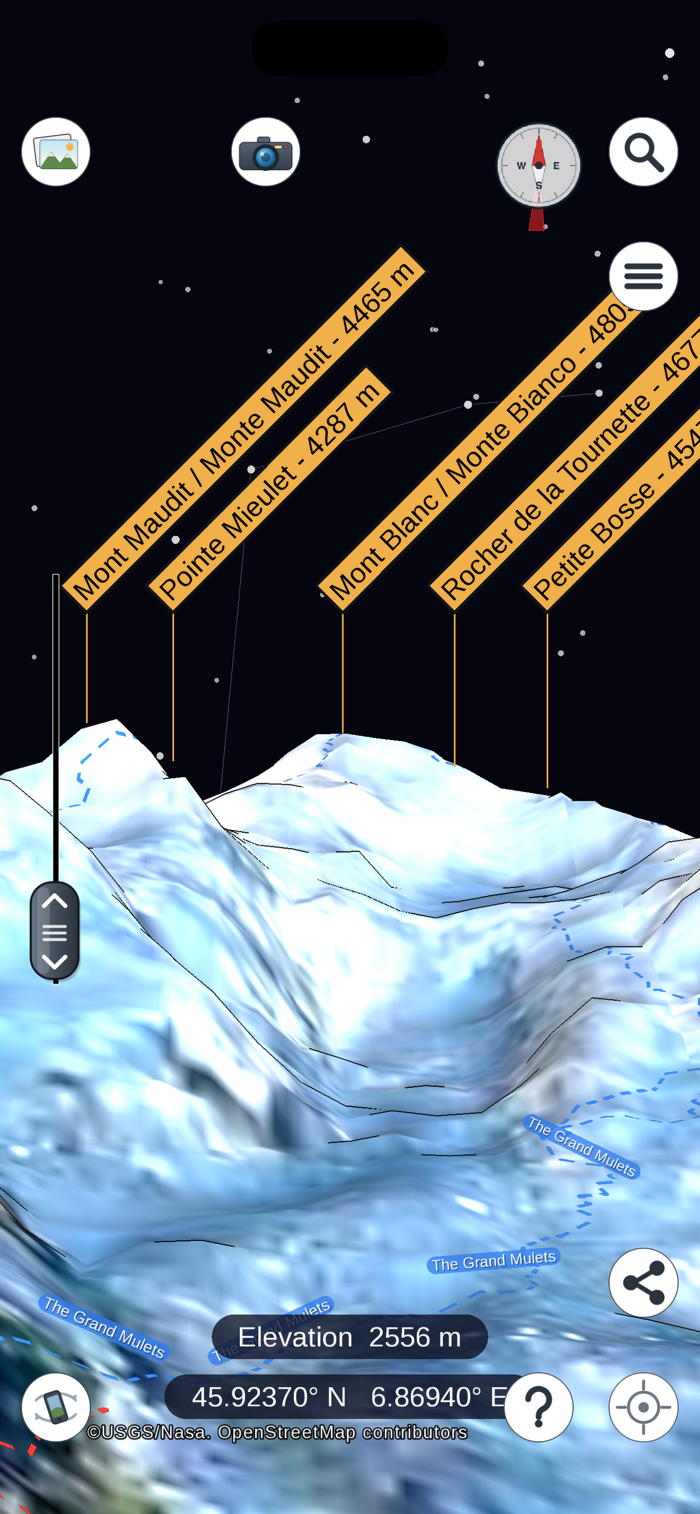
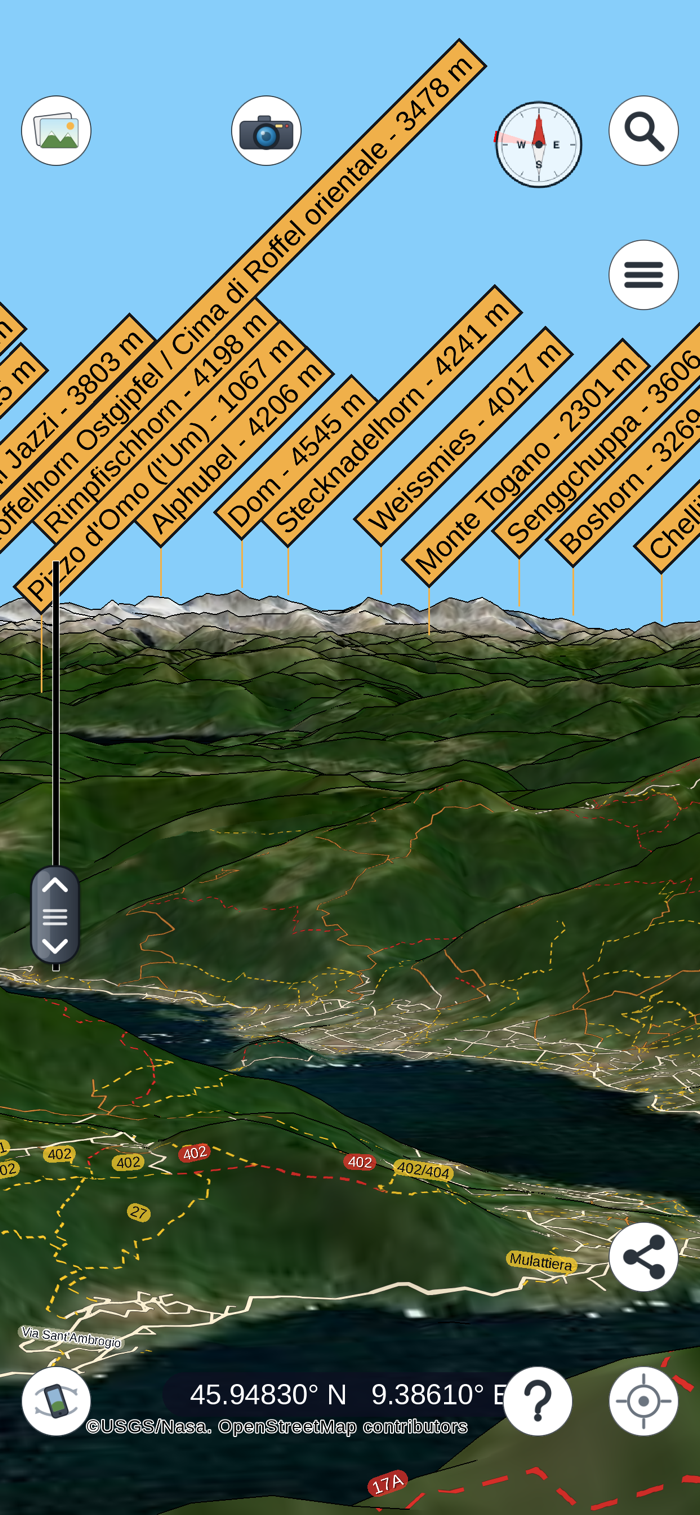
PeakNav shows you the world's mountains in 3D — as if you were standing there.

Pick any place on Earth and PeakNav rebuilds the landscape around it from real
elevation data: ridges, valleys, glaciers and summits, each peak labeled with
its name and height. Turn the view with a finger, or just point your iPhone at
the horizon and let the motion sensors aim the view where you are looking.

WORKS OFFLINE
Download an area once and everything works with no connection at all — perfect
for the summit, the trail, or the airplane window. Elevation, peak names and
map data are stored on your device.

NAME THAT PEAK
Wondering what you are looking at? Center your position with one tap on the
location button and compare the labeled 3D horizon with the real one. Around a
quarter of a million summits, towns and villages are searchable by name on the
device, in their local spellings too — Großglockner, Grossglockner and Monte
Bianco all work.

YOUR HIKES IN 3D
Open a GPX track from Files, Mail or any app's share sheet and see the whole
route draped over the terrain — every switchback, every col, the way it
actually climbs. Then fly the route as a tour, seek bar included. Great for
planning tomorrow's hike or reliving today's.

A REAL SKY, AND A WAY AROUND EVERY PEAK
Sun, moon — with its phase — and stars stand where they really do for the date,
time and place you are looking from, with the compass points marked on the
horizon and an optional sky map with an astronomical grid. Tap a summit and
choose orbit to circle it and see it from every side.

PHOTOS KNOW WHERE THEY WERE TAKEN
Choose a photo and PeakNav flies you to the exact spot it was shot from, so
you can finally put a name on that summit in the background.

SATELLITE AND MAP IMAGERY
Drape the terrain in satellite imagery — USGS Imagery Topo or NASA Landsat —
choose the source you prefer, or add your own tile provider (any https tile
URL).

AND MORE
• Share a snapshot of any view
• Search for mountains, towns and villages …

版本

1.3.3

Search and downloads in one place, markers of your own, and fifteen more
languages.

ONE SCREEN TO FIND A PLACE AND FETCH ITS MAP

Search and download now share a single screen with a map of its own. Type a
name or tap the map, see at a glance which areas you already have — they are
striped — and download the one you want. A world map is built in, so the screen
works with no connection too.

MARKERS

Tap any point and keep it as a flag on the map. Name it, give it a colour, and
share your markers as a GPX file. They live with your tracks under "My paths
and markers".

TAP A NAME TO LEARN MORE

Tapping a peak, village or lake name opens a pane about it: its details, a
picture and its Wikipedia article in your language when you are online, and a
link to the map data it comes from.

FIFTEEN MORE LANGUAGES

Dutch, Swedish, Danish, Finnish, Polish, Czech, Slovak, Slovenian, Croatian,
Serbian, Romanian, Russian, Ukrainian, Bulgarian and Greek. Place names are
shown in their own script to those who read it.

DOWNLOADS YOU CAN FOLLOW

A button stops a download under way, a failed one tells you why and picks up
where it left off, and a new Storage screen shows how much room the maps take
and lets you give it back.

ALSO NEW

- Routes to a tapped point name the paths they follow, and tapping one flies
you along the track to it.
- Photos can be opened with PeakNav straight from other apps, and nudged into
place with new fine-alignment buttons.
- The elevation of your viewpoint is shown above the coordinates.
- "Set time" opens a date and time picker for the sky.
- With no location available, the first start offers an estimate or the search
box instead of waiting.
- Menus rearrange themselves when you turn the screen.

Labels appear sooner after you move to a new place, and many fixes make the app
steadier and lighter on memory.

查看完整更新记录 ↗

你的真实体验,为其他用户提供宝贵参考,获得宝石奖励

REWARD MARKET100 宝石可兑换什么?

还没有公开评论,欢迎分享你的体验。

提交反馈

每一个想法,都让 Mergeek 更好一点。