INTRODUCTION产品介绍
2nd Display turns your iPad into an extra display for your Mac, over a USB cable.
Plug in, open the app, and your Mac gets a new screen. Drag windows onto it, use it for reference material, chat, music or a second document, and tap and drag right on the iPad.
• Wired: video and touch travel over the cable, so there is no Wi-Fi setup and no dependence on a busy network.
• Works on older iPads: runs on anything with iOS 15 or later, including iPad mini 4 and iPad Air 2.
• Touch input: tap and drag on the iPad to control what's on it, and press and hold for a right-click.
• Smooth or sharp: on ProMotion iPads choose up to 120 fps, or full native resolution.
• Roomy desktop: choose how much space fits on the iPad screen.
• Private: no account, no analytics, nothing leaves your devices. It's also free, with no subscription.
HOW IT WORKS
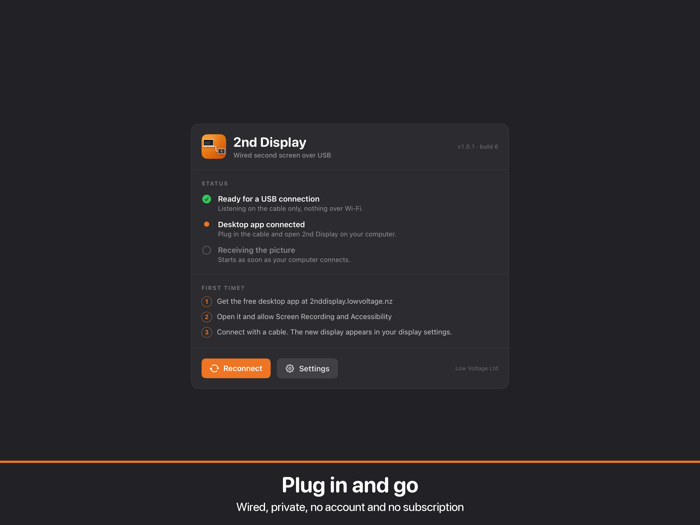
1. Download the free 2nd Display companion app for your Mac (macOS 13 or later) from the website linked on this page.
2. Open it and allow Screen Recording and Accessibility when macOS asks.
3. Connect your iPad with its cable and open this app. A new display appears in System Settings, ready to arrange like any monitor.
Requires the "2nd Display" Mac companion app. iPad and Mac must be connected by cable.
Download from: https://2nddisplay.lowvoltage.nz/
Watch it in use, with an iPad Pro 13" and an iPad mini 4 as second monitors for a MacBook Pro: https://youtu.be/0fXQRxEqPAw