产品功能

应用市场介绍

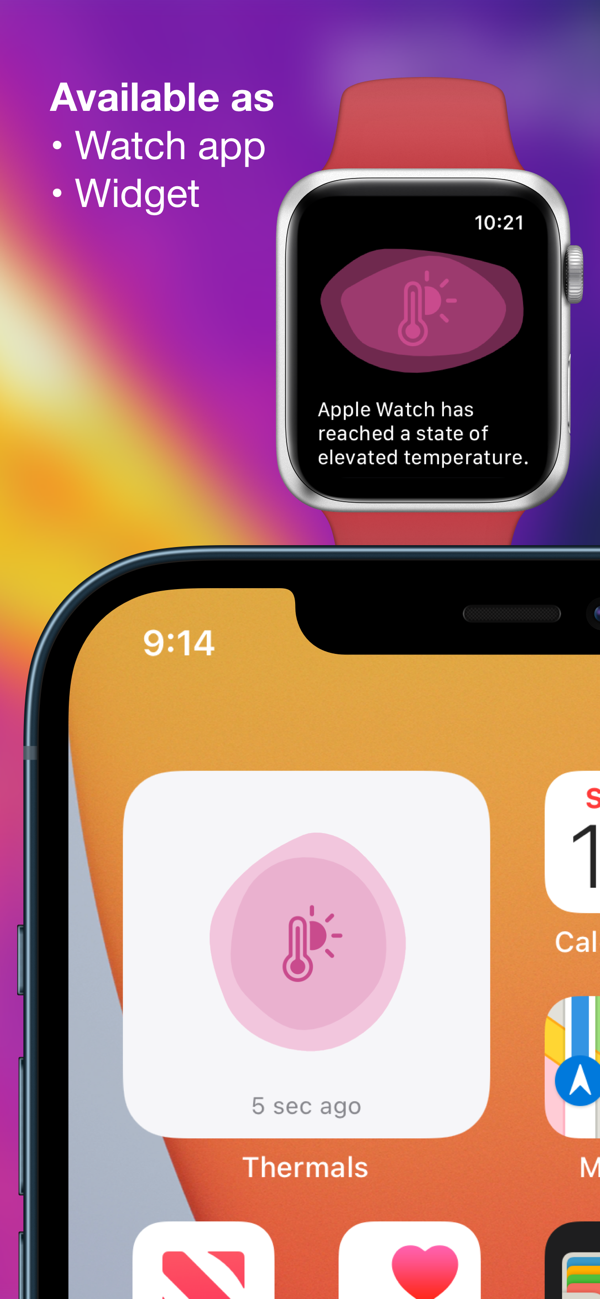
Phone running slowly, charging slowly or low brightness? See if your device is overheating using Thermals.
Thermals displays your device’s thermal state, as well as how many processors are active on your device and its uptime, as reported by iOS.
Thermals helps troubleshoot:
• Poor performance — iOS reduces processor speed and potentially disables processors temporarily when the device is hot.
• Slow charging — battery charging causes a lot of heat and iOS can limit charging speed to reduce the additional heat that might make a device too hot.
• Low maximum brightness — if your device screen stays dark despite being on full brightness, it could be limited by iOS due to heat.
• Manufacturing defects — if not all processors are active when the device is cool and not in low power mode.
Your device's thermal state is monitored regularly in the background and recorded in the app (if Background App Refresh is enabled). Open the app or tap the widget to record a data point manually.
Export the raw data to file for corroboration with Screen Time, Xcode's Instruments, or other development tools.
Also an independent Apple Watch app shows the thermal status, active processors and uptime, and thermal history of your watch.

收起

用户评价

立即分享产品体验

你的真实体验,为其他用户提供宝贵参考

宝石
评论可得 100 宝石
宝石随心兑换应用高级会员,每周更新 前往查看 >>
活动动态 0 人参加
查看更多评论