


 +100宝石



产品功能
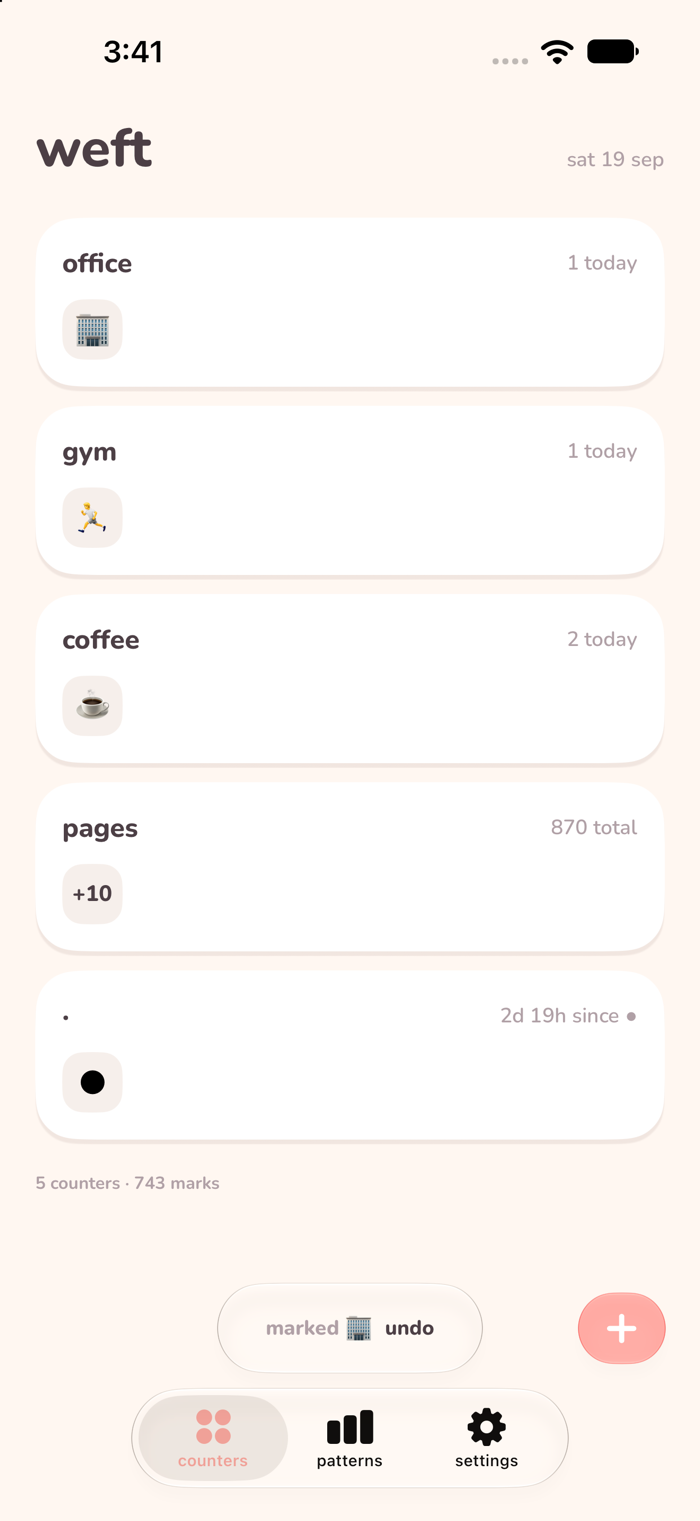
Tap a glyph when something happens. Weft turns those taps into days, weeks and patterns — and every Monday it writes you a short note about the week you just had.
Three days in the office. Two gym days. Nine days without. Weft counts the days so you don't have to keep the tally in your head.
WHAT THE APP GIVES BACK
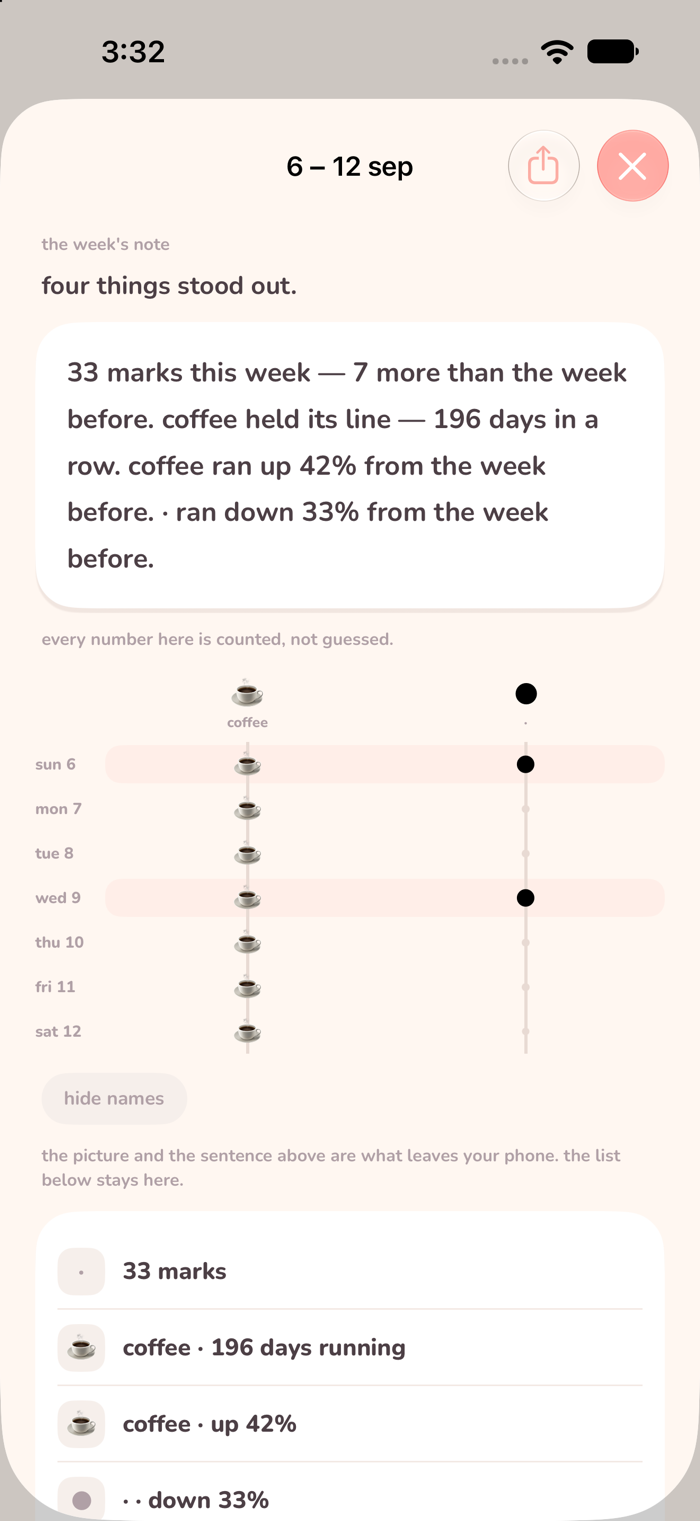
The week's note. Last week against the week before, in plain sentences: what rose, what went quiet, your fullest day. It arrives in a Home Screen widget, so you can read it without opening anything — and you can share the picture of a week with every thread name hidden, if you would rather not show what you count.
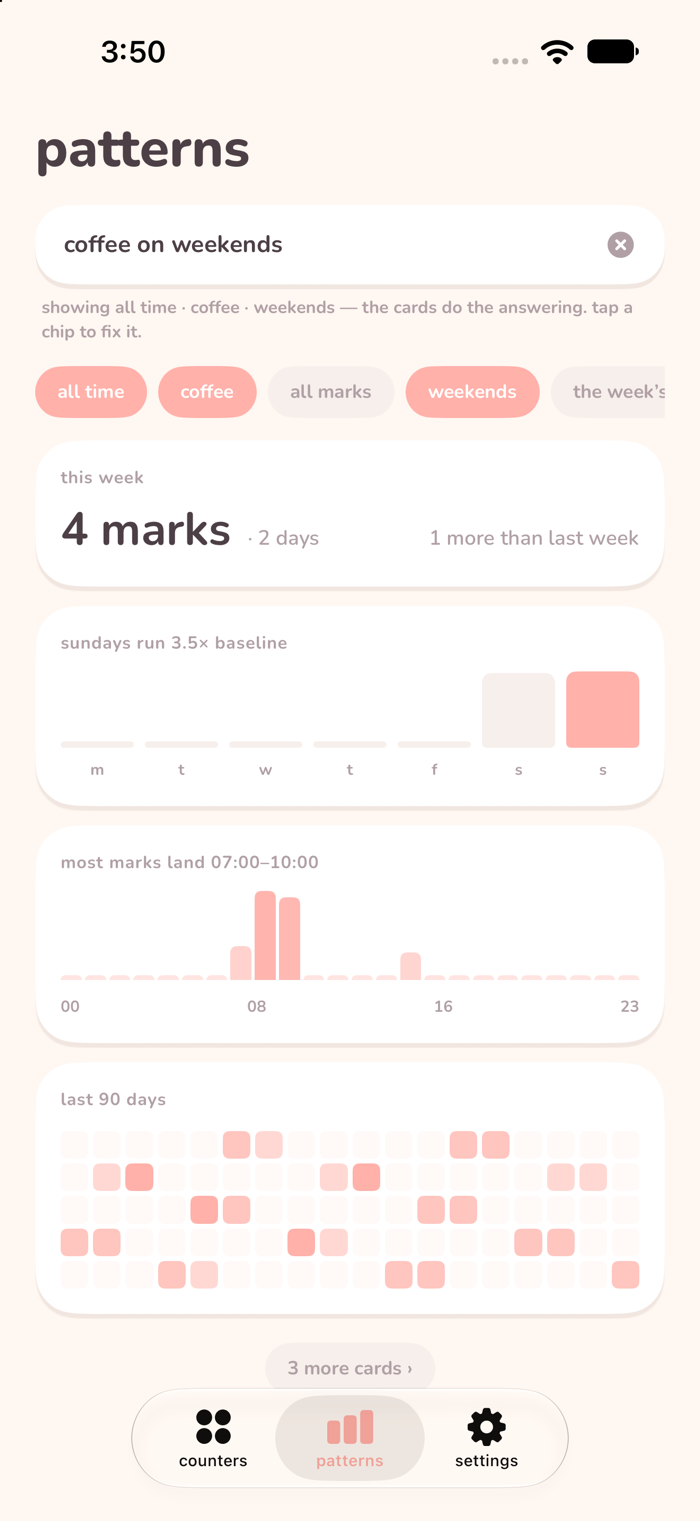
The loom. Cards that assemble themselves out of what you have logged: your rhythm, your hours, your weekday shape, your longest run, how two counters move together. Ask a question in your own words and the filters change to match. Every card opens onto the marks it was built from, so you can check any number yourself.
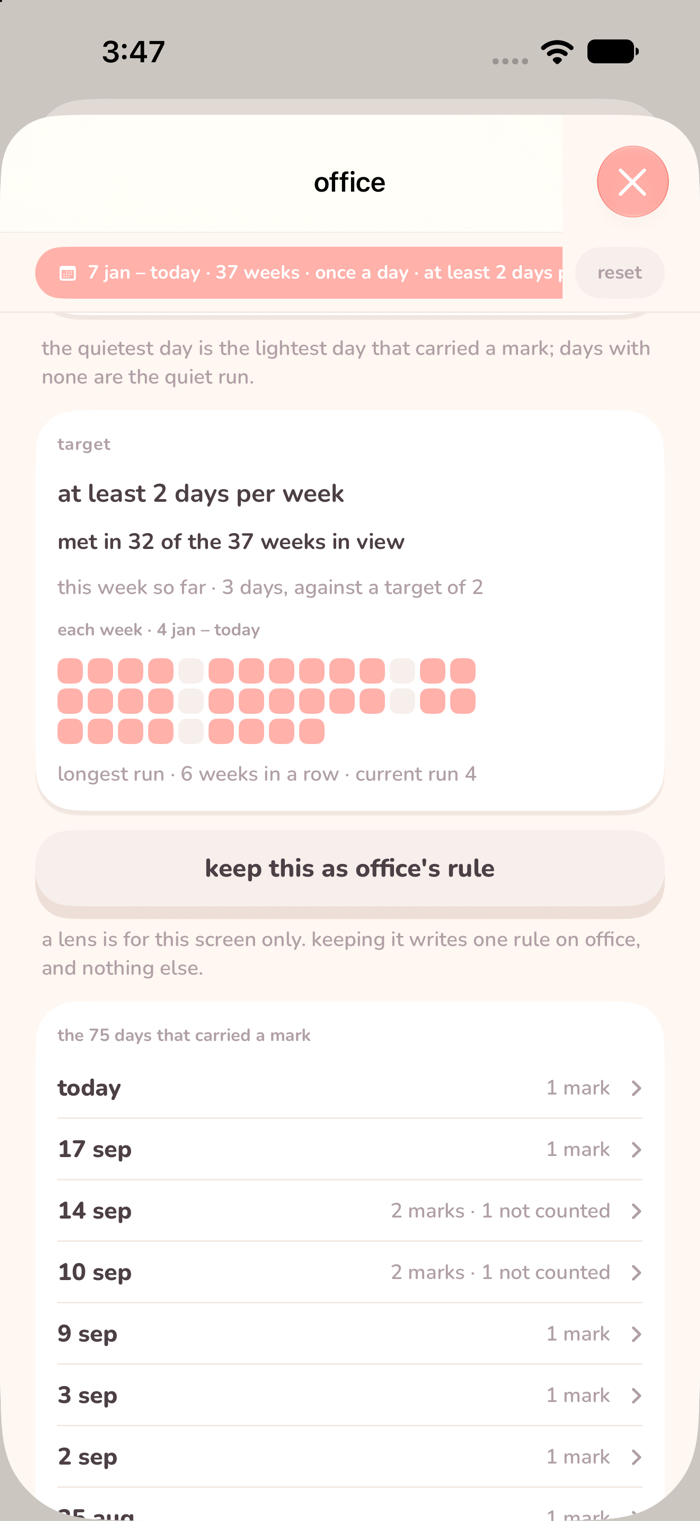
The lens. Open a pattern and re-cut it. Pick your own start and end date. Count one day instead of three taps. Set a target — two days a week — and read which weeks met it: "met in 32 of the 37 weeks in view." The taps that didn't count are still listed, never quietly dropped.
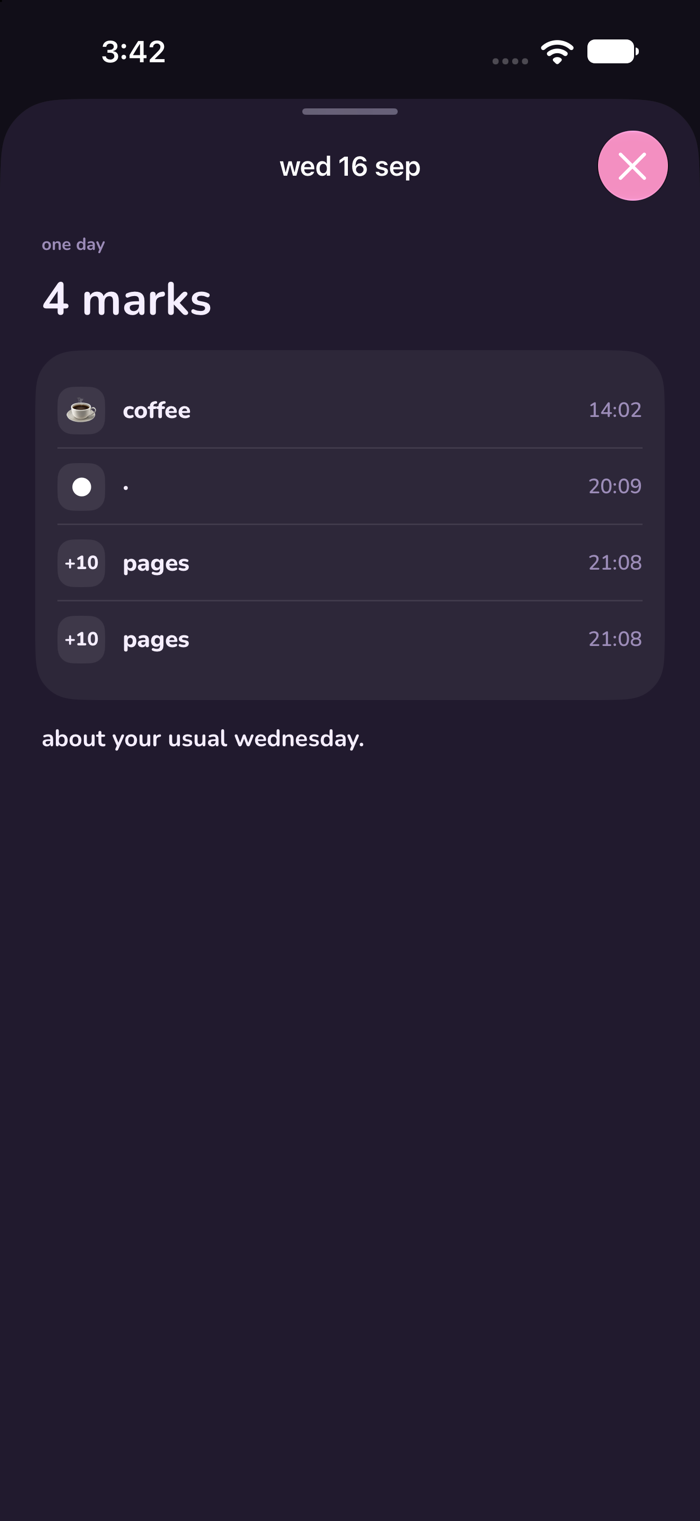
Day stories. Tap a day in the grid and read it back: what you marked, in order, and how that day compared with your other Tuesdays.
Context. Ask for only nights, only weekends, or only one place, and every card answers again under that condition.
LOGGING TAKES A SECOND, OR NONE
• Home Screen and Lock Screen widgets that count up in place
• A Control Center control you can also put on the Action Button
• Siri and Shortcuts — "add a mark", or ask for a count out loud
• Automations you build in Shortcuts: arrive somewhere, plug in the charger, tap a sticker, and the phone does the tapping for you
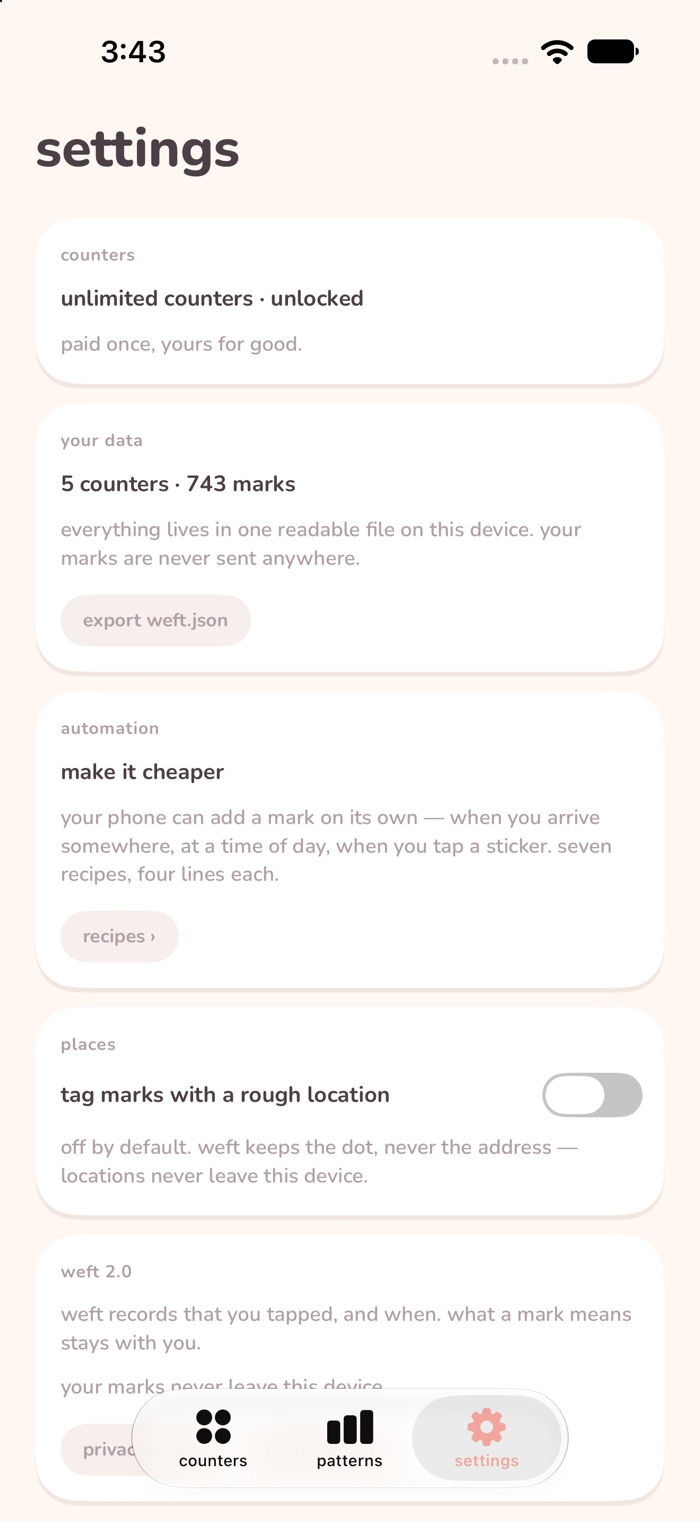
• Seven ready-made recipes in Settings, each one a sentence you can copy
IT NEVER LEARNS WHAT YOUR MARKS MEAN
Weft stores a glyph and a time. That is the whole record. It does not know whether ● is a coffee, a commute, or something you would rather not write down — only you do. There are no categories to choose, nothing to declare, nothing to be graded on. No streak to protect. No notifications. No goal you have to set before you are allowed to begin.
PRIVACY IS THE ARCHITECTURE, NOT A POLICY
No account, no sign-in, no server. Your marks never leave this device. They sit in one plain, readable file that you can export to yourself any day you like and open with your own eyes.
PRICE
Three counters are free, permanently, with full history, every widget, every pattern and export. Unlimited counters is one payment of $5.99. There is no subscription. The patterns are never behind the paywall — if the app can see something in your data, it shows you.
Privacy policy: https://jadewisdom.com/privacy
分享「」体验,参与「」抽奖!
分享 1~3 张你对这个产品最满意的截图或效果图
分享「」体验,参与「」抽奖!
用你的故事点亮社区✨!你的真实体验,将会永久展示在 官方主页 📌,为其他朋友提供宝贵参考 💡。立即分享吧!🚀
请为产品评分
请选择问题回答,为大家提供宝贵参考
选择要回答的问题
温馨提示
你尚未上传产品截图。
上传截图可立即获得宝石积分奖励!
如果你赶时间,也可稍后修改评论,补上截图领取宝石。
温馨提醒
你尚未添加产品截图
⚠️ 不添加截图将降低抽奖权重

感谢参加,你已成功参加!
为了确保你能及时收到审核结果和领奖码通知

扫描二维码关注 Mergeek 公众号
在后台回复 「获奖通知」
完成上述操作,即可保障奖励发放成功









用户评价
立即分享产品体验
你的真实体验,为其他用户提供宝贵参考
💎 分享获得宝石
【分享体验 · 获得宝石 · 增加抽奖机会】
将你的产品体验分享给更多人,获得更多宝石奖励!
💎 宝石奖励
每当有用户点击你分享的体验链接并点赞"对我有用",你将获得:
🔗 如何分享
复制下方专属链接,分享到社交媒体、群聊或好友:
💡 小贴士
分享时可以添加你的个人推荐语,让更多人了解这款产品的优点!
示例分享文案:
"推荐一款我最近体验过的应用,界面设计很精美,功能也很实用。有兴趣的朋友可以看看我的详细体验评价~"
关注 Mergeek 公众号
领奖遇到问题?联系小门助手