产品功能

应用市场介绍

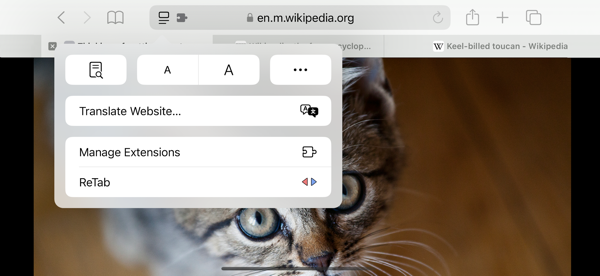
Cmd+Tab — but for your Safari tabs.

Tap Cmd+E to flip between your two most recent tabs. Hold it to summon a Cmd+Tab-style picker for cycling through your tab history — release to land on the highlighted tab. Hold Shift while cycling to reverse direction. One shortcut, two gestures, zero clutter.

What's New in 3.0
A unified, redesigned experience. ReTab now uses a single intelligent shortcut that adapts to how you press it — replacing the old "two separate shortcuts" model. The new visual picker brings the macOS Cmd+Tab feel directly to your tabs, with a frosted-glass overlay that shows where you are in your history at a glance.

Tap to Hop
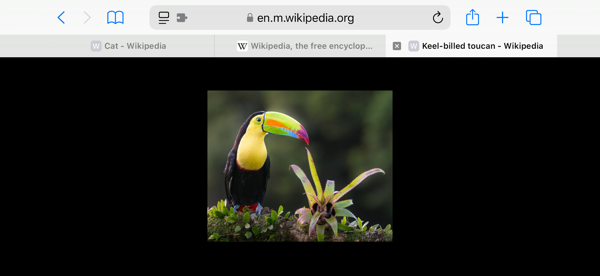
Tap Cmd+E and let go to instantly flip between your two most recent tabs. The fastest way to compare, copy, or context-switch while you work. Clicking the ReTab toolbar icon does the exact same thing — handy when you're not on the keyboard.

Hold to Cycle
Hold Cmd+E to summon the Cmd+Tab-style overlay. Each subsequent tap of E walks the highlight one step forward through your tab history; release the modifier to commit. Hold Shift to step backwards. Up to 9 recent tabs at your fingertips.

Jump Back on Tab Close
Closing a tab automatically returns you to your most recently active tab — no more hunting after Safari drops you on a random neighbor. Toggle this off any time in extension settings if you'd rather keep Safari's default.

Customizable Shortcuts
Safari 26 and later let you remap ReTab's shortcut directly in Safari Settings → Extensions to fit your workflow. On older Safari versions, tools like Karabiner-Elements or BetterTouchTool do the job.

Private by Design
Nothing ever leaves your Mac. No analytics, no remote calls, no tracking.

Safari will warn you on install that ReTab "can read and alter webpages" and "see your browsing history" — that's the standard wording for any extension that touches tab data. Here's exactly how each permission is used:

• Script access — only to draw the picker overlay on the tab you're already viewing.
• Tab access — only to read titles and icons of your open tabs so the picker can list them in the right order.

That's the complete list. Your tab history, the picker, everything — stays on this Mac.

Built for Your Flow
Whether you're a developer jumping between docs and code, a researcher comparing sources, or a power user juggling dozens of tabs — ReTab keeps you in the zone.

Just install, enable in Safari Settings → Extensions, visit a couple of tabs, and tap Cmd+E. That's it.

收起

用户评价

立即分享产品体验

你的真实体验,为其他用户提供宝贵参考

宝石
评论可得 100 宝石
宝石随心兑换应用高级会员,每周更新 前往查看 >>
活动动态 0 人参加
查看更多评论