


 +100宝石



产品功能
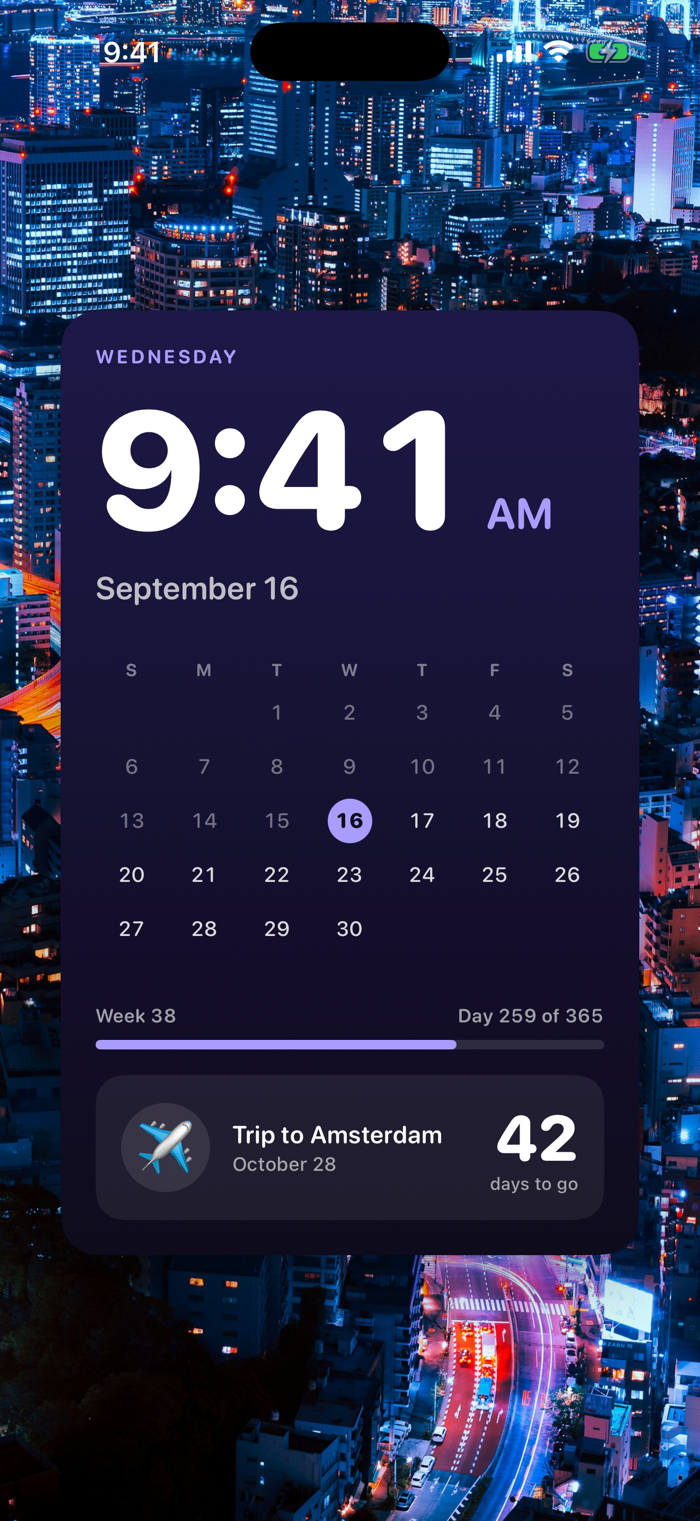
XL Widgets is built for the brand-new extra-large widget in iOS 27, the 4x6 tile that fills most of your Home Screen. Turn one page into a photo frame, a countdown, a calendar, or a giant clock.
Every widget comes in four sizes, small, medium, large, and extra-large, so you can mix a tiny CarPlay-ready dial with a full-page XL centerpiece.
The five widgets:
Photo
Pick one or more photo sets from your library. The widget rotates through them on your Home Screen. At extra-large size it becomes a full-page picture frame.
Countdown
Track the days to a trip, a birthday, a deadline, or any date that matters. The XL size turns a countdown into a bold, glance-and-go number.
Calendar
See your upcoming events at a glance, from a quick agenda strip at small size to a full week view at extra-large.
Daily Note
A single line for today, written on-device by Apple Intelligence on supported iPhones. On other iPhones you get a curated quote instead. Either way, it is a fresh line worth a glance every morning.
Clock and Date
A big, typographic clock and date. At extra-large size it becomes a striking Home Screen centerpiece; at small size it doubles as a clean CarPlay dashboard widget.
How it works
Long-press your Home Screen, tap the plus button, choose XL Widgets, and pick a widget and size. Small widgets also show up on your CarPlay dashboard automatically.
Privacy
XL Widgets has no accounts, no sign-in, and no servers. Your photos, events, and notes are read and processed entirely on your iPhone and never leave the device. There is no analytics and no tracking of any kind.
FREE TO TRY
XL Widgets is free: Clock & Date, Daily Note, one countdown and one photo set. XL Widgets Pro — an optional one-time purchase ($2.99, once — never a subscription) — adds the Calendar widget, unlimited countdowns and unlimited photo sets. No ads, ever.
分享「」体验,参与「」抽奖!
分享 1~3 张你对这个产品最满意的截图或效果图
分享「」体验,参与「」抽奖!
用你的故事点亮社区✨!你的真实体验,将会永久展示在 官方主页 📌,为其他朋友提供宝贵参考 💡。立即分享吧!🚀
请为产品评分
请选择问题回答,为大家提供宝贵参考
选择要回答的问题
温馨提示
你尚未上传产品截图。
上传截图可立即获得宝石积分奖励!
如果你赶时间,也可稍后修改评论,补上截图领取宝石。
温馨提醒
你尚未添加产品截图
⚠️ 不添加截图将降低抽奖权重

感谢参加,你已成功参加!
为了确保你能及时收到审核结果和领奖码通知

扫描二维码关注 Mergeek 公众号
在后台回复 「获奖通知」
完成上述操作,即可保障奖励发放成功






用户评价
立即分享产品体验
你的真实体验,为其他用户提供宝贵参考
💎 分享获得宝石
【分享体验 · 获得宝石 · 增加抽奖机会】
将你的产品体验分享给更多人,获得更多宝石奖励!
💎 宝石奖励
每当有用户点击你分享的体验链接并点赞"对我有用",你将获得:
🔗 如何分享
复制下方专属链接,分享到社交媒体、群聊或好友:
💡 小贴士
分享时可以添加你的个人推荐语,让更多人了解这款产品的优点!
示例分享文案:
"推荐一款我最近体验过的应用,界面设计很精美,功能也很实用。有兴趣的朋友可以看看我的详细体验评价~"
关注 Mergeek 公众号
领奖遇到问题?联系小门助手