Turn any sound into your ringtone
RingKit makes custom ringtones simple. Browse thousands of free sounds, or import your own audio, then trim the perfect moment with a beautiful waveform editor. Tap Share, choose "Use as Ringtone", and it's on your phone. No computer. No cables. No GarageBand tricks.
A free sound library, built in
Explore twelve hand-picked categories — chimes, melodies, nature, sci-fi, retro, funny sounds and more — or search for exactly what you want. Every sound in the library is free to use, with no strings attached.
A trim editor that feels right
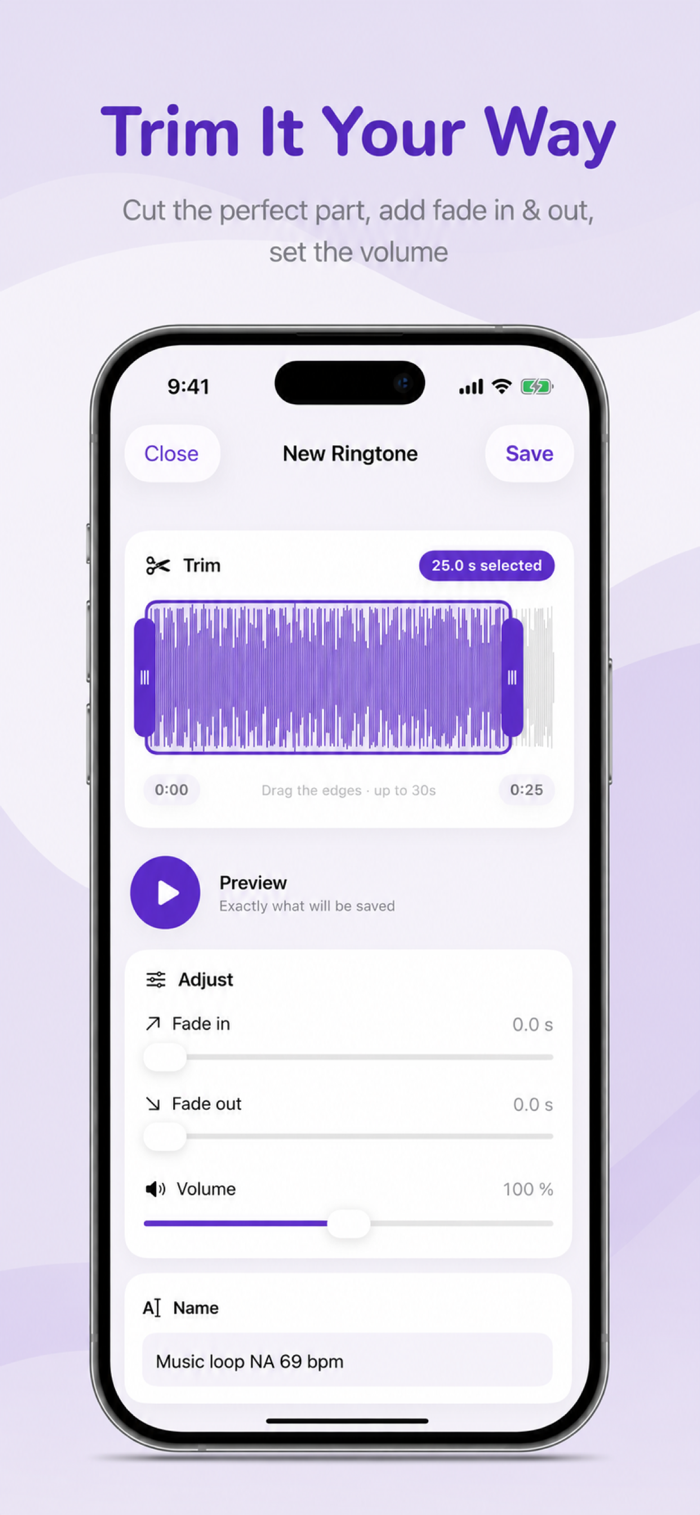
See the real waveform of your sound and drag the handles to select up to 30 seconds — the maximum iOS allows. Add a fade in and fade out and watch them shape the waveform live as you drag. Preview your selection instantly before you save.
Use your own music
Import audio from Files or your library and turn any track into a tone. Cut the chorus, the drop, or that one second that makes you smile every time your phone rings.
From sound to ringtone in three steps
Pick a sound and trim it
Tap Save, then Share → "Use as Ringtone"
Choose it in Settings › Sounds & Haptics
Your saved tones live in the My Tones tab, ready to share, reuse, or set as text tones and alarms too.
Setting a ringtone directly from the share sheet requires iOS 26 or later. On earlier versions you can still create, save, and share your tones as audio files.


 +100宝石


 分享
分享










用户评价
立即分享产品体验
你的真实体验,为其他用户提供宝贵参考
💎 分享获得宝石
【分享体验 · 获得宝石 · 增加抽奖机会】
将你的产品体验分享给更多人,获得更多宝石奖励!
💎 宝石奖励
每当有用户点击你分享的体验链接并点赞"对我有用",你将获得:
🔗 如何分享
复制下方专属链接,分享到社交媒体、群聊或好友:
💡 小贴士
分享时可以添加你的个人推荐语,让更多人了解这款产品的优点!
示例分享文案:
"推荐一款我最近体验过的应用,界面设计很精美,功能也很实用。有兴趣的朋友可以看看我的详细体验评价~"
关注 Mergeek 公众号
领奖遇到问题?联系小门助手