Stop switching between a database client, a spreadsheet, a terminal, and a text editor. Forge opens everything — SQL servers, CSV files, JSON, Redis keys, Elasticsearch indexes, and multi-GB database dumps — in one native app that starts instantly and weighs under 30 MB.
Built with SwiftUI for iPhone, iPad, and Mac. No Electron. No Java. No subscriptions.
WHY FORGE
You manage data across multiple tools because no single app handles it all. Forge does. Connect to PostgreSQL and MySQL in the same window where you open a CSV from a colleague or inspect a 400 MB pg_dump before restoring it. Sort, filter, edit, export — without leaving the app.
10 DATABASE ENGINES
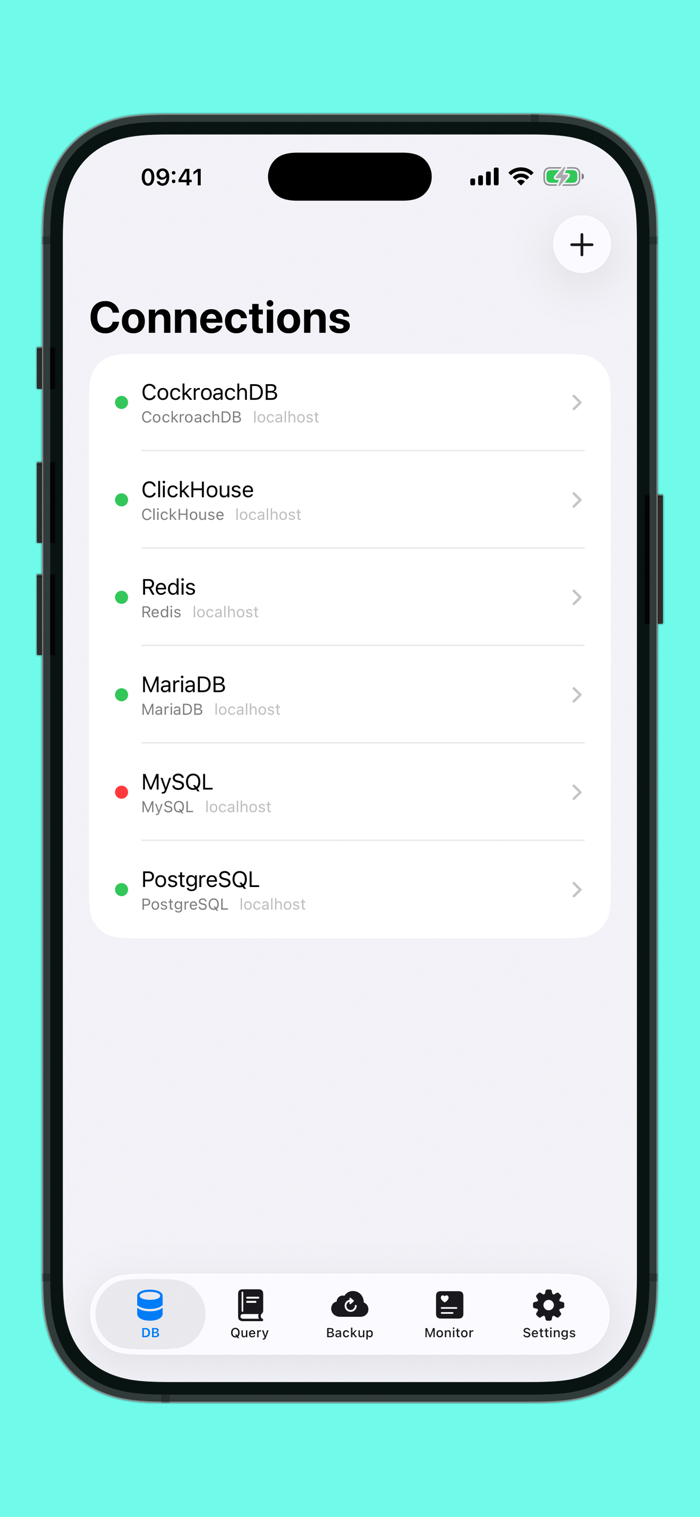
• PostgreSQL, MySQL, MariaDB — full read/write with inline cell editing
• CockroachDB, TimescaleDB, Amazon Redshift — wire-compatible, zero extra setup
• SQLite — local files, full CRUD
• Redis — browse keys by type (string, hash, list, set, sorted set) with a familiar table view
• ClickHouse — analytics queries via native HTTP API
• Elasticsearch — REST/JSON over HTTPS, indexes browse like SQL tables
3 FILE FORMATS AS DATABASES
• CSV — auto-detect separators, handle quoted fields, duplicate headers
• JSON — arrays, NDJSON, JSON Lines
• SQL Dump — open mysqldump or pg_dump files and browse tables without executing a single statement
DRY RESTORE — UNIQUE TO FORGE
Inspect any SQL dump as if it were a live database. Memory-mapped lazy parsing with cross-session cache. Browse a 400 MB backup in seconds. No risk, no server, no restore needed.
AI BRIDGE — UNIQUE TO FORGE
Run a local MCP server on your Mac that exposes your databases as tools to Claude Desktop, Cursor, Continue, Cline, and any AI assistant that speaks the Model Context Protocol. List tables, inspect schemas, run queries — in plain English. Read-only by default. Credentials never leave your Mac.
SSH TUNNEL
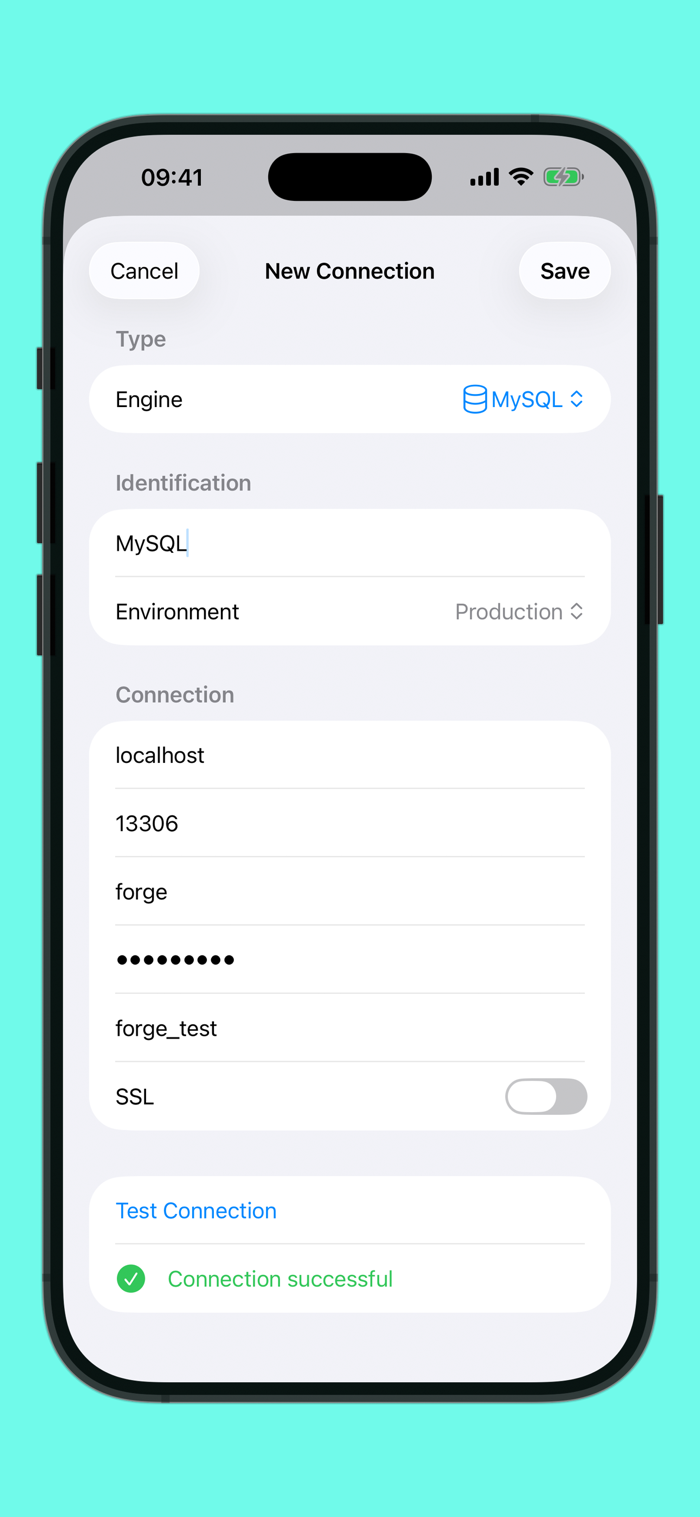
Reach databases behind a bastion host without leaving the app. Password or private-key auth (ed25519, RSA, with passphrase). Pure Swift, no openssh dependency. iPhone, iPad, and Mac.
SMART DATA GRID
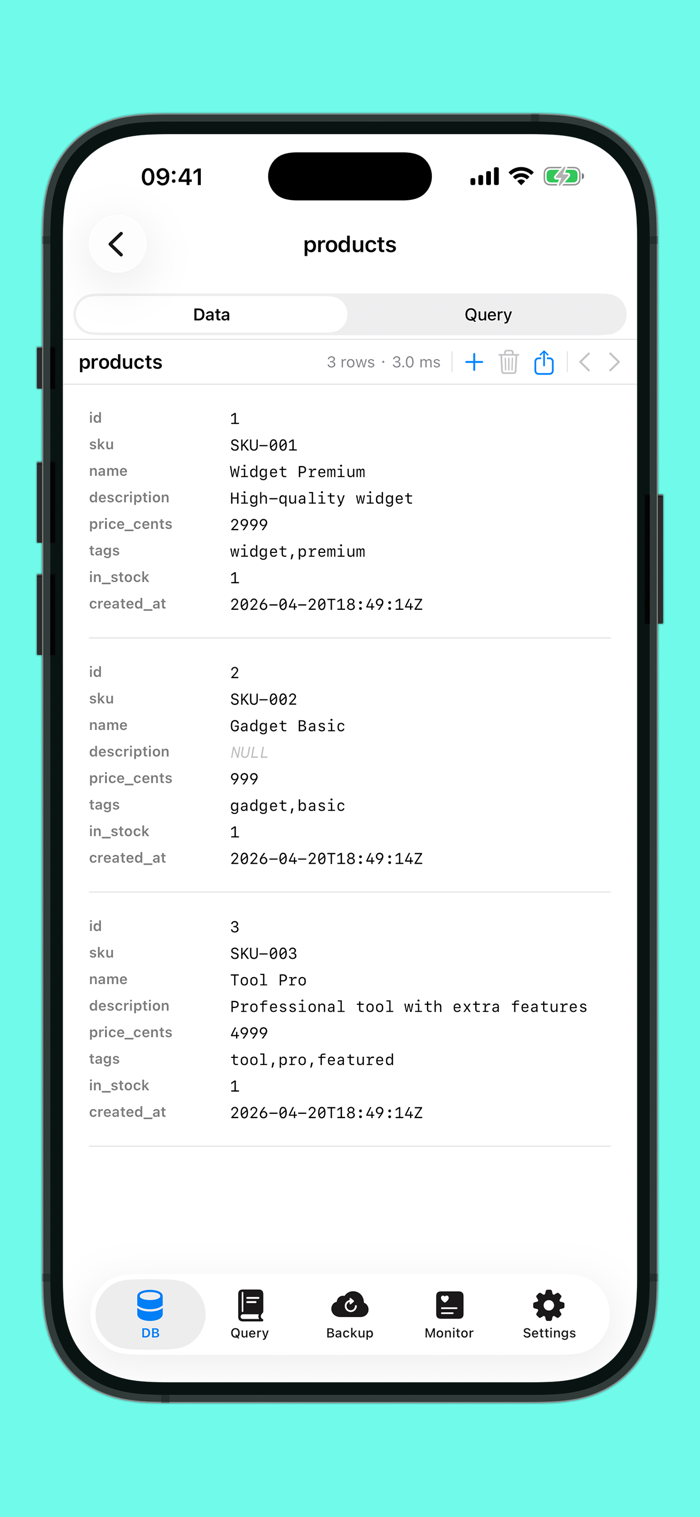
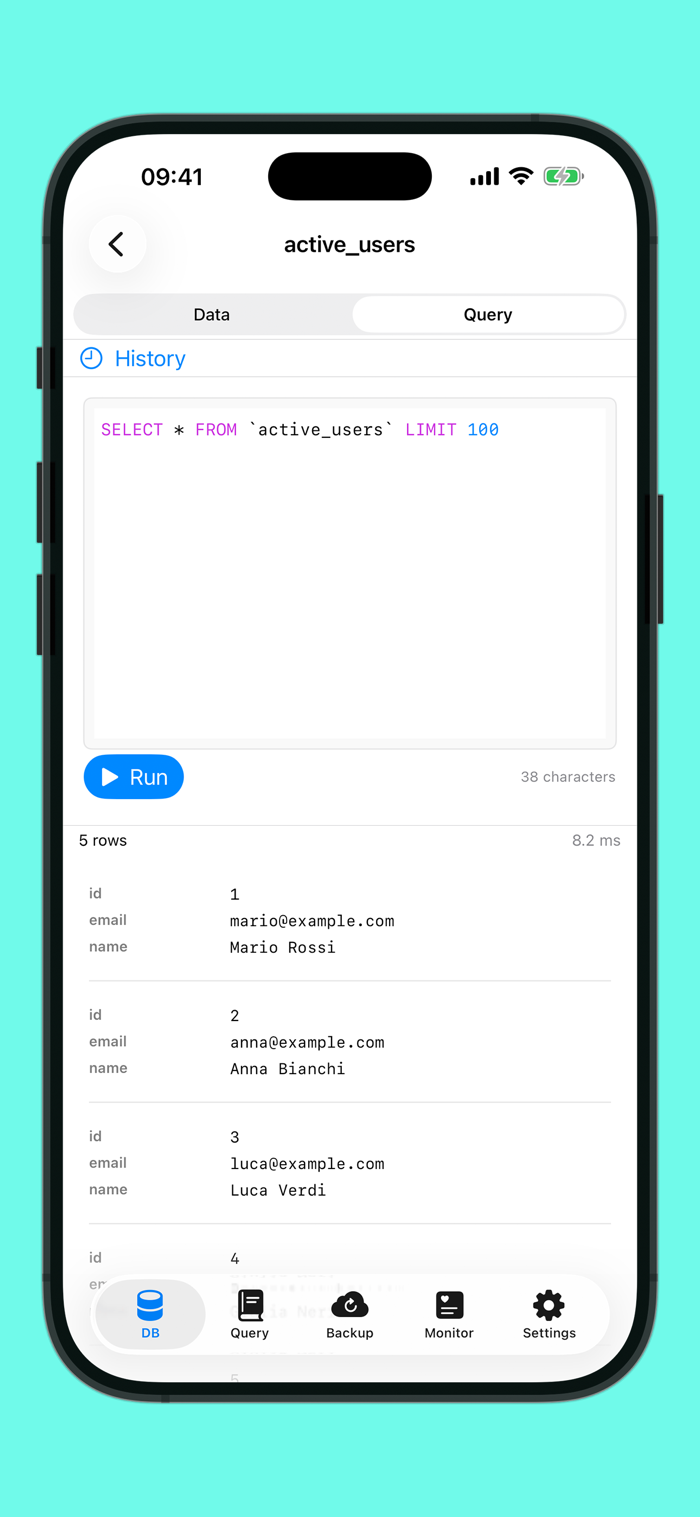
Click any column to sort. Type to filter. Export results as CSV, JSON, or SQL INSERT. Right-click cells to copy values or rows as JSON. Works on every engine.
INLINE DATA EDITING
Double-click a cell to edit in place. Edit multiple cells across rows and save them in a single transaction. Insert new rows via a schema-aware form. Supported on all 7 SQL engines (SQLite, PostgreSQL, MySQL, MariaDB, CockroachDB, TimescaleDB, Redshift).
QUERY EDITOR WITH AUTOCOMPLETE
Syntax highlighting plus context-aware SQL autocomplete — keywords, table names, column names. Query history records every run. Query Library lets you save queries with template variables like {{user_id}} and run them on any connection.
BACKUP FOR EVERY ENGINE
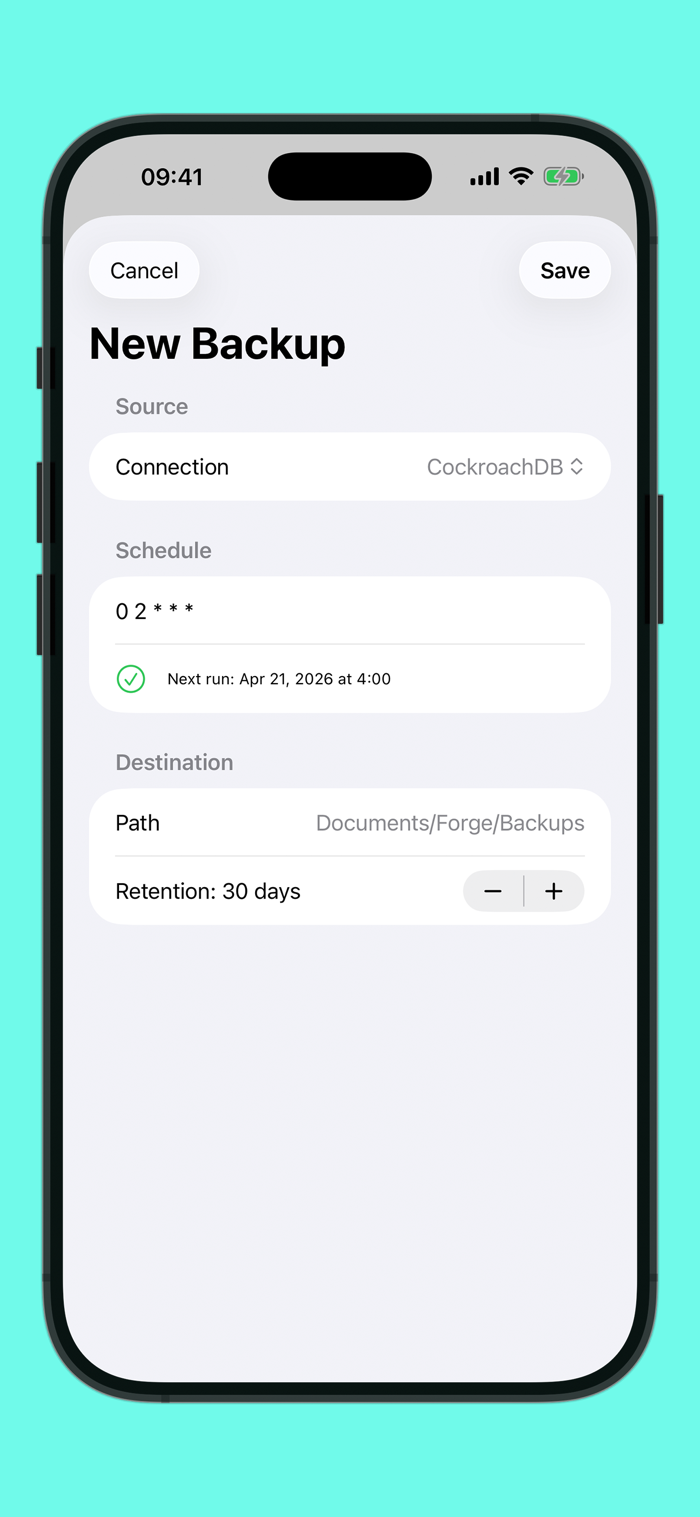
Scheduled backups with cron expressions and retention. "Backup Now" with streaming gzip. SQL dump for SQL engines, JSON key export for Redis (preserves types and TTL). Runs in the background on iOS (BGTaskScheduler) and macOS (NSBackgroundActivityScheduler).
PORTABLE CONNECTIONS
Export connections to a single encrypted file (ChaCha20-Poly1305 + PBKDF2-SHA256). Import on another device with a passphrase. ⌘⇧E / ⌘⇧I.
SCHEMA TOOLS
Browse databases, tables, views, and indexes with row counts. Schema Compare diffs two connections to catch drift.
SECURITY
Passwords in Apple Keychain. SSL/TLS for remote connections. No telemetry. No analytics. No cloud dependency.
NATIVE APPLE EXPERIENCE
Keyboard shortcuts everywhere (⌘N, ⌘⏎, ⌘R, ⌘⇧I/E, ⌘,). Haptic feedback on iPhone. Files.app integration. Reveal in Finder. Dark mode.
English and Italian localization included.
13 data sources. One app. Zero Electron.

 +100宝石

 分享
分享















用户评价
立即分享产品体验
你的真实体验,为其他用户提供宝贵参考
💎 分享获得宝石
【分享体验 · 获得宝石 · 增加抽奖机会】
将你的产品体验分享给更多人,获得更多宝石奖励!
💎 宝石奖励
每当有用户点击你分享的体验链接并点赞"对我有用",你将获得:
🔗 如何分享
复制下方专属链接,分享到社交媒体、群聊或好友:
💡 小贴士
分享时可以添加你的个人推荐语,让更多人了解这款产品的优点!
示例分享文案:
"推荐一款我最近体验过的应用,界面设计很精美,功能也很实用。有兴趣的朋友可以看看我的详细体验评价~"
关注 Mergeek 公众号
领奖遇到问题?联系小门助手