


 +100宝石



产品功能
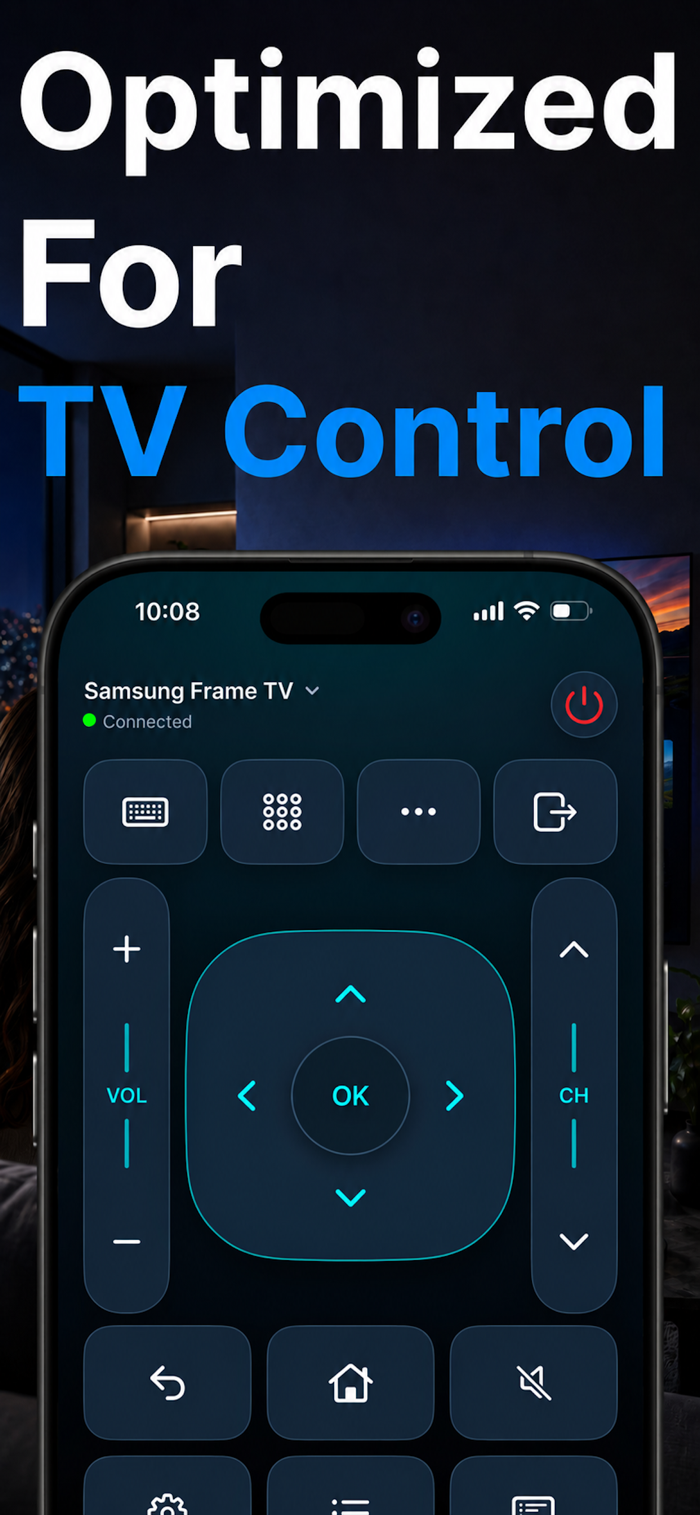
Turn your iPhone or iPad into a convenient remote for your compatible smart TV. Control playback, adjust the volume, open TV apps, and share photos and videos—all from one easy-to-use interface
EVERYDAY TV CONTROLS
Navigate with a directional pad, adjust volume, change channels, mute sound, and access common TV commands. Use playback controls to pause, resume, and skip supported content.
EASIER TEXT INPUT
Enter text using your device’s keyboard when supported by your TV and the active input field.
QUICK ACCESS TO TV APPS
Browse the apps available on your connected TV and launch them with a tap.
PHOTOS AND VIDEOS ON THE BIG SCREEN
Select media from your library and cast it to a compatible TV. Organize your playlist, adjust photo display duration, and use shuffle or repeat for your viewing session.
SIMPLE CONNECTION
Connect your mobile device and TV to the same local network, select your TV, and approve the connection when prompted.
HELP WHEN YOU NEED IT
Find setup instructions and troubleshooting tips in the built-in FAQ, or contact support for assistance.
Please note:
- A compatible TV and a shared local network connection are required.
- Available controls, text input, app launching, and casting vary by TV model, firmware, and supported media formats.
- Casting supports selected photos and videos; it does not mirror your device’s entire screen.
- The app contains advertisements.
- SamRemote is an independent application and is not affiliated with, endorsed by, or sponsored by any TV manufacturer.
DISCLAIMER: SamRemote is an independent third-party application and is not affiliated with, endorsed by, or sponsored by any TV manufacturer. All trademarks belong to their respective owners. Compatibility and available features vary by TV model and firmware.
分享「」体验,参与「」抽奖!
分享 1~3 张你对这个产品最满意的截图或效果图
分享「」体验,参与「」抽奖!
用你的故事点亮社区✨!你的真实体验,将会永久展示在 官方主页 📌,为其他朋友提供宝贵参考 💡。立即分享吧!🚀
请为产品评分
请选择问题回答,为大家提供宝贵参考
选择要回答的问题
温馨提示
你尚未上传产品截图。
上传截图可立即获得宝石积分奖励!
如果你赶时间,也可稍后修改评论,补上截图领取宝石。
温馨提醒
你尚未添加产品截图
⚠️ 不添加截图将降低抽奖权重

感谢参加,你已成功参加!
为了确保你能及时收到审核结果和领奖码通知

扫描二维码关注 Mergeek 公众号
在后台回复 「获奖通知」
完成上述操作,即可保障奖励发放成功









用户评价
立即分享产品体验
你的真实体验,为其他用户提供宝贵参考
💎 分享获得宝石
【分享体验 · 获得宝石 · 增加抽奖机会】
将你的产品体验分享给更多人,获得更多宝石奖励!
💎 宝石奖励
每当有用户点击你分享的体验链接并点赞"对我有用",你将获得:
🔗 如何分享
复制下方专属链接,分享到社交媒体、群聊或好友:
💡 小贴士
分享时可以添加你的个人推荐语,让更多人了解这款产品的优点!
示例分享文案:
"推荐一款我最近体验过的应用,界面设计很精美,功能也很实用。有兴趣的朋友可以看看我的详细体验评价~"
关注 Mergeek 公众号
领奖遇到问题?联系小门助手