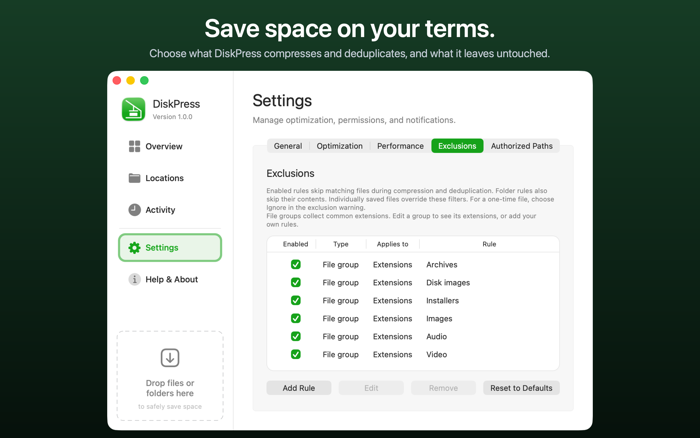
DiskPress brings the power of two storage techniques together on your Mac. Native file compression and APFS file deduplication help you make better use of the disk you already have.
Lossless file compression stores supported files using fewer bytes while preserving their full original contents. macOS reads the compressed data automatically, so your files open in the apps you already use.
File deduplication lets identical files share physical storage. Eligible duplicates can share compressed data too, adding further savings after compression. Each copy keeps its own name and location, and editing one does not change the others.
Your files stay optimized after you quit DiskPress, because macOS handles their storage directly.
- Start with a drop. Drag files or folders into DiskPress or onto its Dock icon for one-time optimization. Review the selected path, file count and existing savings before starting. Open separate progress windows for different destinations and cancel a job when needed. Completed optimizations are kept.
- Make regular optimization part of your routine. Save specific locations and use Optimize Now whenever you choose, or enable automatic monitoring at your preferred interval. Recent File Protection leaves newly changed files for a later cycle. With monitoring enabled, keep working from the menu bar while the main window is closed.
- Understand your results. Overview shows disk capacity, current savings and...


 +100宝石

 分享
分享











用户评价
立即分享产品体验
你的真实体验,为其他用户提供宝贵参考
💎 分享获得宝石
【分享体验 · 获得宝石 · 增加抽奖机会】
将你的产品体验分享给更多人,获得更多宝石奖励!
💎 宝石奖励
每当有用户点击你分享的体验链接并点赞"对我有用",你将获得:
🔗 如何分享
复制下方专属链接,分享到社交媒体、群聊或好友:
💡 小贴士
分享时可以添加你的个人推荐语,让更多人了解这款产品的优点!
示例分享文案:
"推荐一款我最近体验过的应用,界面设计很精美,功能也很实用。有兴趣的朋友可以看看我的详细体验评价~"
关注 Mergeek 公众号
领奖遇到问题?联系小门助手