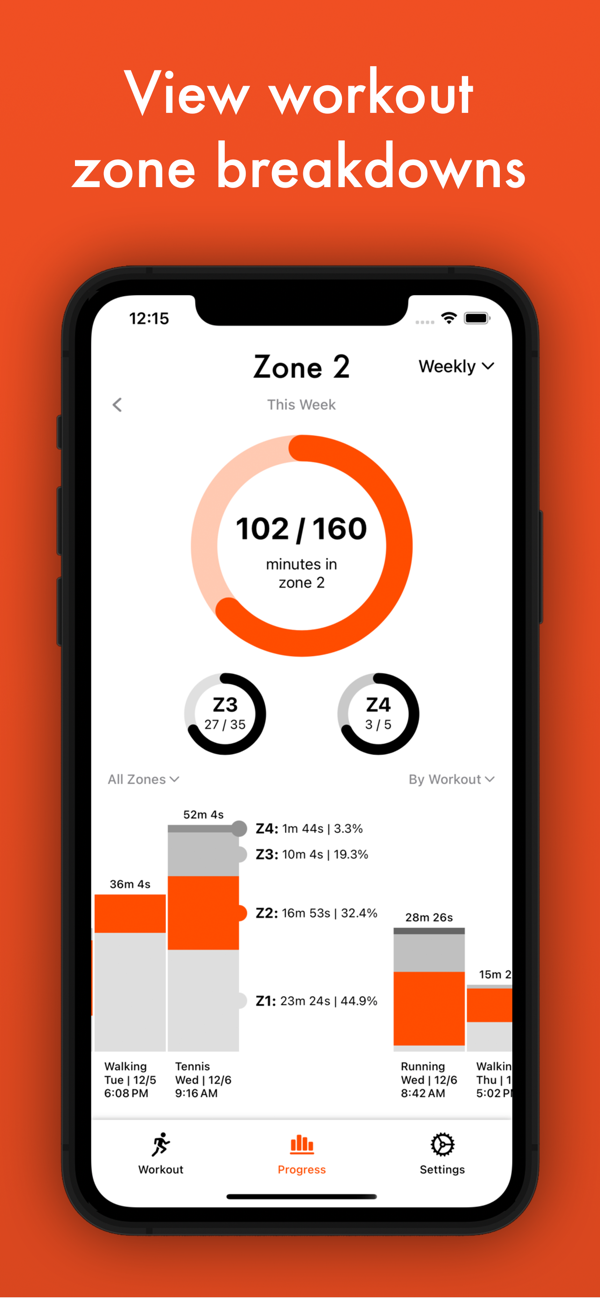
Zone 2 app tracks how much of your weekly workout time is performed in the zone 2 heart rate range, typically between 60-70% of your maximum heart rate.
Aiming for 150 minutes or more of weekly exercise in zone 2 is recommended, as it optimizes endurance, enhances fat-burning efficiency, and fosters sustainable fitness gains by maintaining a balance between intensity and recovery. The optimal number of minutes to spend in zone 2 per week can vary based on individual fitness levels.
_____________________
Your one-time purchase of Zone 2 includes the full iPhone app and Apple Watch app.
If you do not have an Apple Watch, you can connect common Bluetooth heart rate monitors, such as the Polar H10, Garmin chest strap, and new Garmin watches, to view your heart rate zone progress live during a workout.
If you have an Apple Watch, use the Apple Watch app to see zones live on your wrist with haptic feedback, Siri announcements, and health metrics.
If you already have a different app you like for tracking workouts, no worries; Zone 2 uses all workouts saved to your device with heart rate data to calculate your weekly zone minutes.
*** Features Include ***
• Weekly, monthly, & daily zone tracking based on your weekly goal with multiple chart viewing options
• Strava connectivity to upload Zone 2 created distance workouts to your Strava profile
• Home Screen and Lock Screen widgets for weekly Zone 2 goal progress
• Compatibili...

 +100宝石


 分享
分享






















用户评价
立即分享产品体验
你的真实体验,为其他用户提供宝贵参考
💎 分享获得宝石
【分享体验 · 获得宝石 · 增加抽奖机会】
将你的产品体验分享给更多人,获得更多宝石奖励!
💎 宝石奖励
每当有用户点击你分享的体验链接并点赞"对我有用",你将获得:
🔗 如何分享
复制下方专属链接,分享到社交媒体、群聊或好友:
💡 小贴士
分享时可以添加你的个人推荐语,让更多人了解这款产品的优点!
示例分享文案:
"推荐一款我最近体验过的应用,界面设计很精美,功能也很实用。有兴趣的朋友可以看看我的详细体验评价~"
领取结果