产品功能

应用市场介绍

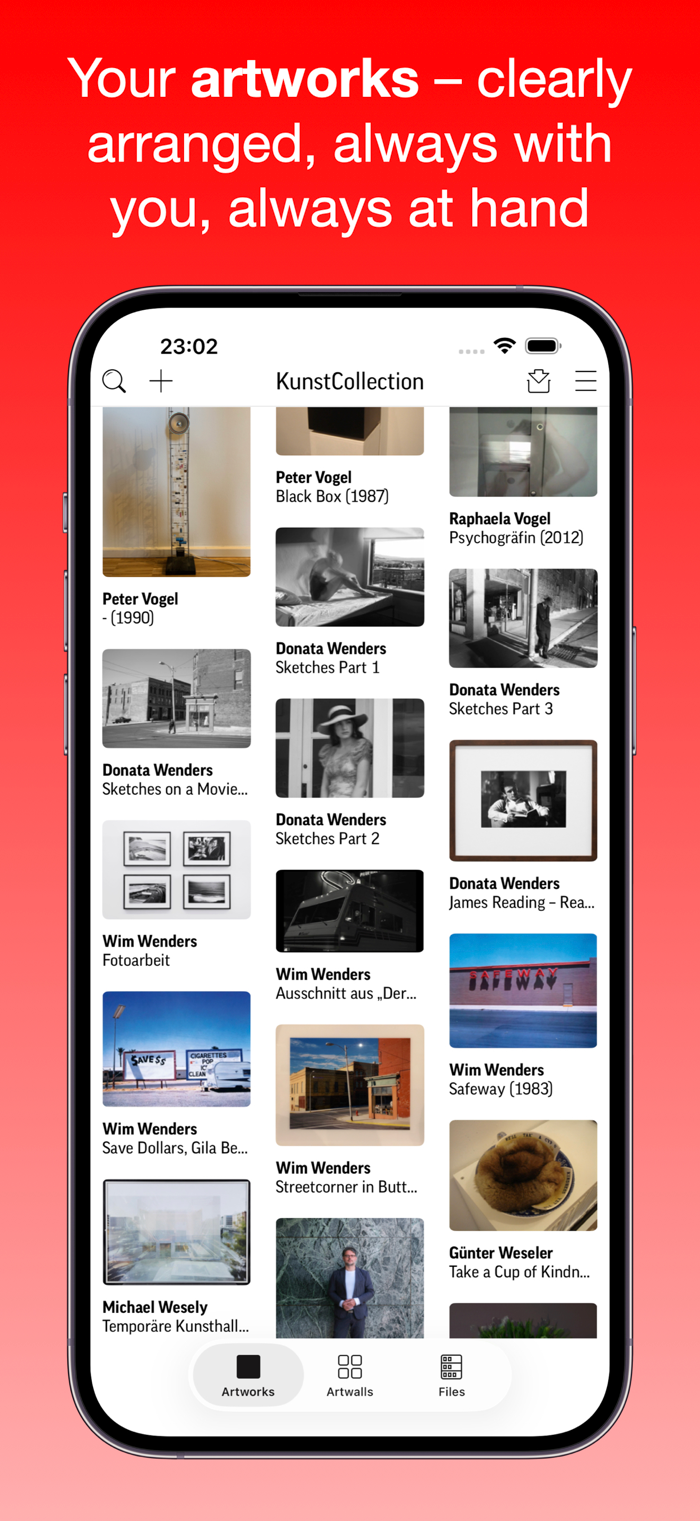
Art Collection: for art lovers, collectors, artists—and anyone who wants to organize their art at home and have it with them on the go. Your artworks at your fingertips, in one app—your own personal, clear, and mobile archive!
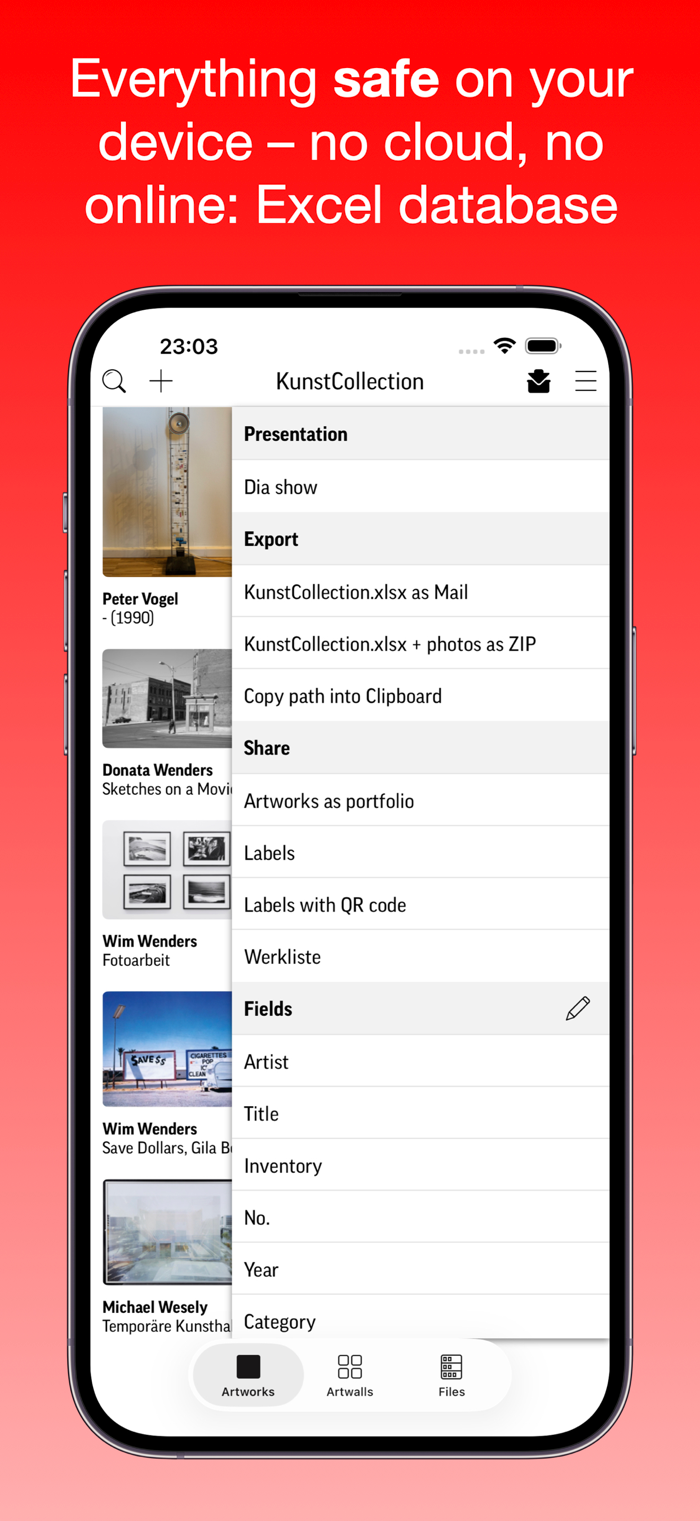
EXCEL FILE INSTEAD OF DATABASE
An Excel spreadsheet is used as a “database,” which you can even edit conveniently on your Mac. Images and Excel files can be easily exchanged between different devices (iPhone, iPad, Mac) – just like files on a memory stick. If you already have data and images on your Mac, you can transfer them directly to the Excel file. Your data remains entirely under your control. No data, files, or images are sent to servers or stored online.
WHAT DOES THIS MEAN FOR YOU?
Your artworks remain in your personal care, also digitally. Whatever data you enter into the app, whatever images you capture, whatever PDF files you create: everything remains on your own device as your “personal collection.” If you wish, you can transfer the KunstCollection to other devices—for example, from your iPhone to an iPad or Macbook: just copy the files as you would on a memory stick. And, of course, only you can see your artwork: we do not evaluate any data, analyze any images, read your printouts, or train any AI systems. Actually we don’t have your data at all :-) So you can use the KunstCollection with complete peace of mind.
YOU’LL LOVE THESE FEATURES
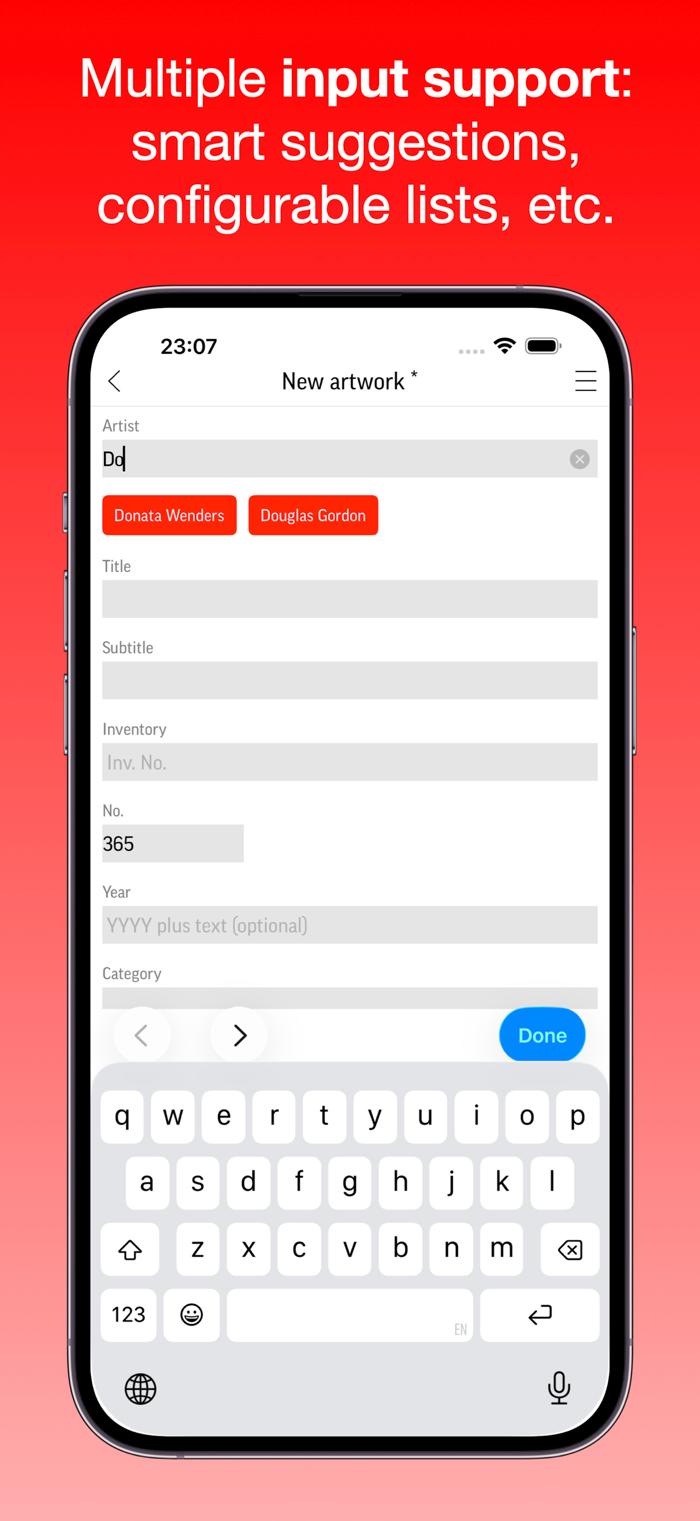
– You don’t enter recurring content, you select it.
– Images via camera, photo album, or clipboard from your Mac.
– Or copy existing images from your Mac to the device.
– You can link related artwork.
– Multi-line fields offer plenty of space for your own text.
– You can even enter links to websites or external files in texts.
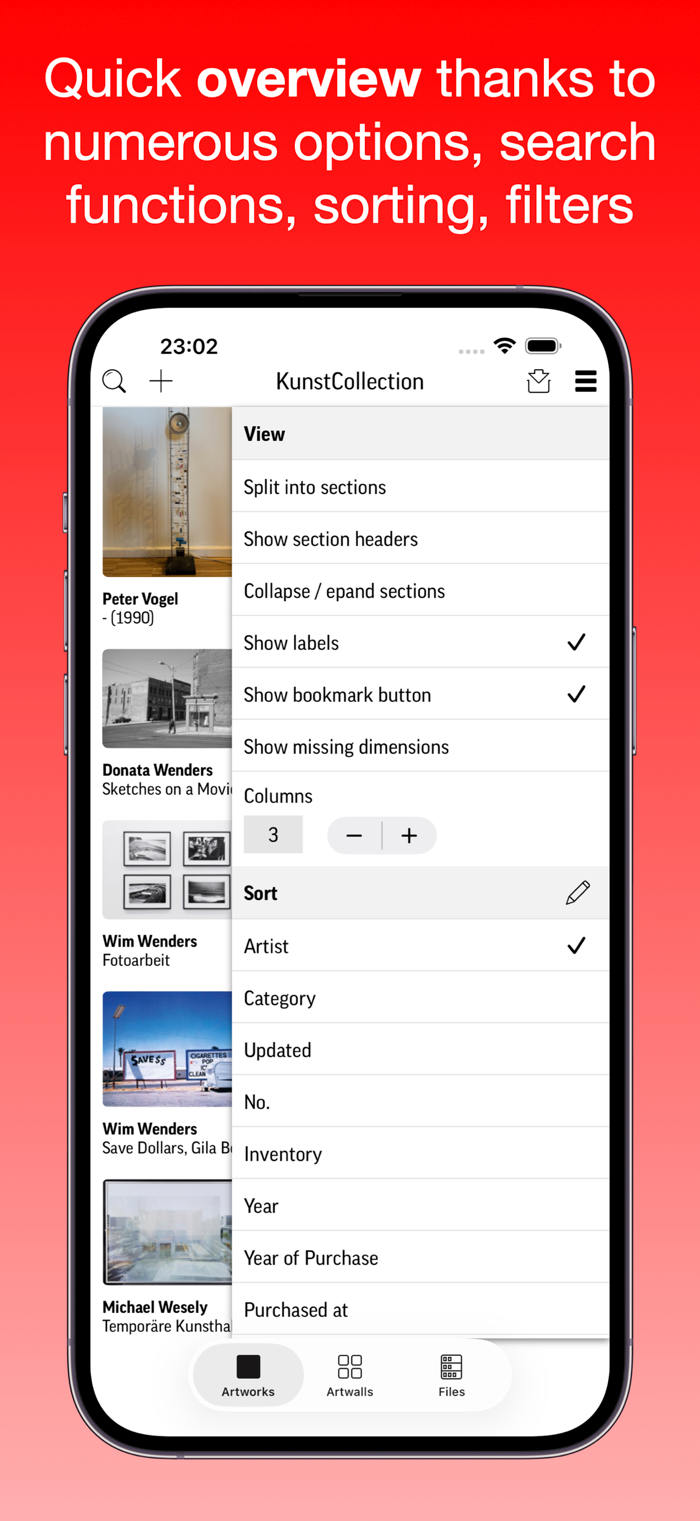
– The free text search finds everything for you, everywhere.
– Arrange the order and labels of the fields as you wish – KunstCollection becomes your own personal archive.
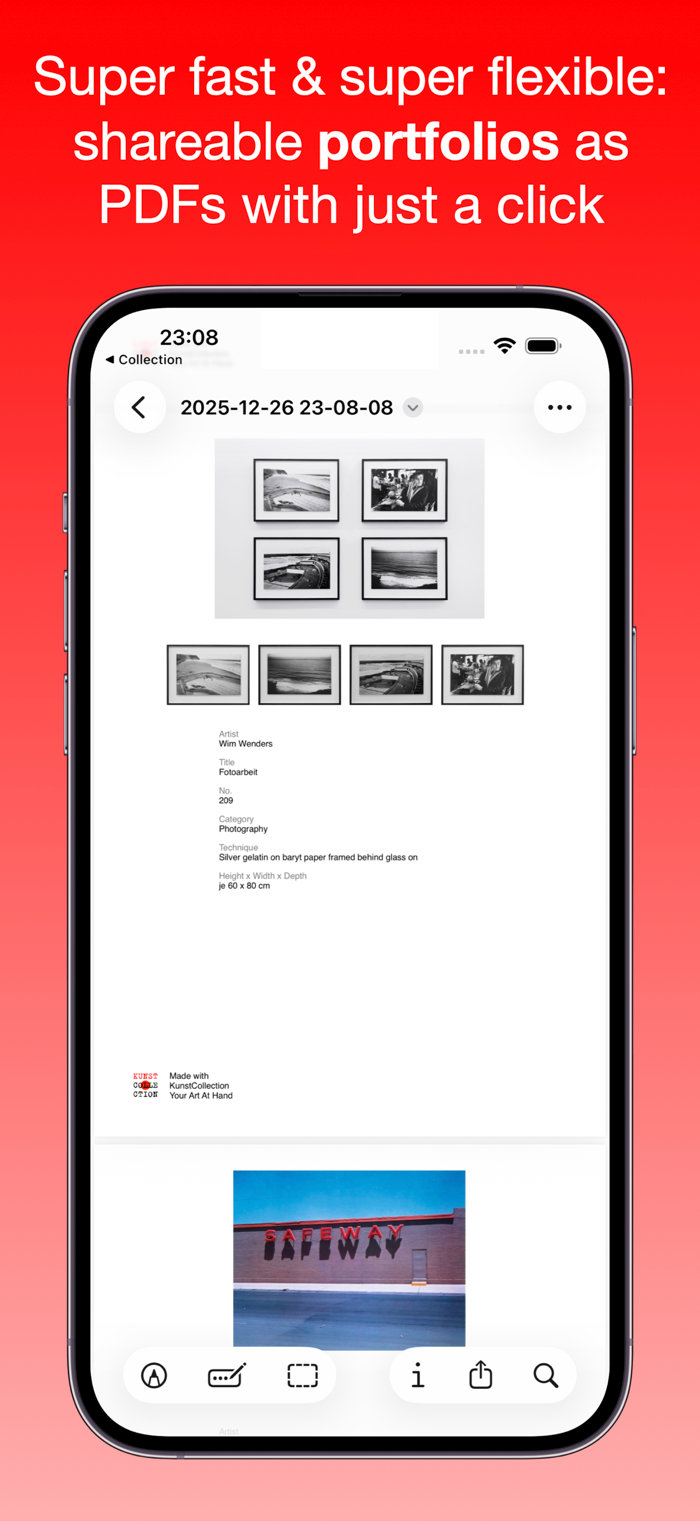
– Create portfolios or labels in PDF format – ready to view, send, share, or print.
– You decide which fields are displayed (and which are not).
ACCESSING FILES
– Connect the device to your Mac.
– Select the device in the Finder under “Locations” on the left.
– The KunstCollection appears under “Files.”
– Files can be copied between the device and Mac in both directions.
– In the app, this can even be done wirelessly – if you have Handoff enabled.
DISPLAYS
– List with collapsible sections.
– Waterfall (different cell heights).
– Various sorting options, filters, bookmarks.
– Determine and vary the number of columns yourself.
– Detailed view (fields and order according to your preferences).
– Input mask (here too: simply hide fields you don’t need once).
– Slideshow (automatic if desired, at different speeds).
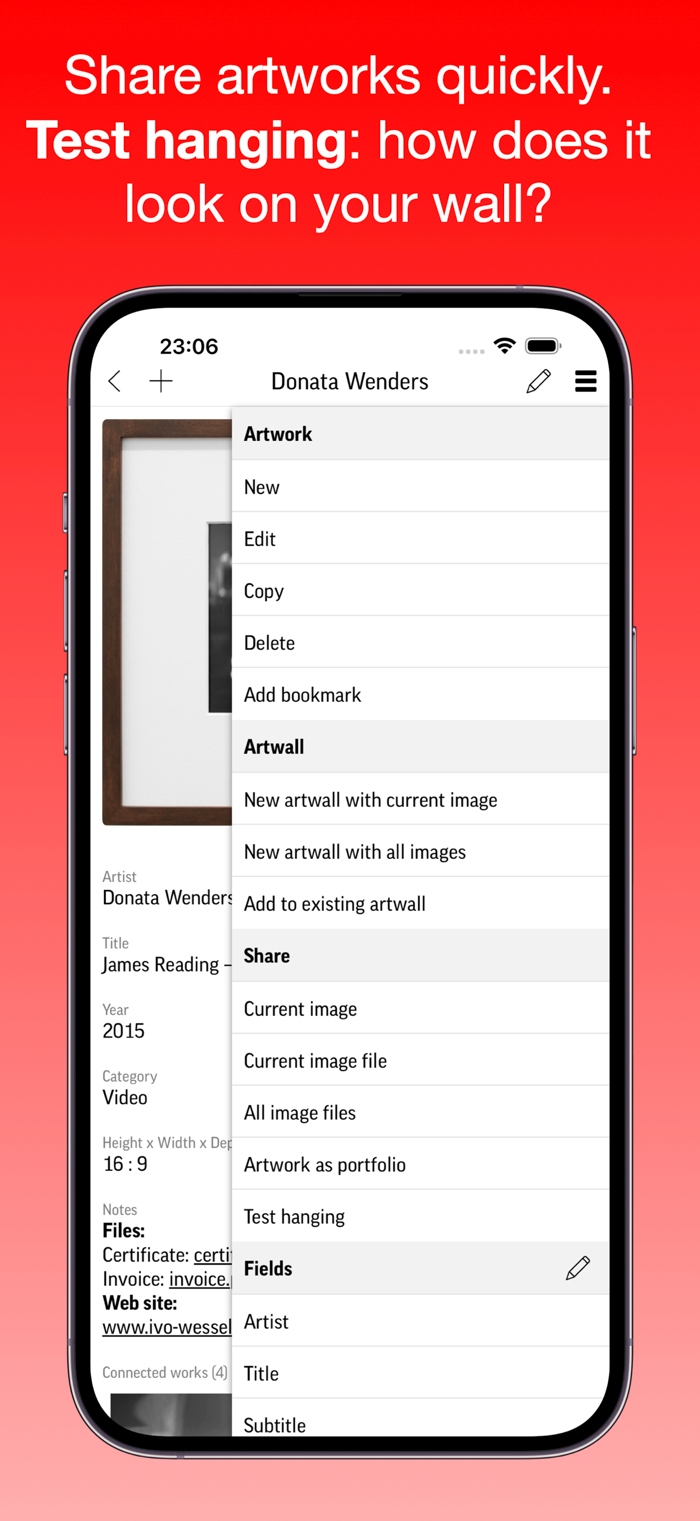
TRIAL HANGING
– View a work of art through the camera on your own wall.
ARTWALLS – VIRTUAL WALLS
– A dream come true: finally, space and endless walls for your art.
– Hang your artwork without a hammer, nails, or a tape measure. In seconds.
– For your very own personal exhibitions.
– You will rediscover your treasures.
– You can share and send the artwalls – and you always have them with you.
FINAL TIP
Since you’ve made it this far, here’s a tip as a reward:
– With “LongPress,” the navigation bar with the buttons moves to thumb height.
– In case you didn’t know: With LongPress on the space bar, the keyboard of any iOS app turns into a trackpad for cursor placement.
IN-APP PURCHASE
The free version is limited to 20 artworks. A one-time in-app purchase unlocks the management of an unlimited number of artworks.

收起

用户评价

立即分享产品体验

你的真实体验,为其他用户提供宝贵参考

宝石
评论可得 100 宝石
宝石随心兑换应用高级会员,每周更新 前往查看 >>
活动动态 0 人参加
查看更多评论