


 +100宝石


产品功能
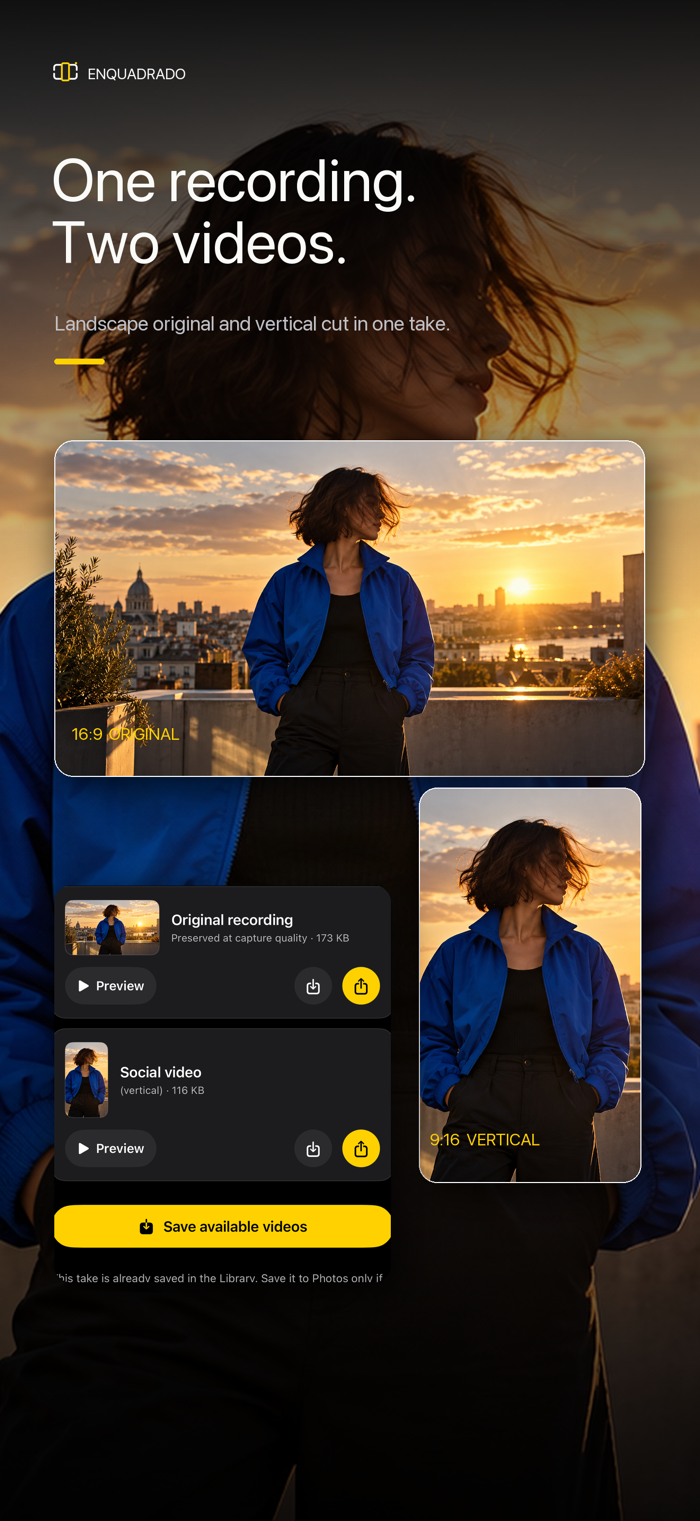
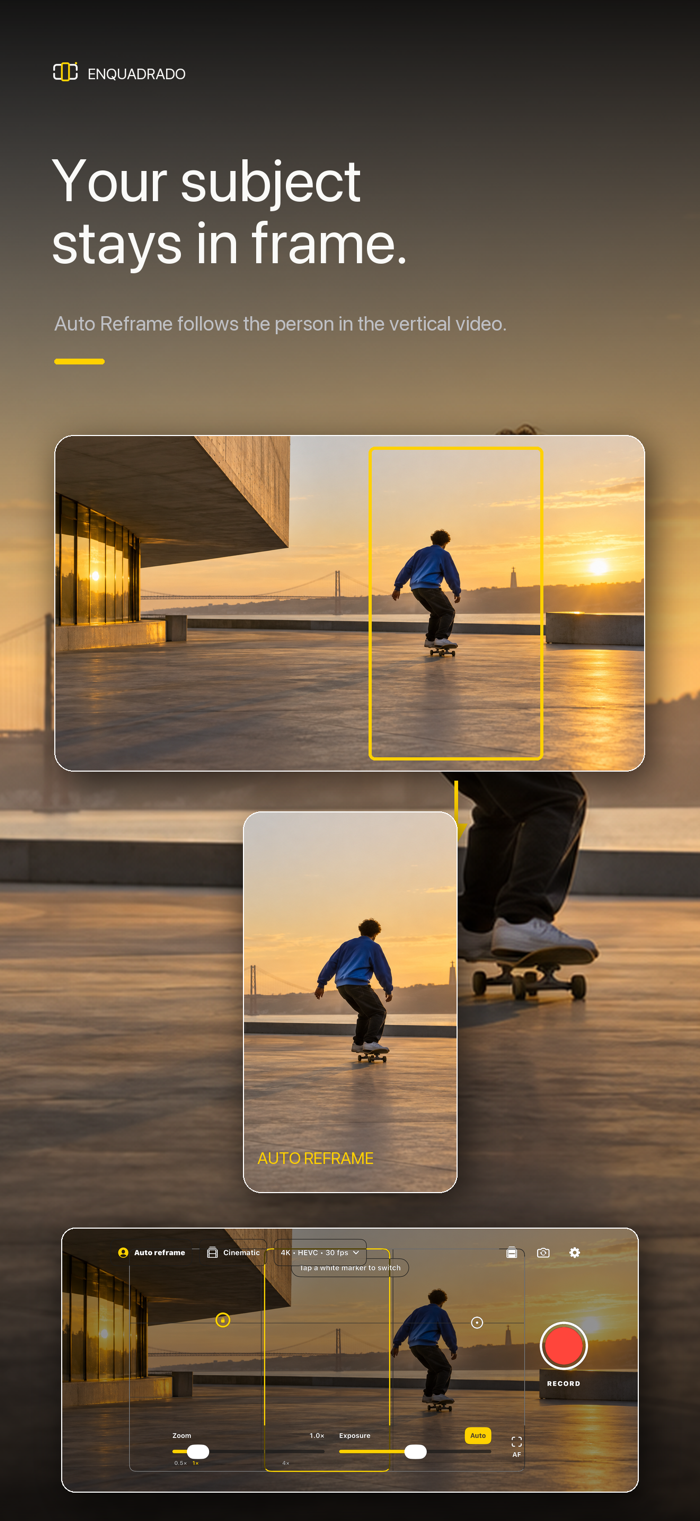
Record a new video or use a landscape video you already have. With Auto Reframe, choose a person and create a vertical 9:16 version that follows your selection while preserving the original.
IMPORT AND MAKE IT VERTICAL
Open the Library and tap Import video to choose a video from Photos or Files, including iCloud Drive. The app shows loading feedback, then opens person selection. Tap inside the box around the person you want to follow. If needed, scrub through the thumbnail strip to another moment. Tap Create vertical video to create a take with the original and vertical version.
RECORD WITH MORE CONTROL
Switch between front and rear cameras before recording. Adjust zoom in the viewfinder, including while recording, and use the lens marks available on the active camera.
Choose 1080p or 4K and up to 60 FPS, depending on your iPhone, camera, and format. Adjust ISO and exposure compensation, tap to focus, and return to automatic controls whenever you want.
Enable native Cinematic mode on supported cameras. Use the 16:9 and 9:16 guides and optional grid.
With Auto Reframe on, choose a person after recording and create the vertical version, or keep only the original. If no person is found, create a centered vertical crop. With Auto Reframe off, the app uses a centered vertical crop.
YOUR MUSIC KEEPS PLAYING
Listen to music from other apps while recording, including with headphones.
YOUR TAKES IN THE LIBRARY
Local recordings and imported videos are organized as takes inside the app. Find them by thumbnail and time, open the landscape and vertical versions to watch, and save to Photos or share only what you choose.
Create folders, drag takes to organize them, or select several to move and delete. Deleting a folder also deletes its takes and videos after confirmation.
After your vertical-video choice and processing, the camera is ready for the next recording. The original is preserved while the vertical is prepared.
RECORD TO A USB-C SSD
Choose a connected SSD in Settings. The app creates an Enquadrado folder at the drive root and a folder for each take, with the landscape video and the vertical version when generated. Files stay on the SSD, and its takes appear in the Library while it is connected and authorized. In Cinematic mode, both the rendered landscape video and editable source are preserved.
QUALITY AND COMPATIBILITY
Vertical export preserves the original frame timing and adapts resolution to avoid unnecessary upscaling. This does not remove blur already present in the recording.
Requires iPhone with iOS 26 or later. Recording requires camera and microphone access. Cinematic, 4K, 60 FPS, lenses, manual controls, and SSD support depend on the device and configuration; the app shows compatible options. Exports run in the foreground, and long videos may take time.
Videos are processed on iPhone and are not uploaded to soumessias servers.
Access requires a monthly or annual subscription. Apple shows pricing, eligible trials, and renewal terms at purchase. Manage or cancel through your Apple Account, and restore purchases in the app.
Terms of Use: https://soumessias.com/enquadrado/terms
Privacy Policy: https://soumessias.com/enquadrado/privacy
Terms of Use (EULA): https://www.apple.com/legal/internet-services/itunes/dev/stdeula/
分享「」体验,参与「」抽奖!
分享 1~3 张你对这个产品最满意的截图或效果图
分享「」体验,参与「」抽奖!
用你的故事点亮社区✨!你的真实体验,将会永久展示在 官方主页 📌,为其他朋友提供宝贵参考 💡。立即分享吧!🚀
请为产品评分
请选择问题回答,为大家提供宝贵参考
选择要回答的问题
温馨提示
你尚未上传产品截图。
上传截图可立即获得宝石积分奖励!
如果你赶时间,也可稍后修改评论,补上截图领取宝石。
温馨提醒
你尚未添加产品截图
⚠️ 不添加截图将降低抽奖权重

感谢参加,你已成功参加!
为了确保你能及时收到审核结果和领奖码通知

扫描二维码关注 Mergeek 公众号
在后台回复 「获奖通知」
完成上述操作,即可保障奖励发放成功





用户评价
立即分享产品体验
你的真实体验,为其他用户提供宝贵参考
💎 分享获得宝石
【分享体验 · 获得宝石 · 增加抽奖机会】
将你的产品体验分享给更多人,获得更多宝石奖励!
💎 宝石奖励
每当有用户点击你分享的体验链接并点赞"对我有用",你将获得:
🔗 如何分享
复制下方专属链接,分享到社交媒体、群聊或好友:
💡 小贴士
分享时可以添加你的个人推荐语,让更多人了解这款产品的优点!
示例分享文案:
"推荐一款我最近体验过的应用,界面设计很精美,功能也很实用。有兴趣的朋友可以看看我的详细体验评价~"
关注 Mergeek 公众号
领奖遇到问题?联系小门助手