Clean Keyboard provides a focused full-screen cleaning screen for your keyboard.
Start a cleaning session before wiping your keyboard. While the Clean Keyboard window is active, it receives keyboard input so accidental typing stays in the app. To end a session, click Unlock Keyboard, press Esc, or press Command-Period.
Features:
• Full-screen cleaning screen
• Menu bar controls: Start Cleaning, Stop / Unlock, Preferences, and Quit
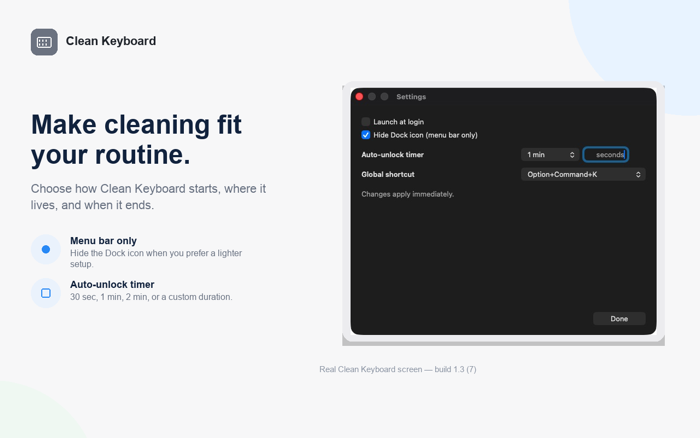
• Optional menu bar only mode — hide the Dock icon
• Optional launch at login
• Auto-unlock timer: 30 seconds, 1 minute, 2 minutes, or a custom duration
• Configurable shortcut
Clean Keyboard does not request Input Monitoring access. System shortcuts remain available.


 +100宝石


 分享
分享














用户评价
立即分享产品体验
你的真实体验,为其他用户提供宝贵参考
💎 分享获得宝石
【分享体验 · 获得宝石 · 增加抽奖机会】
将你的产品体验分享给更多人,获得更多宝石奖励!
💎 宝石奖励
每当有用户点击你分享的体验链接并点赞"对我有用",你将获得:
🔗 如何分享
复制下方专属链接,分享到社交媒体、群聊或好友:
💡 小贴士
分享时可以添加你的个人推荐语,让更多人了解这款产品的优点!
示例分享文案:
"推荐一款我最近体验过的应用,界面设计很精美,功能也很实用。有兴趣的朋友可以看看我的详细体验评价~"
关注 Mergeek 公众号
领奖遇到问题?联系小门助手