


Merge Videos: Video Editor
教育
- 创作者
- Grzegorz Wojcik
Merge Videos是iOS上最简单的视频编辑器,专为合并视频打造,能在数秒内将片段合成精致视频。可从相机胶卷选片段,拖动排列后轻点导出。有平滑过渡效果,如切割、交叉溶解或黑色渐变,过渡精心渲染有电影感。能添加背景音乐,从音乐库选并修剪,完美同步。还可添加文本叠加,自定义字体、颜色和大小。此外,支持用照片制作幻灯片。
教育
Merge Videos是iOS上最简单的视频编辑器,专为合并视频打造,能在数秒内将片段合成精致视频。可从相机胶卷选片段,拖动排列后轻点导出。有平滑过渡效果,如切割、交叉溶解或黑色渐变,过渡精心渲染有电影感。能添加背景音乐,从音乐库选并修剪,完美同步。还可添加文本叠加,自定义字体、颜色和大小。此外,支持用照片制作幻灯片。
点击查看界面细节

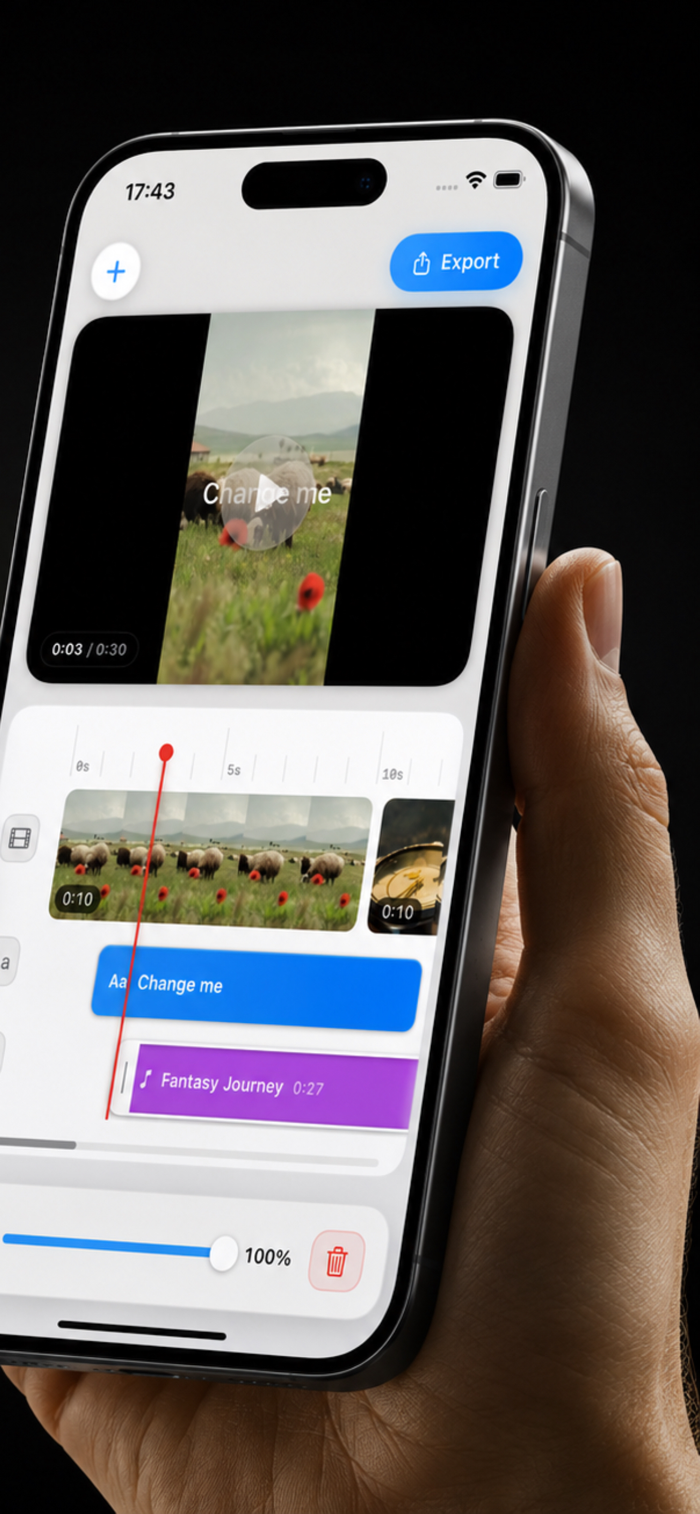

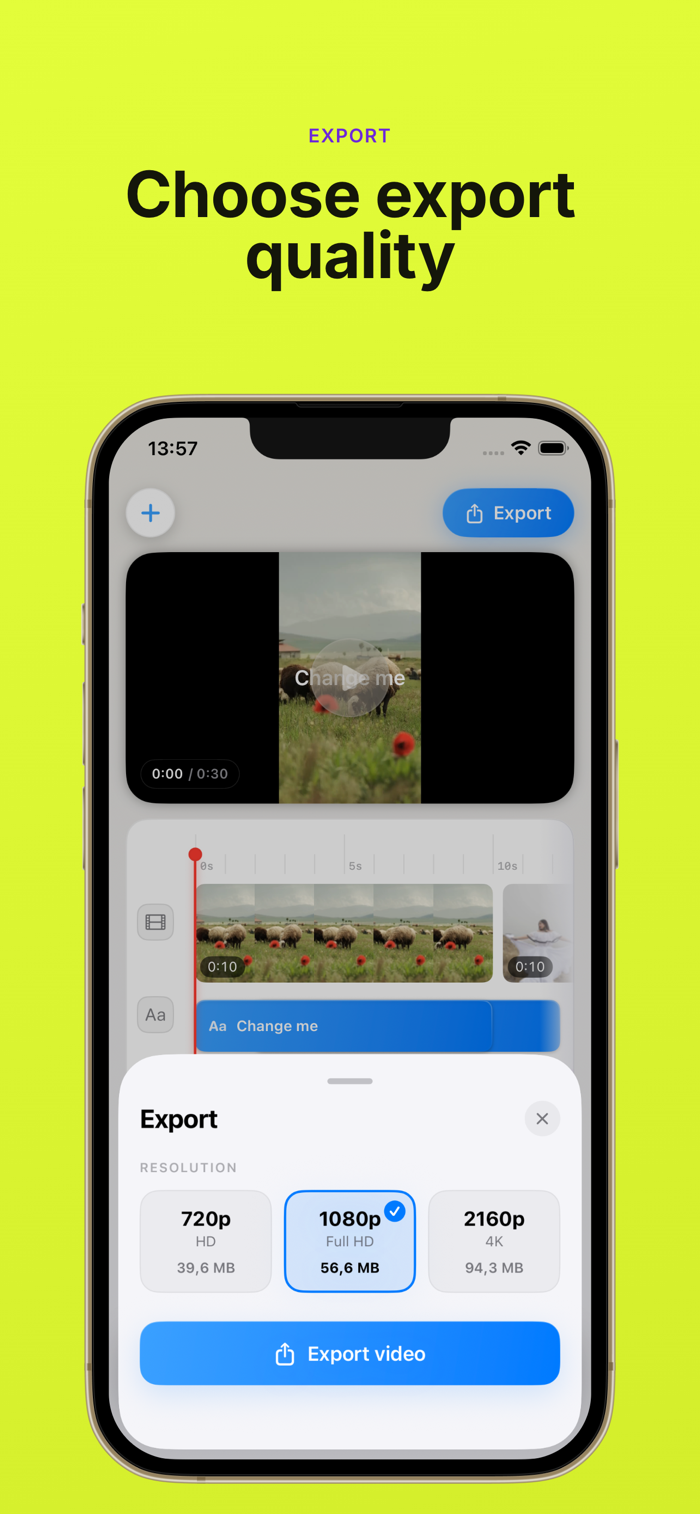

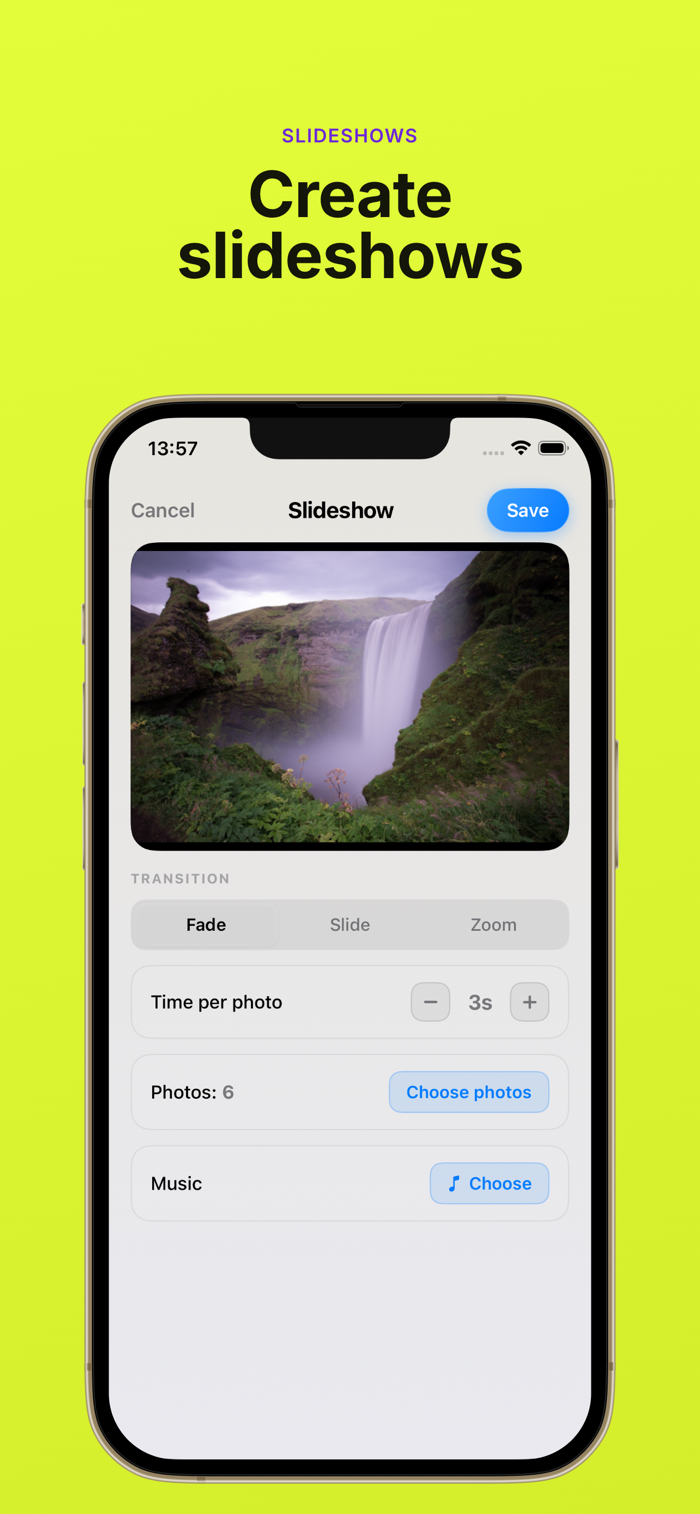

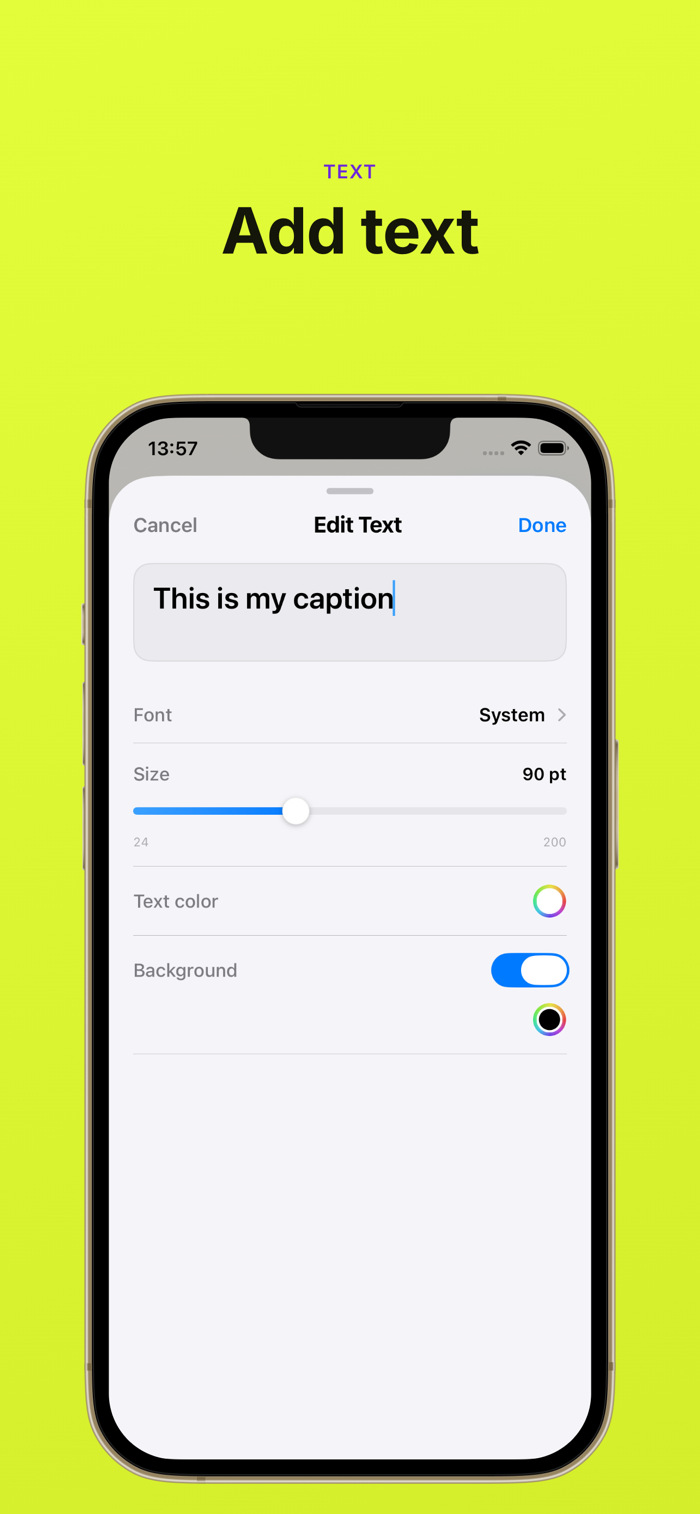
The simplest video editor to merge videos on iOS. Merge Videos is the video editor built for one job: combine your clips into a polished video in seconds. Whether you want to merge videos from your camera roll, edit a travel montage, or build a quick highlight reel, this video editor makes it effortless.
KEY FEATURES OF THIS VIDEO EDITOR
- Merge Videos In Seconds
Pick clips from your library, drag to arrange, tap export. The fastest video editor for merging videos on iOS.
- Smooth Transitions
Choose how your videos connect: cut, cross-dissolve, or fade through black. Every transition is rendered with care so your merged videos feel cinematic.
- Add Background Music
Drop in a soundtrack from your music library, trim it, and let the video editor sync it perfectly with your merged videos.
- Add Text Overlays
Add captions, titles, or callouts anywhere on your video. Custom fonts, colors, sizes - make every merged video tell its story.
- Photo Slideshows
Got photos? Build a slideshow with transitions, music, and timing - then merge it with your video clips on the timeline.
- Trim & Arrange
Trim every clip down to the perfect moment. Reorder by drag. The video editor previews changes in real time.
WHO IS MERGE VIDEOS: VIDEO EDITOR FOR?
• Travelers stitching highlight reels
• Parents combining family moments
• Creators building TikTok and Reels
• Wedding & event videographers
• Anyone who wants a video editor focused on merge videos workflows
HOW DOES MERGE VIDEOS WORK?
1. Open the video editor and tap +
2. Pick clips to merge from your library
3. Arrange them on the timeline
4. Choose a transition for your merged videos
5. Add music, text, or a slideshow
6. Tap Export and share The video editor handles 4K. Merge videos in HD, Full HD, or 4K resolution. The editor preserves your clips' quality from import to export.
Get Merge Videos: Video Editor today and turn scattered clips into one beautiful video.
UX improvements.
还没有公开评论,欢迎分享你的体验。
Merge Videos: Video Editor
让使用你作品的人,认识背后的你。编辑确认身份后,将为你授予入驻开发者标识。
编辑将人工核实你的资料,如需补充信息会通过所填邮箱联系你。身份确认后,由编辑为你授予入驻标识。