ClawTerminal turns your iPhone or iPad into a full mobile dev environment. SSH terminal, AI chatrooms, file browser, multi-agent orchestration, and a Mac-class workflow that fits in one hand.
Start a refactor on the train. Review a PR at lunch. Diagnose an outage from bed. Your Mac does the heavy lifting; your phone is the remote control.
WHAT'S NEW IN v1.4.0
- Apple Intelligence on-device - Save as Skill, /standup, and /whatif run entirely on iPhone 15 Pro and newer or M1+ iPads (iOS 26 with Apple Intelligence). No API key needed. Free, instant, private.
- ?prefix Search Mode - start any message with ? to run propose-evaluate-refine in parallel. Pin the winner to ground every follow-up.
- Save trajectories as Skills - long-press Select on any research or job trajectory, tap Save as Skill, auto-loads when a similar question matches.
- Push when jobs finish - /notifier setup (Apple Push from your Mac) or /notifier telegram (your own bot, no developer account).
- iOS 26 Writing Tools in the input bar and skill editor; SpeechAnalyzer for /voice and Speak with Search.
WHAT YOU GET
A Real Terminal
- Full SSH client with persistent sessions, themes, autocomplete
- Vim, htop, tmux, mosh - everything just works
- AI ghost-text suggestions; tap errors for instant explanations
- SFTP file browser with batch operations
- iPad multi-window, drag and drop, cursor support
Multi-Tool AI Chatrooms
- Claude, Codex, Gemini, or Aider - switch tools per chatroom
- Direct API mode or CLI mode over SSH to your Mac
- Apple Intelligence on-device when no API key is set (NEW)
- ?prefix routes a message through parallel exploration (NEW)
- Cross-session memory and custom skills tailored to you
Power Commands
- /research - in-app propose-evaluate-refine for about a penny per run
- /whatif - predict 3 likely outcomes before a risky command
- /frugal - strip the preamble for cheaper, faster answers
- /duck - Socratic rubber-duck debugging
- /standup - daily standup from yesterday's chat plus git log
- /wrapped - Spotify Wrapped style dev-activity summary
Multi-Agent Orchestration
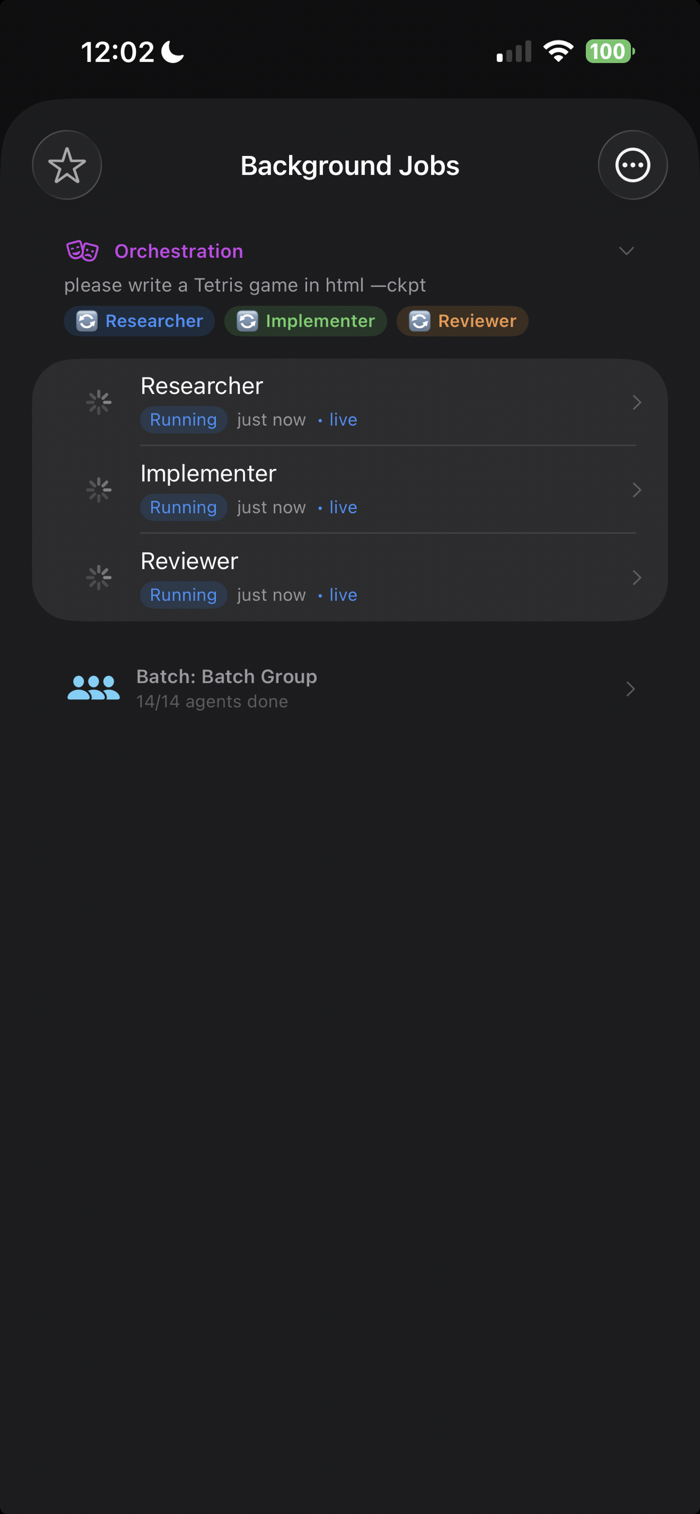
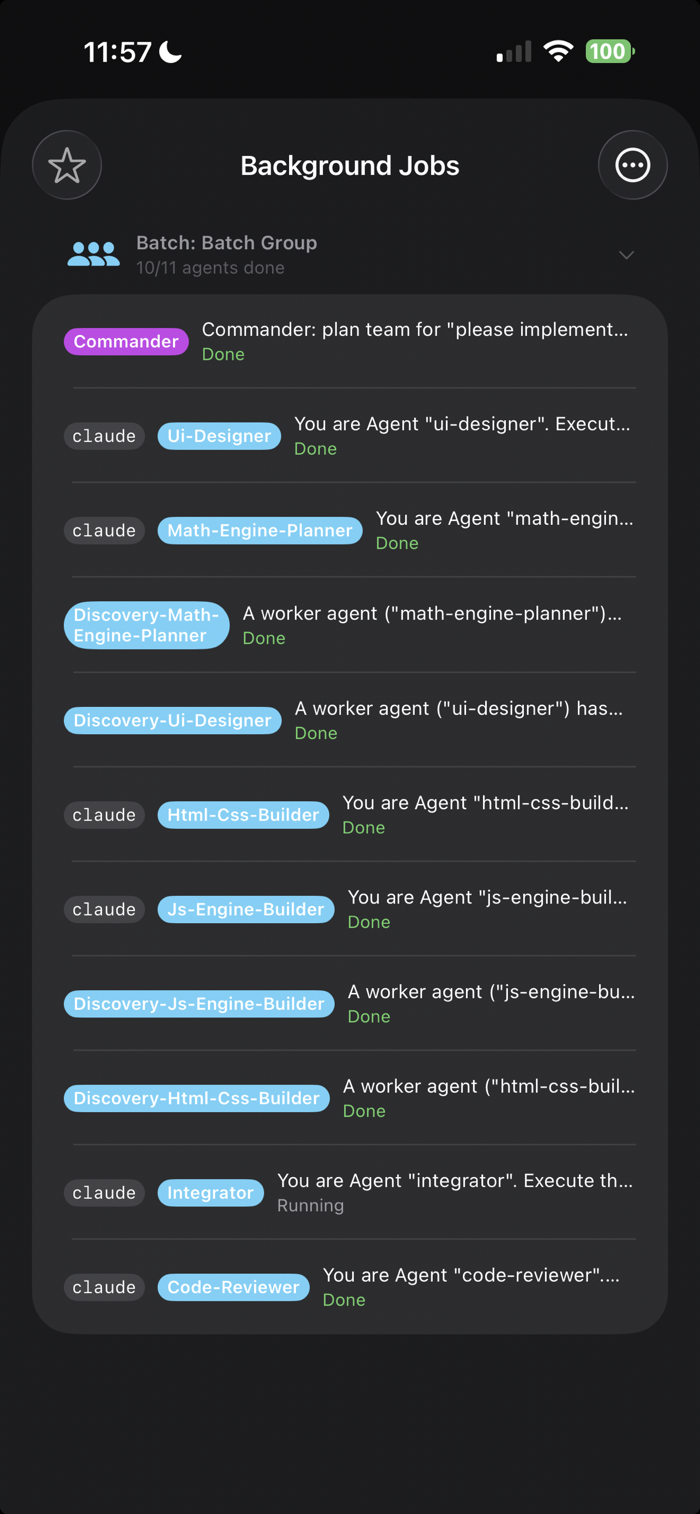
- /batch, /team, /race, /orchestrate - parallel agents, side-by-side
- Quality, Balanced, or Budget model-routing presets
- Git worktree isolation per agent with --vcs
Background Jobs with Push (NEW)
- /submit runs long jobs in the background; push when they finish
- /notifier setup for APNs from your own Mac (Apple Developer account)
- /notifier telegram for universal push via your own bot
- Per-job cost tracking, budgets, auto-recovery
DevOps Toolkit
- /git, /health, /monitor, /security, /pr, /preview, /conflicts
- AI code review, live web preview, merge conflict resolver
Context-Aware AI (OPT-IN)
- Time, calendar, motion, battery shape Claude's tone and length
The Learn Hub
- 6 interactive tutorial tracks, 43 hands-on steps
- 36 written tutorials and 33 examples, bundled offline
Cross-Device
- /handoff between phone and Mac tmux sessions
- Shared chatrooms, iCloud-synced profiles, Apple Watch companion
Voice and Camera
- /voice and Speak with Search (iOS 26 SpeechAnalyzer)
- Snap and Code - point camera at a whiteboard, get code
Privacy First
- All credentials in the iOS Keychain
- On-device AI when supported - your prompts can stay on the phone
- No telemetry, no tracking, no ads
WHO IT IS FOR
- Developers who want their Mac available everywhere
- Indie founders shipping from the road
- DevOps engineers handling incidents from anywhere
- Anyone who wants Claude Code, Codex, or Gemini from a phone
Requires an SSH-reachable Mac or Linux server for heavy work. AI chatrooms also work fully offline from your Mac via direct API mode or Apple Intelligence on iOS 26.

 +100宝石


 分享
分享

















用户评价
立即分享产品体验
你的真实体验,为其他用户提供宝贵参考
💎 分享获得宝石
【分享体验 · 获得宝石 · 增加抽奖机会】
将你的产品体验分享给更多人,获得更多宝石奖励!
💎 宝石奖励
每当有用户点击你分享的体验链接并点赞"对我有用",你将获得:
🔗 如何分享
复制下方专属链接,分享到社交媒体、群聊或好友:
💡 小贴士
分享时可以添加你的个人推荐语,让更多人了解这款产品的优点!
示例分享文案:
"推荐一款我最近体验过的应用,界面设计很精美,功能也很实用。有兴趣的朋友可以看看我的详细体验评价~"
关注 Mergeek 公众号
领奖遇到问题?联系小门助手