


 +100宝石


产品功能
The Lunar Calendar, Solar Terms, and Compensatory Days Off (“Off/Work”) at a glance; seamless integration with system “Calendar” and “Reminders” for schedules and tasks. Count down to important days, and sync in real-time with the Mac version via your own iCloud.
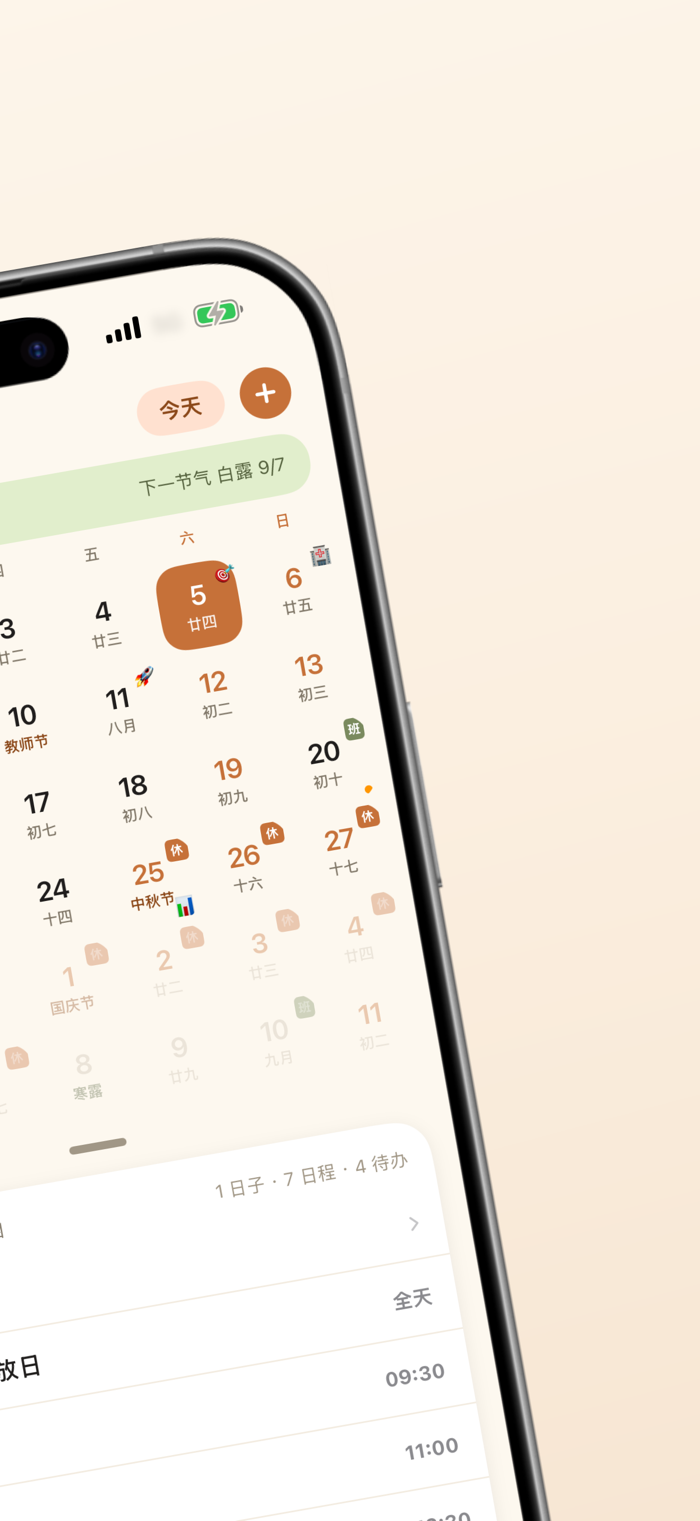
Lili is a calendar and task tool designed for Chinese users. The monthly view lets you see the lunar calendar, solar terms, and compensatory days off at a glance. Schedules and tasks read from and write to the system’s “Calendar” and “Reminders.” You can also count down to important days.
【Designed for Chinese Users】
· Lunar calendar, 24 solar terms, and traditional festivals are clear at a glance
· Chinese statutory holidays and compensatory days off (with “Off/Work” badges) are automatically marked and always enabled
· Public holidays from 33 countries/regions can be subscribed to, each with its own color
【Seamlessly Integrated with the System, No Data Silos】
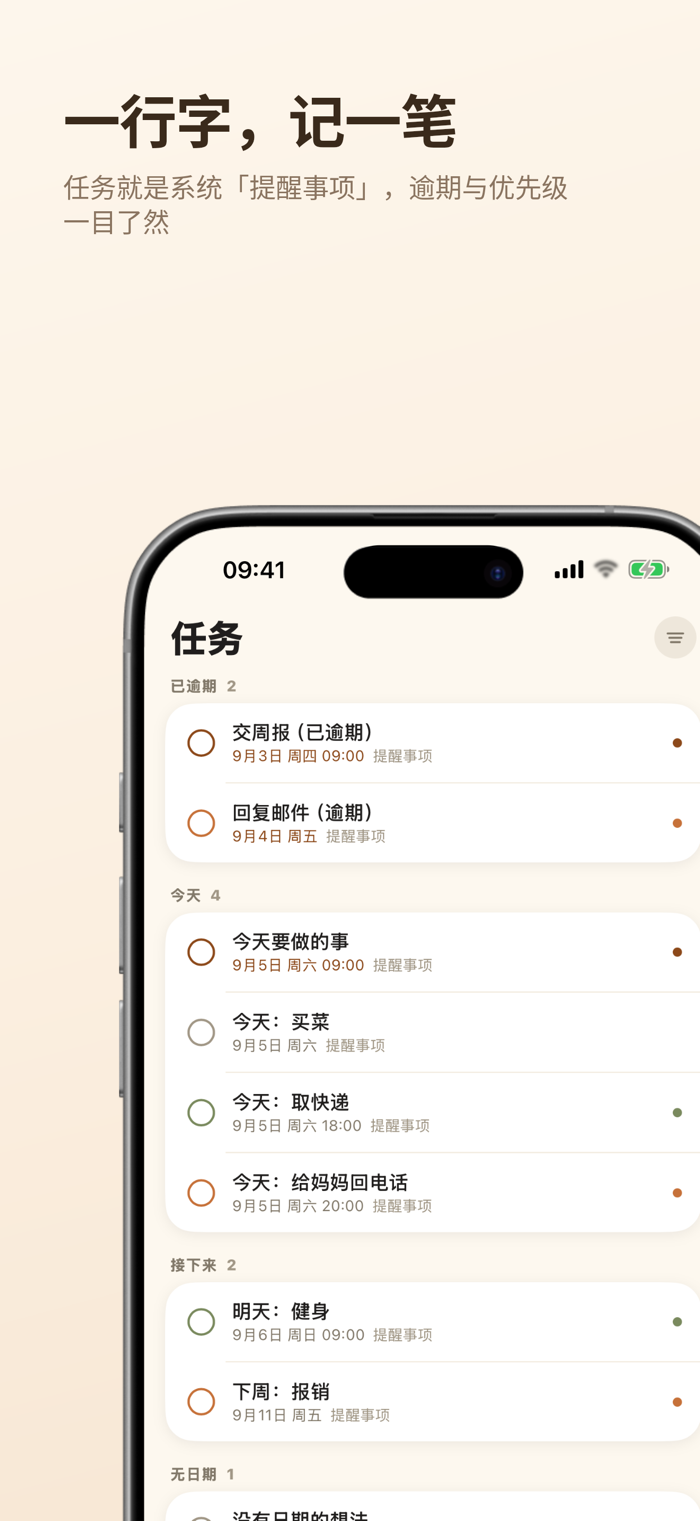
· Schedules come from the system “Calendar,” and tasks from “Reminders,” with two-way read/write support
· Next week’s schedules are grouped by date; you can choose to display only selected calendars
· Pre-meeting notifications allow direct access to online meetings via notification links if included
【Make Important Days Matter】
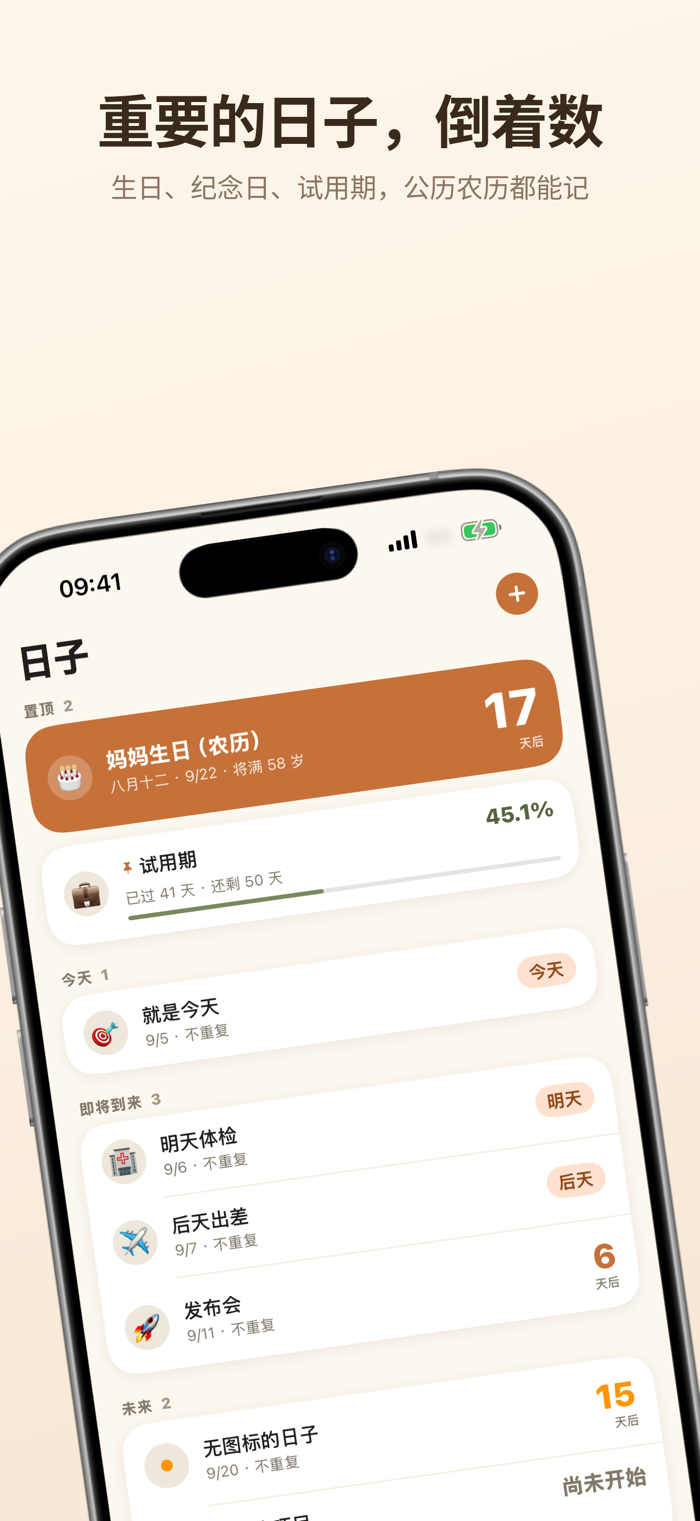
· Birthdays, anniversaries, and project milestones support annual recurrence in the lunar calendar and custom cycles
· Grouped by urgency; milestones show where the next memorable point is
· Real-time sync with the Mac version via your own iCloud
【Desktop and Lock Screen Widgets】
· Four types: Monthly Calendar, Schedule, Tasks, and Countdown, available in small, medium, and large sizes
· A countdown widget can also be placed on the lock screen
· Tap any row in a widget to open that item directly
【Convenience Features】
· Tabs can be toggled on/off and reordered; keep only what you need
· Start the week on Sunday/Monday/Saturday; toggle week numbers and adjust how many weeks appear in the monthly view
· Pomodoro focus timer (disabled by default; enable in settings)
· iPad and iPhone landscape mode features a dual-column layout: list on the left, editor on the right
【Privacy First】
We do not collect any personal information. Schedules and reminders are read/written only locally; “Days” sync via your own iCloud. Internet access is used solely to fetch public holiday data.
分享「」体验,参与「」抽奖!
分享 1~3 张你对这个产品最满意的截图或效果图
分享「」体验,参与「」抽奖!
用你的故事点亮社区✨!你的真实体验,将会永久展示在 官方主页 📌,为其他朋友提供宝贵参考 💡。立即分享吧!🚀
请为产品评分
请选择问题回答,为大家提供宝贵参考
选择要回答的问题
温馨提示
你尚未上传产品截图。
上传截图可立即获得宝石积分奖励!
如果你赶时间,也可稍后修改评论,补上截图领取宝石。
温馨提醒
你尚未添加产品截图
⚠️ 不添加截图将降低抽奖权重

感谢参加,你已成功参加!
为了确保你能及时收到审核结果和领奖码通知

扫描二维码关注 Mergeek 公众号
在后台回复 「获奖通知」
完成上述操作,即可保障奖励发放成功











用户评价
立即分享产品体验
你的真实体验,为其他用户提供宝贵参考
💎 分享获得宝石
【分享体验 · 获得宝石 · 增加抽奖机会】
将你的产品体验分享给更多人,获得更多宝石奖励!
💎 宝石奖励
每当有用户点击你分享的体验链接并点赞"对我有用",你将获得:
🔗 如何分享
复制下方专属链接,分享到社交媒体、群聊或好友:
💡 小贴士
分享时可以添加你的个人推荐语,让更多人了解这款产品的优点!
示例分享文案:
"推荐一款我最近体验过的应用,界面设计很精美,功能也很实用。有兴趣的朋友可以看看我的详细体验评价~"
关注 Mergeek 公众号
领奖遇到问题?联系小门助手