Your voice deserves to be heard clearly and effortlessly. Built from the ground up by a developer who lost the ability to speak, Talk For Me is engineered with a deep, personal understanding of what truly matters when connecting with others. Whether you are navigating ALS, recovering from a stroke, managing other medical conditions, or simply need a daily tool to assist with communication, Talk For Me bridges the gap.
KEY FEATURES:
• Speech to Call: Seamlessly sends your text-to-speech audio directly into phone and FaceTime calls.
• Siri Shortcuts Integration: Trigger your most frequently used everyday phrases directly through Siri without even opening the app.
• Personal Voice Support (iOS 17+): Create a digital copy of your own voice and use it within the app.
• Visual "Karaoke" Tracking: See exactly what is being spoken in real-time. Words are highlighted as they are said.
• Rebuilt Speech Engine: Combine sentences, questions and exclamations in one paragraph and it will all be spoken naturally with human-like emphasis.
• Smarter Number Pronunciation: No need to type awkward commas into long sequences like phone numbers, zip codes, or IDs. Just type the numbers naturally, and the voice engine will automatically insert human-sounding pauses!
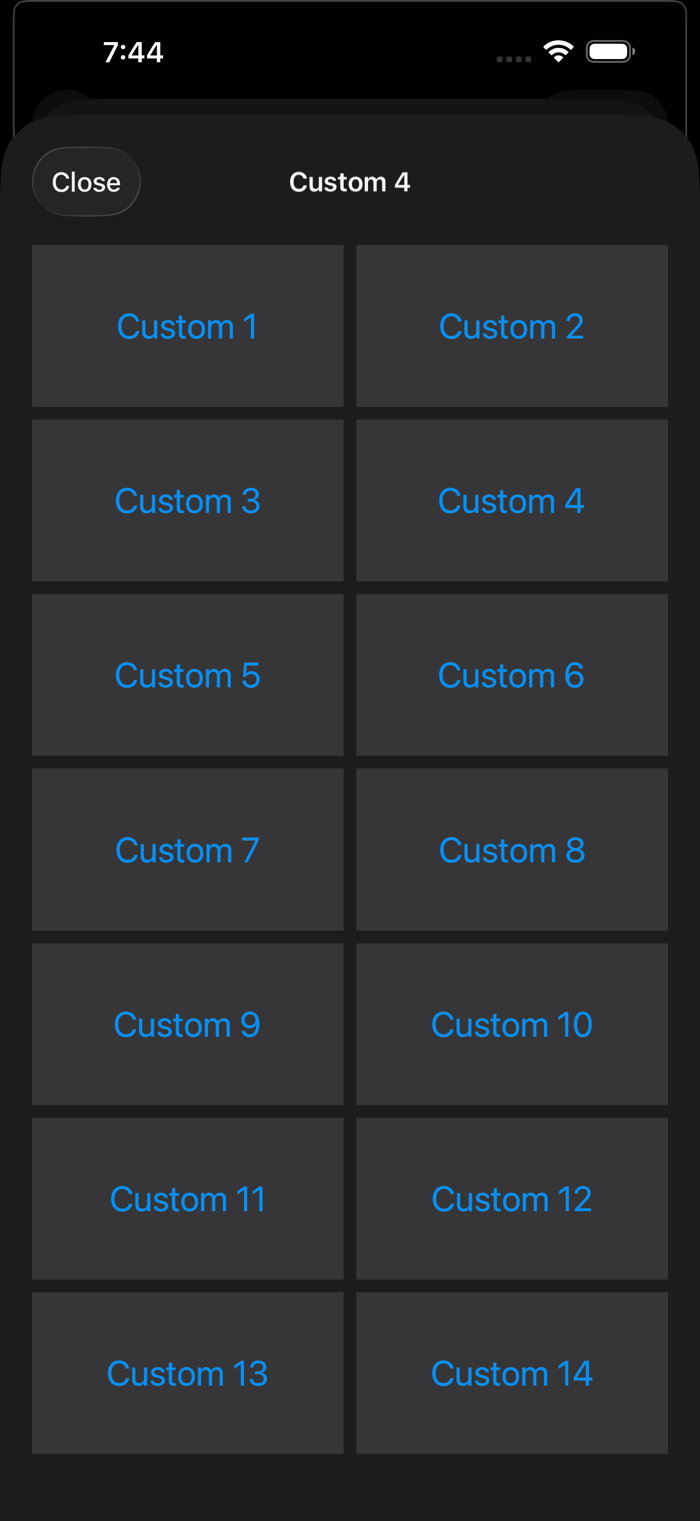
• Customizable Quick Buttons: Store your most common phrases in 12 main buttons, or swipe up to access four additional pages. Long-press any button to instantly drag, drop, edit, or clear its content—giving you a perfectly tailored speech board.
• Hardware Keyboard Support: Navigate the app at lightning speed. Magic Keyboard or external BT keyboard users can utilize native shortcuts (Cmd + F, Cmd + 1, etc.) to search, navigate, and speak without touching the screen.
• Library Database: Save unlimited phrases or partial sentences. On the Library page, you can swipe left on an entry to delete, swipe right to pin, or tap Edit to rearrange all entries. To edit a phrase tap the blue (i) info icon on the right side of any row.
• Custom Library Categories: Save phrases and filter them using custom category chips and easily rename up to four of them in Settings (Default: All, General, Personal, Phone Calls, Smart Home, Temp).
• iCloud Sync & Restore: Upload your custom buttons, library phrases, and settings to iCloud. Download them instantly to a new iPhone or iPad to keep your devices perfectly in sync.
• Local Backup Snapshots: Create instant local backups of your setup.
• Data Control Center: Easily manage your Local Backups, iCloud Sync, Appearance, Library Categories and Custom Button Page Titles all in one place.
• Offline & Private: Works completely offline. No ads, no tracking. Internet is only required when you choose to sync with iCloud.
ADDITIONAL TOOLS:
• Secure Privacy Wipe: Shake your device (or use a two-finger tap) to permanently wipe the text window.
• Seamless Audio Ducking: The voice engine will automatically lower your background media volume while your phrase is spoken.
• Library Search: Find your phrases lightning fast with the search field in the library.
• Dynamic Type: Fully supports iOS large text settings for maximum readability.
SUPPORTED LANGUAGES:
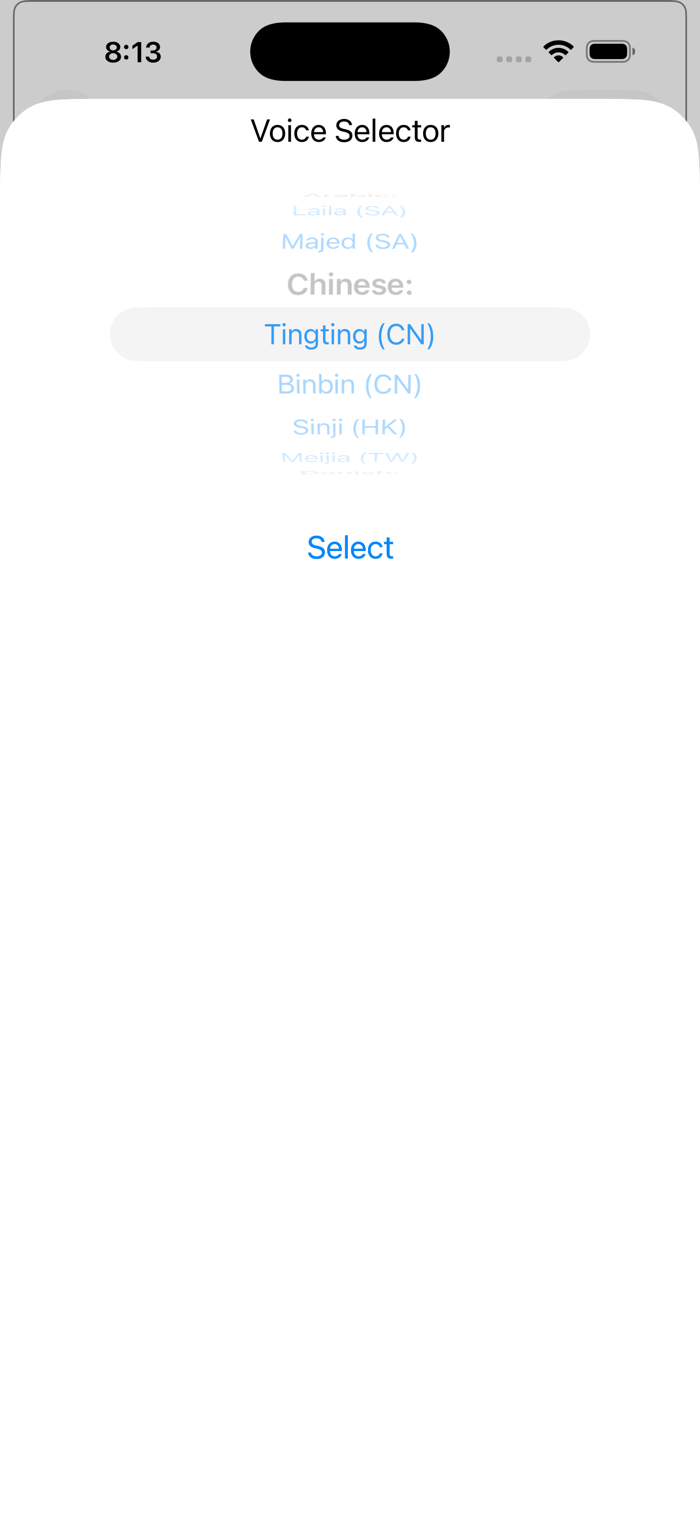
English (US, UK, AU, IE, ZA), Arabic, Chinese (CN, HK, TW), Czech, Danish, Dutch (BE, NL), French, German, Hindi, Italian, Japanese, Korean, Malay, Norwegian, Portuguese (BR, PT), Romanian, Spanish (AR, CL, CO, MX, ES), and Swedish.
A NOTE ON VOICES:
This app uses Apple’s Enhanced and Premium voices for the best quality. To ensure you have the best experience, go to your iPhone Settings > Accessibility > Read & Speak > Voices to download high-quality voices.
SUPPORT:
User manual available at MobileTouchTech.com/TalkForMe-manual
Questions? I am an independent developer dedicated to this community. If you'd like to get in touch, report an issue, or just connect, please visit https://mobiletouchtech.com/contact or email me directly at support@talkfor.me

 +100宝石


 分享
分享




















用户评价
立即分享产品体验
你的真实体验,为其他用户提供宝贵参考
💎 分享获得宝石
【分享体验 · 获得宝石 · 增加抽奖机会】
将你的产品体验分享给更多人,获得更多宝石奖励!
💎 宝石奖励
每当有用户点击你分享的体验链接并点赞"对我有用",你将获得:
🔗 如何分享
复制下方专属链接,分享到社交媒体、群聊或好友:
💡 小贴士
分享时可以添加你的个人推荐语,让更多人了解这款产品的优点!
示例分享文案:
"推荐一款我最近体验过的应用,界面设计很精美,功能也很实用。有兴趣的朋友可以看看我的详细体验评价~"
关注 Mergeek 公众号
领奖遇到问题?联系小门助手