


 +100宝石




产品功能
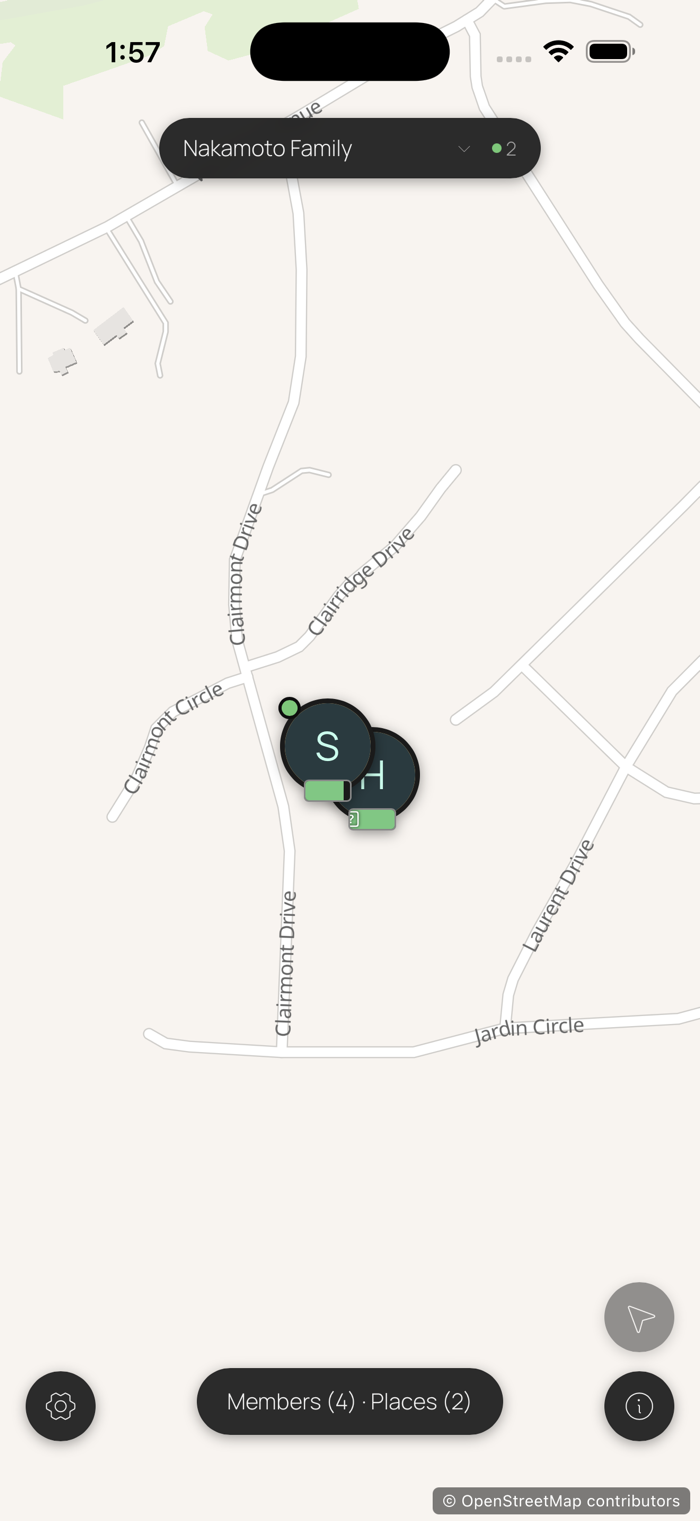
Share live location and presence with the people you trust, your family, your friends, the people on your road trip. No accounts. No tracking. No subscriptions.
Your circle's location data lives only on the devices you pair. PearCircle has no central server storing it, no analytics and no telemetry, and PeerLoom holds no key that could read a single thing about you or your circle.
KEY FEATURES
- Private circles: create a circle, invite people via a link or QR code, share live location directly with them
- Multiple circles: one identity, many circles such as family, friends, or partners on a trip; switch between them or see everyone at once
- Places and geofences: long-press the map to drop a Place; everyone in that circle gets a notification when someone arrives or leaves
- Trips: your motion timeline records each drive or walk; opt in per-circle to let members see each other's trips on the map
- Motion at a glance: pins surface walking, driving, flying, or stationary state, with battery and last-seen time
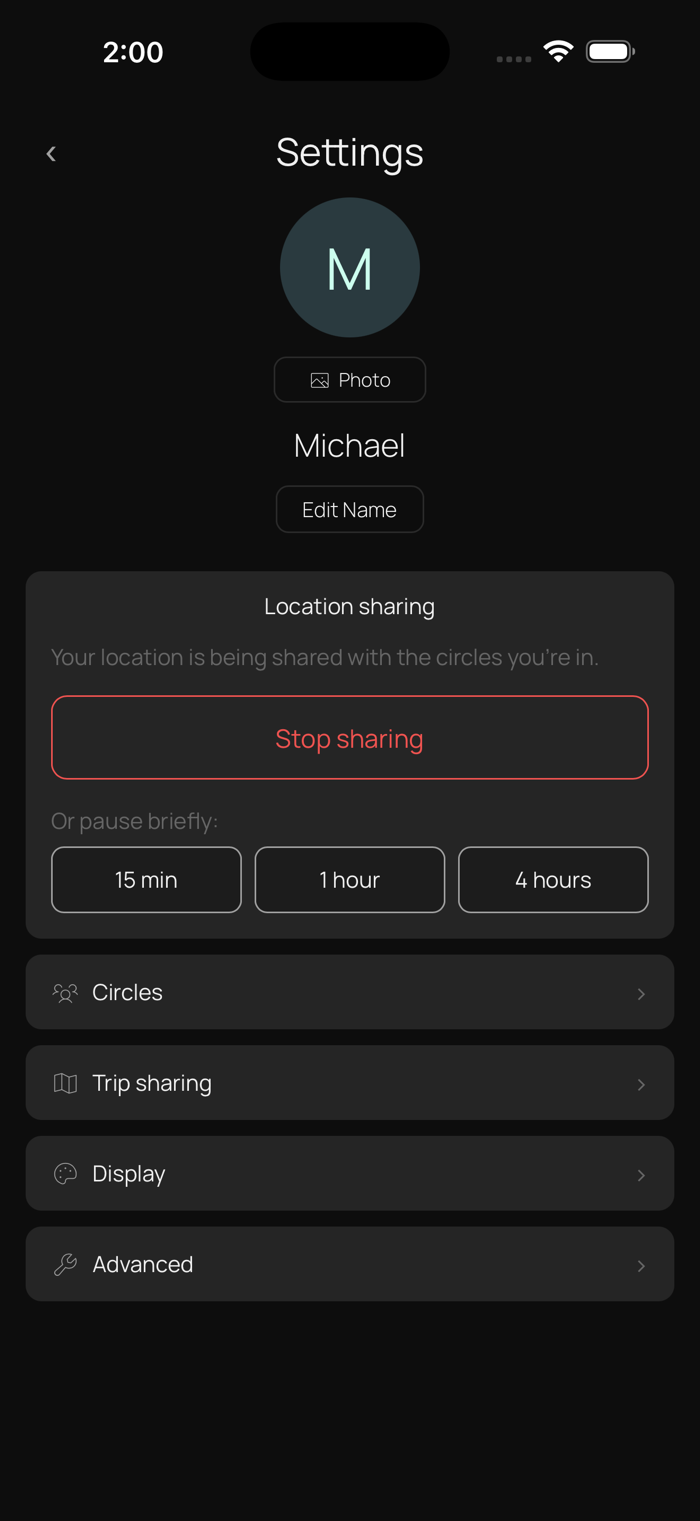
- Sharing pause: one tap silences your location for the rest of the day; peers see "Sharing paused" instead of stale dots
- Offline map tiles: tiles you've viewed stay cached so the map keeps working without a network connection; download an area in advance for trips into dead zones
- No accounts: your identity is a cryptographic key pair generated on your device
- No data collection: PeerLoom, Apple, and no third party ever sees your location data
HOW IT WORKS
PearCircle uses peer-to-peer technology powered by Hypercore Protocol. When devices in the same circle are online at the same time, they find each other using a distributed hash table, the same kind of technology that powers BitTorrent. Once connected, they sync directly, device to device, with no middleman.
All sync traffic is encrypted in transit. Each location update, place change, and trip is cryptographically signed by the writing device, so circle members only apply updates they can verify came from a paired member.
Place transitions such as "arrived at Home" or "left School" are computed locally on each device. When you cross a geofence, your device writes a signed transition that replicates to peers, and their devices fire the local notification. No service in the middle decides what you are told.
PRIVACY
- No accounts or sign-up required
- No analytics, tracking, or telemetry
- No third-party SDKs
- All sync traffic is end-to-end encrypted
- Location data stays on the devices in your circles, never uploaded to a service that can read it
- Optional connection relay: when a network stops two phones connecting directly, PearCircle can fall back to a relay PeerLoom runs. It forwards encrypted data it has no key to read and stores nothing, though it can see that two devices are talking and how much data passes. Direct connections are always tried first, and one switch in Settings turns it off
- Map tiles come from a public tile provider as stateless tile-coordinate requests; they don't identify you or your circle
- Trip history is local-only by default; per-circle sharing is opt-in
PERMISSIONS
PearCircle asks for location permission on first launch and explains why each step is needed. "Always" lets the foreground worklet keep sharing while the app is in the background. "While Using the App" works only when PearCircle is foregrounded.
If you previously declined, an in-app banner offers a direct link to your iOS Settings.
LIMITATIONS
- Both devices in a circle must be online at the same time to sync in real time. Changes made offline replicate the next time devices can reach each other.
Open source. No vendor lock-in. Built by PeerLoom.
分享「」体验,参与「」抽奖!
分享 1~3 张你对这个产品最满意的截图或效果图
分享「」体验,参与「」抽奖!
用你的故事点亮社区✨!你的真实体验,将会永久展示在 官方主页 📌,为其他朋友提供宝贵参考 💡。立即分享吧!🚀
请为产品评分
请选择问题回答,为大家提供宝贵参考
选择要回答的问题
温馨提示
你尚未上传产品截图。
上传截图可立即获得宝石积分奖励!
如果你赶时间,也可稍后修改评论,补上截图领取宝石。
温馨提醒
你尚未添加产品截图
⚠️ 不添加截图将降低抽奖权重

感谢参加,你已成功参加!
为了确保你能及时收到审核结果和领奖码通知

扫描二维码关注 Mergeek 公众号
在后台回复 「获奖通知」
完成上述操作,即可保障奖励发放成功






用户评价
立即分享产品体验
你的真实体验,为其他用户提供宝贵参考
💎 分享获得宝石
【分享体验 · 获得宝石 · 增加抽奖机会】
将你的产品体验分享给更多人,获得更多宝石奖励!
💎 宝石奖励
每当有用户点击你分享的体验链接并点赞"对我有用",你将获得:
🔗 如何分享
复制下方专属链接,分享到社交媒体、群聊或好友:
💡 小贴士
分享时可以添加你的个人推荐语,让更多人了解这款产品的优点!
示例分享文案:
"推荐一款我最近体验过的应用,界面设计很精美,功能也很实用。有兴趣的朋友可以看看我的详细体验评价~"
关注 Mergeek 公众号
领奖遇到问题?联系小门助手