TabForge is an open-source programming keyboard for iPhone and iPad. Write code, scripts and terminal commands with punctuation and editing controls beside the letter keys.
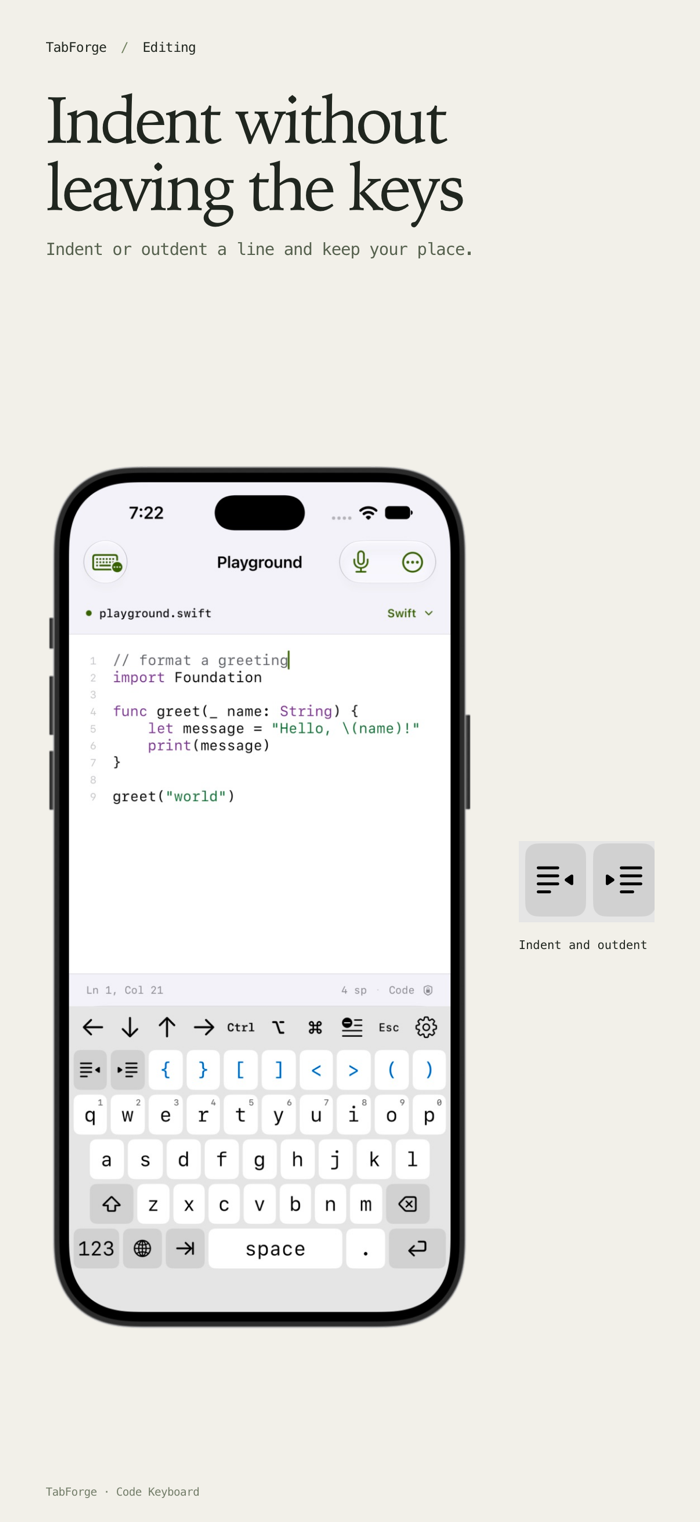
Indent a line, move the cursor or insert a saved snippet. The keyboard's gear menu gives you access to settings and code tools in the app you're typing in.
Programming keys
- Type braces, square brackets, angle brackets, parentheses and full ASCII punctuation.
- Choose Tab, two spaces or four spaces, with indent, outdent and automatic newline indentation.
- Use arrows, Escape and Control, Option and Command keys. Their behavior depends on the input profile and host app.
- Save snippets for commands, operators and repeated text.
- Get language suggestions for Swift, Python, JavaScript, TypeScript, Shell and JSON.
Layouts for your screen
Phone layouts keep familiar letter keys with coding controls close by. Compact landscape layouts leave more room for the app above the keyboard. Larger iPad and supported Duo layouts show more controls. Choose your key size and keyboard height, follow iOS light and dark appearance, or select a code palette.
Editing and input profiles
Use Code editor for pairing and indentation, Terminal · ANSI for supported control text, or Remote desktop for literal input. Terminal and remote behavior depends on the client: a keyboard extension inserts text and cannot send arbitrary hardware-key events. Line edits need enough context from the host app to verify the change.
Optional English prose autocorrect uses Apple's on-device spelling service in eligible text fields. It is off by default, skips code-like input and stays inactive in Terminal, Remote desktop and the code playground. Space applies a correction; immediate Delete restores your spelling.
The companion playground
Edit text with syntax highlighting, line numbers, undo and a share action. The playground does not run code. Its keyboard and layout previews use temporary settings, separate from the installed keyboa…