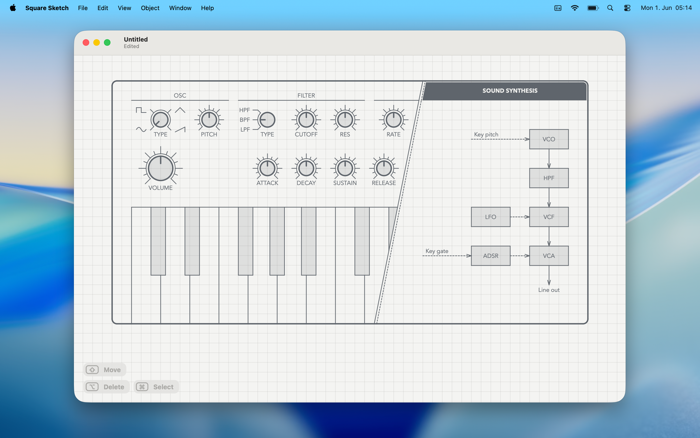
Square Sketch is a professional tool for visualizing your ideas on a square grid.
It combines the simplicity of pen and paper with the advantages of a vector drawing app and is thus a kind of digital graph paper.
Features:
- Pen & paper UI: The window shows only the drawing area and, like a sheet of paper, has no toolbar, no options bar, and no shapes palette to avoid distractions. The draw tool with a pen-shaped pointer is active by default so you can start drawing right away.
- New interaction concept: With the removal of the toolbar comes a new interaction concept that minimizes the number of tools and the need to switch between them. The draw tool recognizes from the gesture whether a line or a circle should be drawn, or the cursor should be placed for text, without requiring a tool change.
- Flow & focus: The remaining tools for moving, selecting, and deleting are activated via modifier keys, on which the second hand can rest. This allows for quick access and the development of muscle memory, so that the tool change happens unconsciously and focus remains uninterrupted on the draft.
- Less is more: There is a deliberate focus on essential features and a style that is ideal for drafts: one font size, two pen colors, and two stroke widths.
- Flexible: On the unlimited drawing area, you can start anywhere and expand your draft in any direction. Even after drawing, all objects remain fully editable.
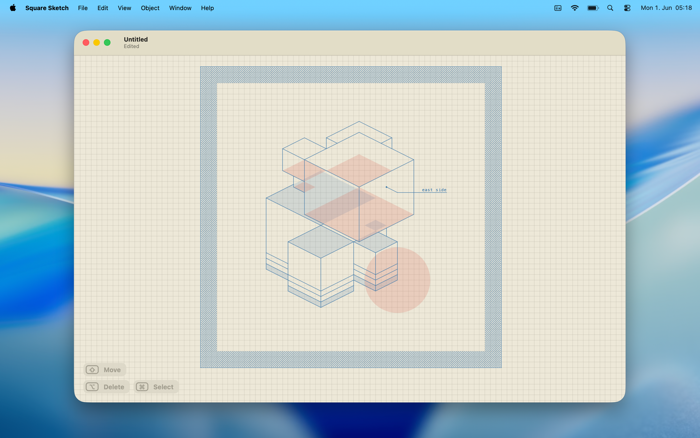
- Clean & precise: Typed text instead of handwriting, exact geometric shapes, grid with three levels of detail, and automatic snapping.
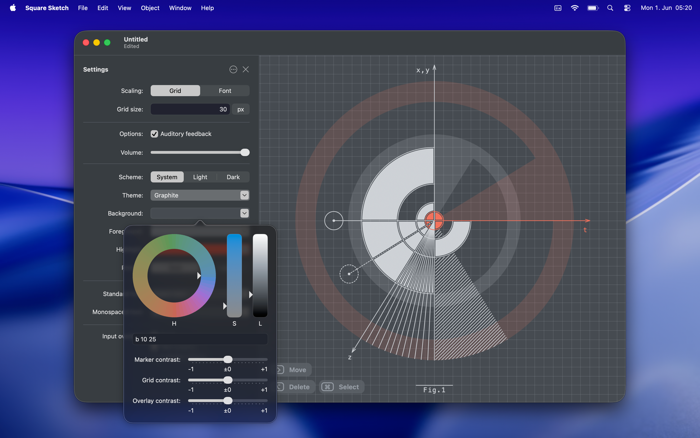
- Adaptive colors: Colors can be individually set for the drawing area in light and dark mode, as well as for export and print, and change according to the situation.
- Auditory feedback: The lack of haptic feedback, as with real pen and paper, is replaced by auditory feedback, creating a similarly immersive experience.
- Offline storage: The drawings are saved locally in an XML format.
- Export & Print: PNG and SVG files can be created directly using the export function. PDFs can be generated using the print function and the operating system.
- Native implementation: SwiftUI and AppKit are used for optimal integration into macOS.
- One-time purchase: Support a small indie studio with your purchase.


 +100宝石













用户评价
立即分享产品体验
你的真实体验,为其他用户提供宝贵参考
💎 分享获得宝石
【分享体验 · 获得宝石 · 增加抽奖机会】
将你的产品体验分享给更多人,获得更多宝石奖励!
💎 宝石奖励
每当有用户点击你分享的体验链接并点赞"对我有用",你将获得:
🔗 如何分享
复制下方专属链接,分享到社交媒体、群聊或好友:
💡 小贴士
分享时可以添加你的个人推荐语,让更多人了解这款产品的优点!
示例分享文案:
"推荐一款我最近体验过的应用,界面设计很精美,功能也很实用。有兴趣的朋友可以看看我的详细体验评价~"
关注 Mergeek 公众号
领奖遇到问题?联系小门助手